
When shipping internationally, import taxes and duties may be imposed on your parcel by the destination country’s customs authorities. On EasyParcel, there are two payment methods for handling import taxes and duties:
We'll Cover:
Prepaid By Sender (DDP - Delivered Duty Paid)
Under DDP (Delivered Duty Paid), the sender pays the estimated import duties and taxes upfront. The estimated tax and duty amount will be included in your total payment during checkout. Paying in advance helps reduce delivery delays and streamlines customs clearance for your receiver.
As the sender, you must ensure that shipment details (including declared value) are accurate and complete. Customs authorities and couriers reserve the right to impose additional charges if there is any misdeclaration.
How to book an international shipment with DDP:
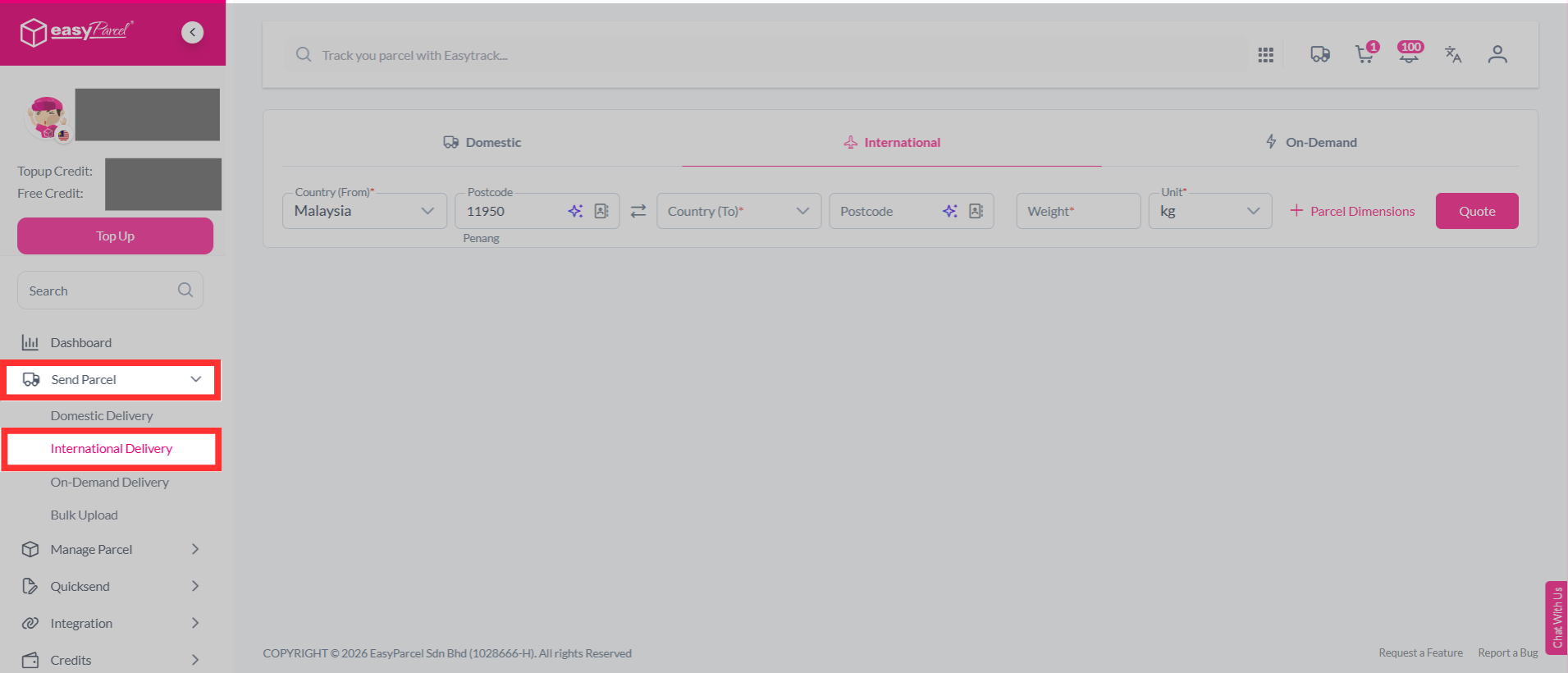
Step 1: Select "Send Parcel", then choose "International Delivery" from your dashboard.
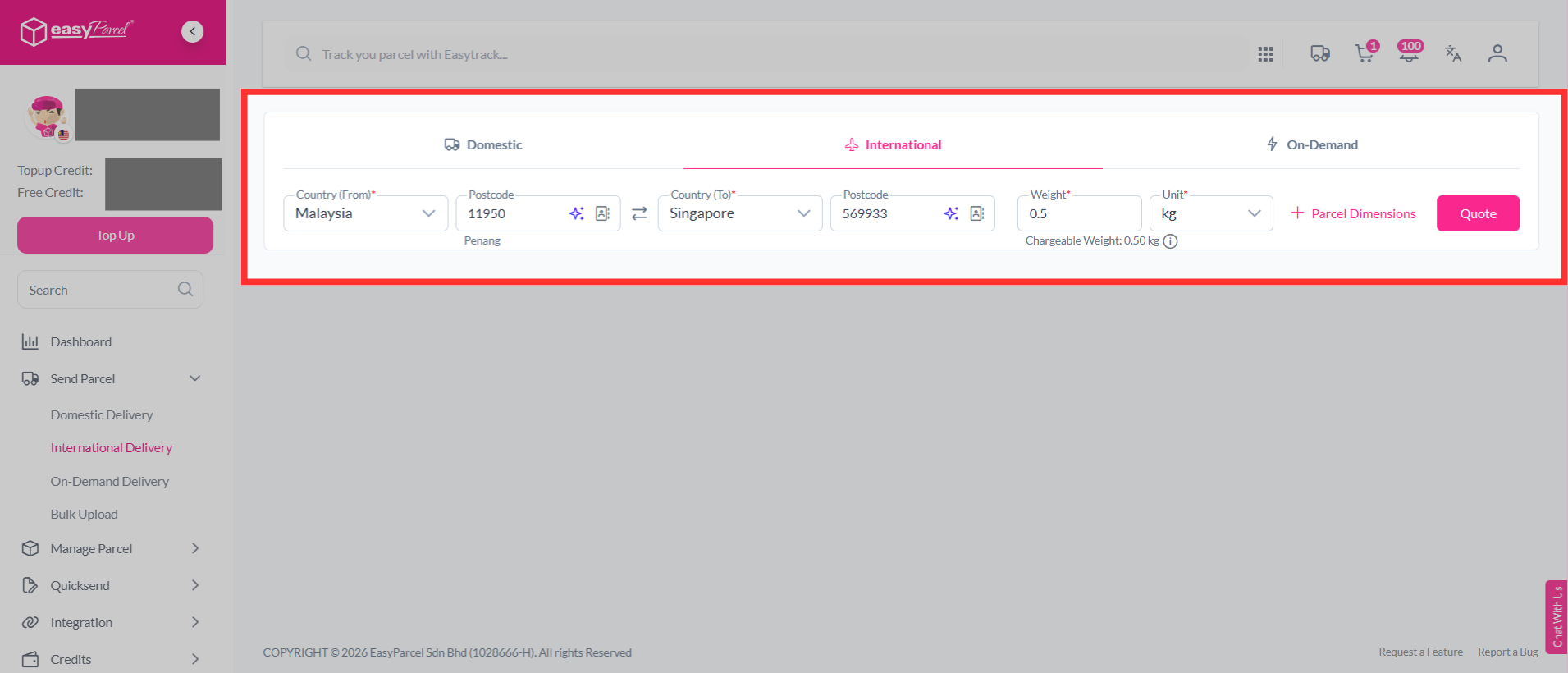
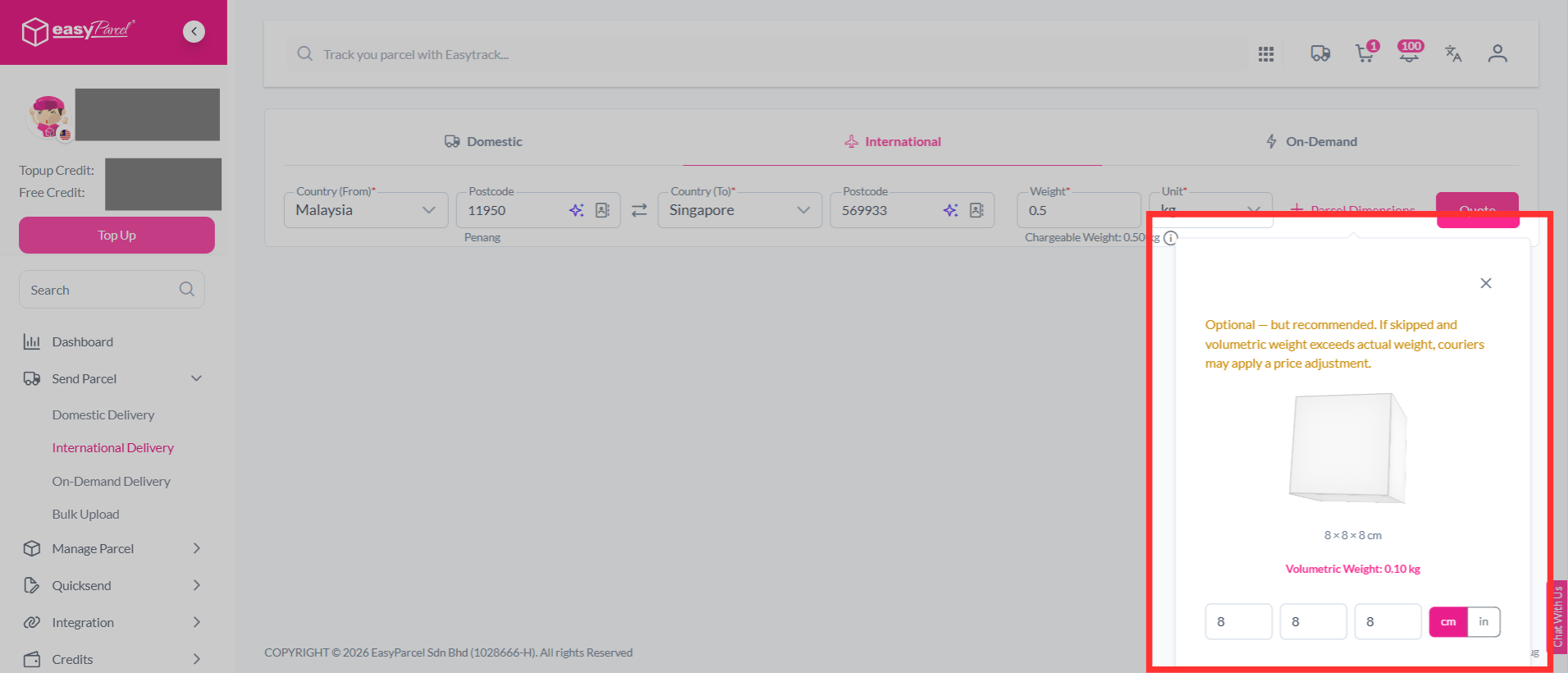
Step 2: Select the country, key in the postcodes, weight and parcel dimensions of your parcel. If you're unsure of how to determine your parcel weight, you can learn it here. Then, click on "Quote".
Note: Couriers calculate your parcel's actual weight and volumetric weight. The shipping charge is based on whichever weight is higher.
Step 3: You will see a list of available couriers. You can check whether the courier supports DDP (Delivered Duty Paid) or DDU (Delivered Duty Unpaid).
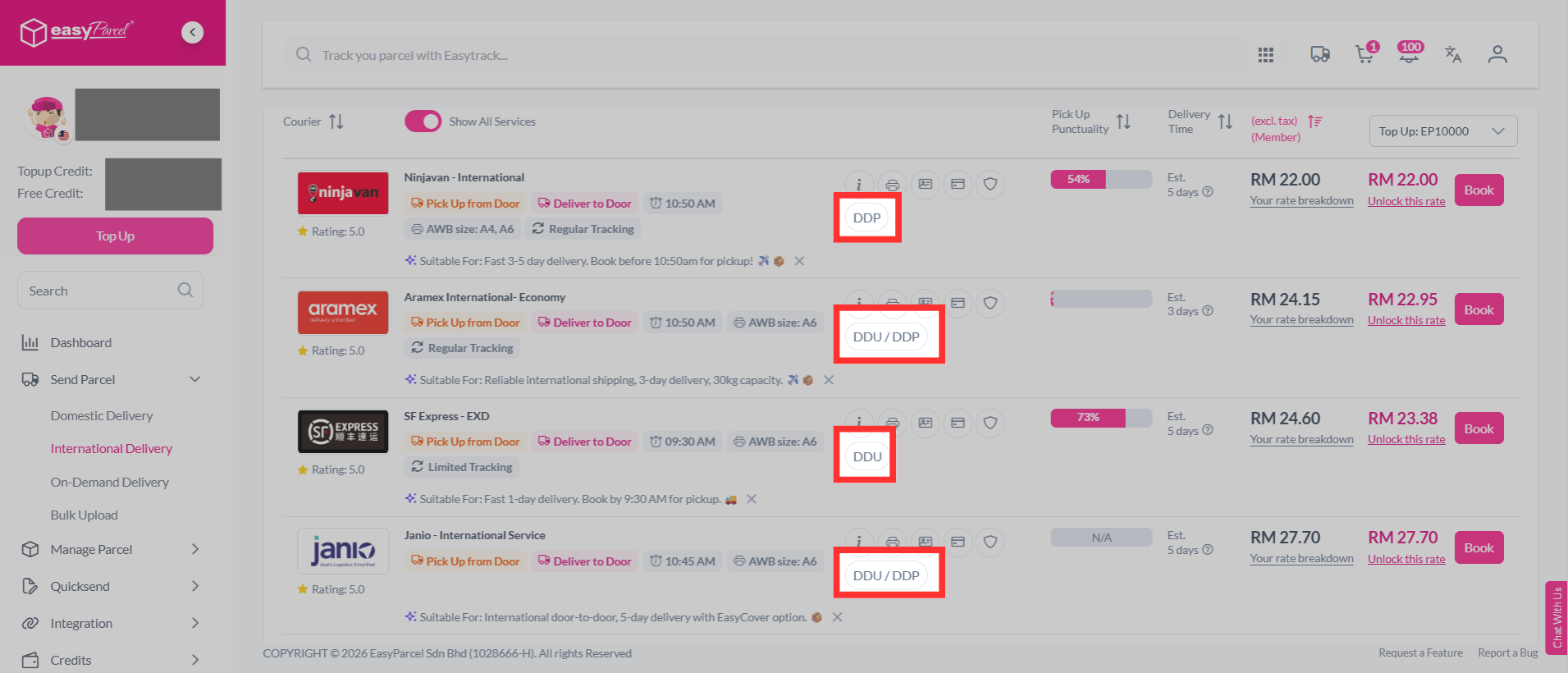
Step 4: Select a courier that support DDP, then click on "Book" button.
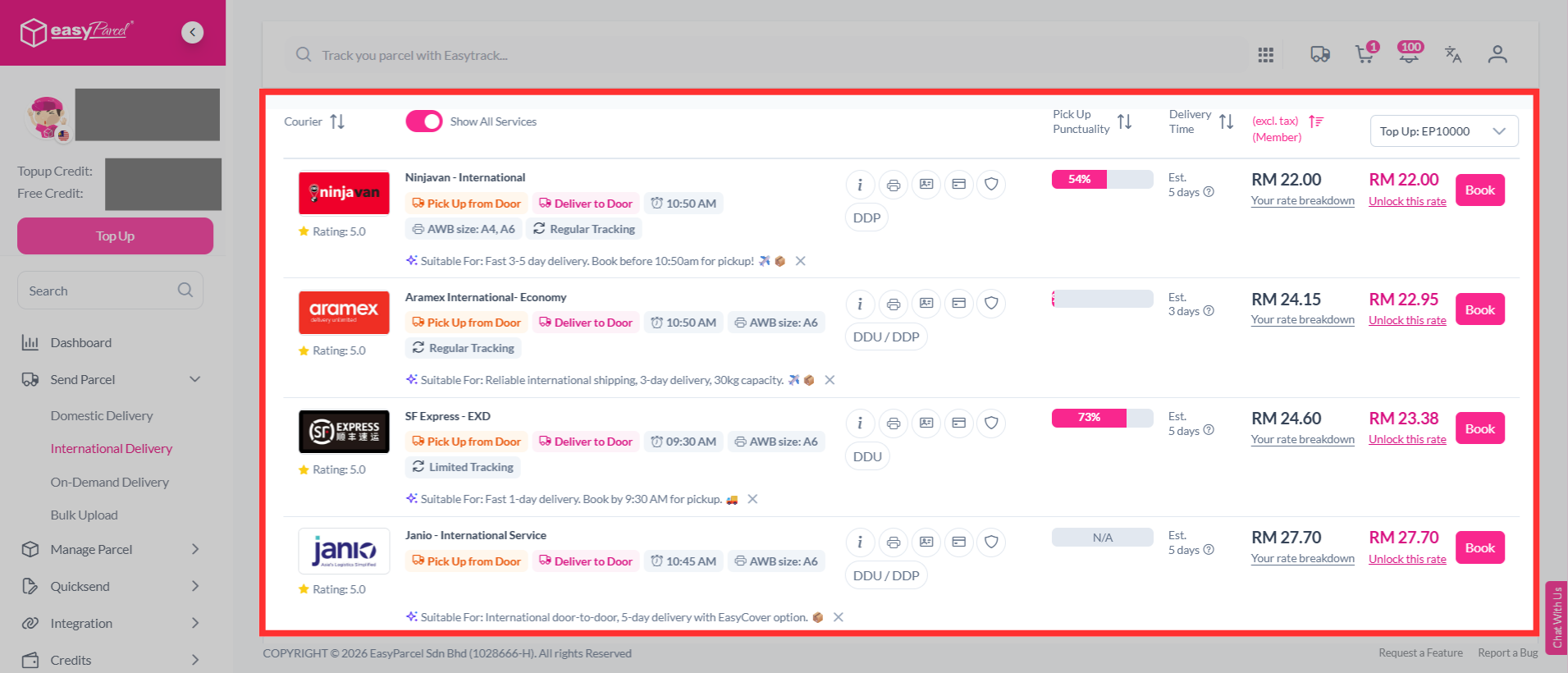
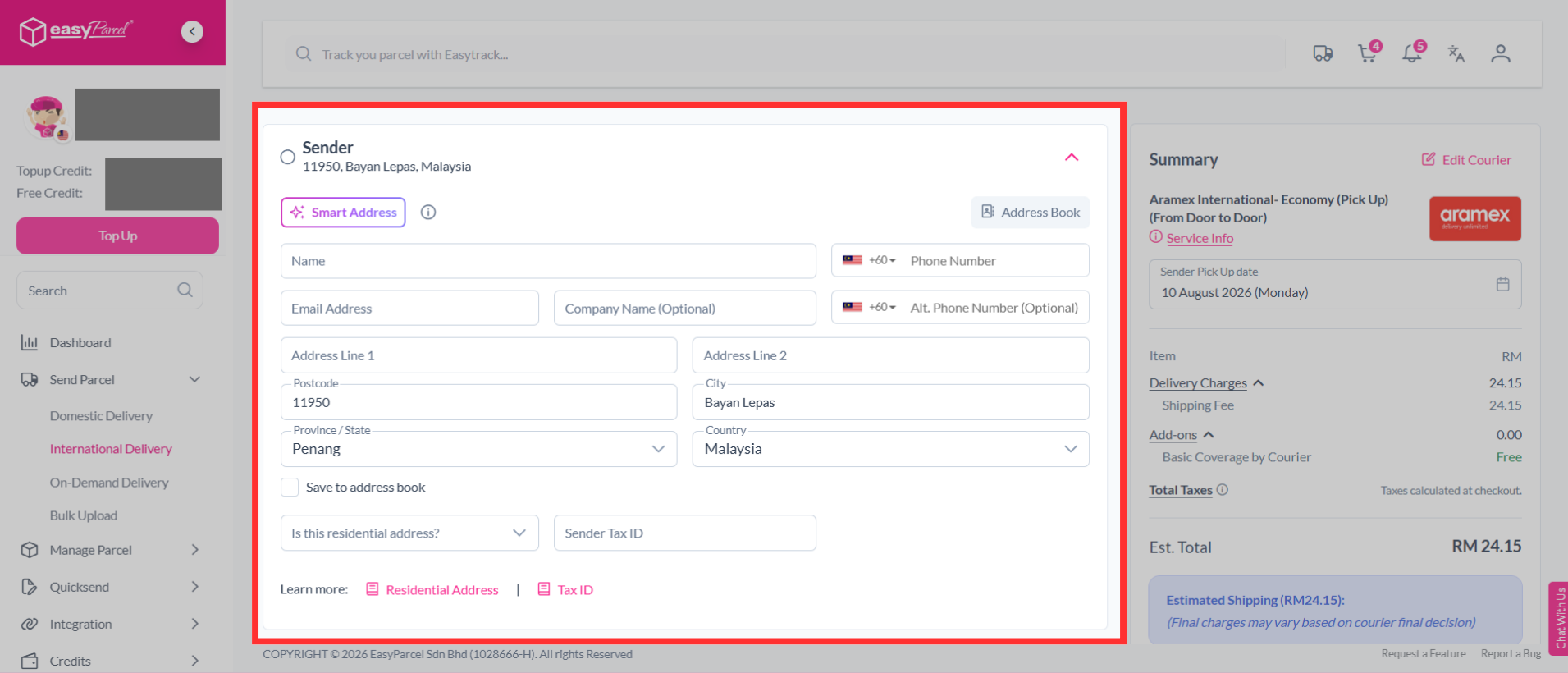
Step 5: Fill in the sender's details. Use Smart Address to quickly fill in the address details. Simply paste the name, phone number, and address, and the system will automatically fill in the relevant fields for you.
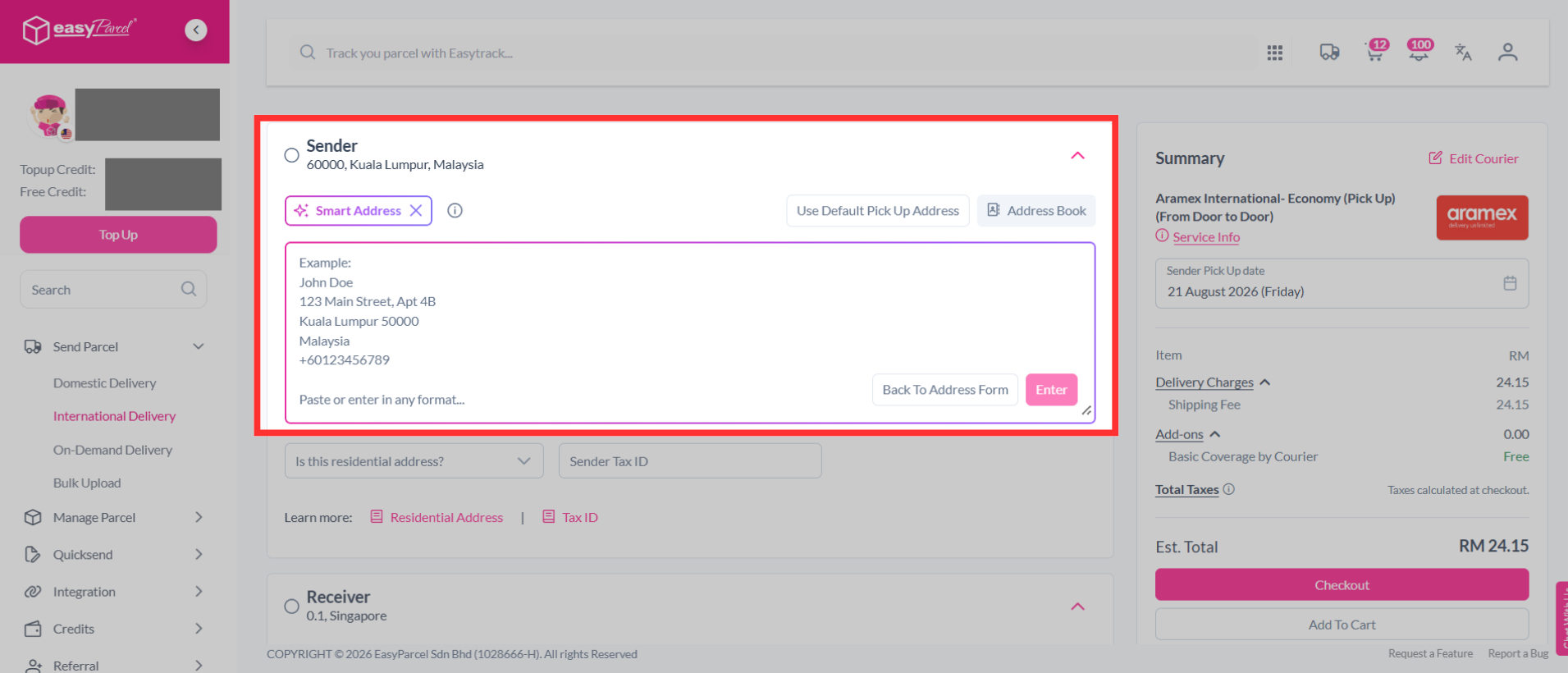
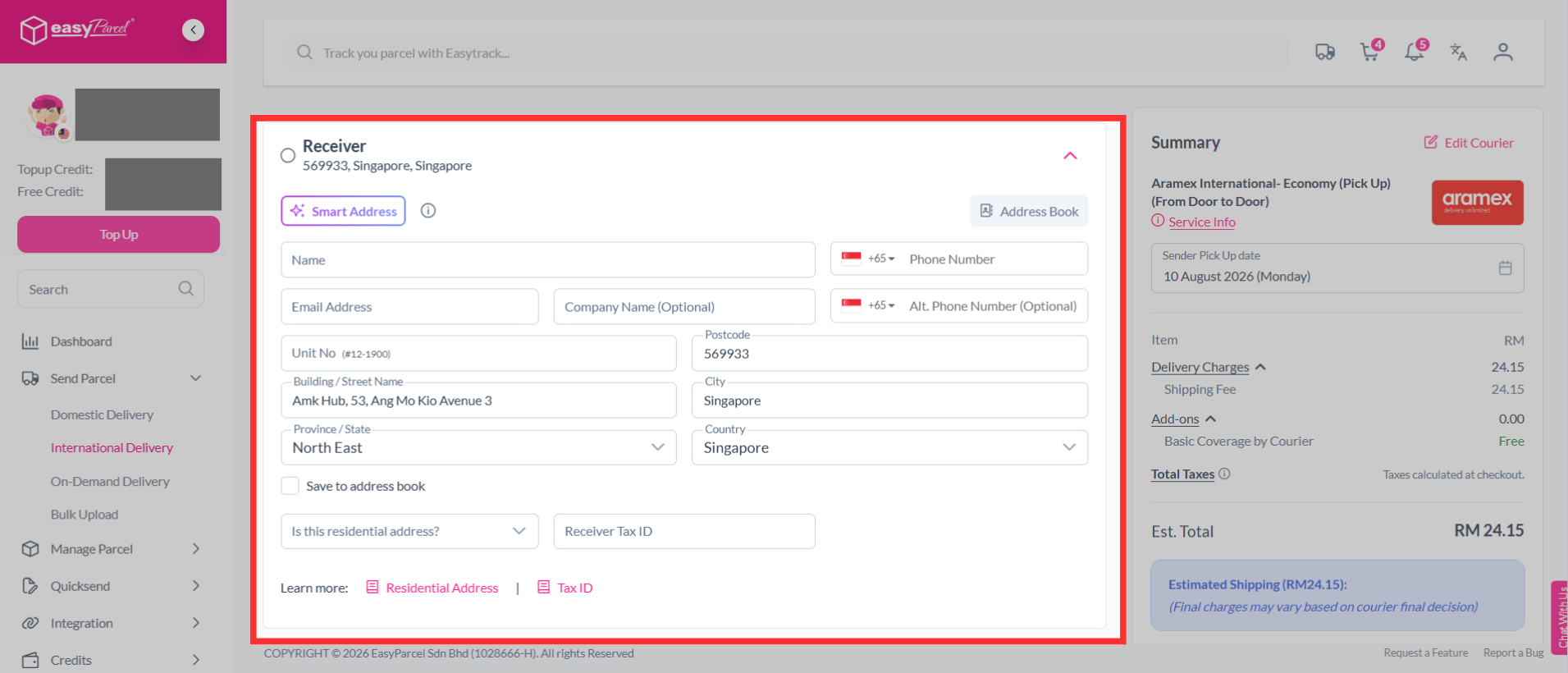
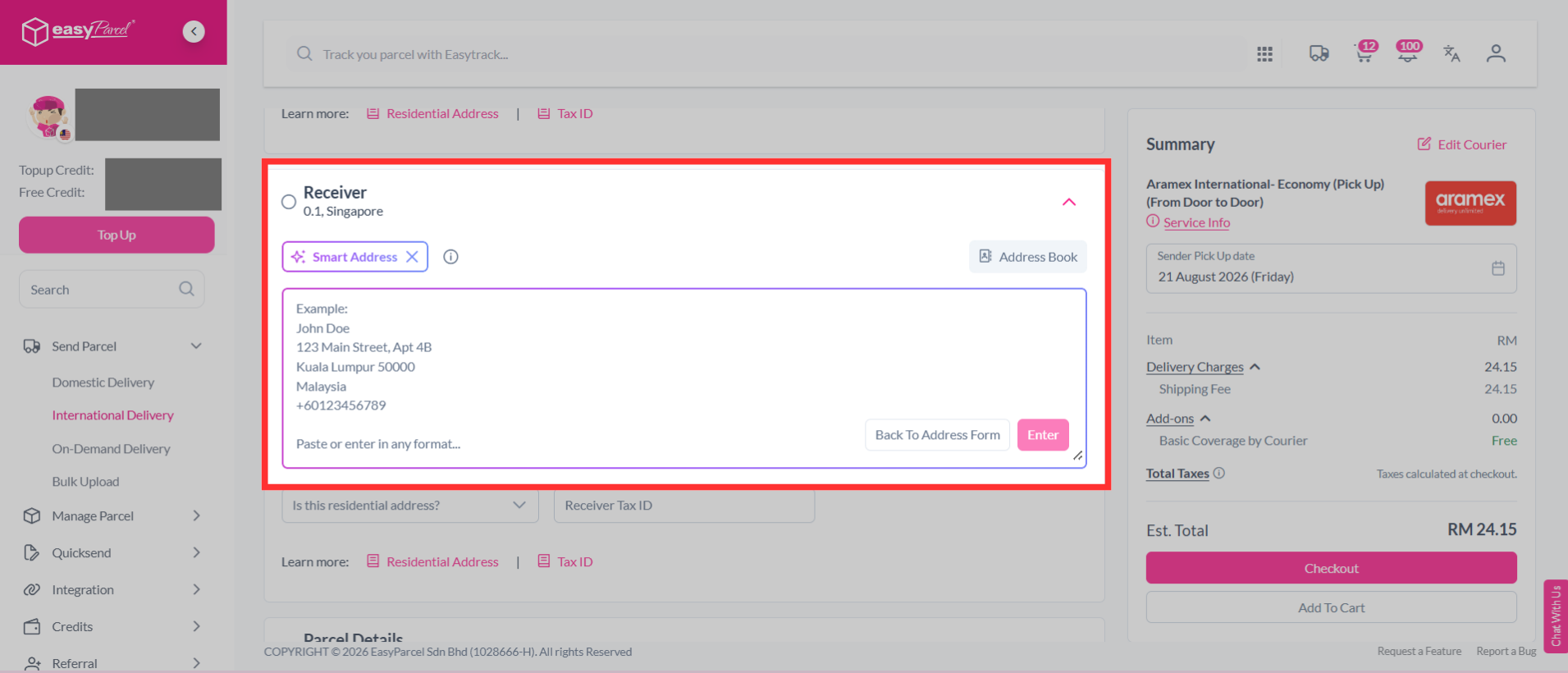
Step 6: Fill in the receiver's details. Use Smart Address to quickly fill in the address details. Simply paste the name, phone number, and address, and the system will automatically fill in the relevant fields for you.
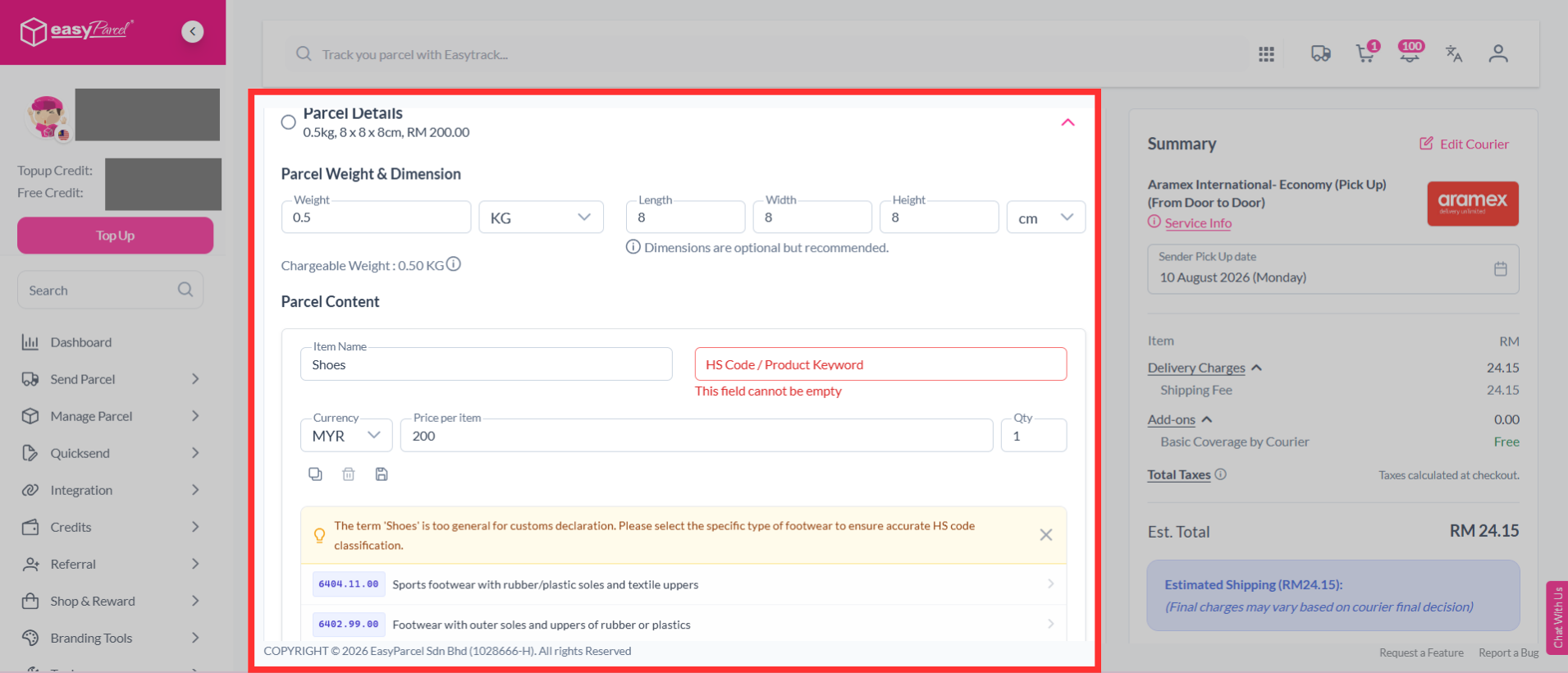
Step 7: Check your parcel weight & dimension. Fill in the parcel content and the value. The system will automatically suggest an HS code based on the item name.
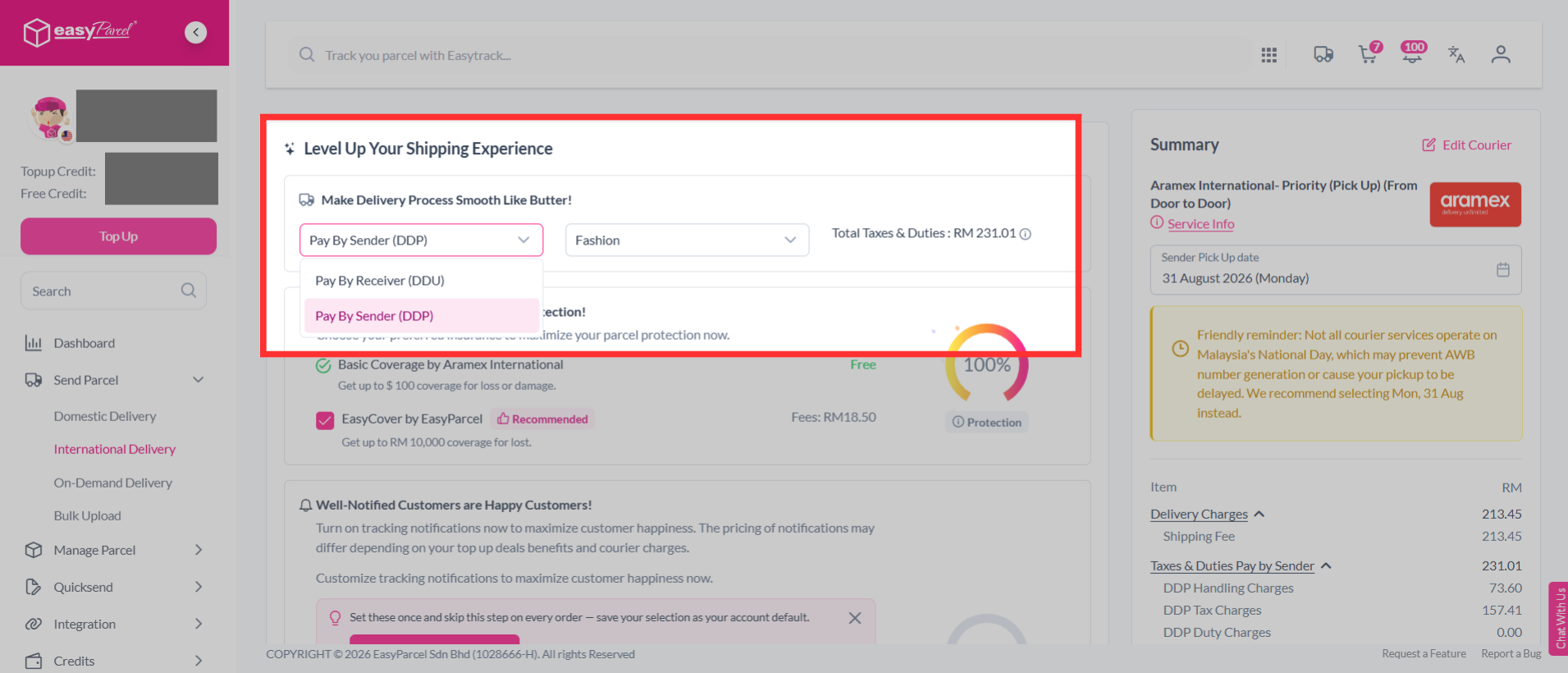
Step 8: After the "Parcel Details" section, you can choose between "Pay by Receiver (DDU)" or "Pay by Sender (DDP)". Click the drop-down menu to select "Pay by Sender (DDP)" and select item category.
Note: The DDP (Delivered Duty Paid) option allows the sender to pay for any import taxes and duties upfront, so the receiver won’t have to handle these costs at delivery.
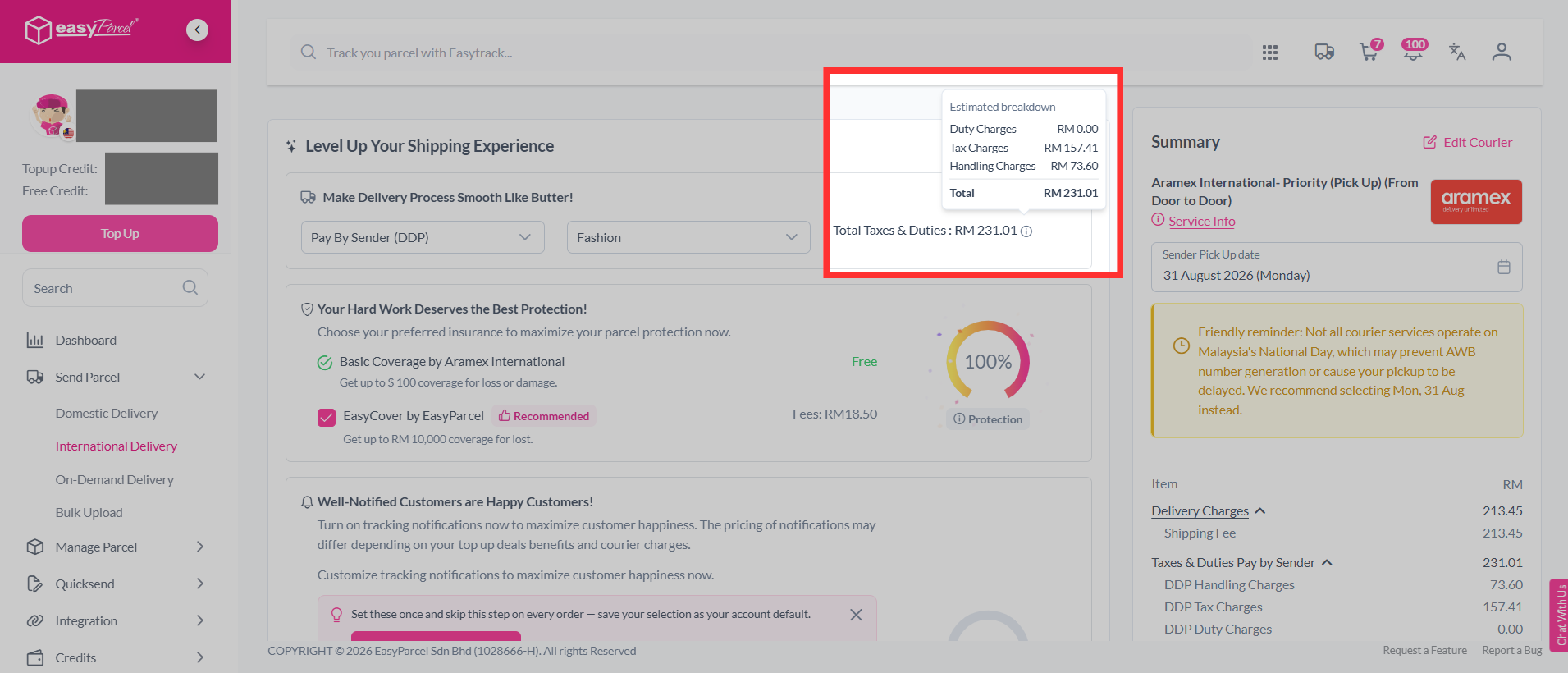
The estimated total taxes & duties will be displayed beside it. You may click on it to view the estimated breakdown.
Step 9: Choose a pickup/drop-off date.
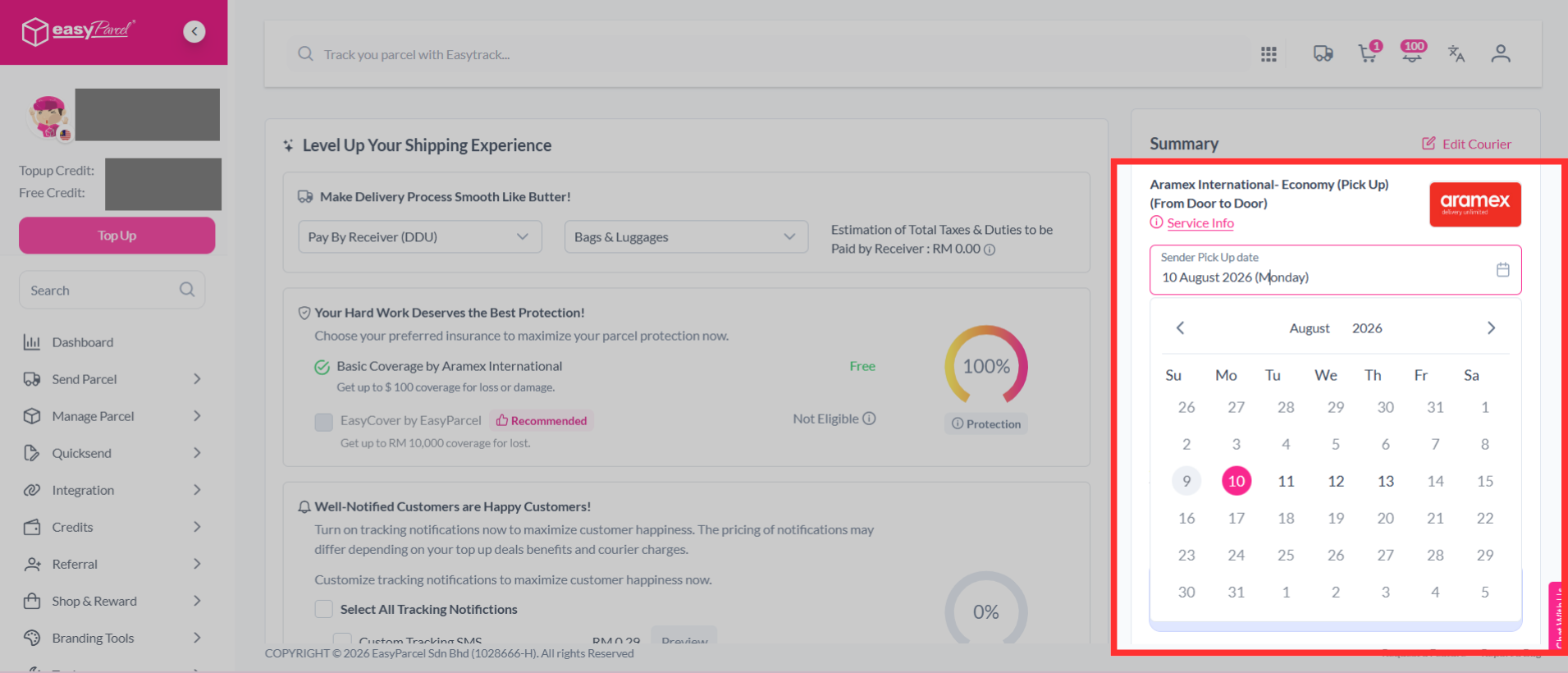
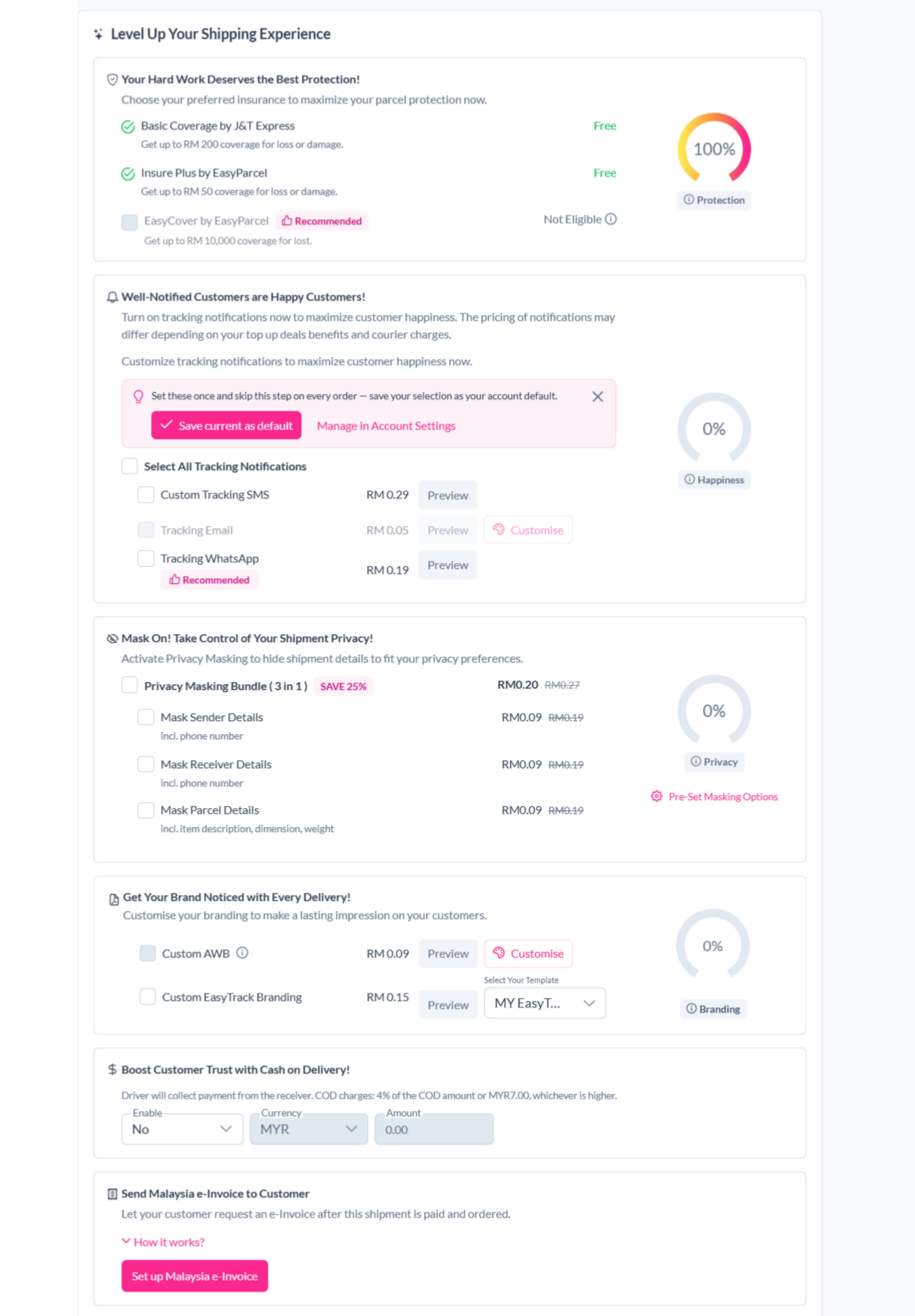
Step 10: You can choose additional services to protect your parcel, keep customers updated and protect shipment details.
- Parcel Protection (EasyCover)
- By opting for EasyCover, you will be able to protect your shipments in cases of lost. This will be based on your parcels value or up to RM10,000, whichever is lower.
- Tracking SMS
- Notify your customers of their parcel's tracking number and status by activating tracking SMS.
- Tracking Email
- Send a tracking email to your customer once the order has been made.
- Tracking Whatapp
- Send your customers parcel tracking updates via WhatsApp.
- Privacy Masking
- Protect your sender and receiver information.
- Custom Air Waybill (AWB)
- Customise your Air Waybill (AWB) with your preferred details.
- Cash on Delivery (COD)
- Activate Cash on Delivery (COD) where drivers will collect the stated amount from receivers.
- Send Malaysia e-Invoice to Customer
- Send a Malaysia e-Invoice to your customer after completing the shipment.
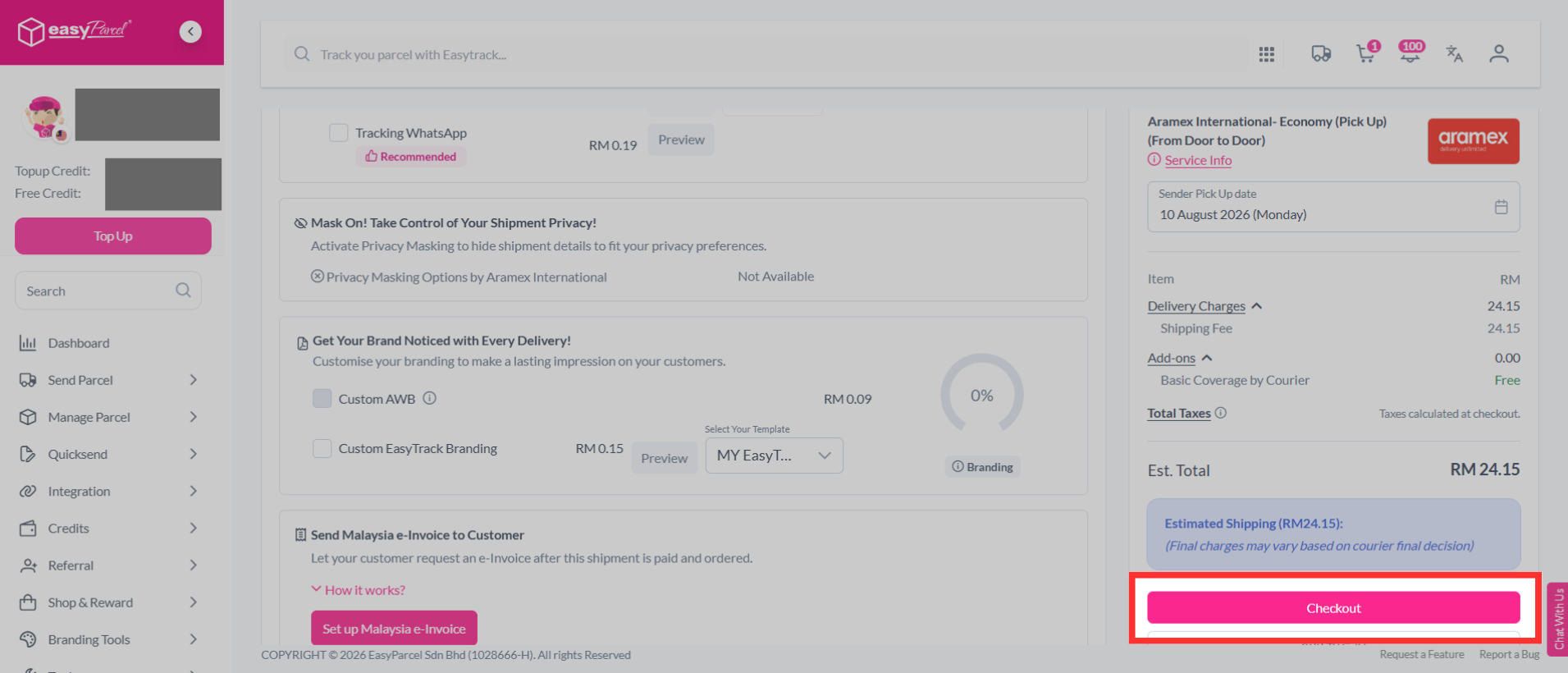
Step 11: Then continue with a click on the "Check Out" button.
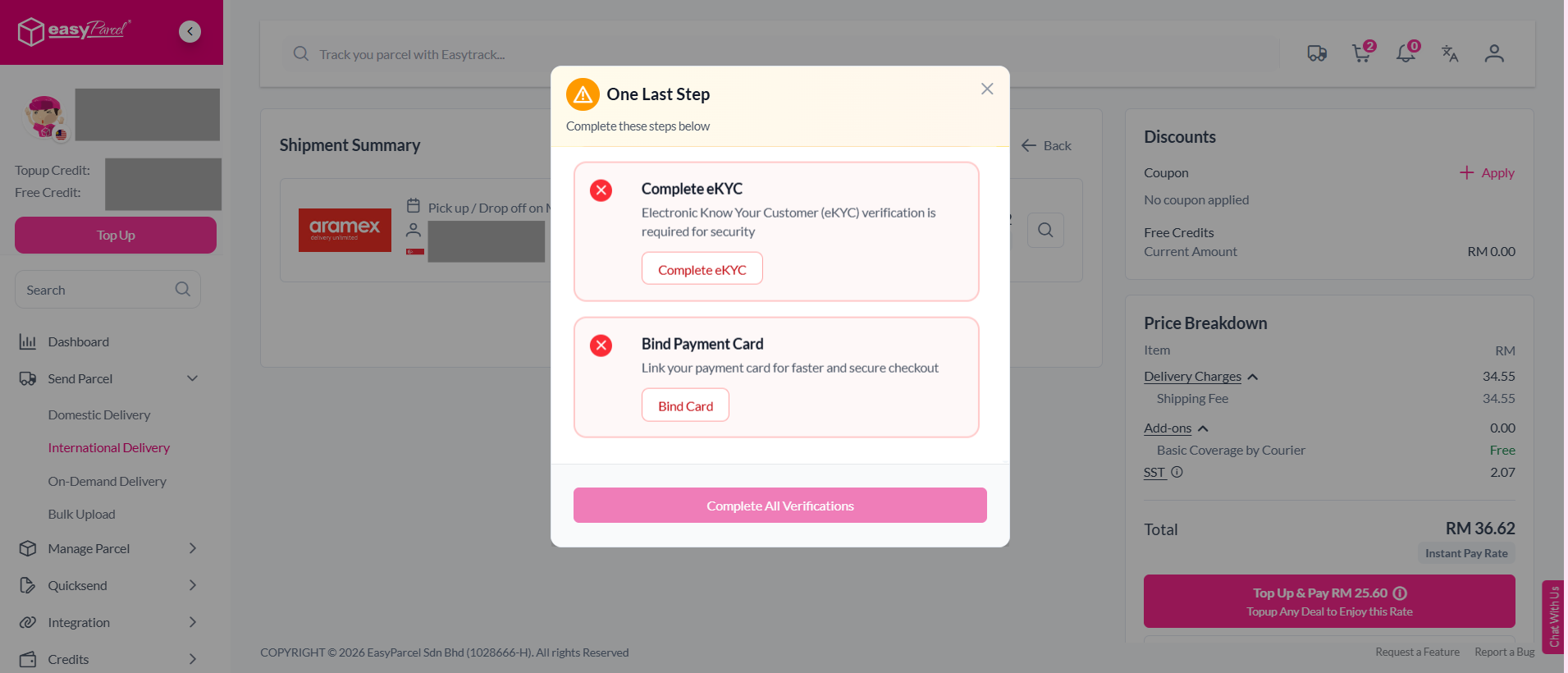
Note: For international deliveries, customers must complete eKYC (electronic Know Your Customer) verification to verify their identity and comply with international shipping requirements. Customers must also add a credit card before checkout. This ensure it's easy to process payment if the parcel weight exceeds the declared amount after it's been processed.
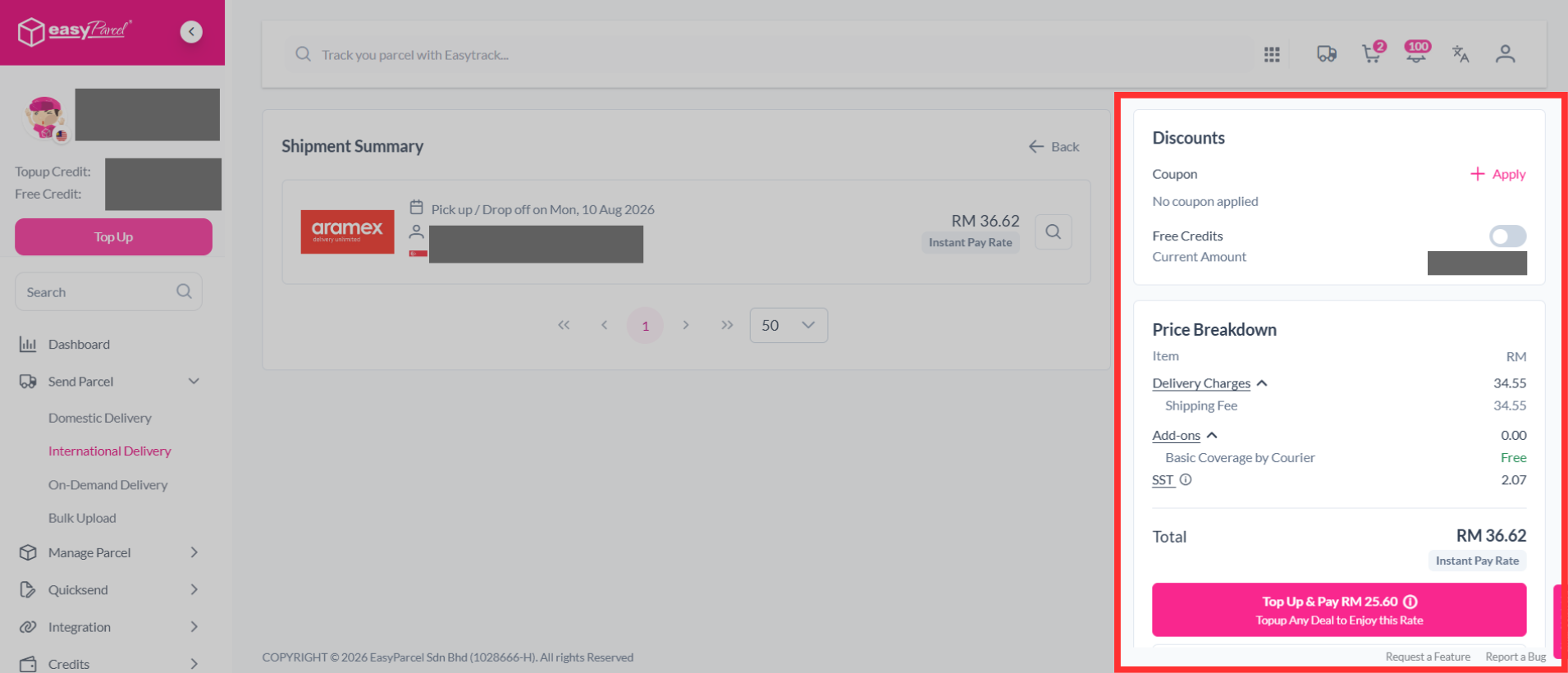
Step 12: Complete the booking and pay it.
Postpaid By Receiver (DDU - Delivered Duty Unpaid)
Under DDU (Delivered Duty Unpaid), the receiver is responsible for paying import taxes and duties once the shipment arrives at the destination country. The courier or customs authority will notify the receiver to make the payment before the parcel is released.
Additional charges such as storage or handling fees may also apply depending on customs policies. The shipment will only be released for delivery after full payment is made.
As the sender, you should inform your receiver in advance that they are responsible for paying any duties, taxes, or additional charges imposed by customs.
In some cases, couriers may contact the sender first via email or SMS regarding duty charges. If no payment is made by the receiver, the charges may be billed to the sender’s EasyParcel account.
We’ve also introduced a Tax & Duties Calculator to help you estimate import duties before booking your shipment.
How to book an international shipment with DDU:
Step 1: Select "Send Parcel", then choose "International Delivery" from your dashboard.
Step 2: Select the country, key in the postcodes, weight and parcel dimensions of your parcel. If you're unsure of how to determine your parcel weight, you can learn it here. Then, click on "Quote".
Note: Couriers calculate your parcel's actual weight and volumetric weight. The shipping charge is based on whichever weight is higher.
Step 3: You will see a list of available couriers. You can check whether the courier supports DDP (Delivered Duty Paid) or DDU (Delivered Duty Unpaid).
Step 4: Select a courier that support DDU, then click on "Book" button.
Step 5: Fill in the sender's details. Use Smart Address to quickly fill in the address details. Simply paste the name, phone number, and address, and the system will automatically fill in the relevant fields for you.
Step 6: Fill in the receiver's details. Use Smart Address to quickly fill in the address details. Simply paste the name, phone number, and address, and the system will automatically fill in the relevant fields for you.
Step 7: Check your parcel weight & dimension. Fill in the parcel content and the value. The system will automatically suggest an HS code based on the item name.
Step 8: After the "Parcel Details" section, you can choose between "Pay by Receiver (DDU)" or "Pay by Sender (DDP)". Click the drop-down menu to select "Pay by Receiver (DDU)" and select item category.
Note: The DDU (Delivered Duty Unpaid) option requires the receiver to pay any applicable import taxes and duties upon delivery. The sender is not responsible for these charges.
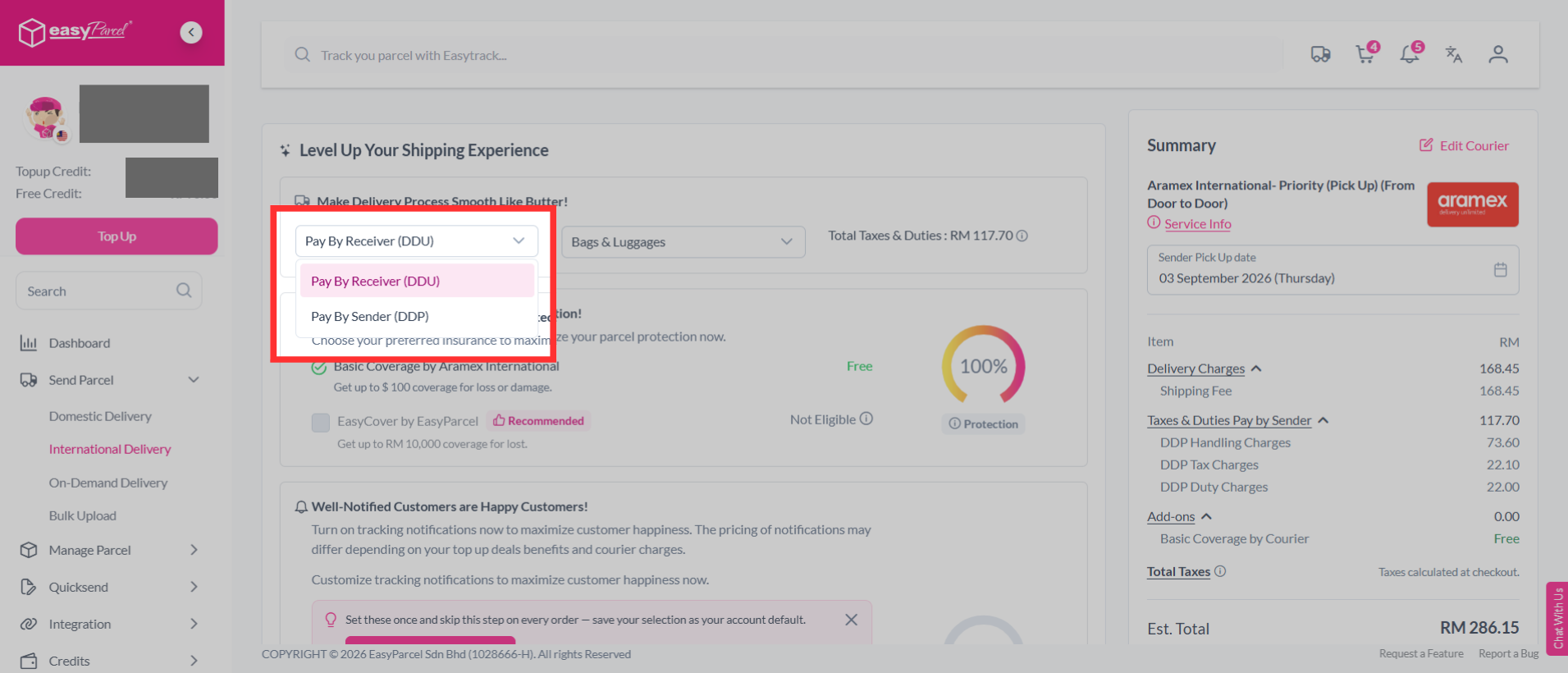
The estimated total taxes & duties will be displayed beside it. You may click on it to view the estimated breakdown.
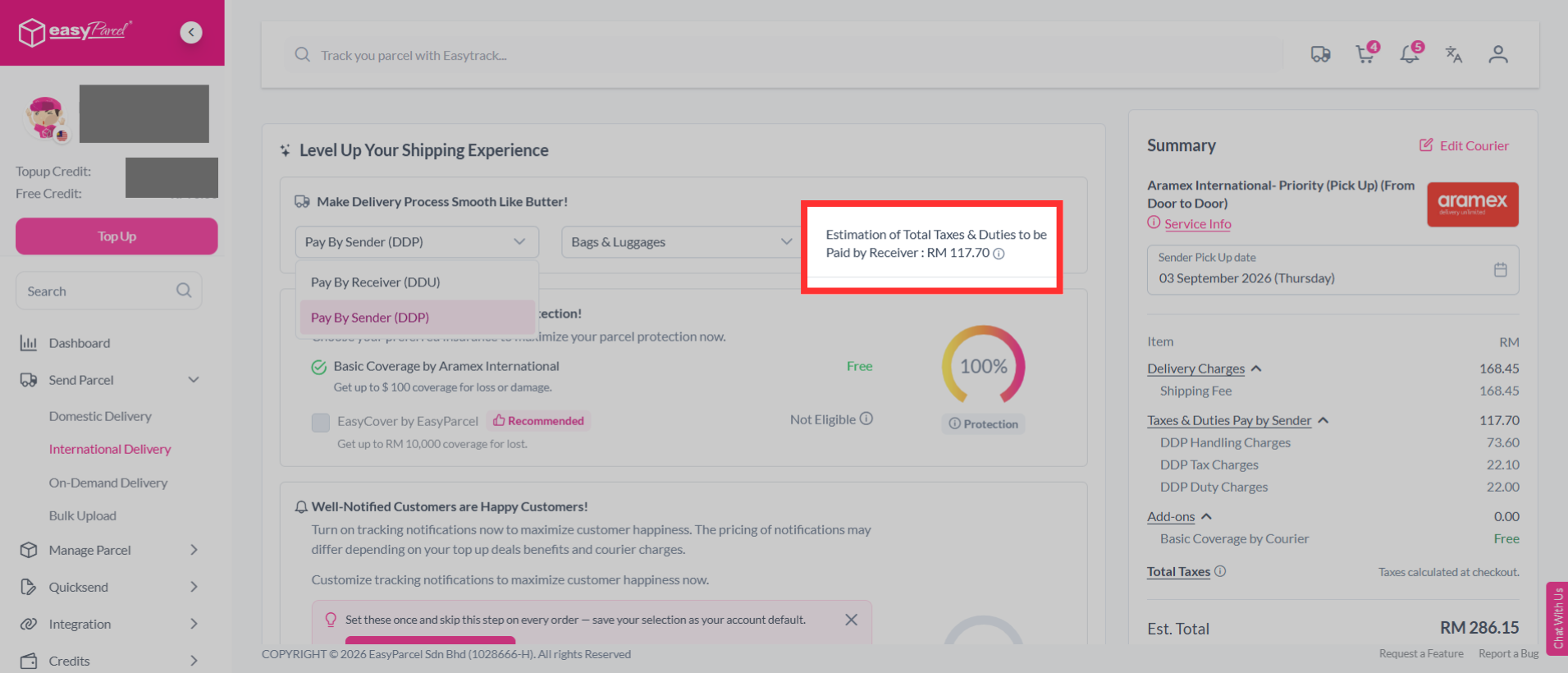
Step 9: Choose a pickup/drop-off date.
Step 10: You can choose additional services to protect your parcel, keep customers updated and protect shipment details.
- Parcel Protection (EasyCover)
- By opting for EasyCover, you will be able to protect your shipments in cases of lost. This will be based on your parcels value or up to RM10,000, whichever is lower.
- Tracking SMS
- Notify your customers of their parcel's tracking number and status by activating tracking SMS.
- Tracking Email
- Send a tracking email to your customer once the order has been made.
- Tracking Whatapp
- Send your customers parcel tracking updates via WhatsApp.
- Privacy Masking
- Protect your sender and receiver information.
- Custom Air Waybill (AWB)
- Customise your Air Waybill (AWB) with your preferred details.
- Cash on Delivery (COD)
- Activate Cash on Delivery (COD) where drivers will collect the stated amount from receivers.
- Send Malaysia e-Invoice to Customer
- Send a Malaysia e-Invoice to your customer after completing the shipment.
Step 11: Then continue with a click on the "Check Out" button.
Note: For international deliveries, customers must complete eKYC (electronic Know Your Customer) verification to verify their identity and comply with international shipping requirements. Customers must also add a credit card before checkout. This ensure it's easy to process payment if the parcel weight exceeds the declared amount after it's been processed.
Step 12: Complete the booking and pay it.