
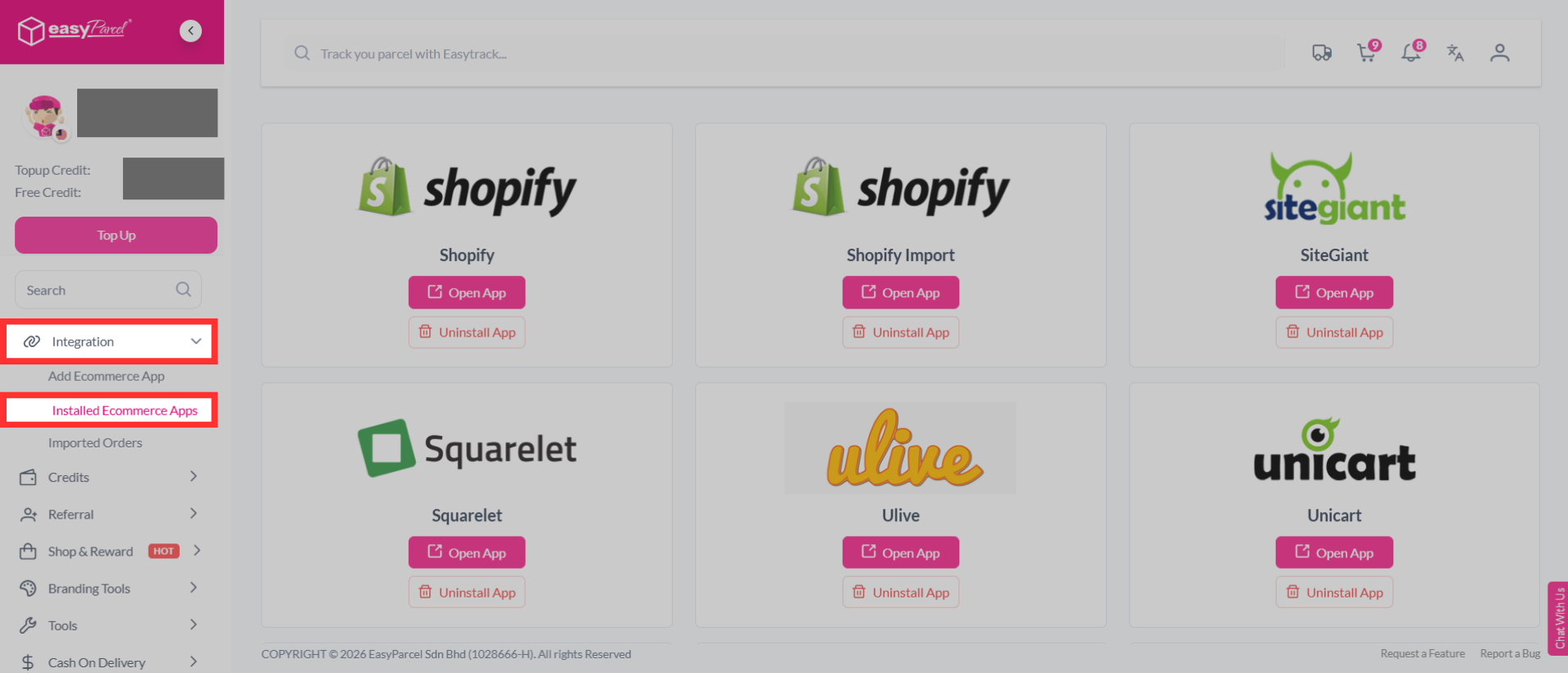
Step 1: Under "Integration", click "Installed Ecommerce Apps".
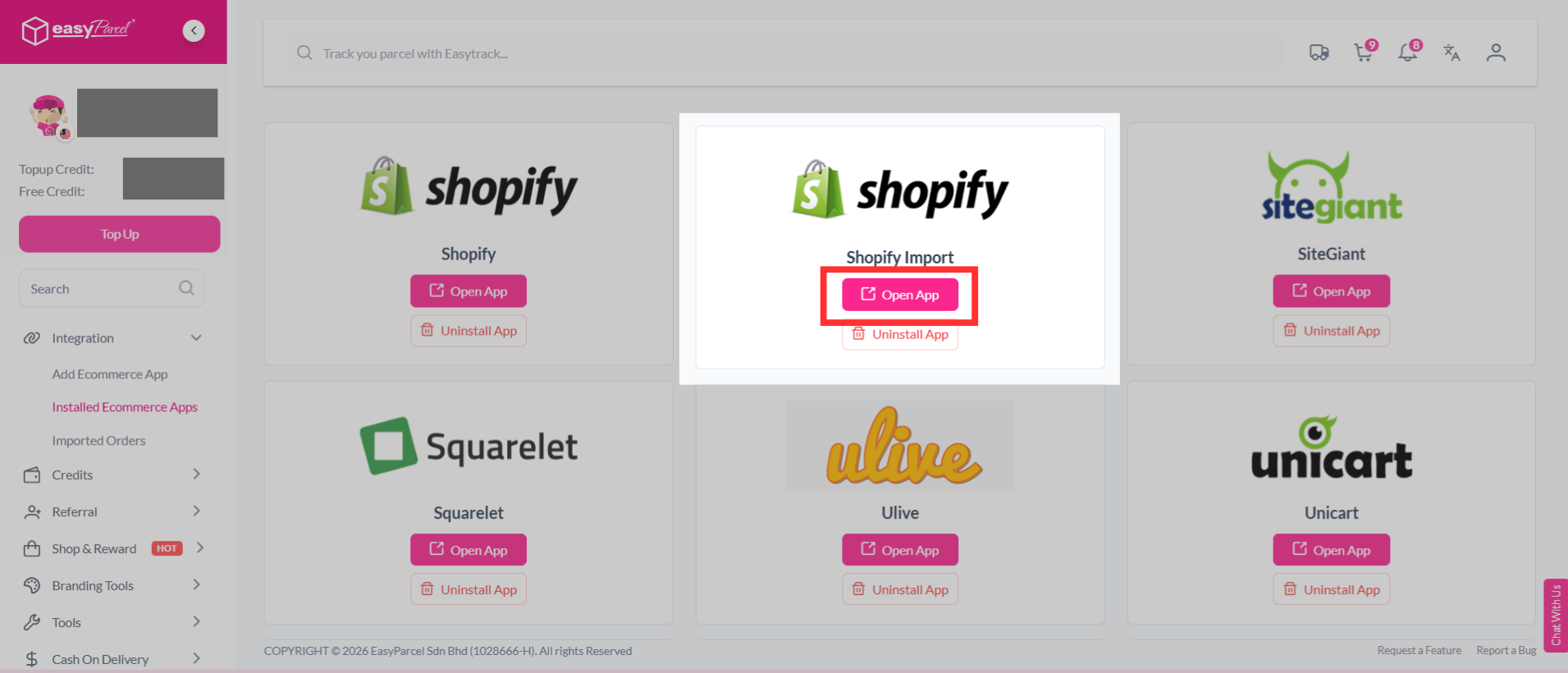
Step 2: Find "Shopify". Click "Open App".
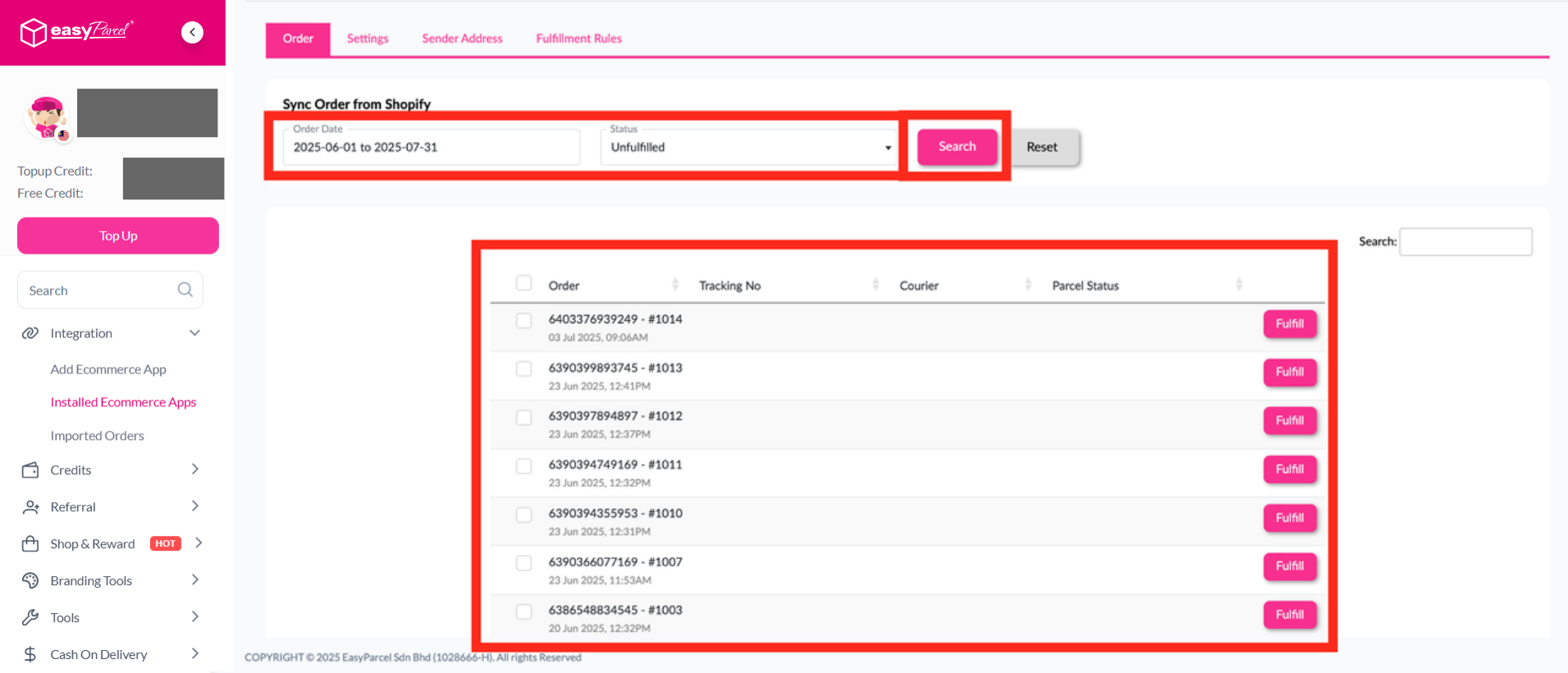
Step 3: Click "Order", select the order date and order status, then click "Search". The imported orders will appear in the list below. Click "Fulfill" on the order you want to process.
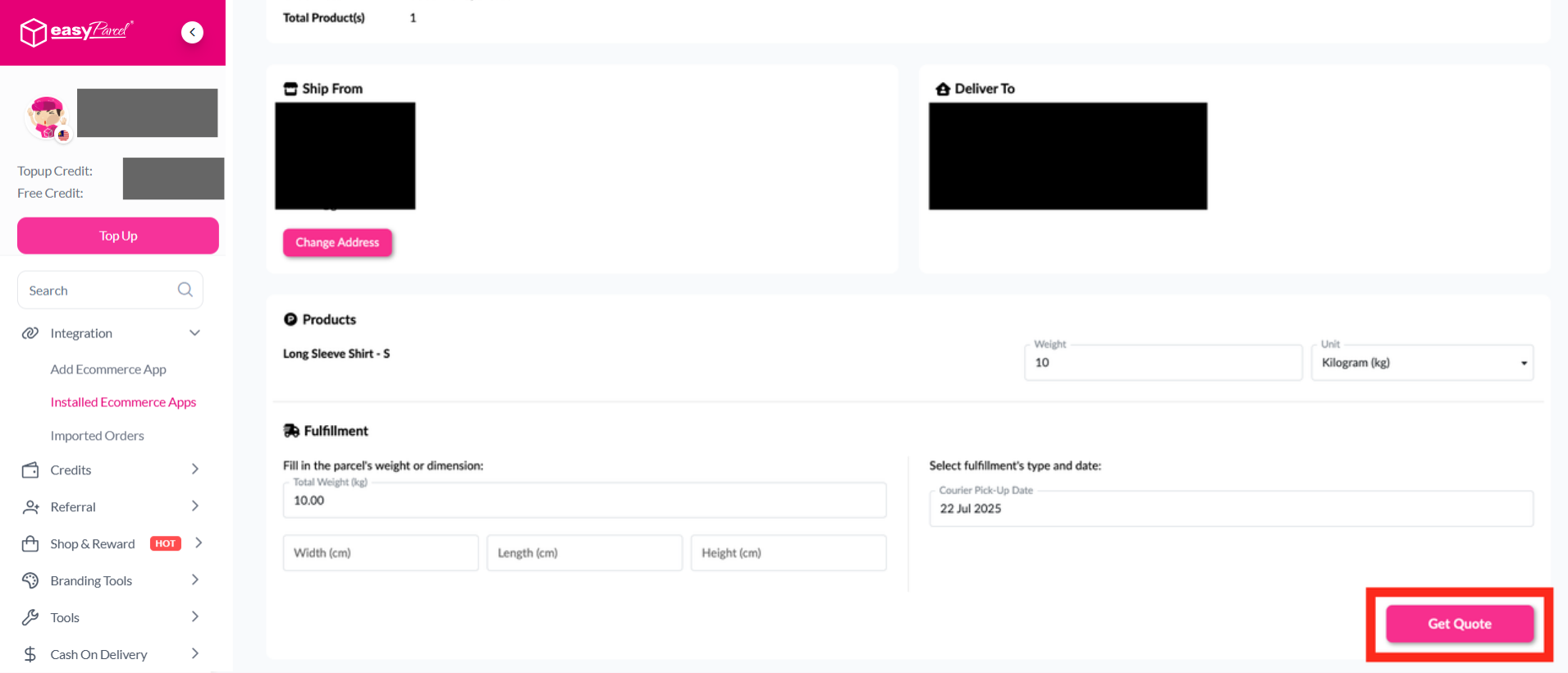
Step 4: After clicking "Fulfill", review your order details and click "Get Quote" to proceed.
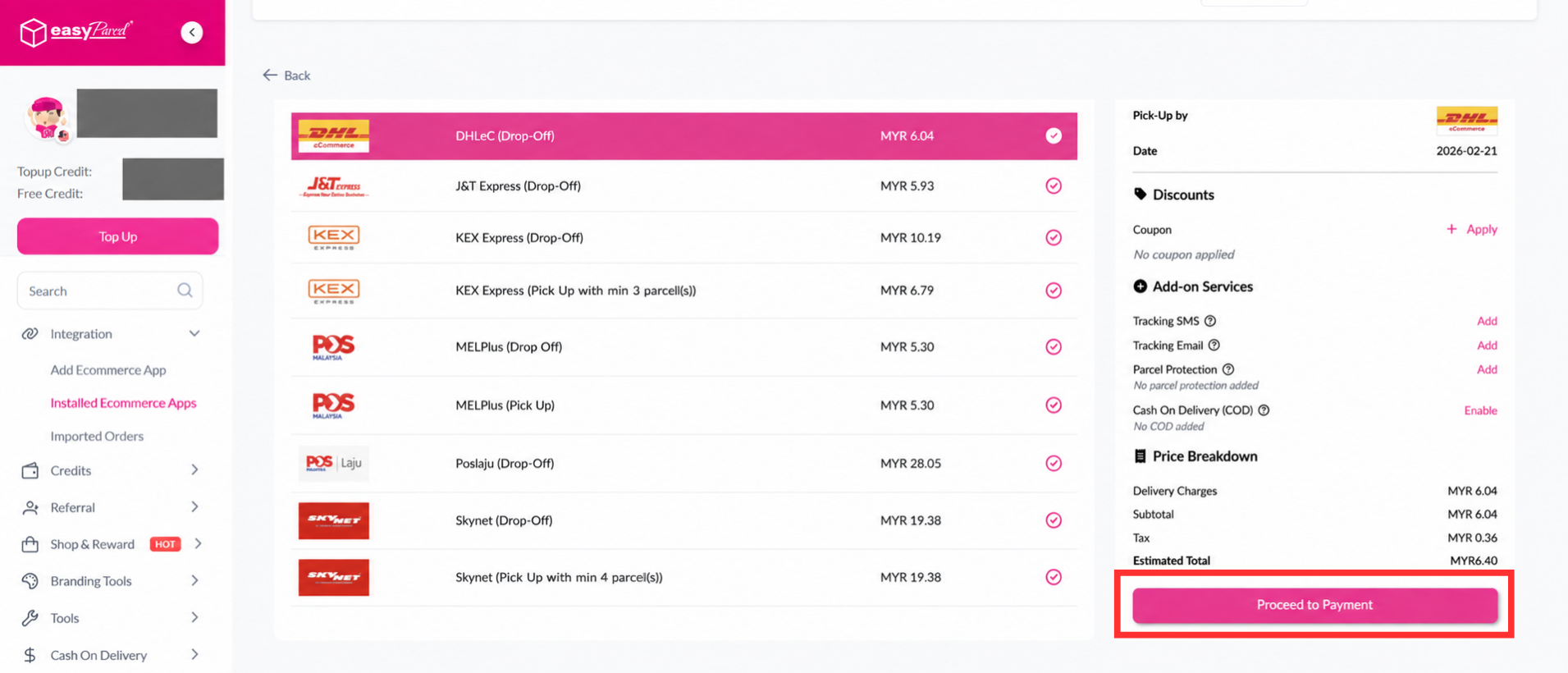
Step 5: Choose your preferred courier and click "Proceed to Payment".
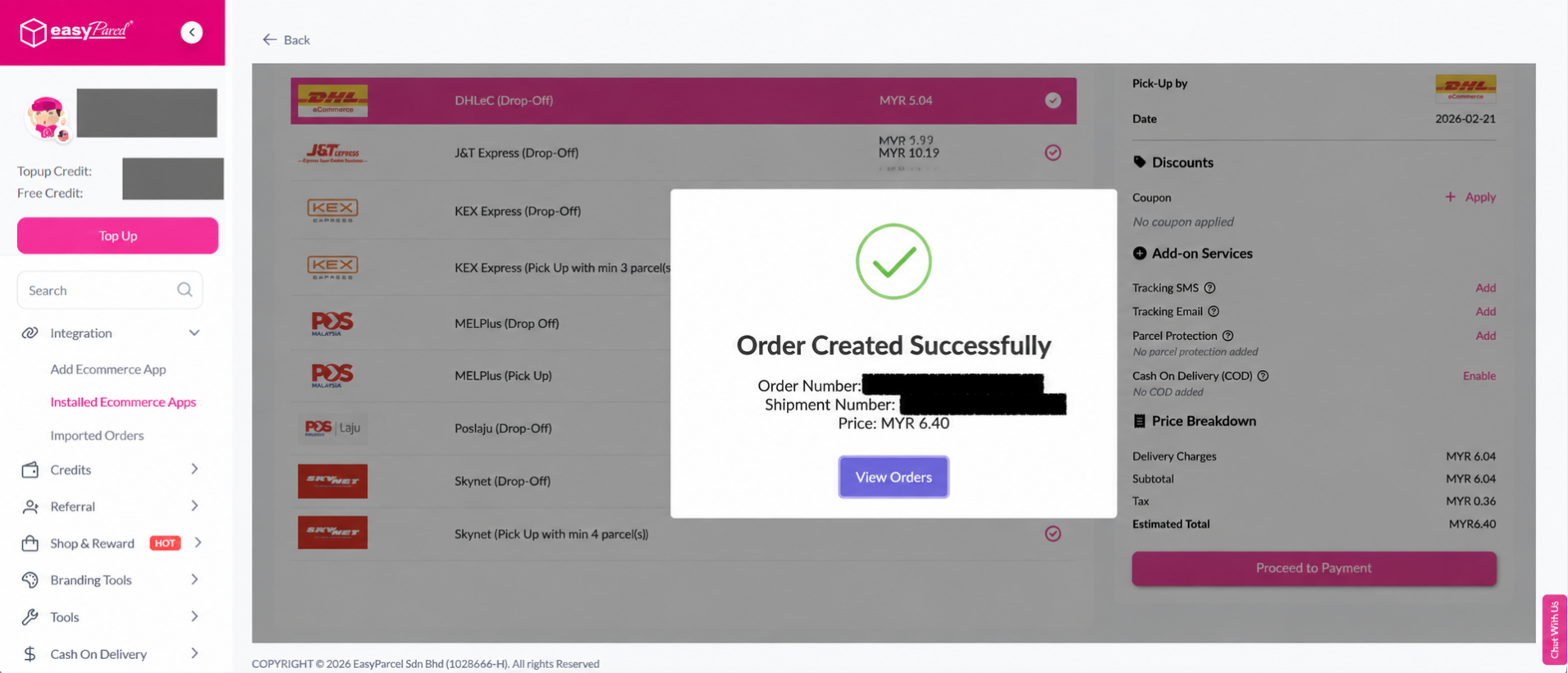
Step 6: Your order has been created successfully! The order status, order number, shipment number, and price will be displayed. Click "View Orders" to proceed.
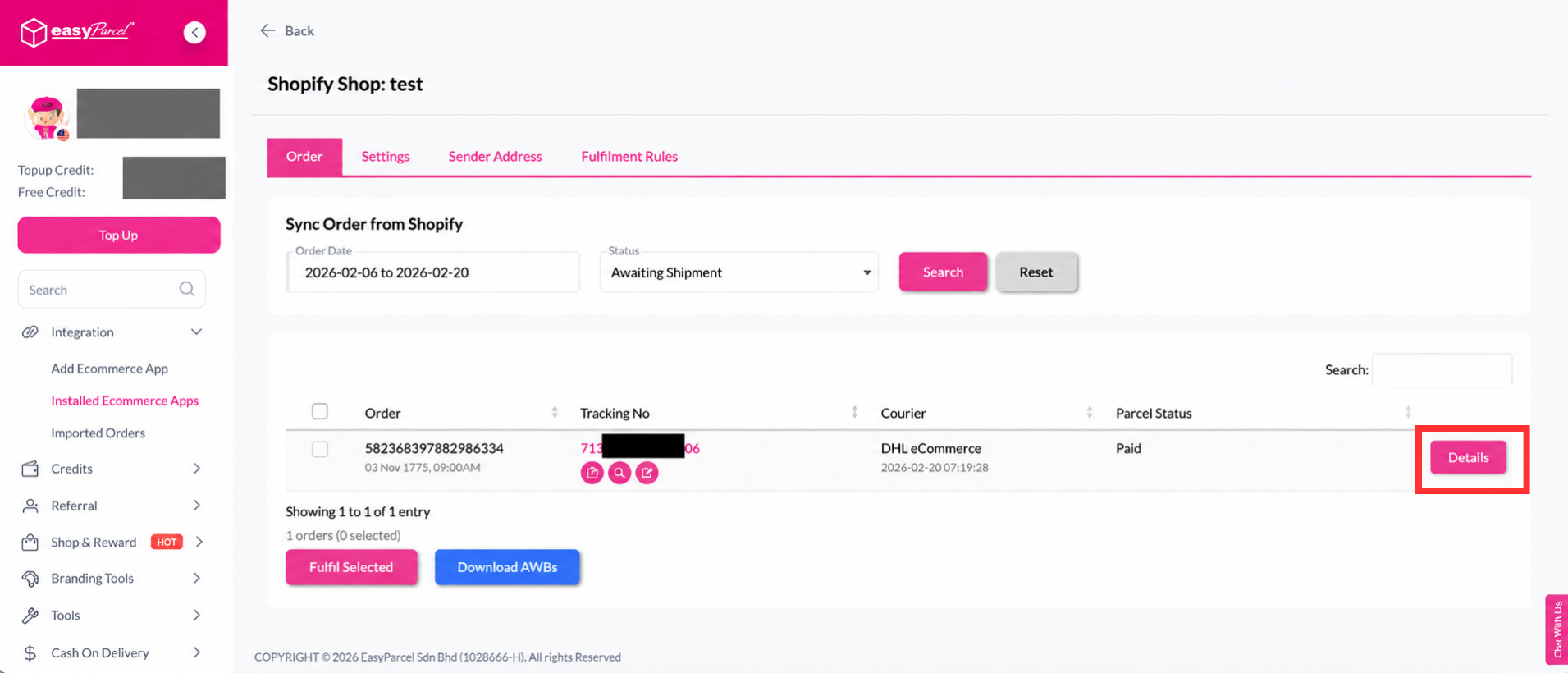
Step 7: Click "Details" to view the order details.
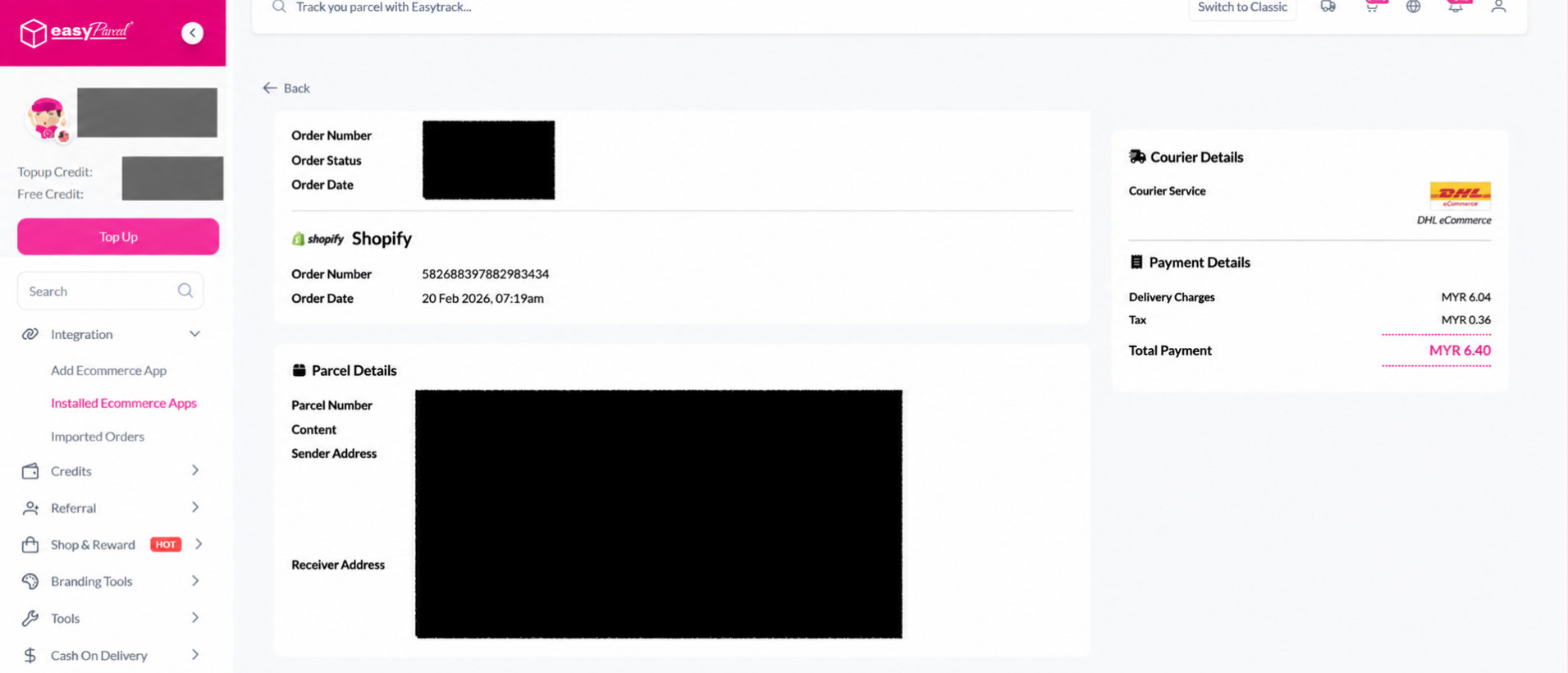
Step 8: Order details will be displayed on the page.
We highly recommend Shopify APP Version (Seamless). Learn more
