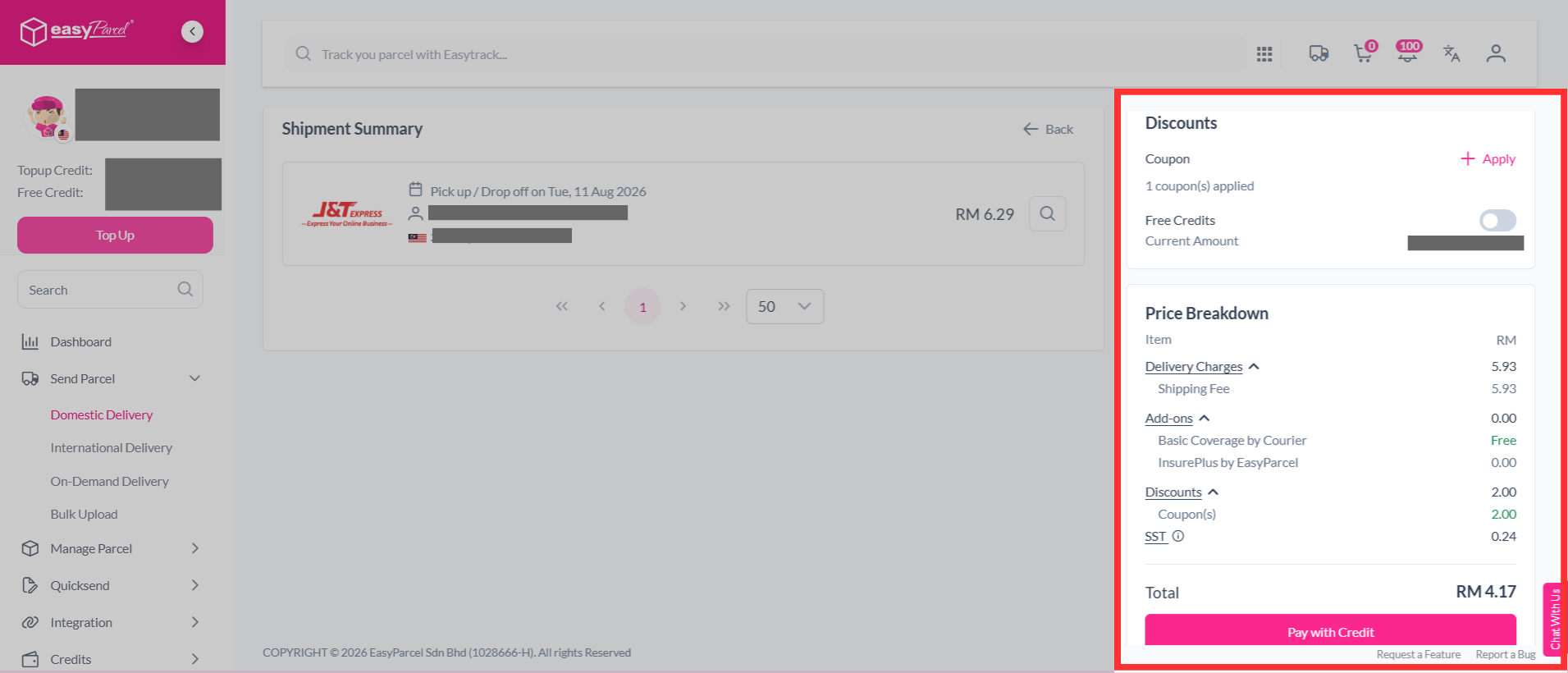
Quick Summary
An EasyParcel coupon code is a unique series of characters or words that provides discounts on shipping rates, top-ups, or other services within the EasyParcel platform. These coupons are used as incentives during, for example, promotions or new user sign-ups, helping users reduce overall shipping costs during checkout.
We'll Cover:
What is a coupon code?
A coupon code is a series of characters or words that can be used to obtain a discount or offer when making a purchase online or in-store. Any individual coupon code by very in terms of the discount or deal offered, such as a percentage of the overall order. However, each coupon code will have their terms and conditions stated, including its expiration date and any form of restrictions and limitations that is normally specified by the retailer or the business.
Step 1: You can view your available coupon codes by clicking "Credits" > "Coupon".
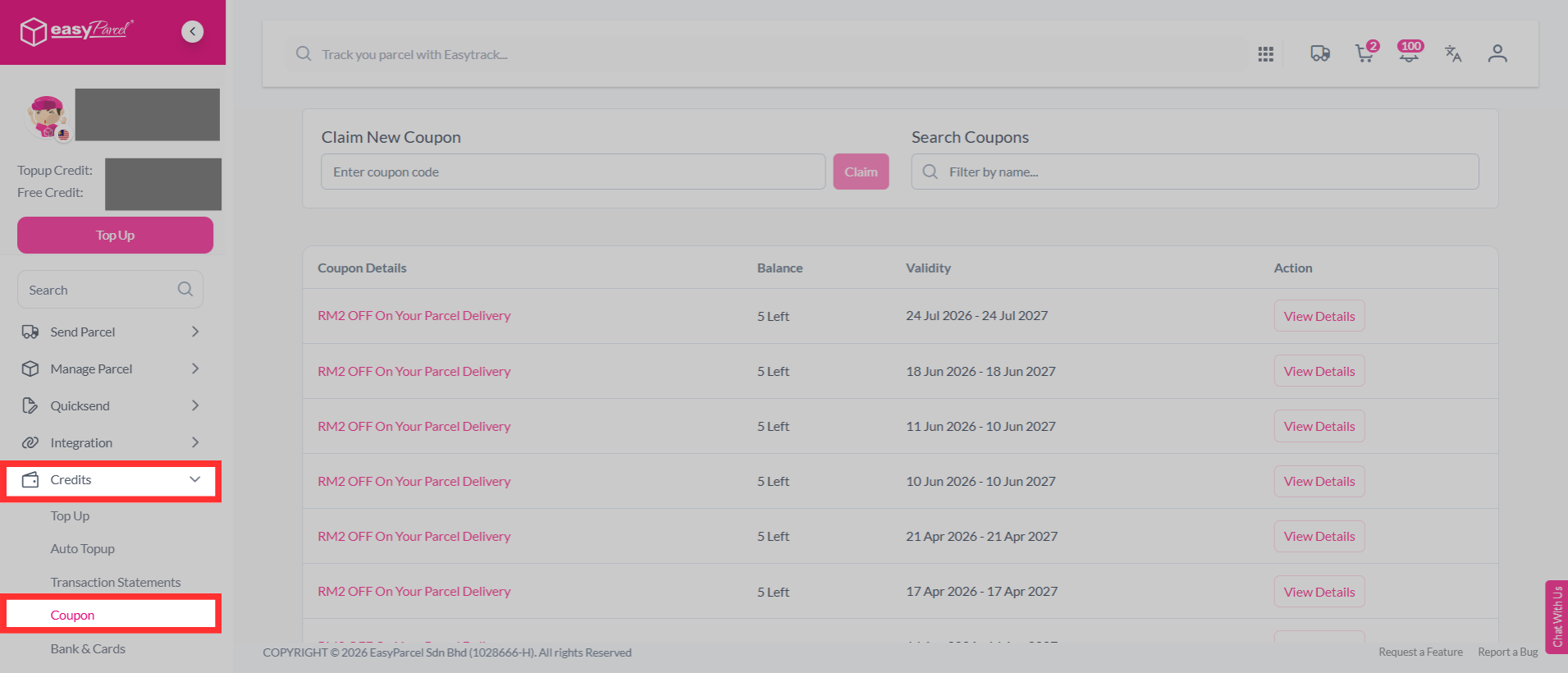
NOTE: Whether a voucher code can be used for online/or offline transactions depends on its terms and conditions.
General terms and conditions for EasyParcel coupon codes will normally contain the following:
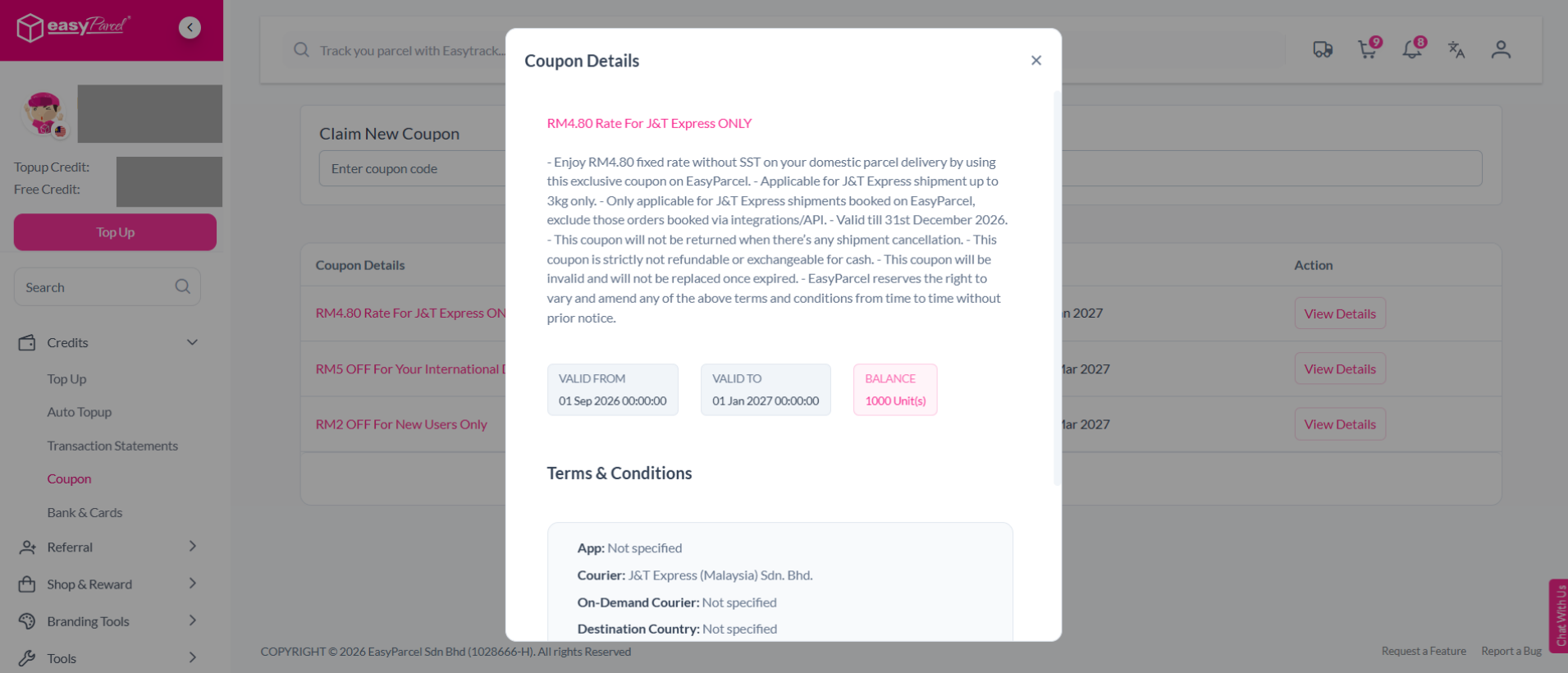
- This coupon will not be returned when there’s any shipment cancellation.
- This coupon is strictly not refundable or exchangeable for cash.
- This coupon will be invalid and will not be replaced once expired.
- EasyParcel reserves the right to vary and amend any of the above terms and conditions from time to time without prior notice.
How user's can get a coupon code?
Users are able to obtain coupon codes via the following methods:
- Newsletter
- Promotions
- Survey
How to claim a coupon code?
Step 1: Go to your dashboard, click on "Credits" > "Coupon".
Step 2: Input the coupon code that you have obtained into the allocated box below and click "Claim".
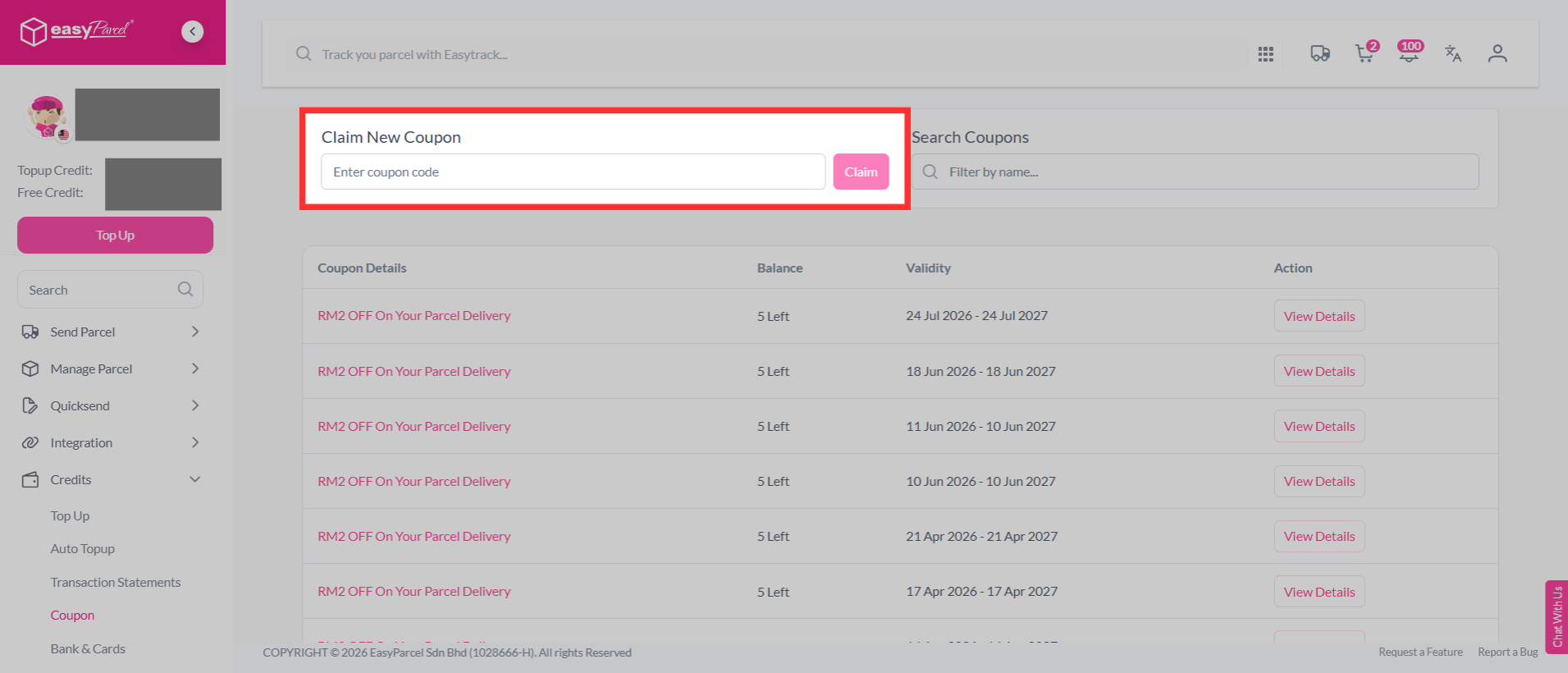
Step 3: The coupon will then be available in your account, you can view it at the section below under claimed.
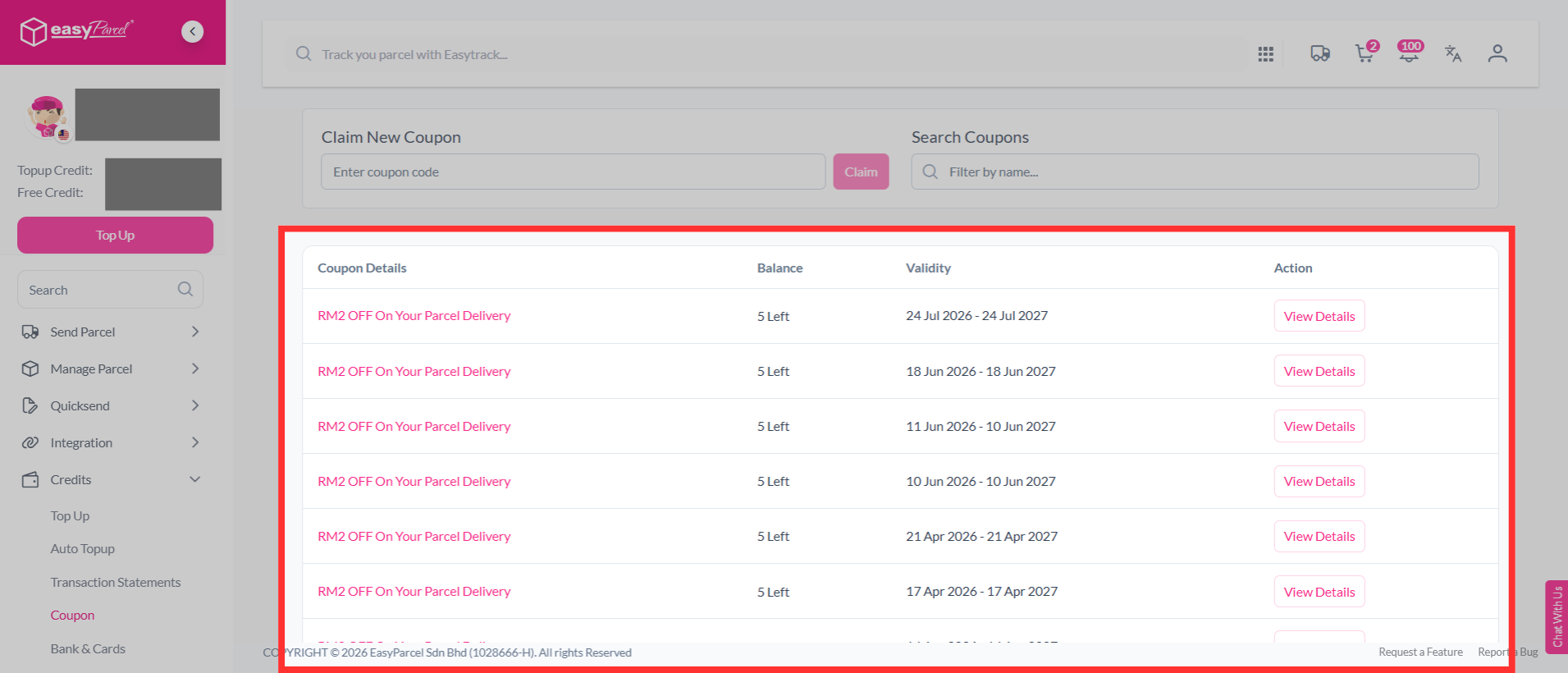
How long do coupons last?
The duration for which a coupon is valid on EasyParcel can vary depending on the terms and conditions of the promotion or offer. Generally, coupons offered by EasyParcel have an expiration date that ranges from a few days to a few weeks or a few months. The expiry date for each coupon is usually mentioned on the coupon itself or in the terms and conditions of the promotion.
**It is important to note that coupons cannot be used once they have expired.**
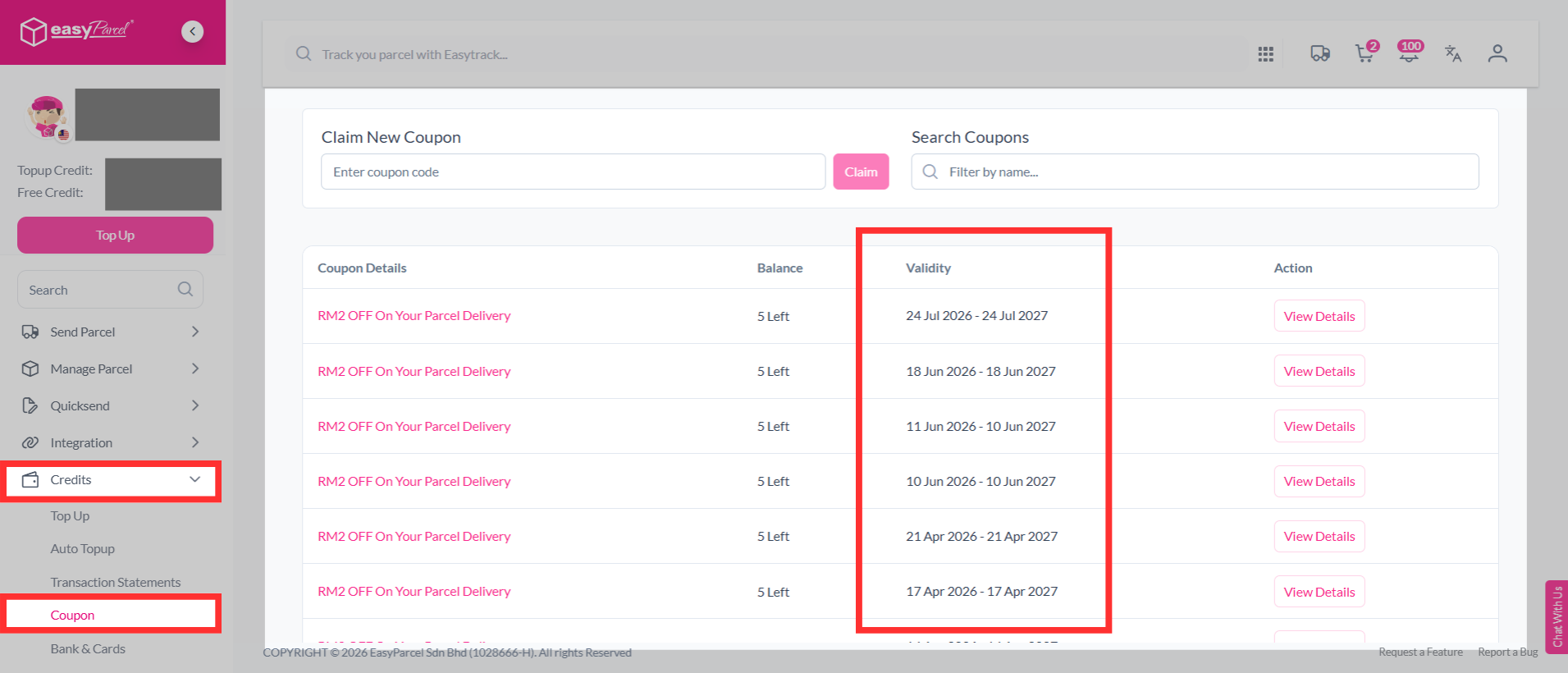
It is therefore important to use coupons before they expire to ensure that you get the maximum benefit from the promotion. If you have a coupon that you are unsure about, you can check the expiration date by logging into your EasyParcel account and navigating to the coupons section.
Step 1: Here, you can view all the coupons that you have received and their expiration dates.
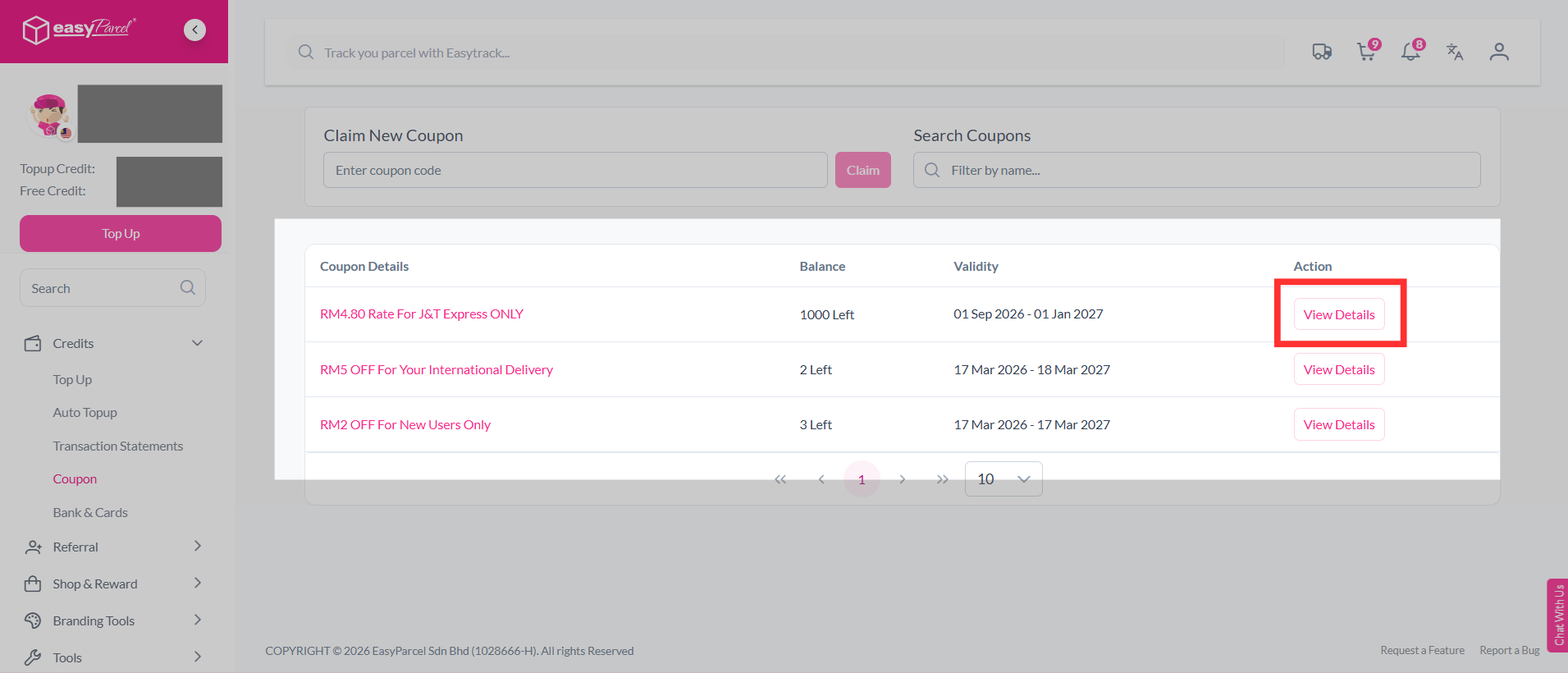
Step 2: You can aslo click "View Details" to check the promotion’s terms and conditions, including the coupon validity period.
How many times can I use a coupon code?
The number of times a coupon can be applied at checkout is dependent on the coupon's term's and condition or the quantity that is shown.
You can view your coupon's balance such as shown below:
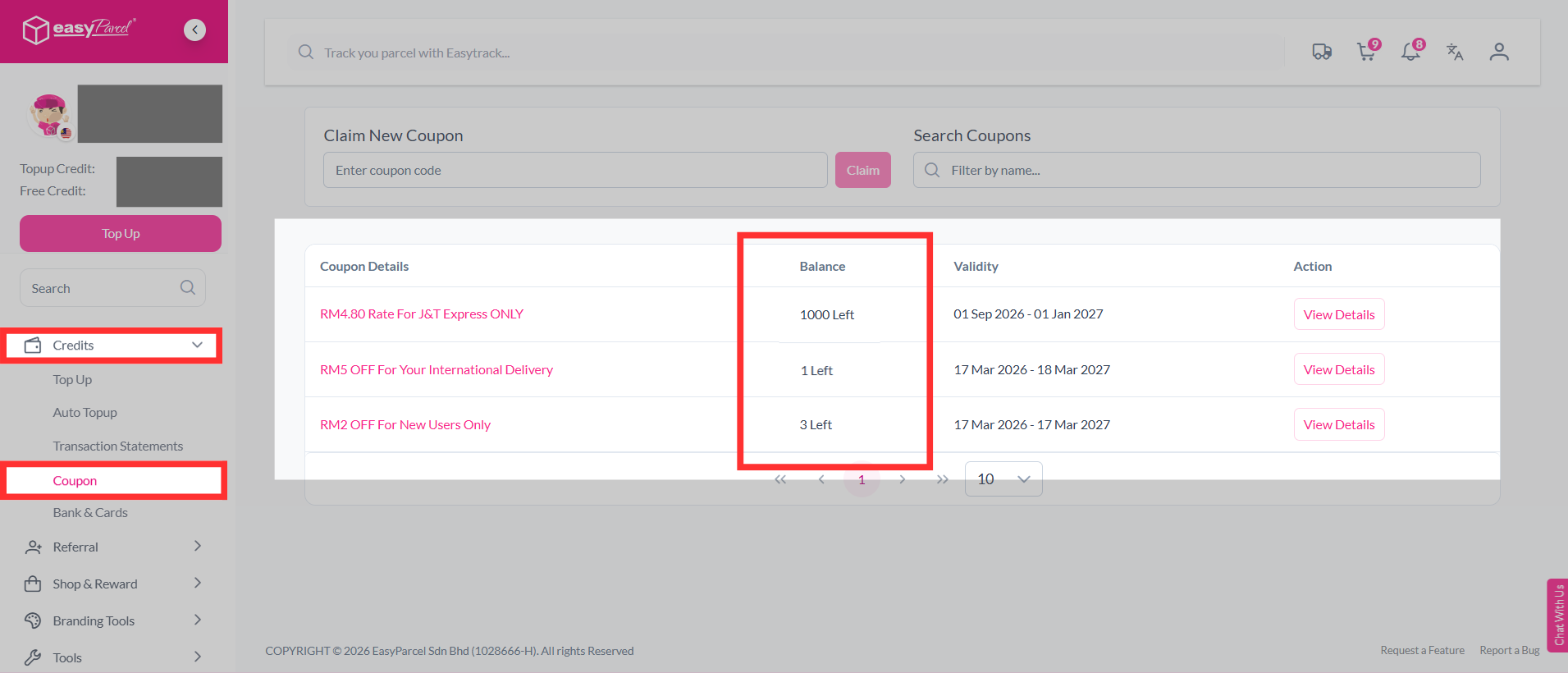
For example, the above balance shows '1 Left' so the coupon can only be used once per order/parcel.
How to claim your coupon code?
Step 1: Go to your dashboard, click on "Credits" > "Coupon".
Step 2: Input the coupon code that you have obtained into the allocated box below and click "Claim".
Step 3: The coupon will then be available in your account, you can view it at the section below under claimed.
How to apply your coupon code?
Step 1: Book your shipment as usual.
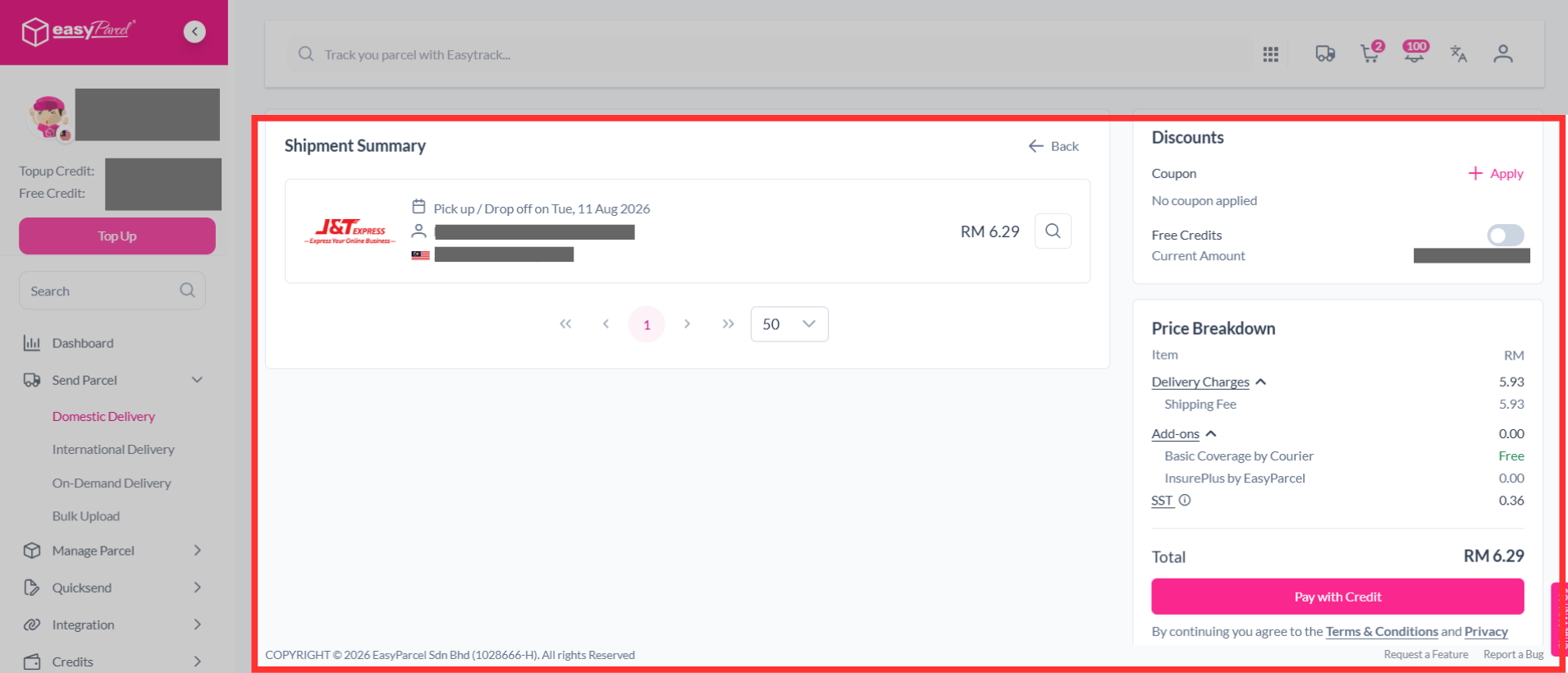
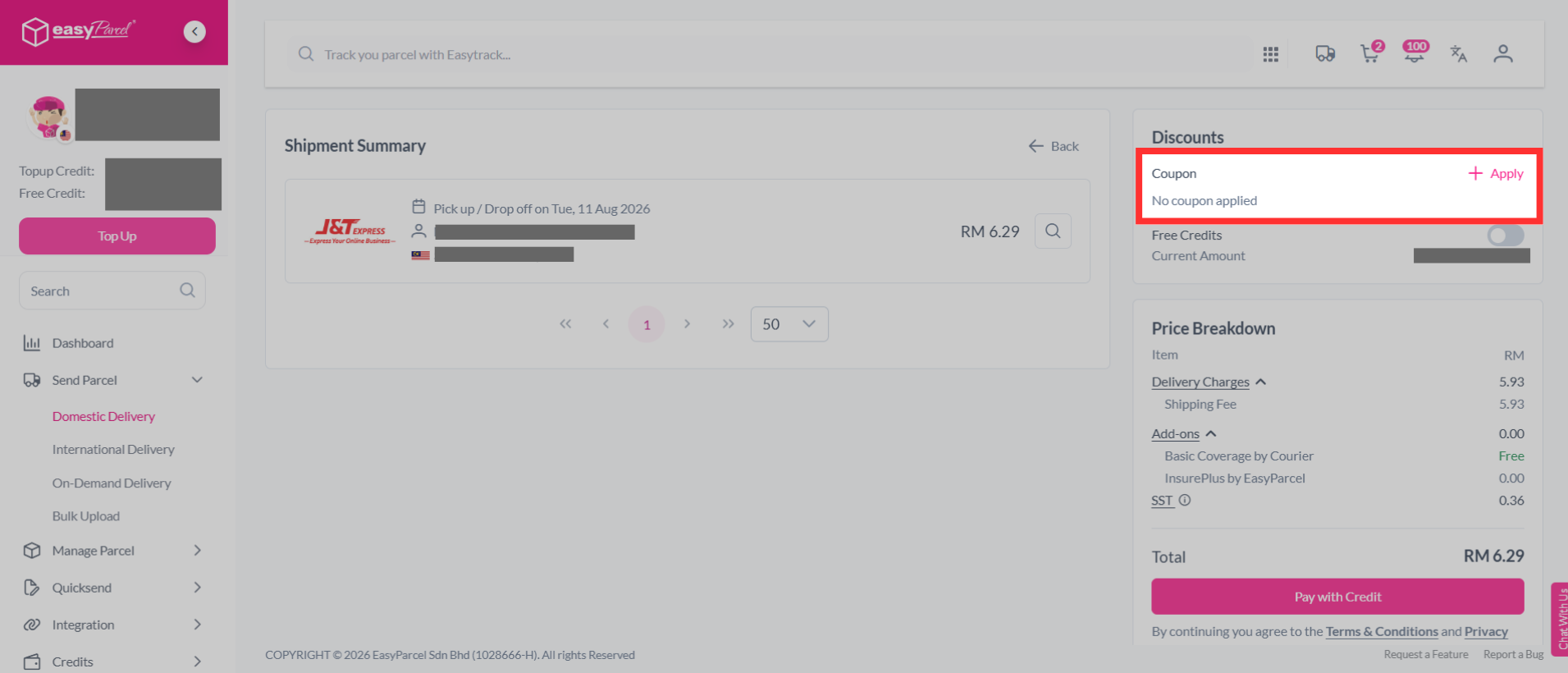
Step 2: Click "Apply" to apply your coupon.
Step 3: Select the registered coupon you wish to apply. Then, click "Apply Now"
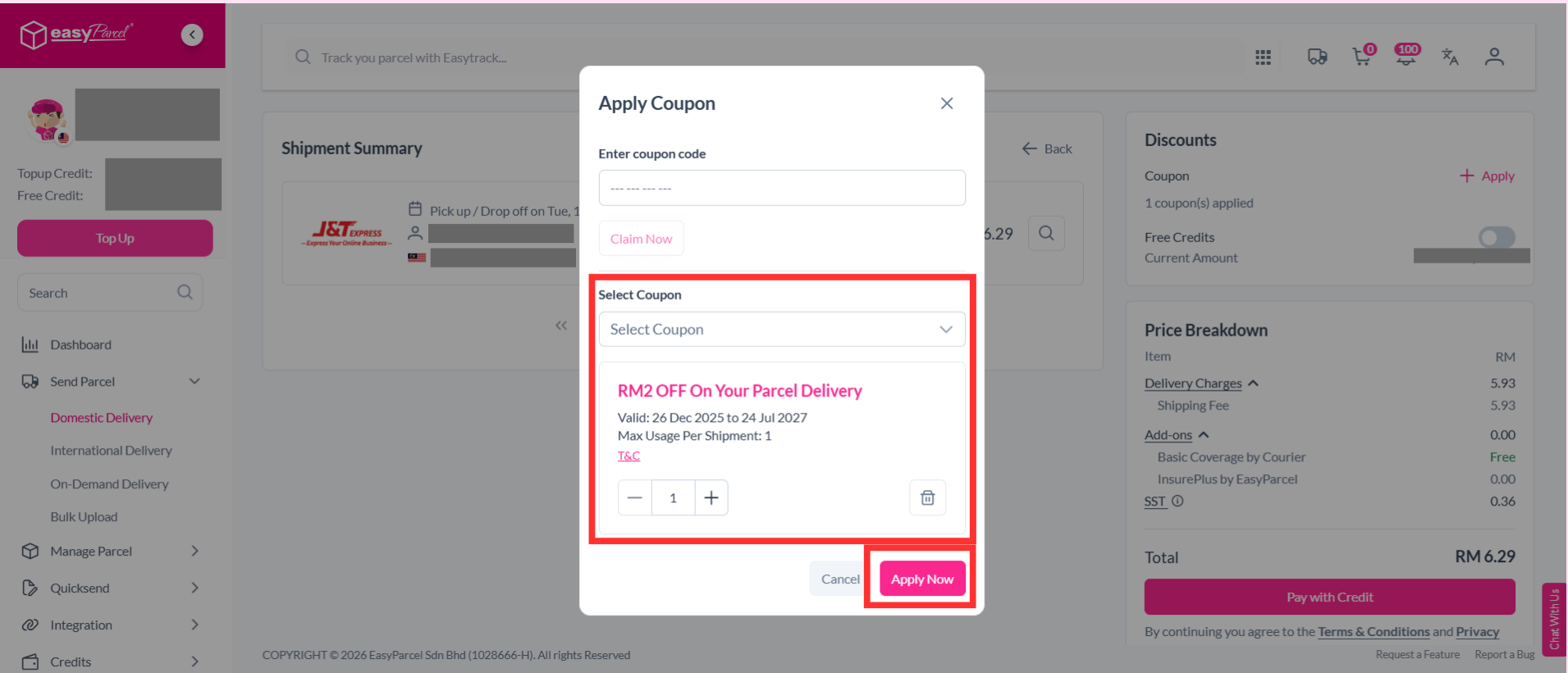
Step 4: You can now proceed checkout with your selected promo.