
We'll Cover:
Introduction
Sending a Tracking SMS can be a great way to keep your customers updated regarding their parcel status, and it gets better when you can customize the message according to your brand voice. This is a great way to connect and build a stronger bond with your receivers! Learn more about what Tracking SMS is and what it can do to help your business.


How much should I pay for Custom Tracking SMS?
| Tracking SMS | RM0.19/recipient |
| Custom Tracking SMS | RM0.05/recipient |
| Remove EasyParcel Branding | Add on RM0.05/recipient |
How to set up Custom Tracking SMS?
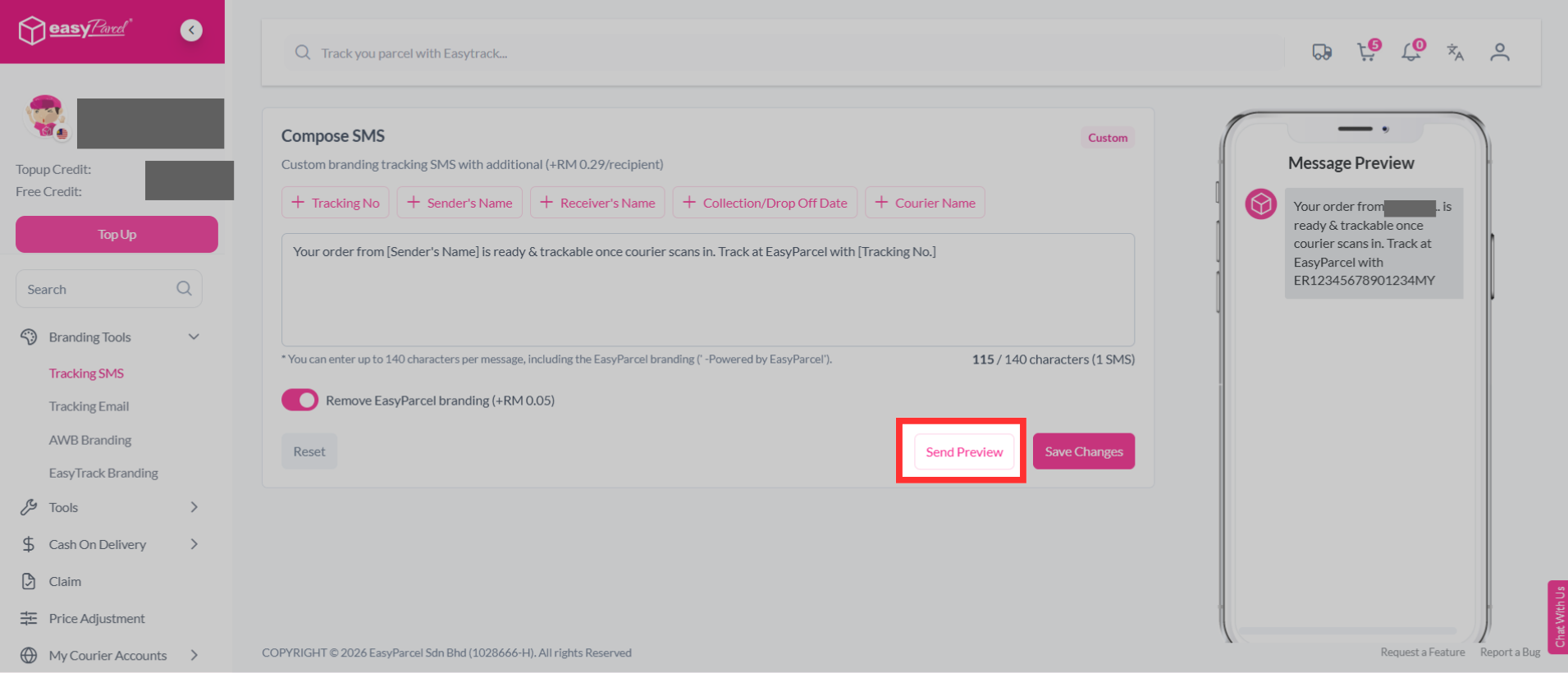
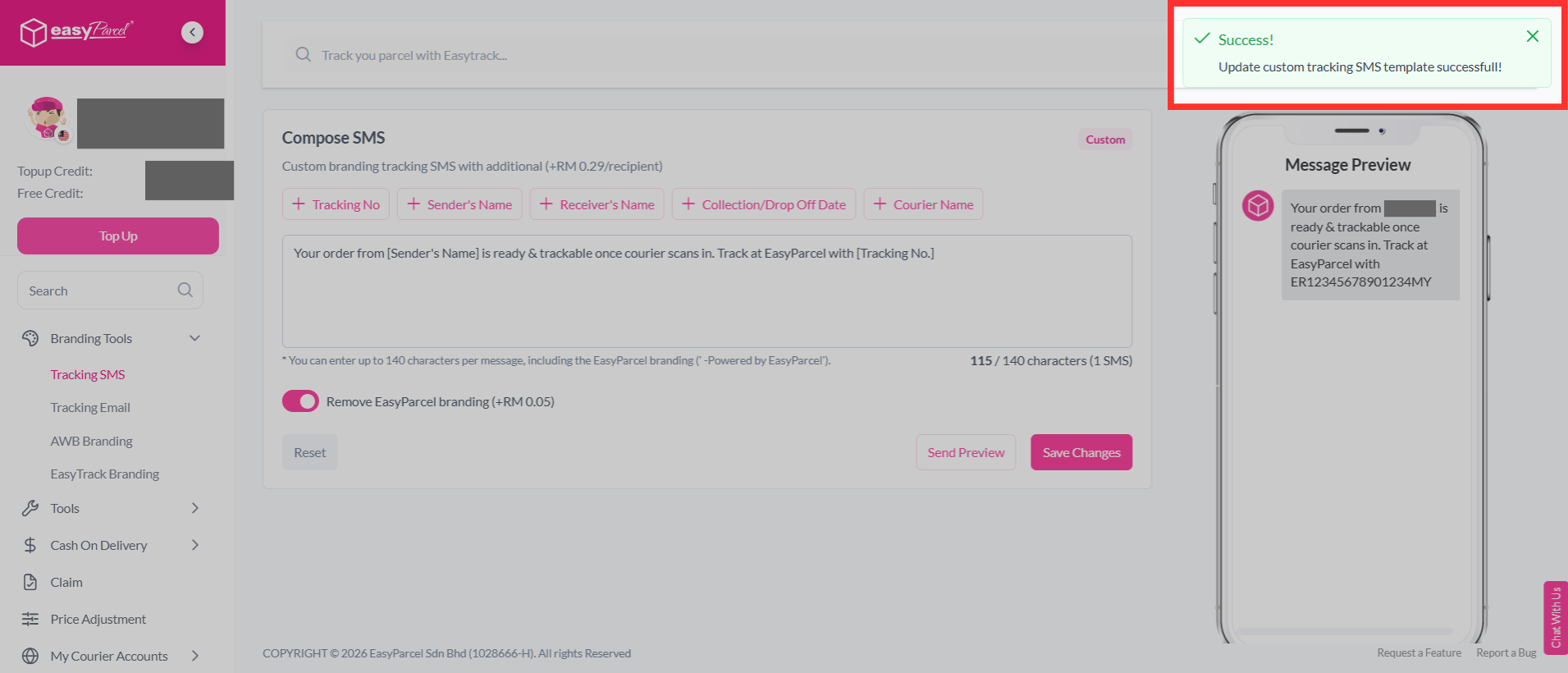
Step 1: Go to "Branding Tools", and click on "Tracking SMS".
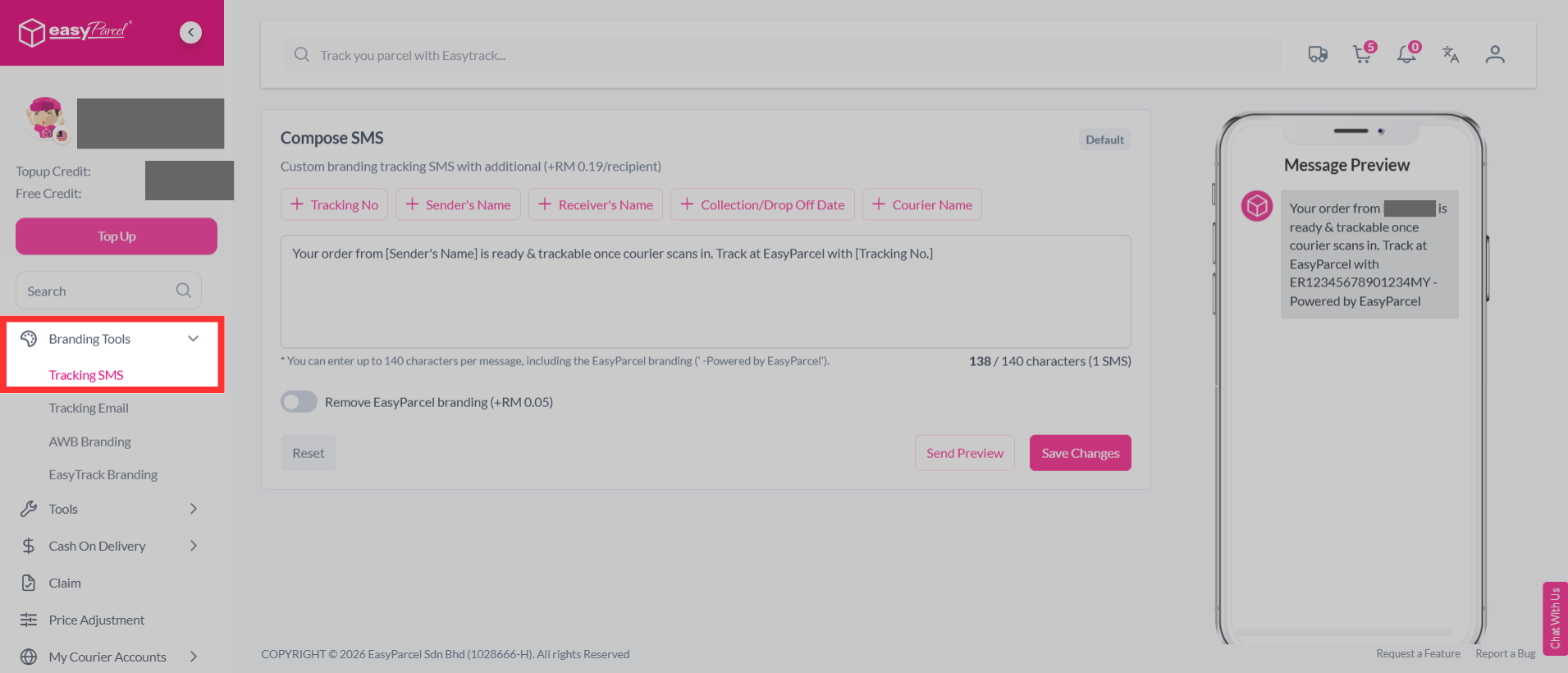
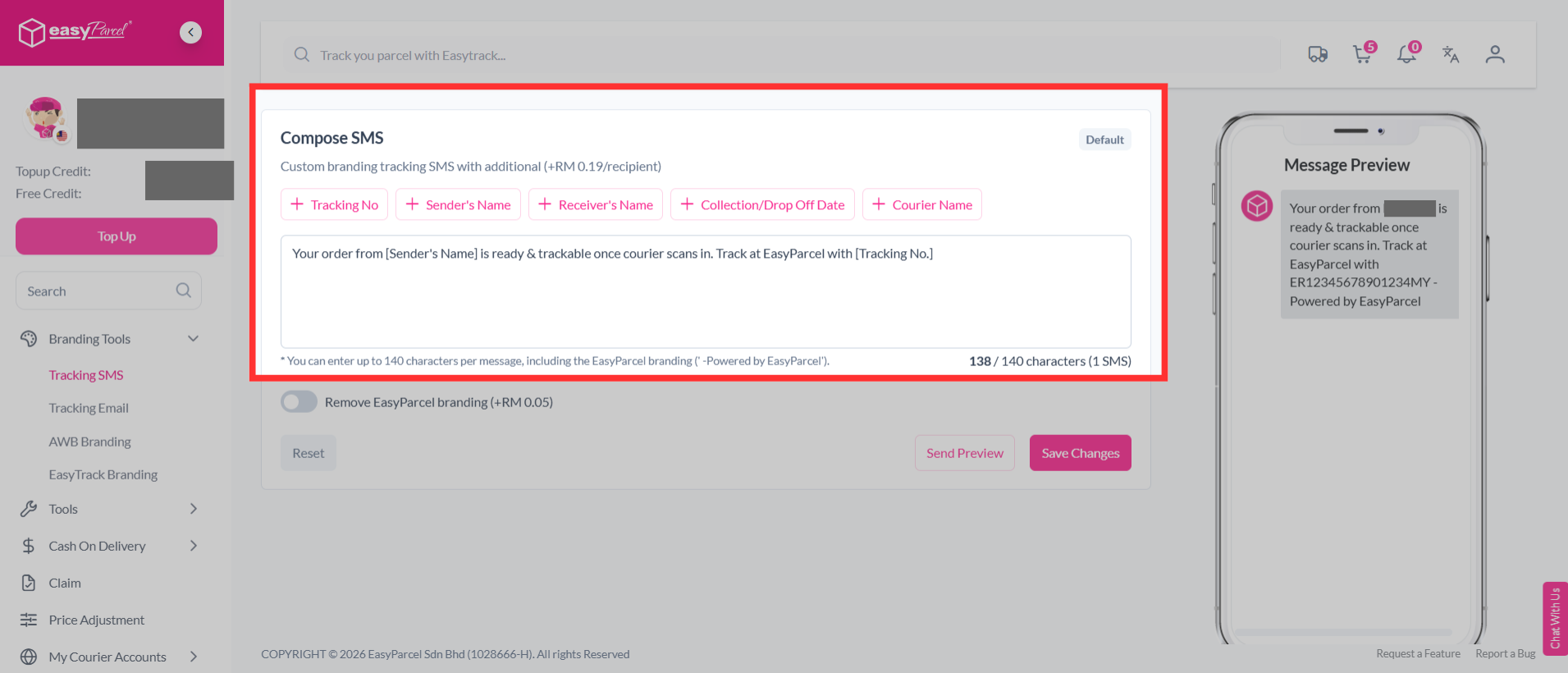
Step 2: You can customize the SMS content with the variations listed above or create your own message.
Note: You can enter up to 140 characters per message, including the EasyParcel branding ('-Powered by EasyParcel').
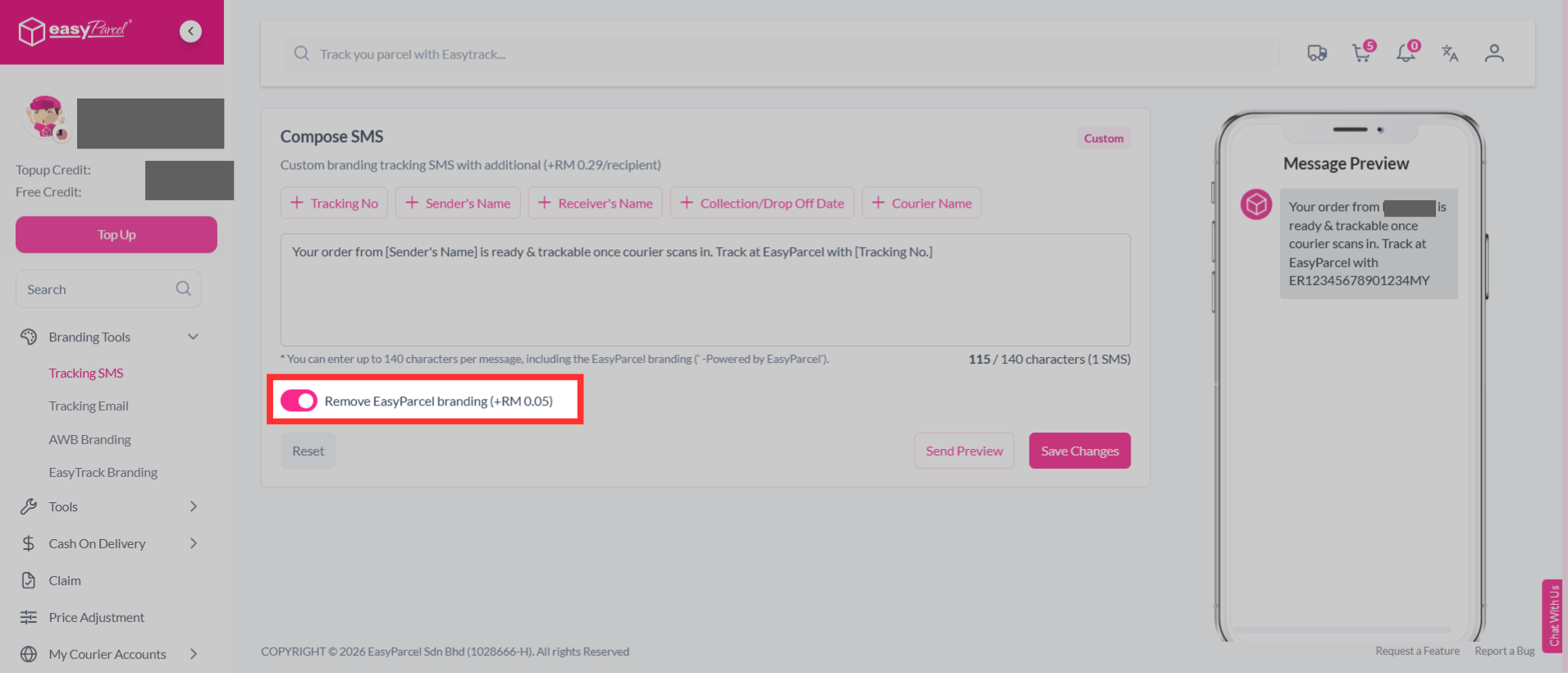
Step 3: You can choose to remove EasyParcel branding by adding on RM0.05 per recipient.
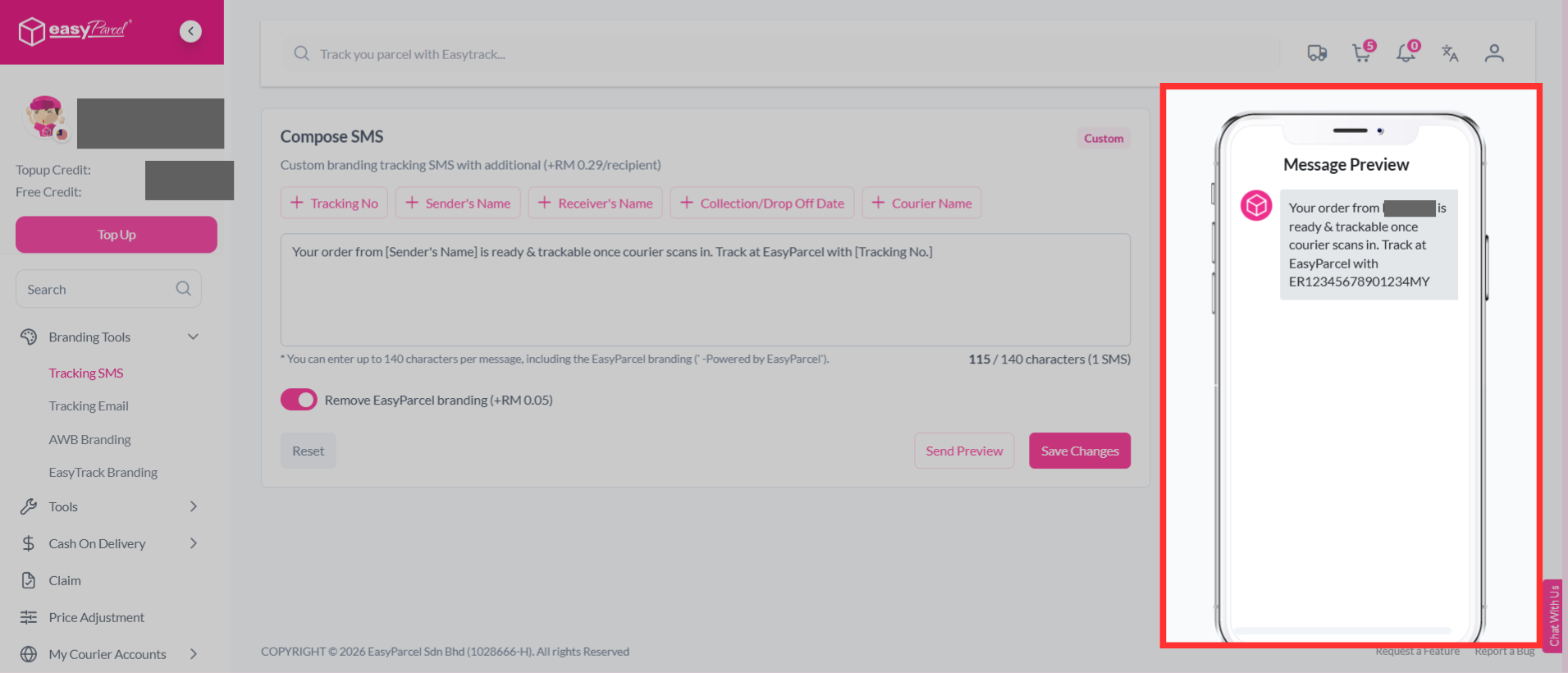
Step 4: You can preview your SMS content beside it.
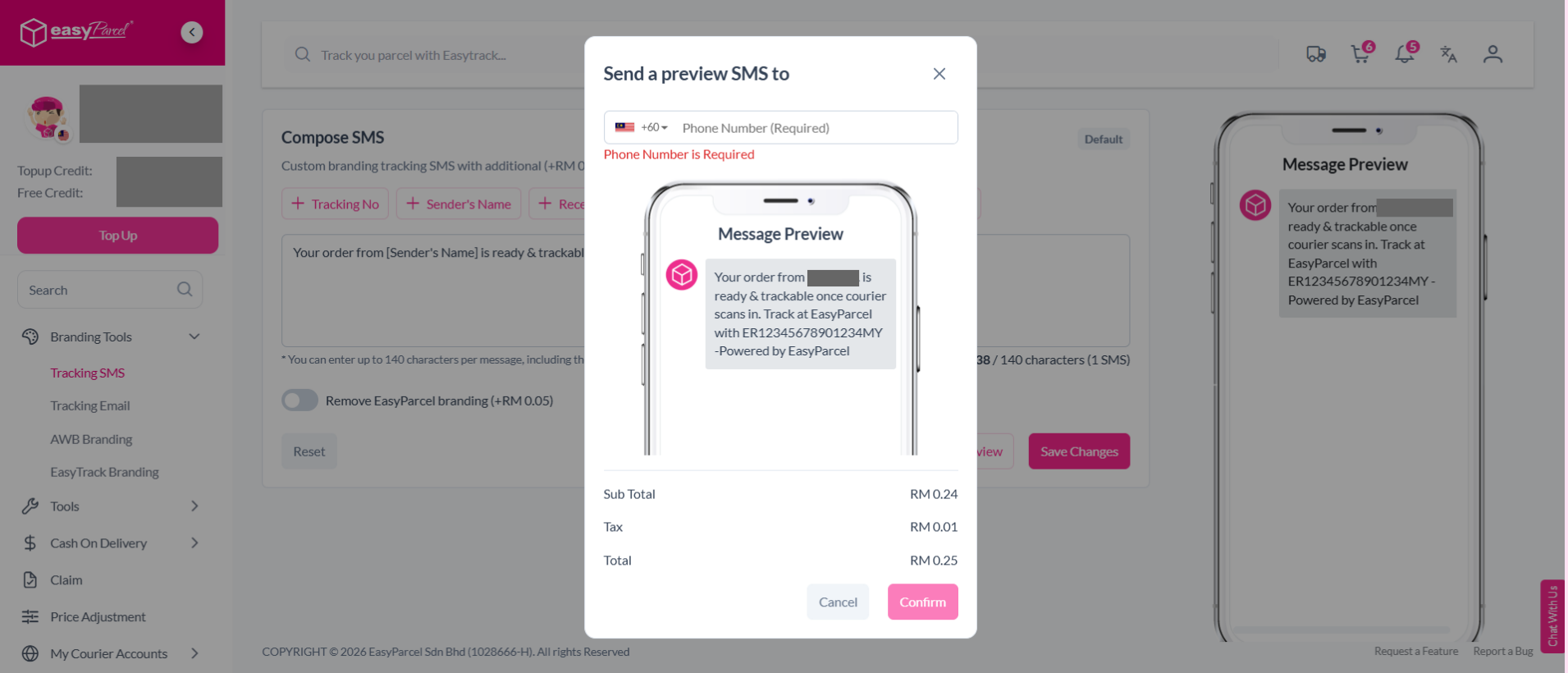
Step 5: You can click "Send Preview" to send a preview SMS to the recipient.
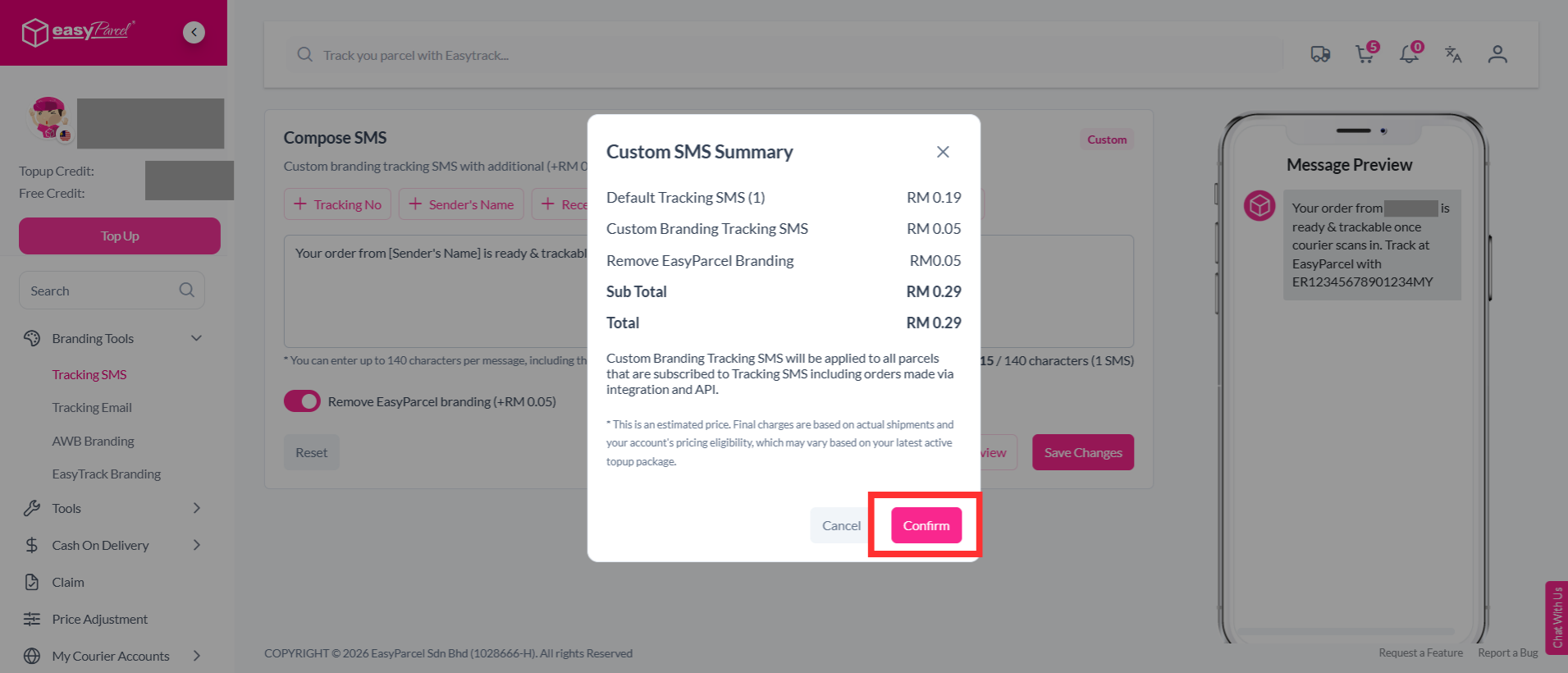
Step 6: Once you're done, click "Save Changes".
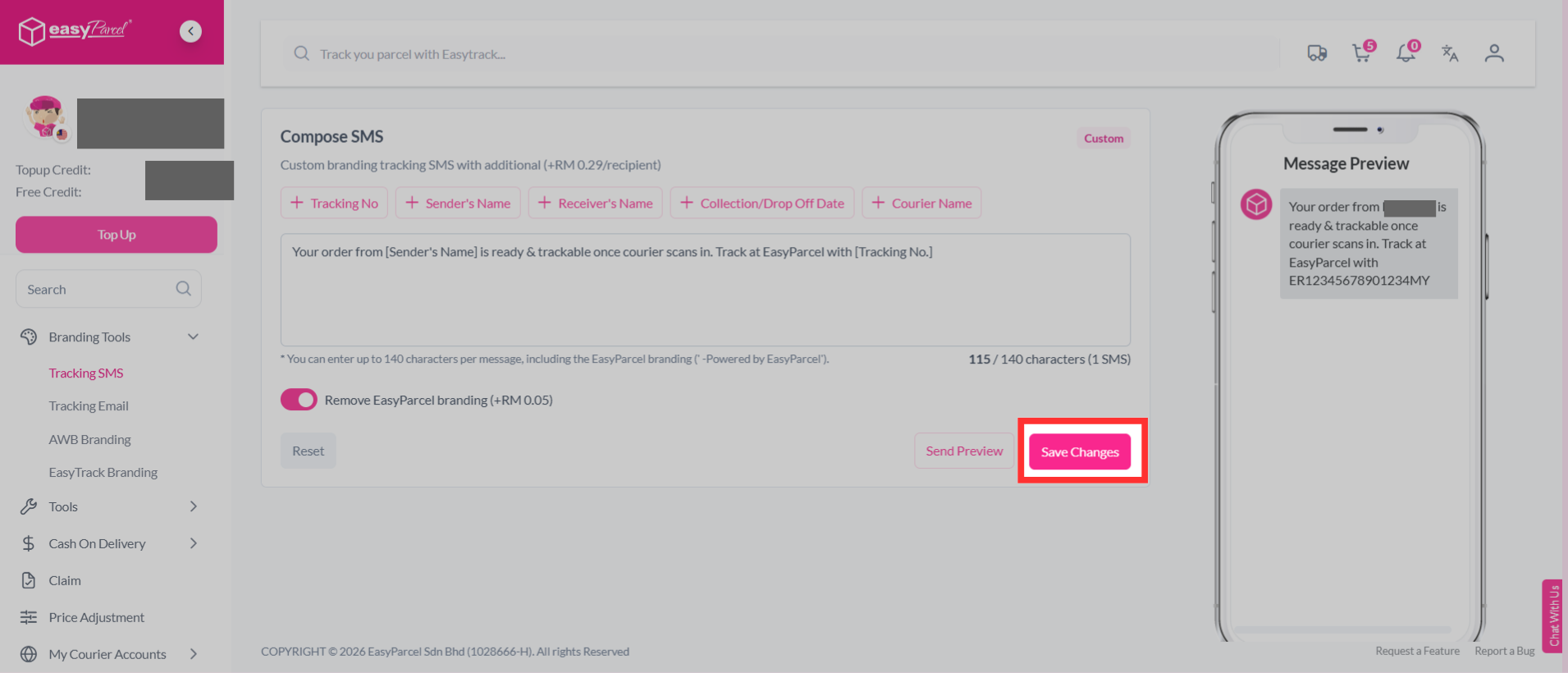
Step 7: You can review the Custom SMS summary and price breakdown, then click "Confirm".
Step 8: You have successfully updated your custom tracking SMS template.
How to send Tracking SMS?
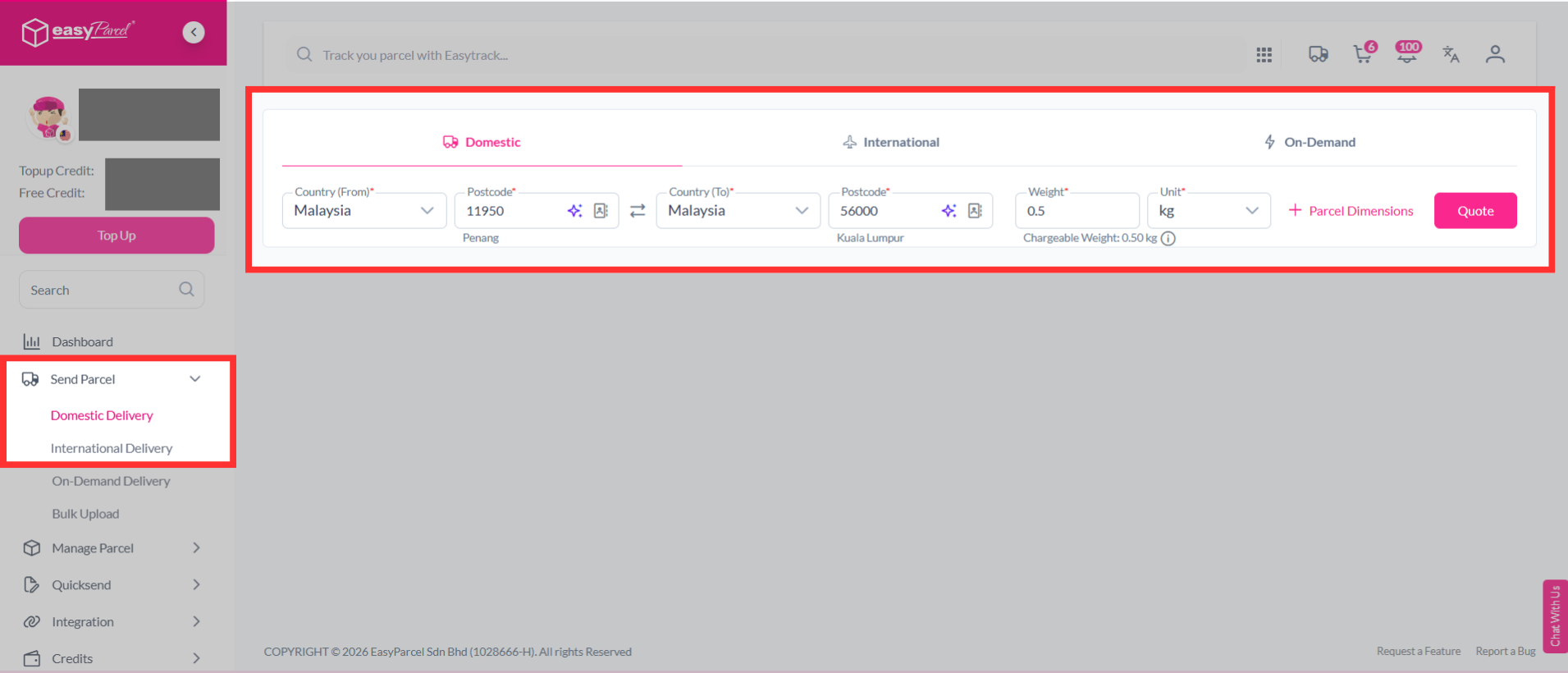
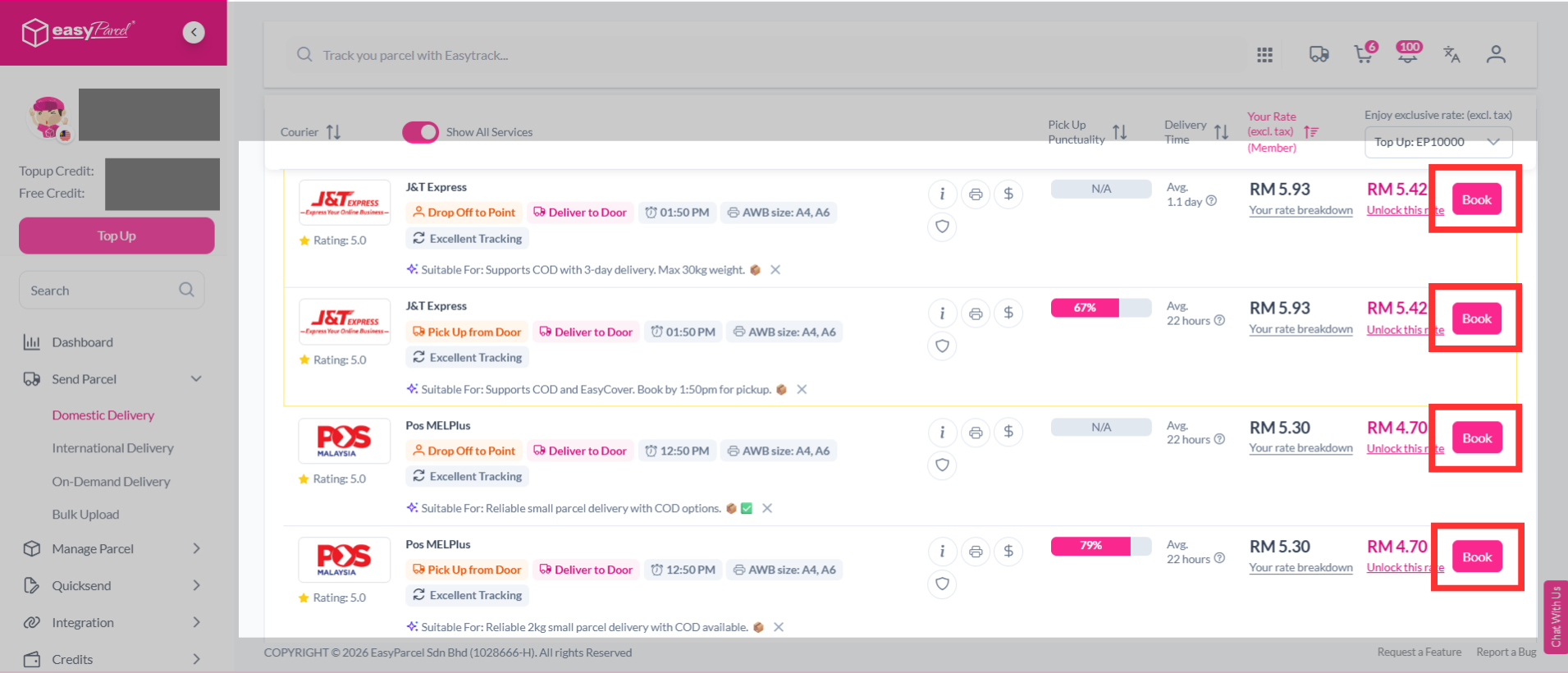
Step 1: Quote and book domestic/ international parcel as usual.
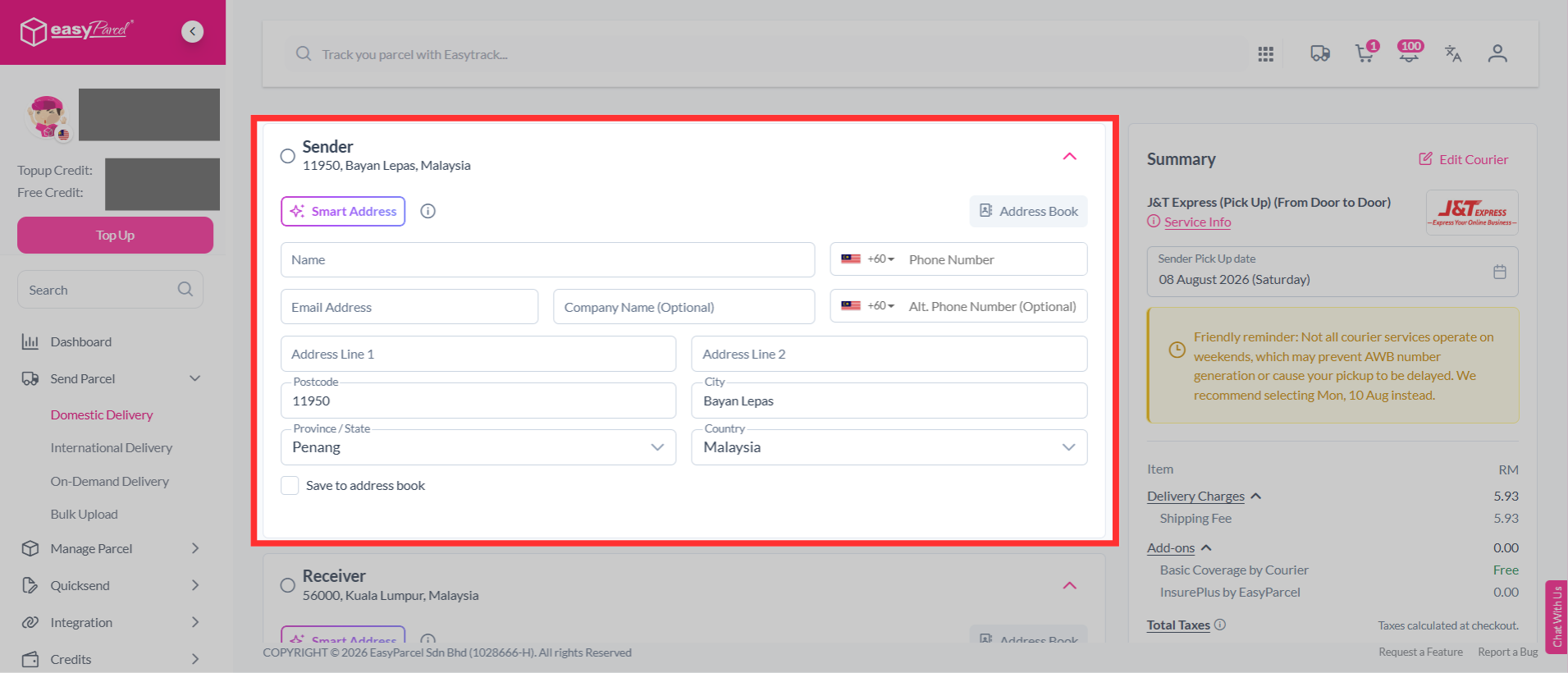
Step 2: Fill in the necessary details, including the sender details, receiver details, parcel content and value.
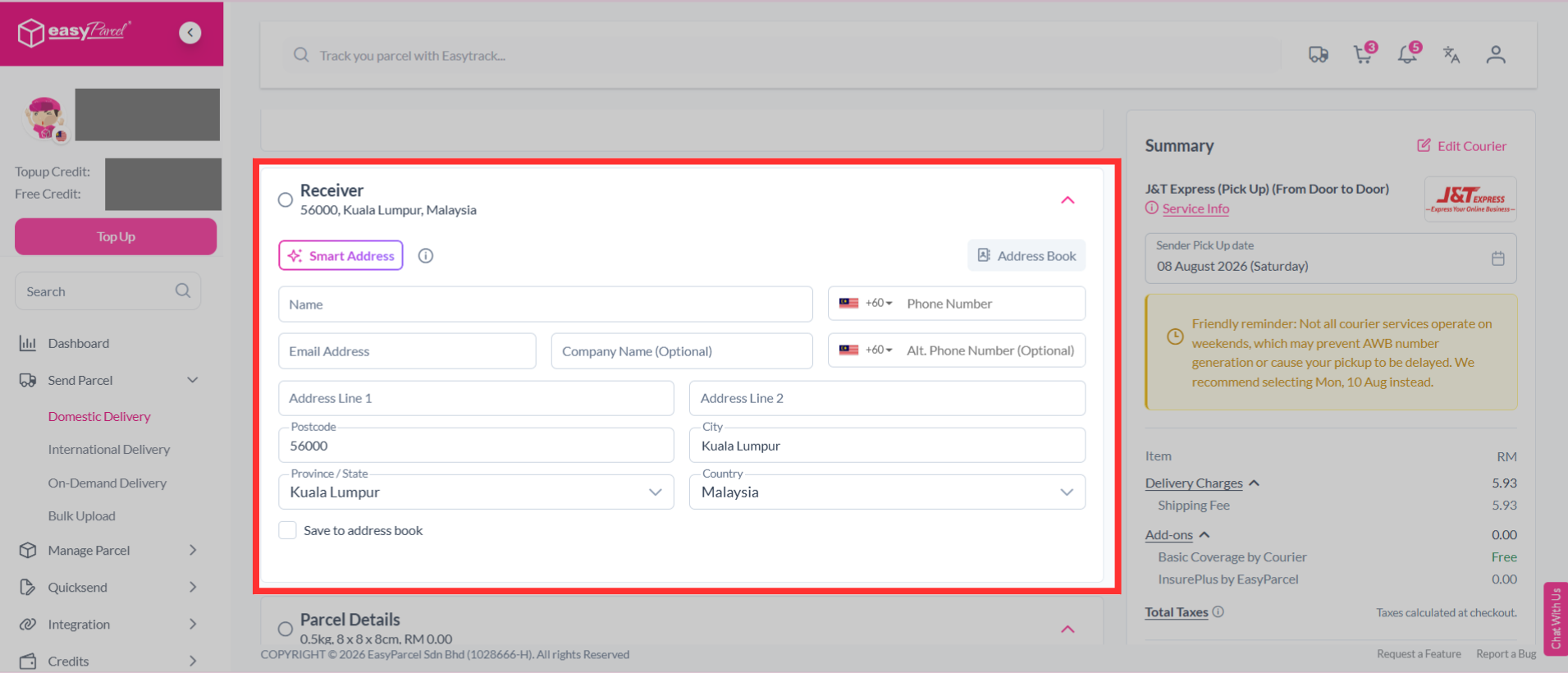
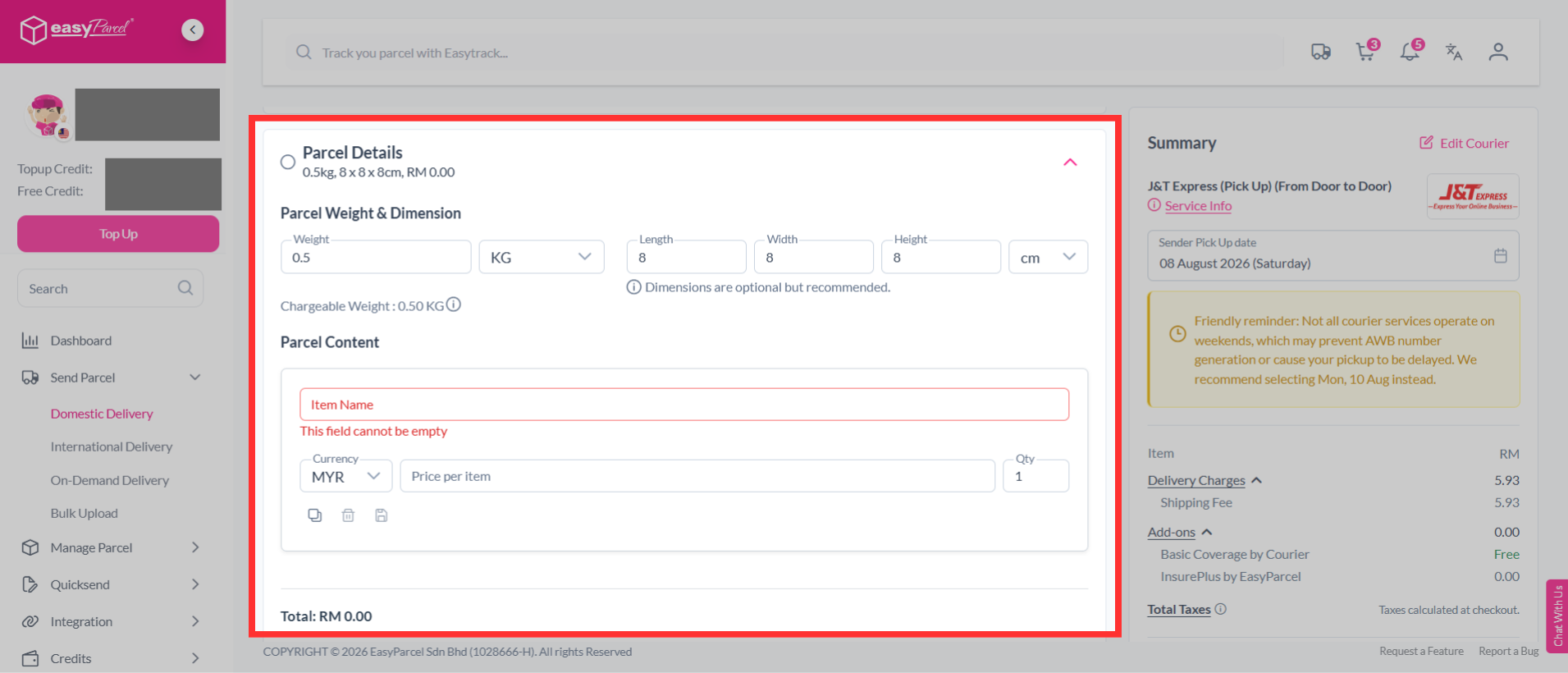
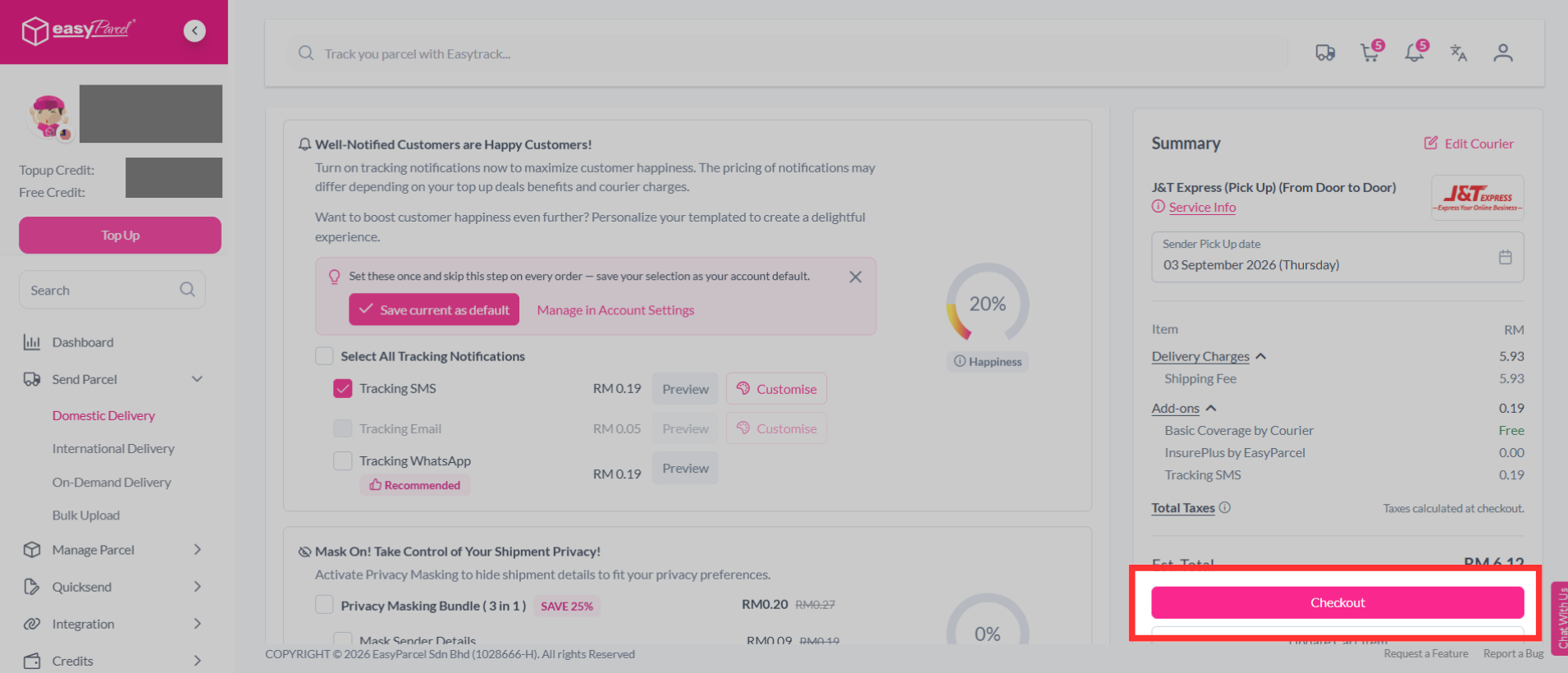
Step 3: After filling in your sender details, receiver details, parcel content, and parcel value, scroll down to the "Tracking Notifications" section.
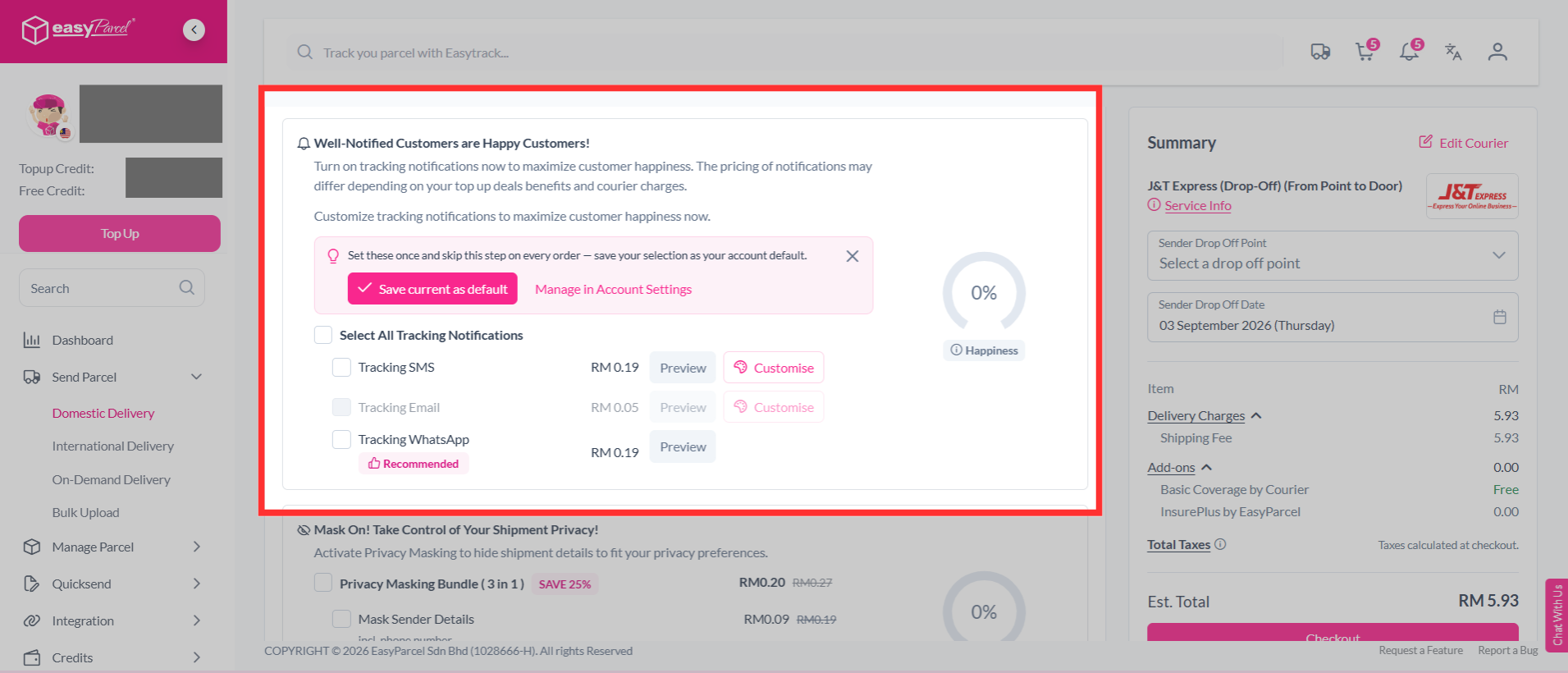
Step 4: Turn on "Tracking SMS" under options to add to your parcel.
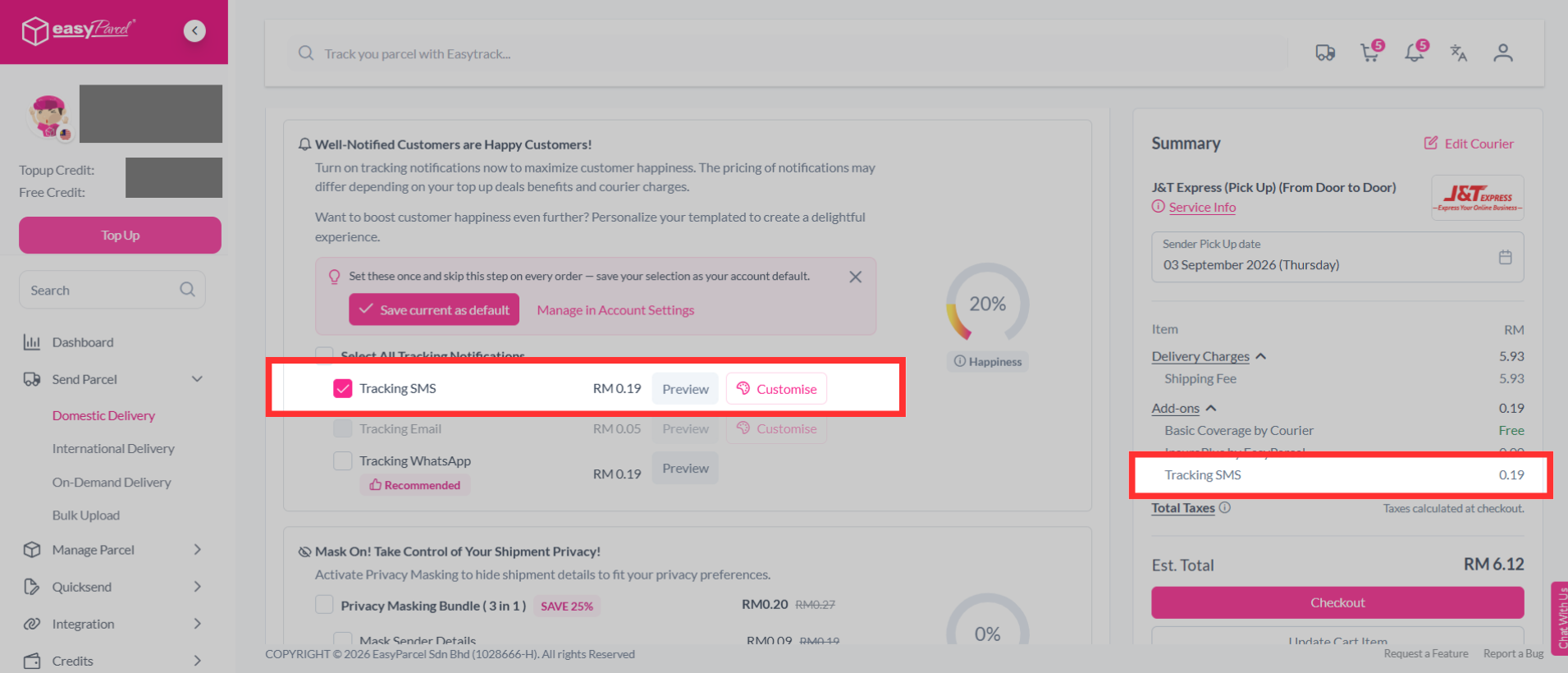
Step 5: Then continue with a click on the "Checkout" button.
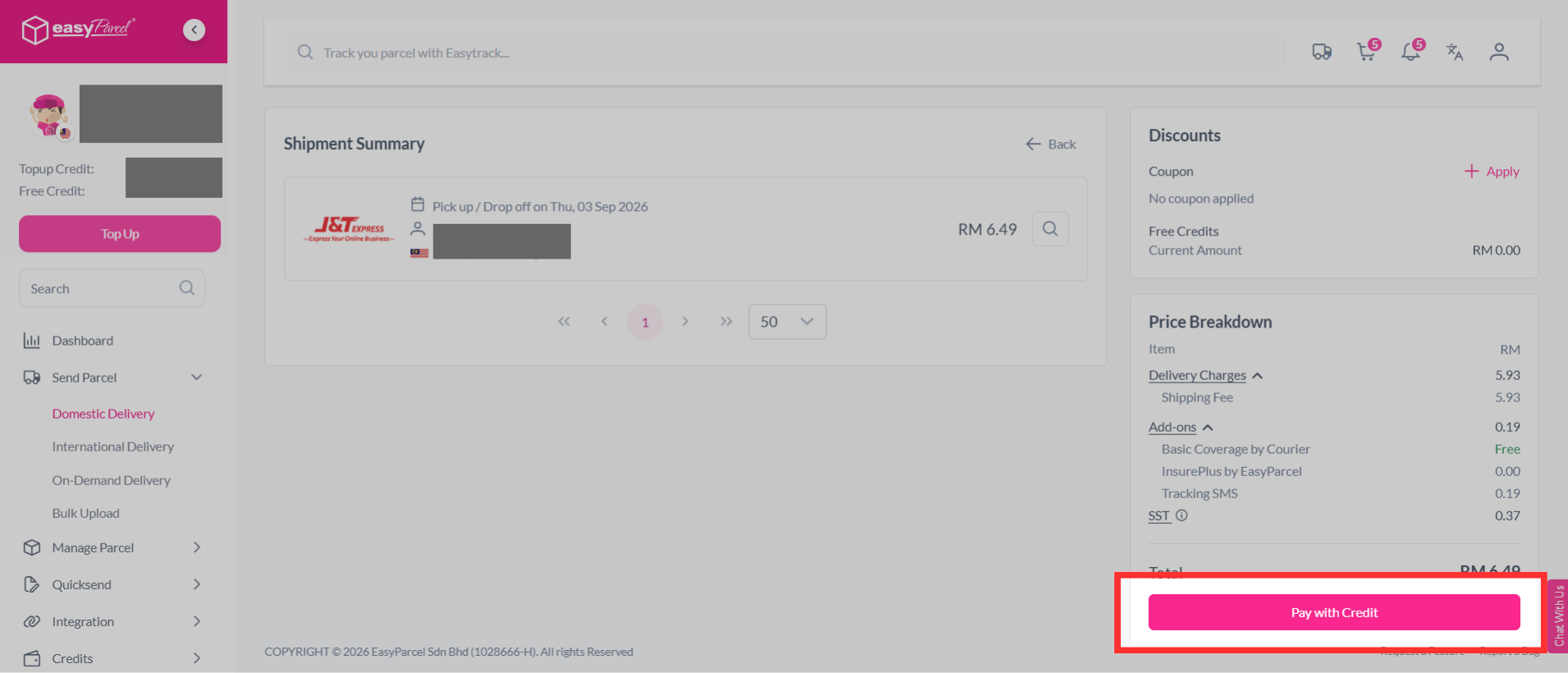
Step 6: Complete the booking and pay it.
Custom Tracking SMS Terms and Conditions
1. All contents created for your own marketing purposes under EasyParcel Marketing Tools must NOT fall under:- Illegal products or services
- Discriminatory practices
- Alcohol & tobacco products Drugs & drug-related products
- Weapons, ammunition, or explosives
- Adult products, services & content
- Violent & gore content
- Political, religious and racial content
- Misleading or false content
- Profanity and vulgar languages
- Gambling
- Counterfeit products & services
- Prohibited financial products and services
- Controversial content
2. All contents created will be reviewed by EasyParcel team and approval will be granted within 24 to 48 working hours.
3. Only English and Bahasa Malaysia language is allowed for all EasyParcel Marketing Tools – except for Custom Tracking Email (Mandarin language and emoji supported)
4. NO refunds will be given:
- Once payment for EasyParcel Marketing Tools is completed
- If the design does not comply to our guidelines
- For the day loss due to designs failure in complying to our guidelines
FAQ
Q: What is Tracking SMS?
A: Tracking SMS is an automated tool that sends your receivers a tracking number for each parcel you book through EasyParcel. You can also customize the message to reflect your brand voice, offering a personalized customer experience.- Q: Is there a limit on the number of recipients for Custom Tracking SMS?
A: No, there is no limit on the number of recipients, but charges will apply based on the number of SMS messages sent. - Q: Why is Tracking SMS important?
A: Tracking SMS is crucial because 87% of e-commerce customers check their parcel's status after making a purchase. By keeping them informed about their parcel’s whereabouts, you create a sense of trust and satisfaction, strengthening your relationship with the receiver. For more information, check out our article. - Q: Can I customize my Tracking SMS?
A: Yes, you can fully customize the content of the Tracking SMS to match your brand’s tone and voice, helping you create a more personalized connection with your receivers.
And there you have it! You've successfully set up Custom Branding on your Tracking SMS. We're thrilled that you're enhancing your customer experience! We hope this guide was helpful, but if you still have any questions, don’t worry – we’ve got you covered. Feel free to explore our other articles or get in touch with our friendly support team. We're here to assist you every step of the way!
Read Next: What is Tracking SMS on EasyParcel?