
Quick Summary
EasyTrack is a tracking feature by EasyParcel that allows you to track up to 15 tracking numbers at once. To date, EasyTrack has successfully tracked over 65 million parcels worldwide.
How to use EasyTrack?
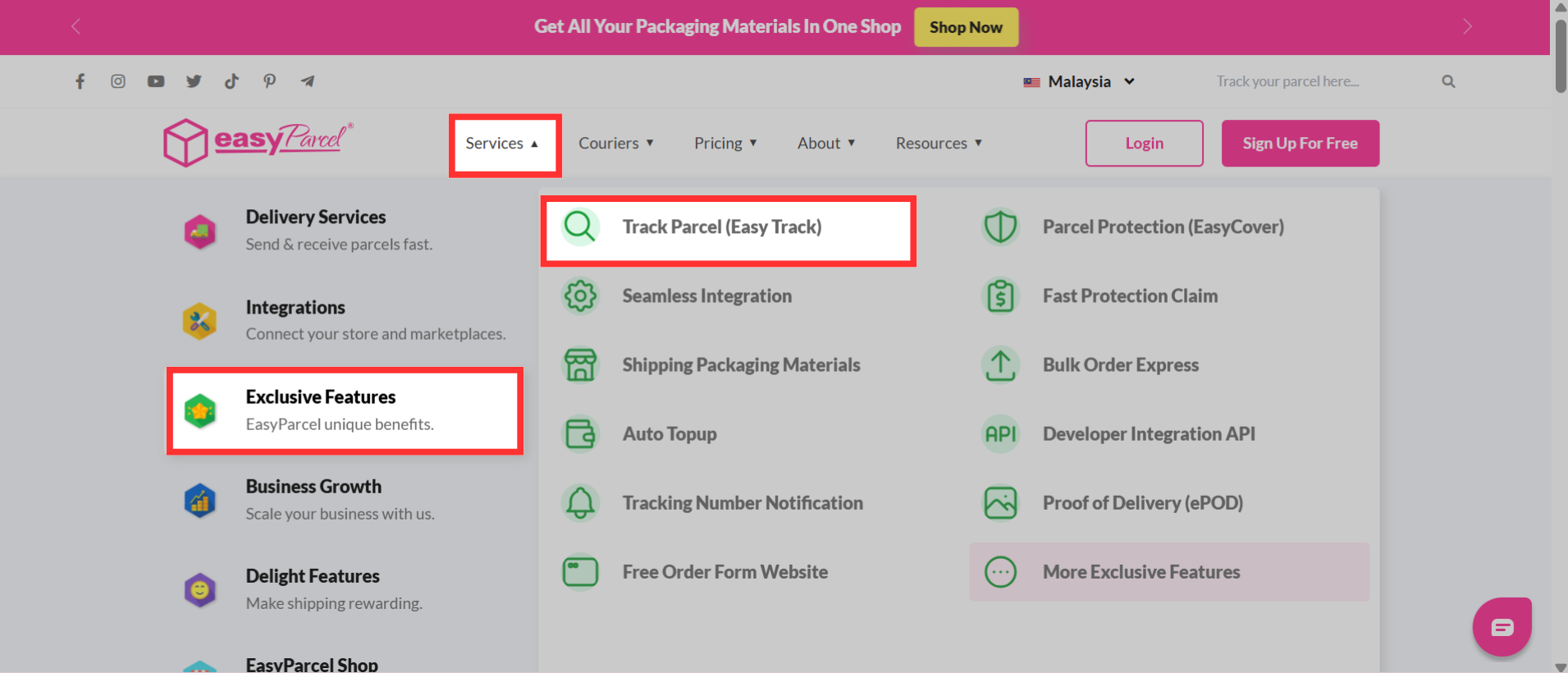
Step 1: Navigate to the EasyParcel website, hover over "Services" > "Exclusive Features" and click on "Track Parcel (EasyTrack)".
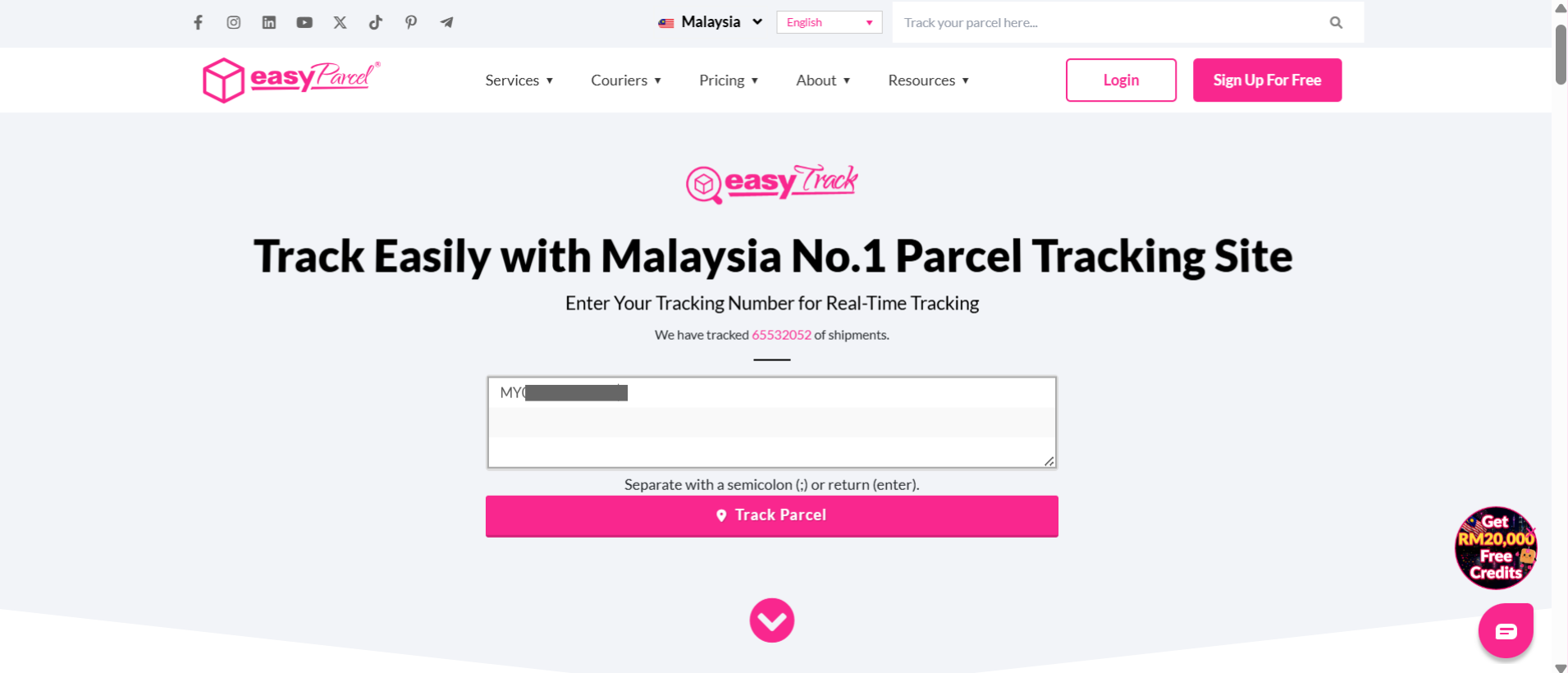
Step 2: The page directs to EasyTrack. Enter the tracking number inside the column.
Note: Up to 15 tracking numbers may be entered. Separate with a semicolon (;) or return (enter).
Step 3: The delivery status and the estimated delivery date of the parcels are shown.
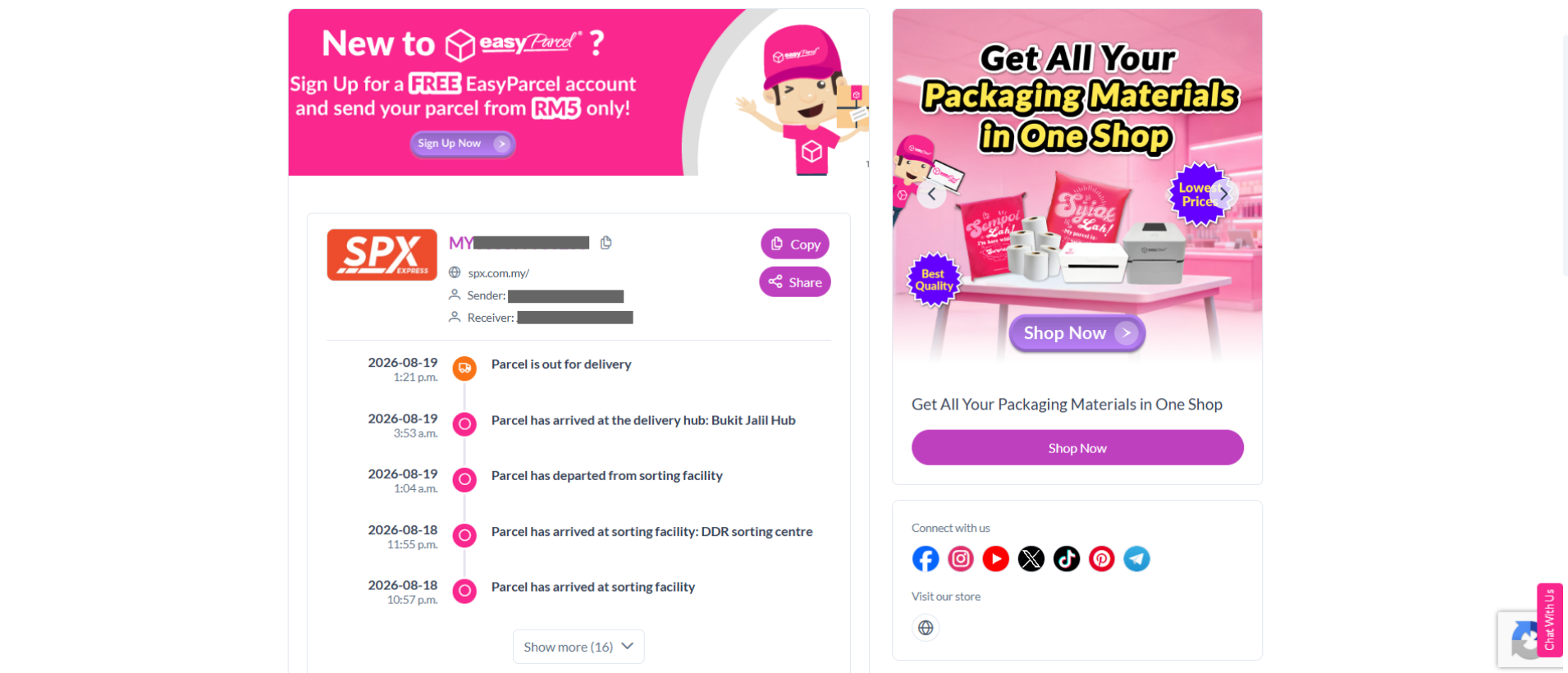
EasyTrack is one of the convenient ways to monitor your shipments with EasyParcel. You can also explore other ways to keep track of your parcels to stay updated at all times.
You can learn how to custom EasyTrack branding for future order and get your brand noticed.