
Quick Summary
To track your EasyParcel shipment, enter your tracking number or EasyParcel order number into the EasyTrack tool on their website. It automatically detects over 80 couriers, allowing you to monitor up to 15 parcels at once. For app users, navigating to "All Parcels" under the "Manage Parcel" section, selecting the relevant orders, view orders status directly.
Track and view all parcels
Step 1: Log in to your EasyParcel account; under "Manage Parcel" click "All Parcels".
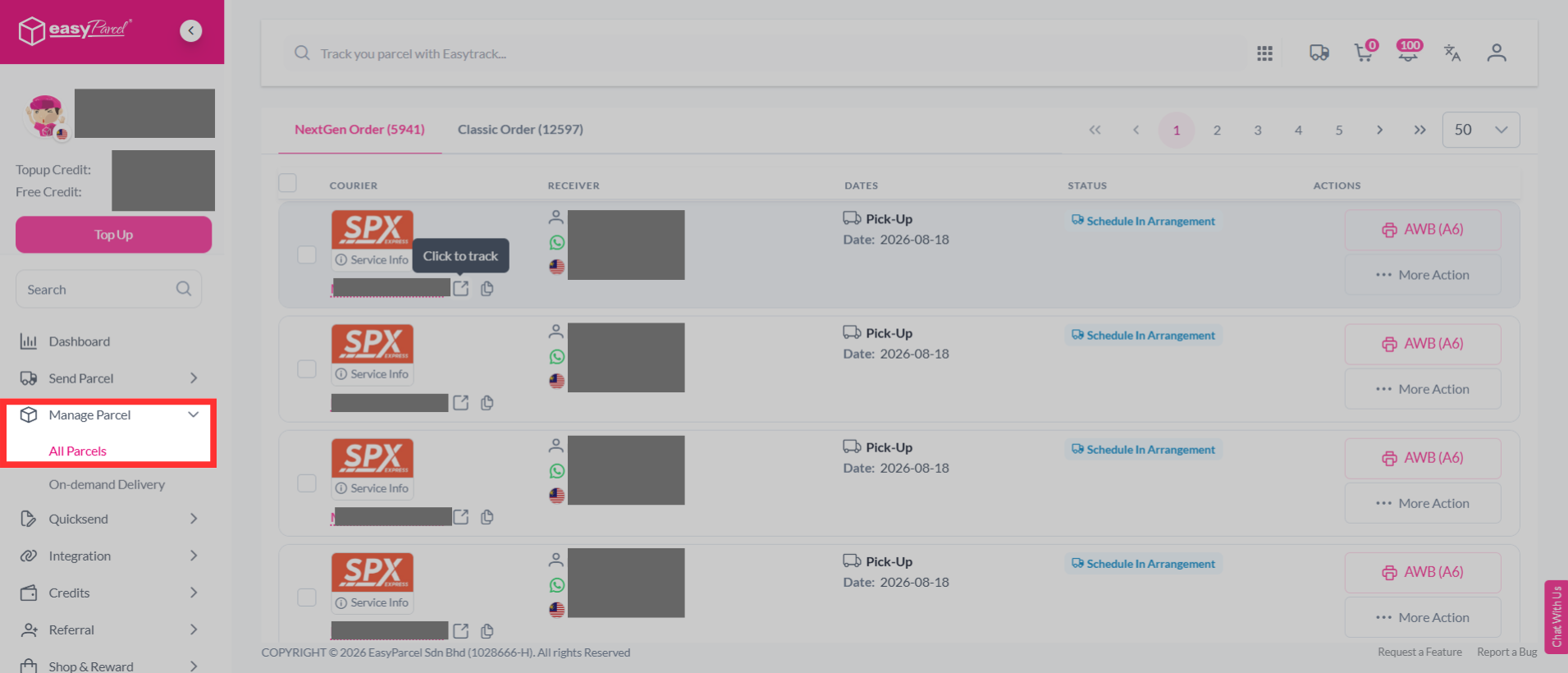
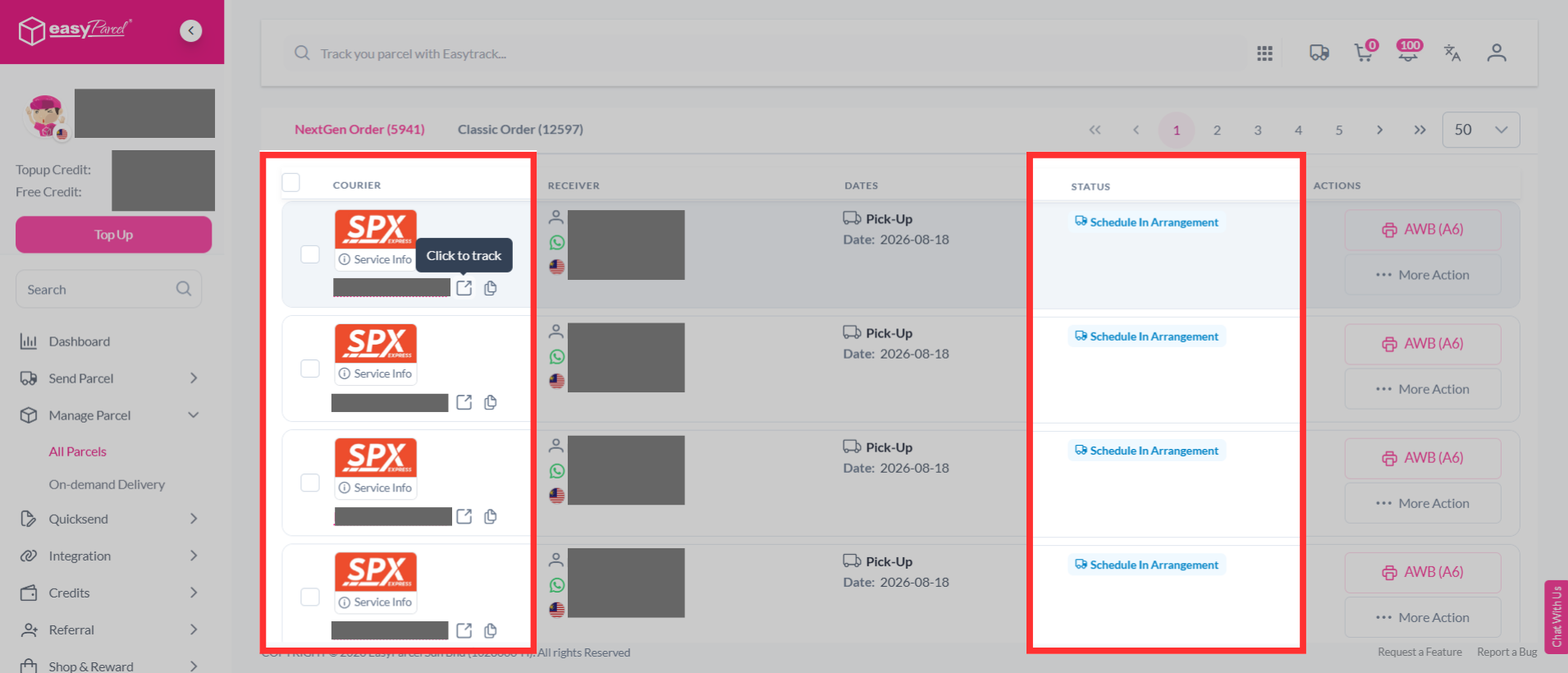
Step 2: You can view all your parcels on one page and simply choose which parcel you wish to track, check out the status, or click on its tracking number.
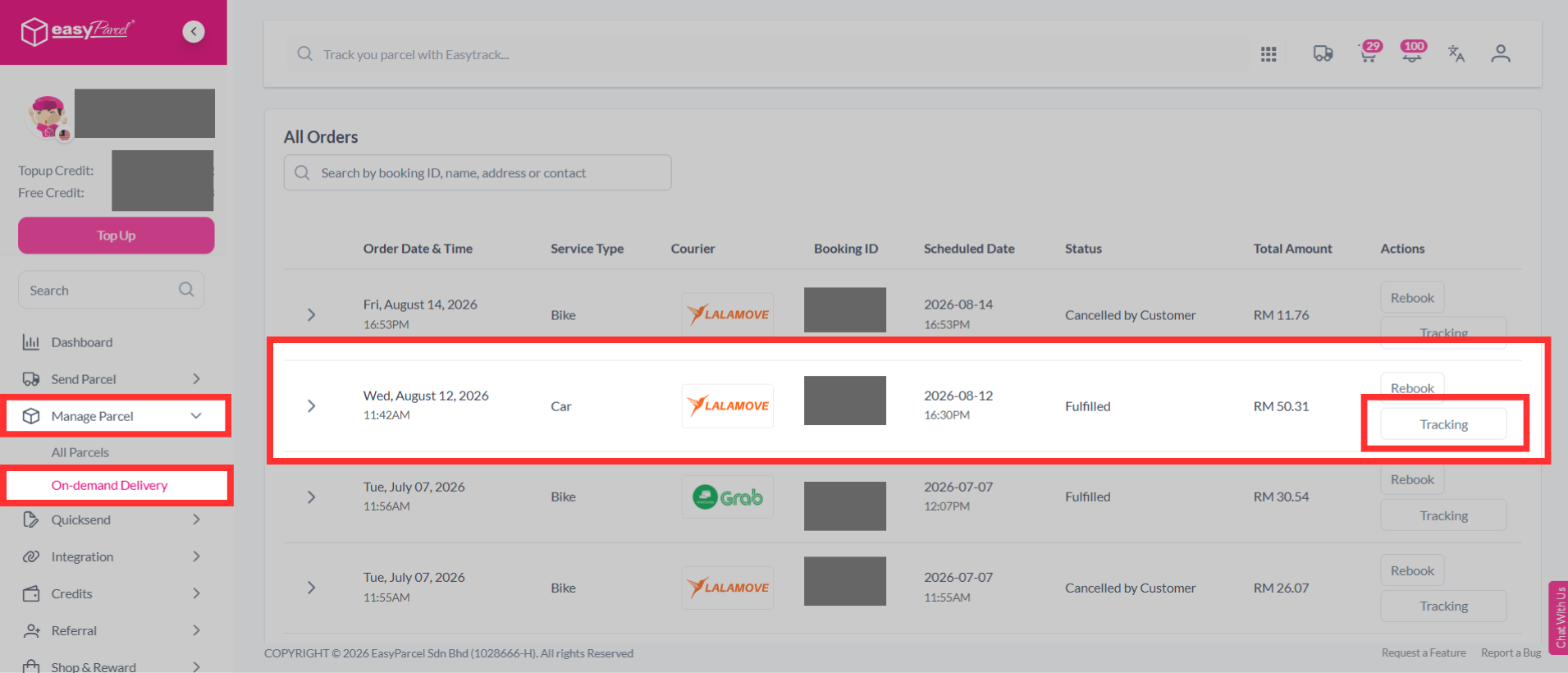
Track on-demand parcels
Step 1: Log in to your EasyParcel account; under "Manage Parcel" click "On-demand Delivery" and choose your on-demand parcel.
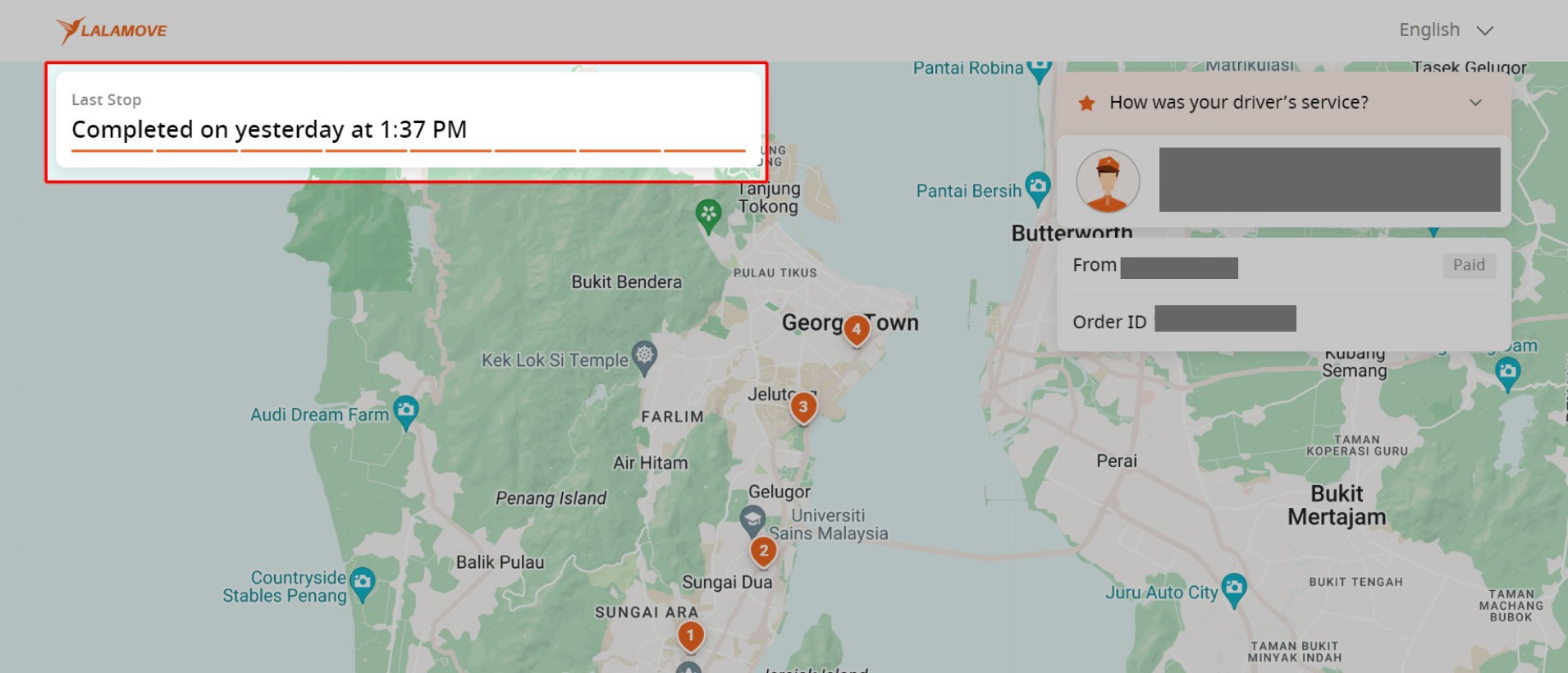
Step 2: You can view your on-demand parcel live-tracking.
EasyTrack
If you're not logged in to your account, then you can use our EasyTrack for easy tracking.
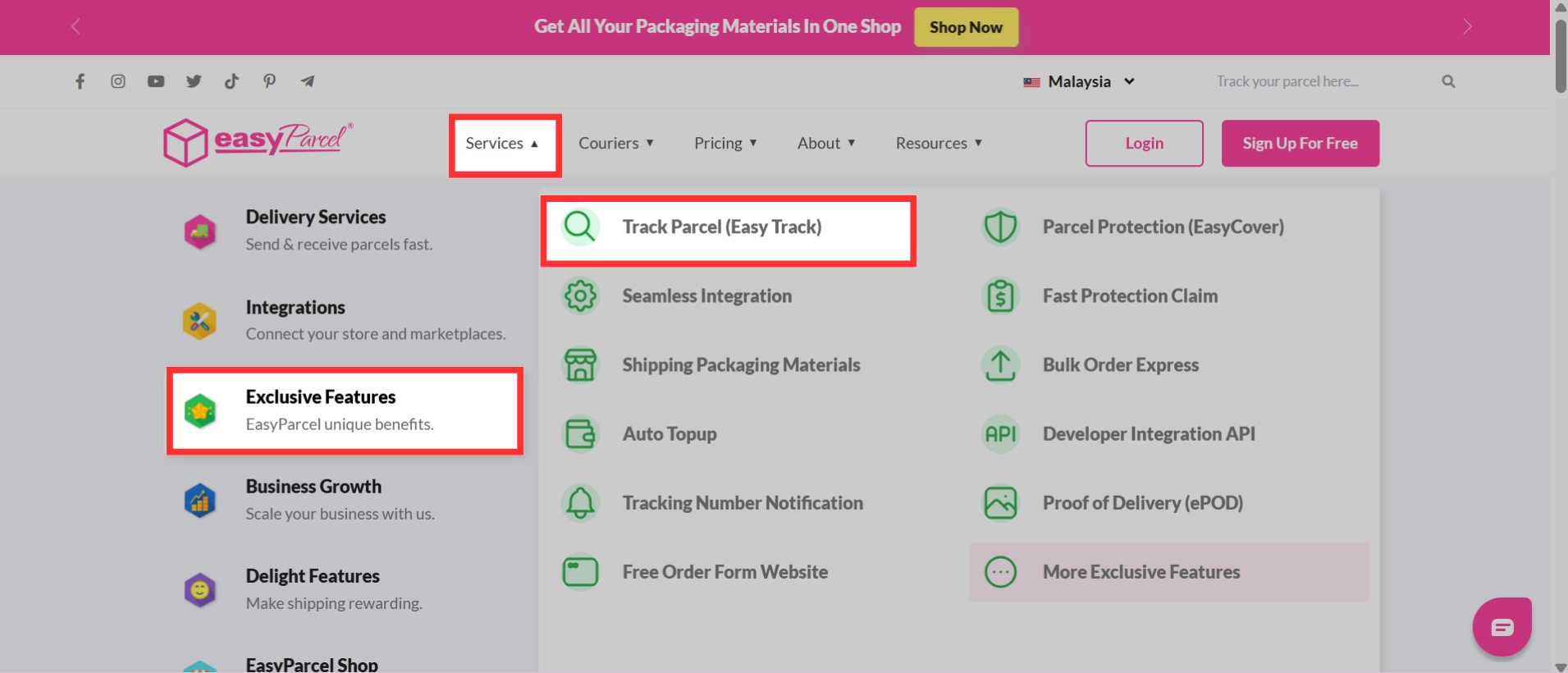
Step 1: Head over to the EasyParcel website, hover over "Services" > "Exclusive Features" and click on "Track Parcel (EasyTrack)".
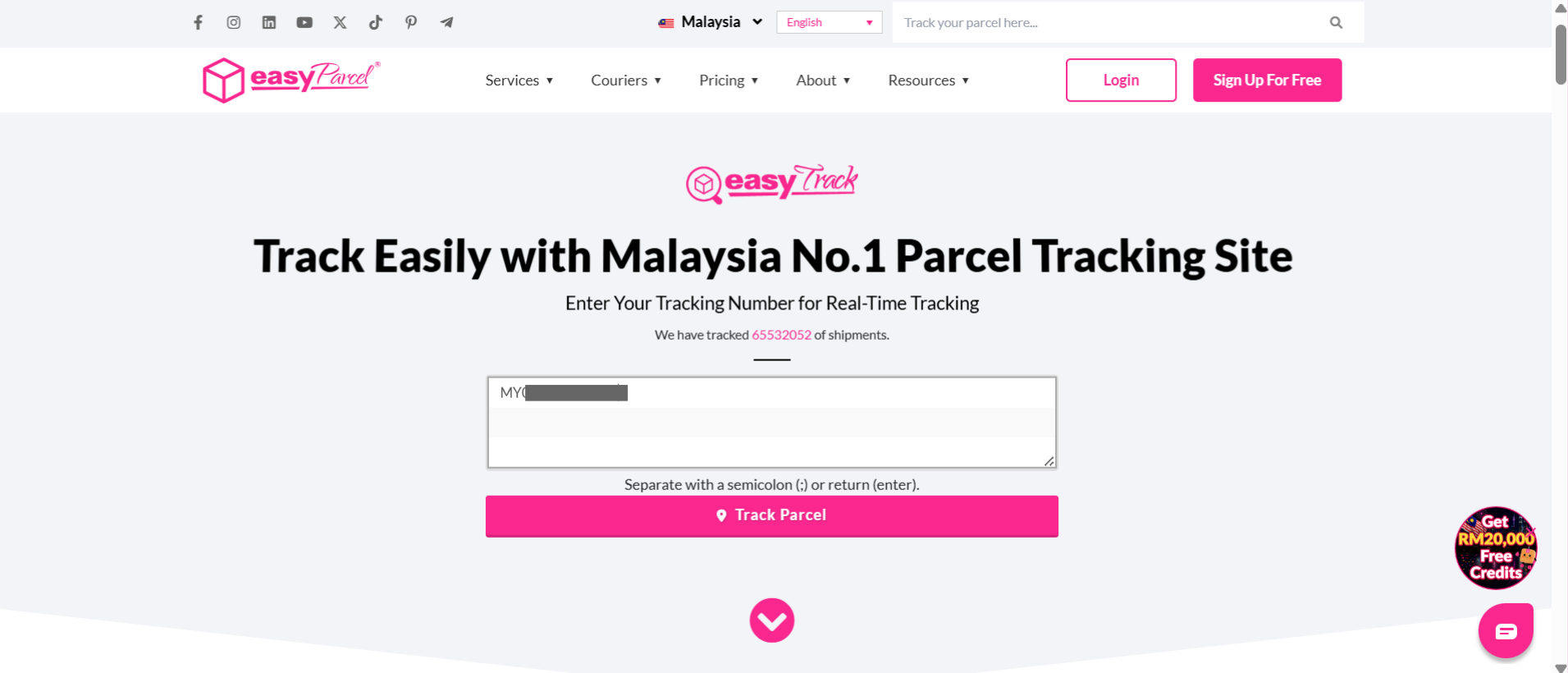
Step 2: You will be directed to the EasyTrack page. Key in your tracking number inside the column.
Note: You may enter up to 15 tracking numbers. Separate with a semicolon (;) or return (enter).
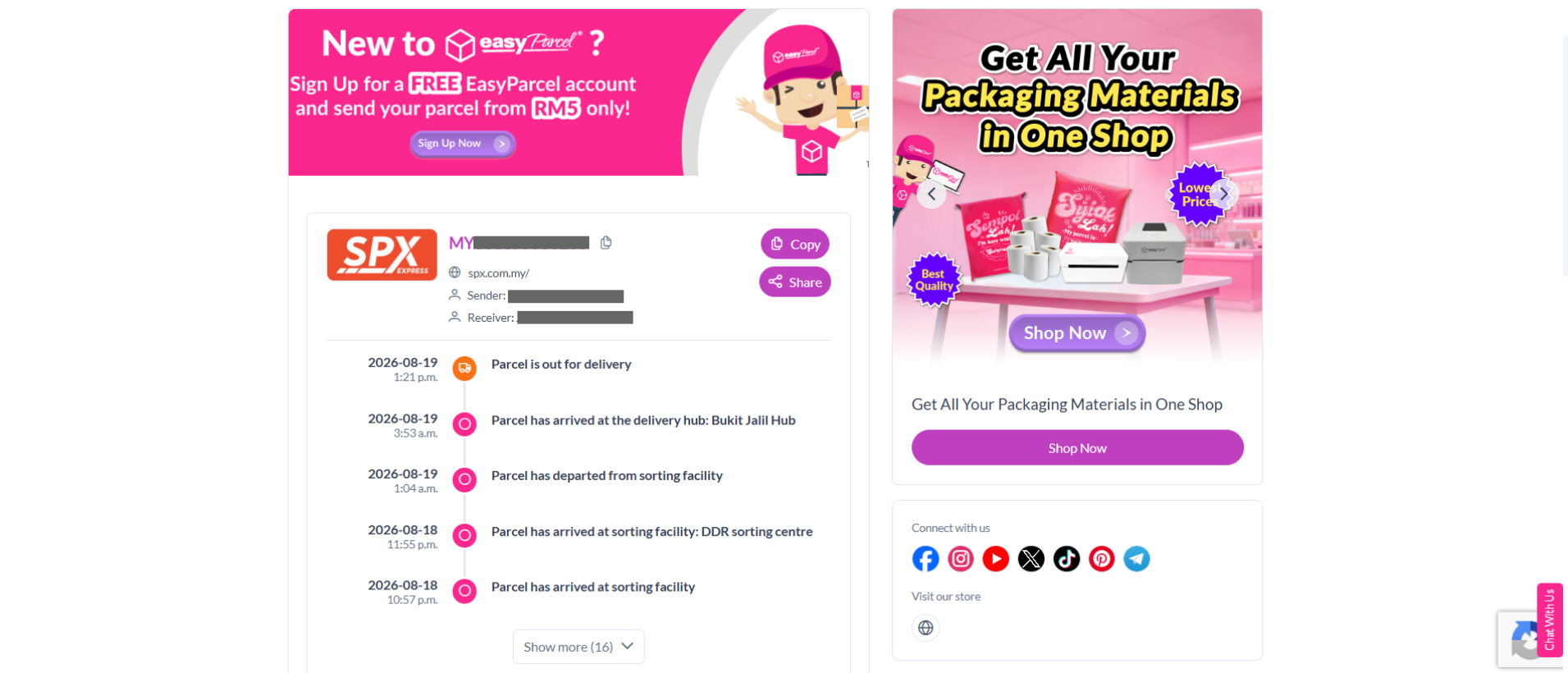
Step 3: You will be able to see the delivery status and the estimated delivery date of your parcels.
If you have any issues or concerns regarding your parcel, you can contact EasyParcel's customer support for assistance.