
Quick Summary
To create a free EasyParcel account, visit the EasyParcel website and click "Sign Up" or use the app. Register using Google, Facebook or email, verify your mobile number, and enter required details. Account registration allows access to member rates, courier booking, and often includes sign-up coupons.
How to sign up via Google?
To sign up for an account:-
Step 1: Visit easyparcel.com and click on the "Sign Up For Free" button at the top right corner.
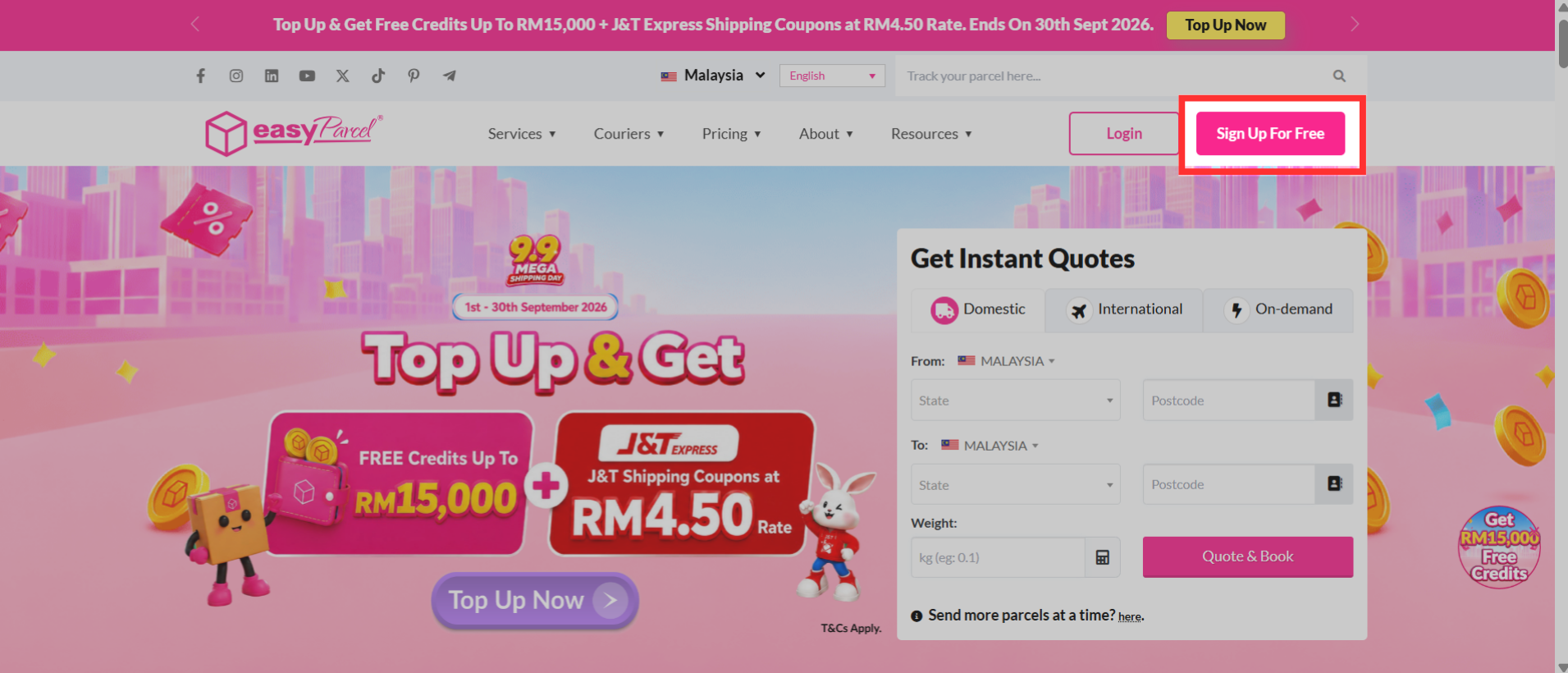
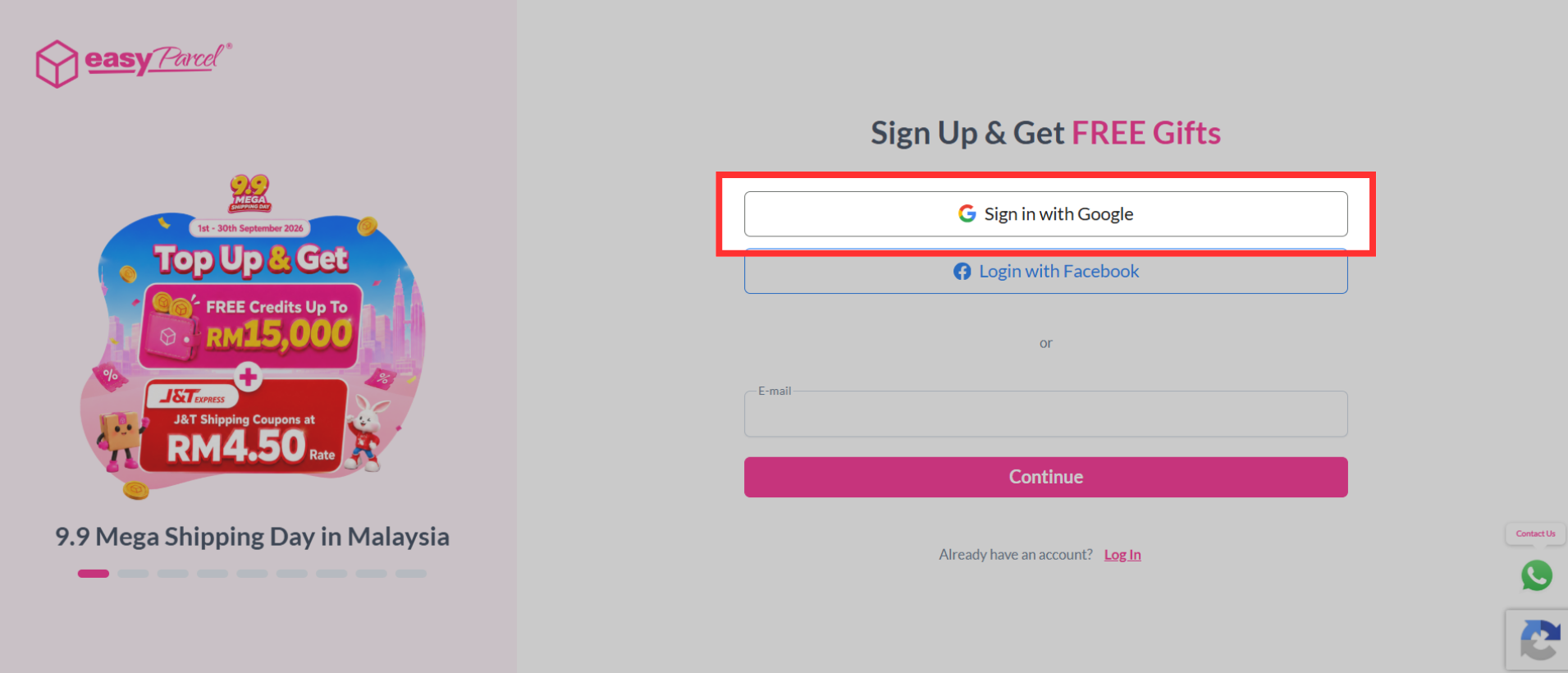
Step 2: On the sign-up page, click "Sign in with Google".
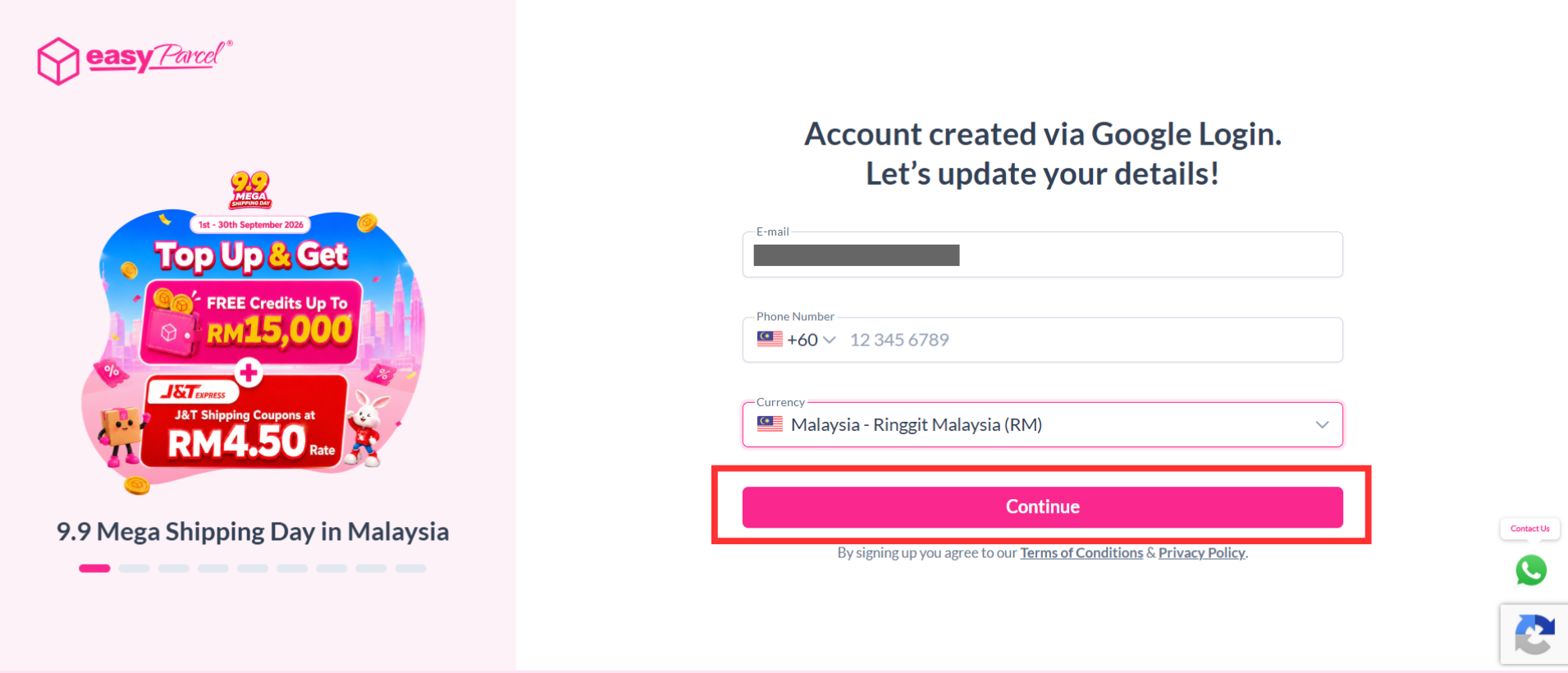
Step 3: Select the Google account you would like to use to sign up for EasyParcel. Fill in your phone number and select currency, then click "Continue".
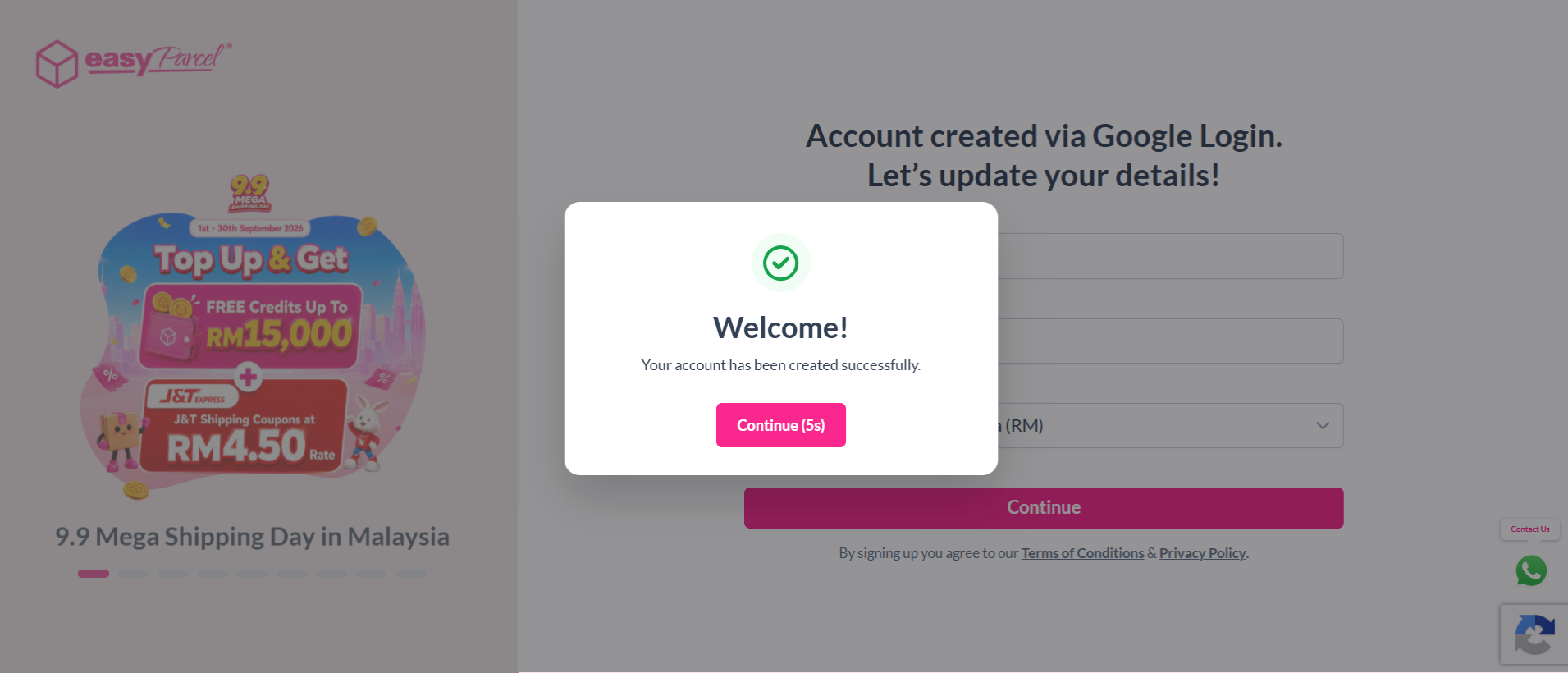
Step 4: Once your EasyParcel account has been created successfully, click "Continue" to get started.
Or you can choose to drop us some personal details here so our business consultant can reach you!
How to sign up via email address?
To sign up for an account:-
Step 1: Visit easyparcel.com and click on the "Sign Up For Free" button at the top right corner.
Step 2: On the sign-up page, enter your "Email", then click "Continue".
Step 3: Fill in your password, phone number and select currency, then click "Create Account".
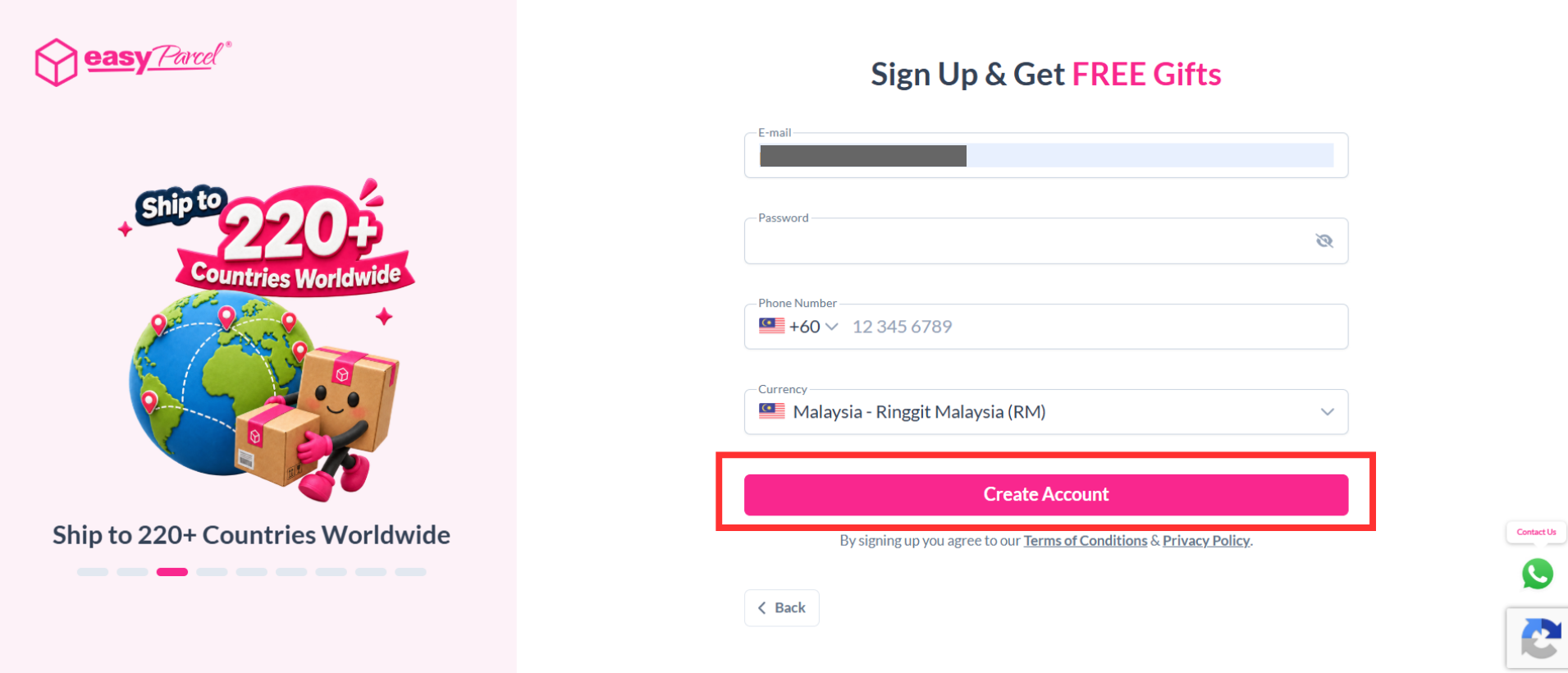
Step 4: Once your EasyParcel account has been created successfully, click "Continue" to get started.
Or you can choose to drop us some personal details here so our business consultant can reach you!
How to sign up via Facebook?
To sign up for an account:-
Step 1: Visit easyparcel.com and click on the "Sign Up For Free" button at the top right corner.
Step 2: On the sign-up page, click "Login with Facebook".
Step 3: Log in to your Facebook account you would like to use to sign up for EasyParcel. Fill in your email, phone number and select currency, then click "Continue".
Step 4: Once your EasyParcel account has been created successfully, click "Continue" to get started.
Or you can choose to drop us some personal details here so our business consultant can reach you!