Quick Summary
To reset a forgotten EasyParcel password, visit the login page, click "Forgot Your Password?", enter your registered email, and follow the instructions sent to your inbox.
We'll Cover:
How to Reset Password ?
If you've forgotten your password, you can reset it by following the steps below. But if you never sign up before, you can sign up first for free to start enjoying EasyParcel perks.
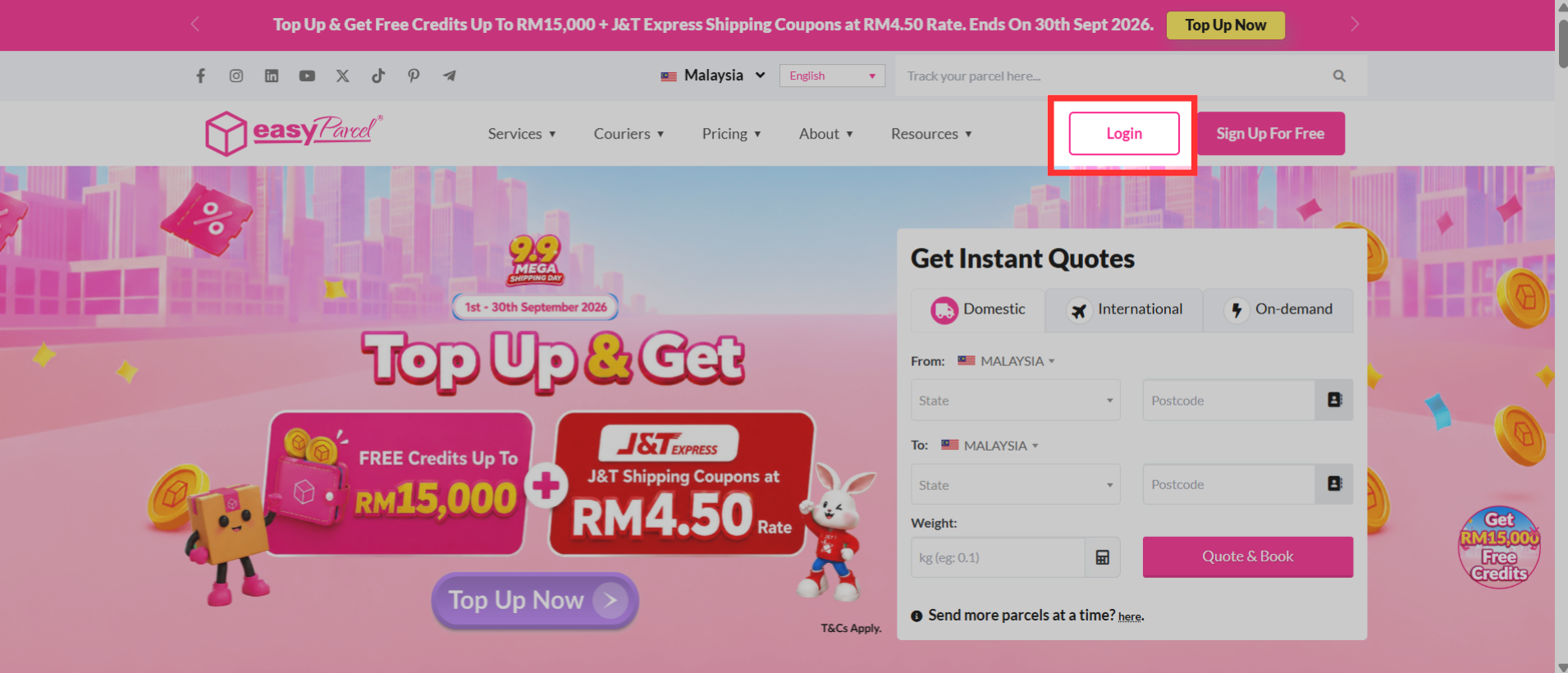
Step 1: Visit the login page.
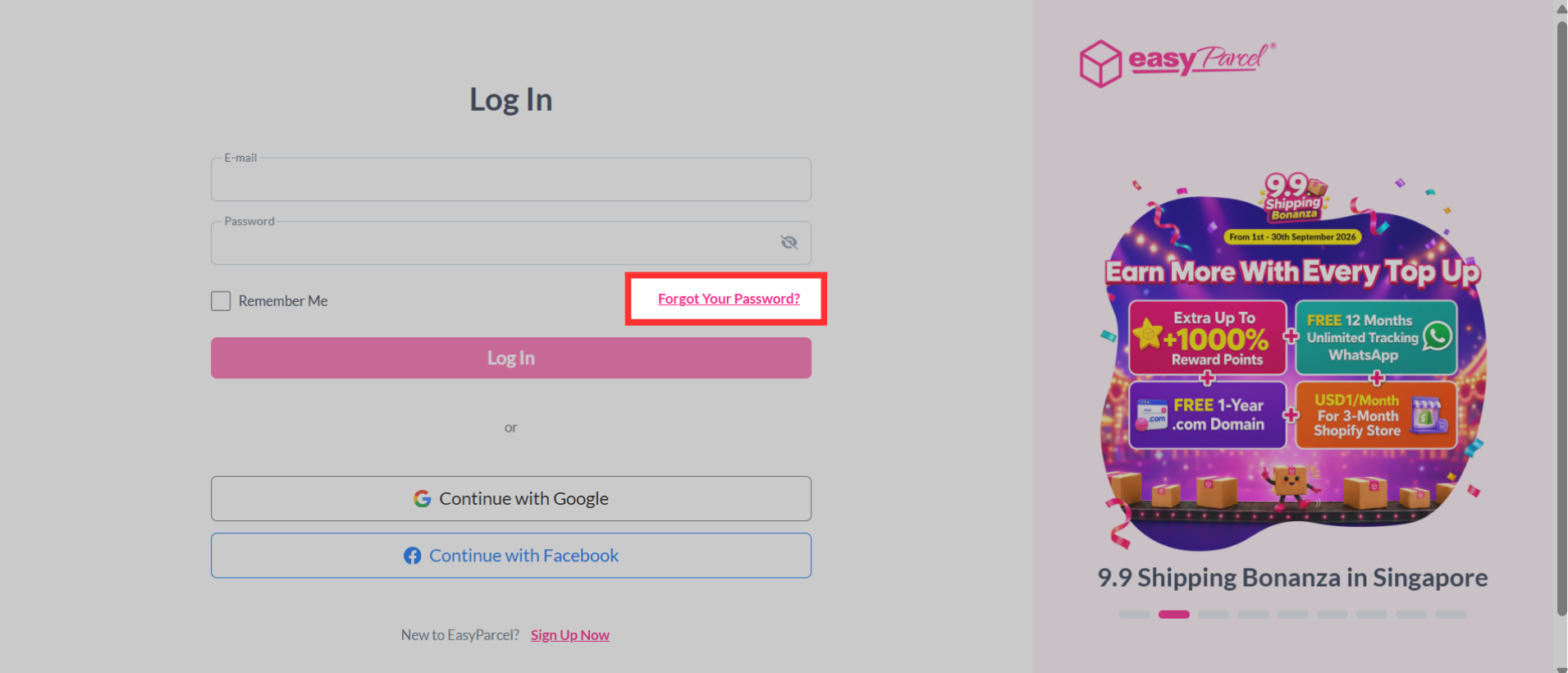
Step 2: Click on "Forgot Your Password?"
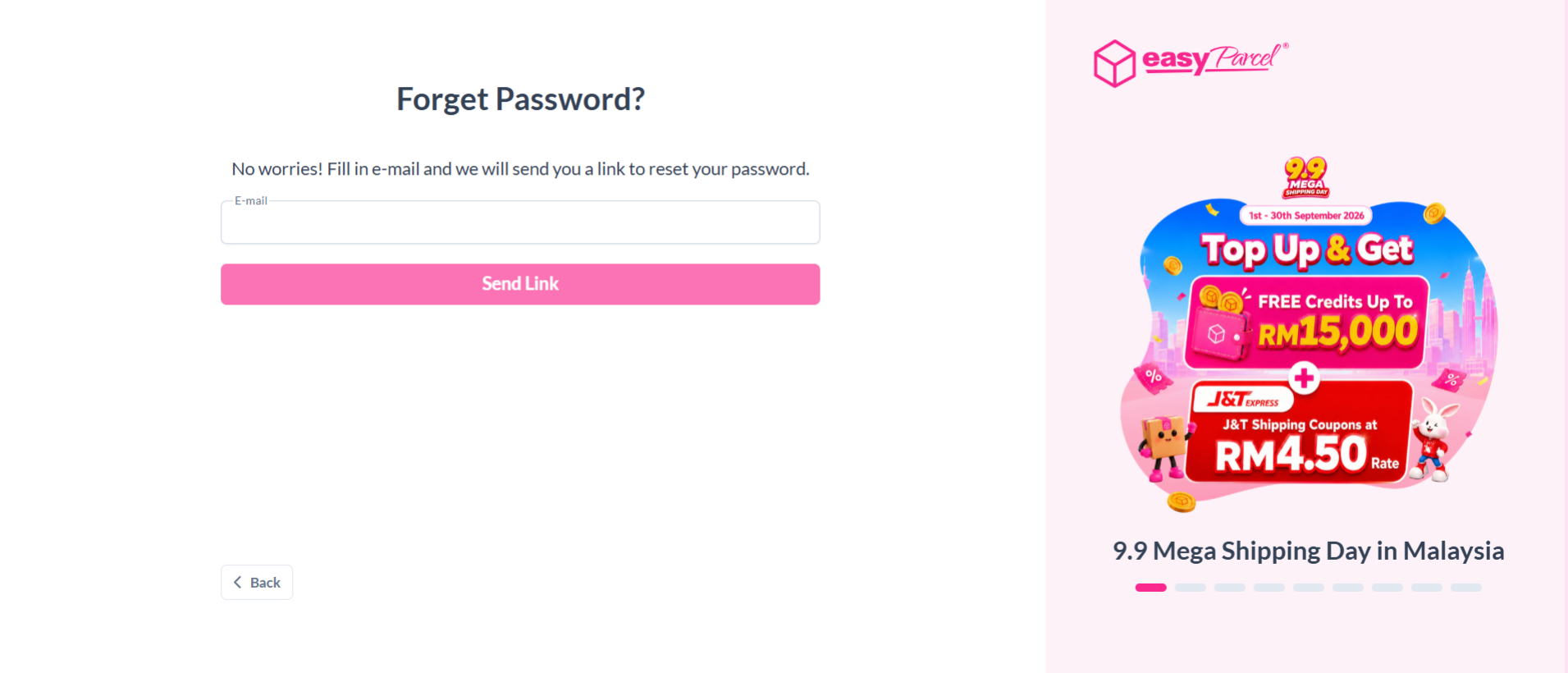
Step 3: Fill in your email address registered with EasyParcel and click "Send Link".
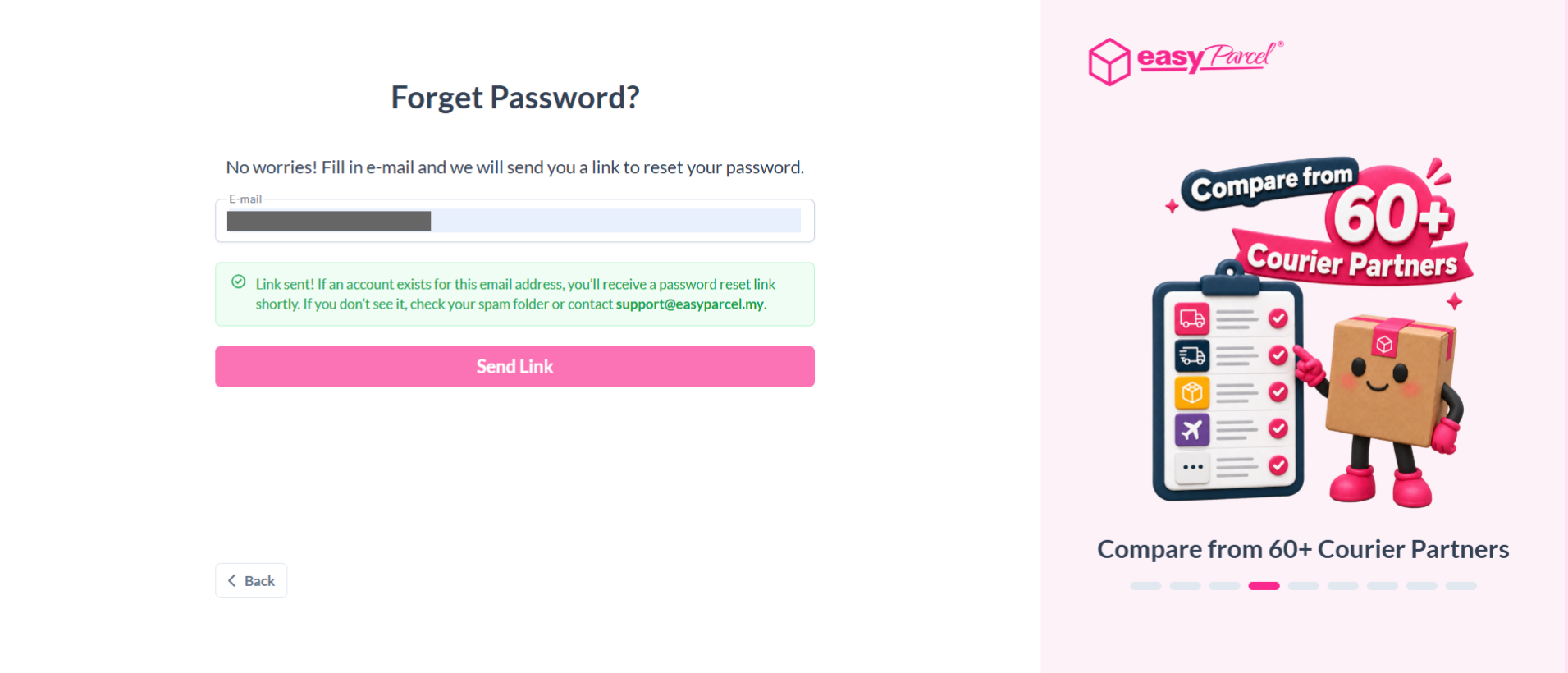
Step 4: An email will be sent to your inbox with further instructions on how to reset your password.