
Quick Summary
EasyParcel allows you to schedule parcel collection from your doorstep, usually on working days (Monday-Friday), with typical pickup times between 9am-7pm, though this varies by courier. You can select a date during booking, but usually not an exact time, as collections occur within broad, pre-set timeframes.
We'll Cover:
How Can the Estimated Collection Time for Domestic or International Parcels Be Checked?
It's really easy to find out the estimated time for your courier to come and collect your parcel. For domestic or international parcel, you may follow these simple steps to find out the collection time.
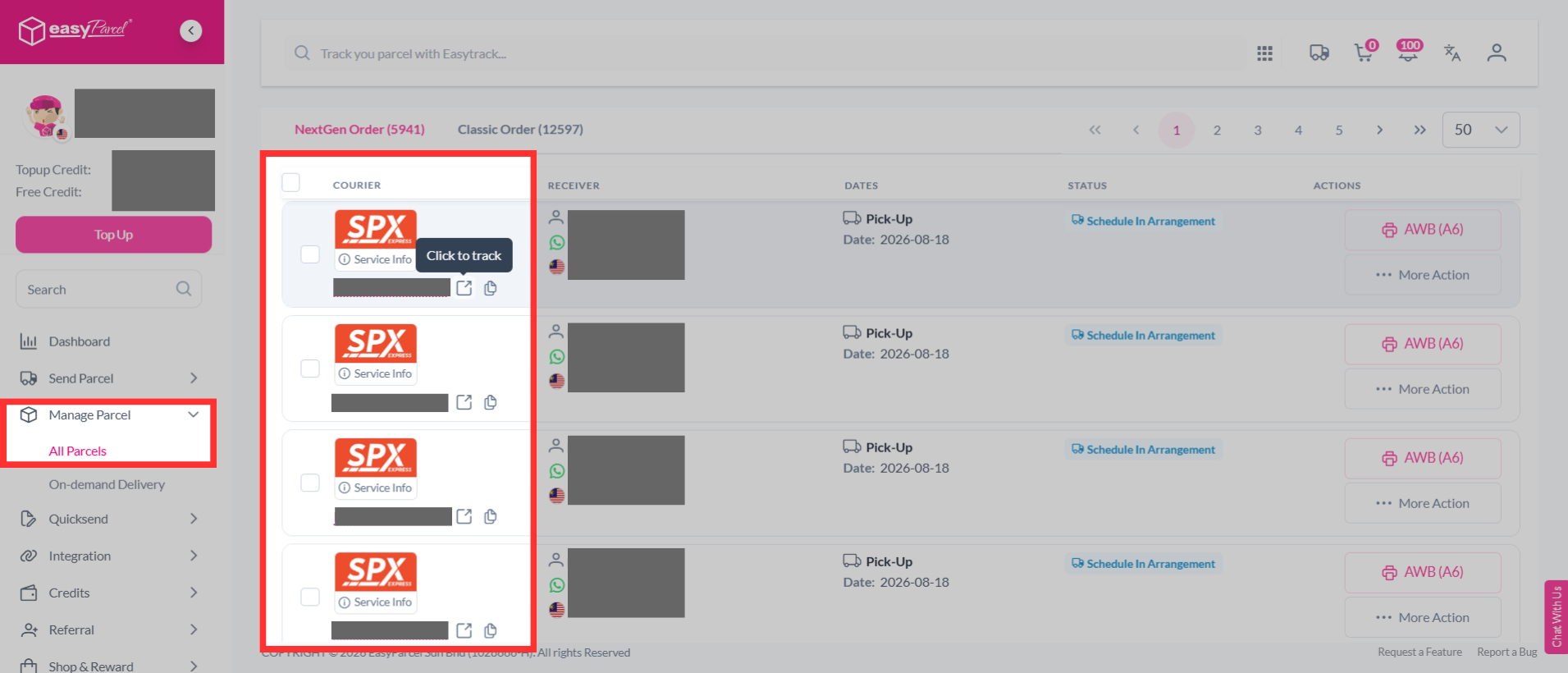
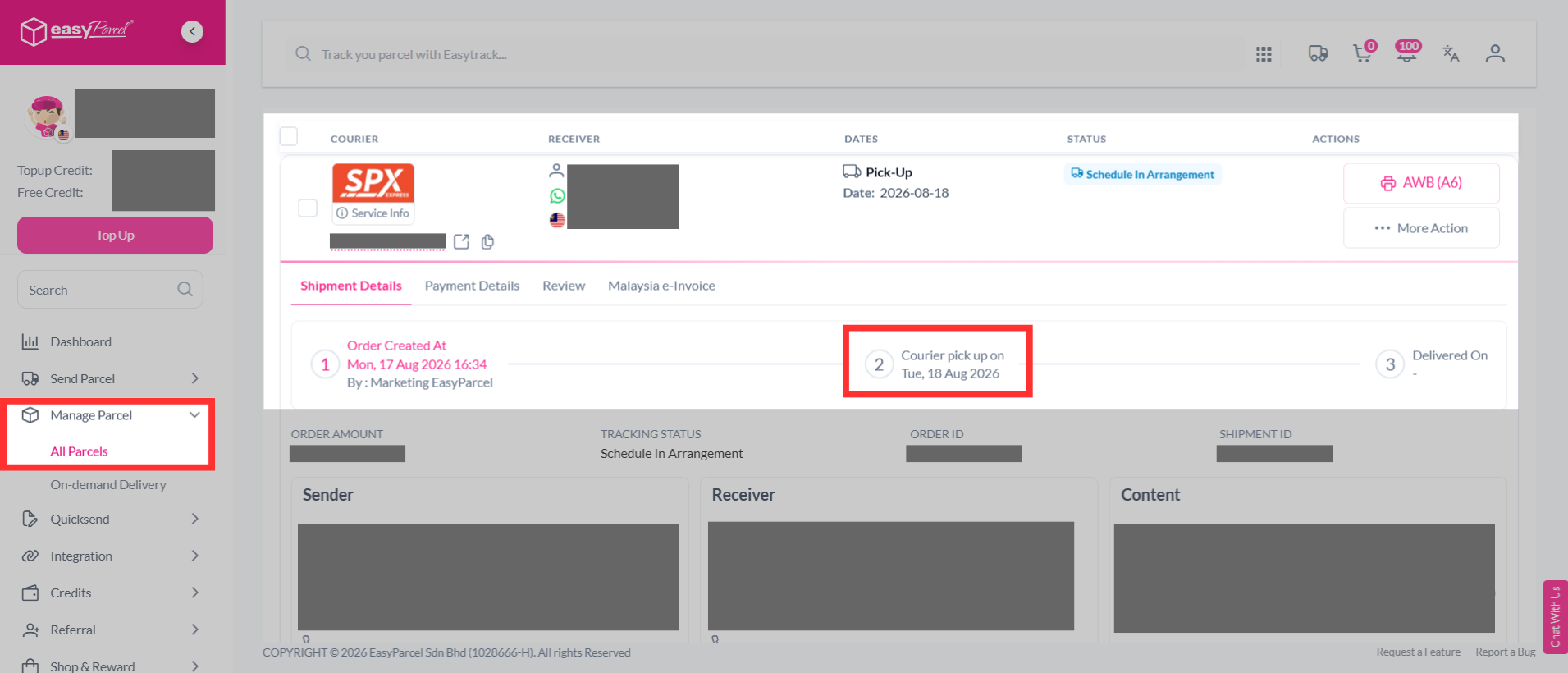
Step 1: Log in to your EasyParcel account, head over to "Manage Parcel", then click on "All Parcels". Search for the parcel you wish to know its collection time for and click on its tracking number.
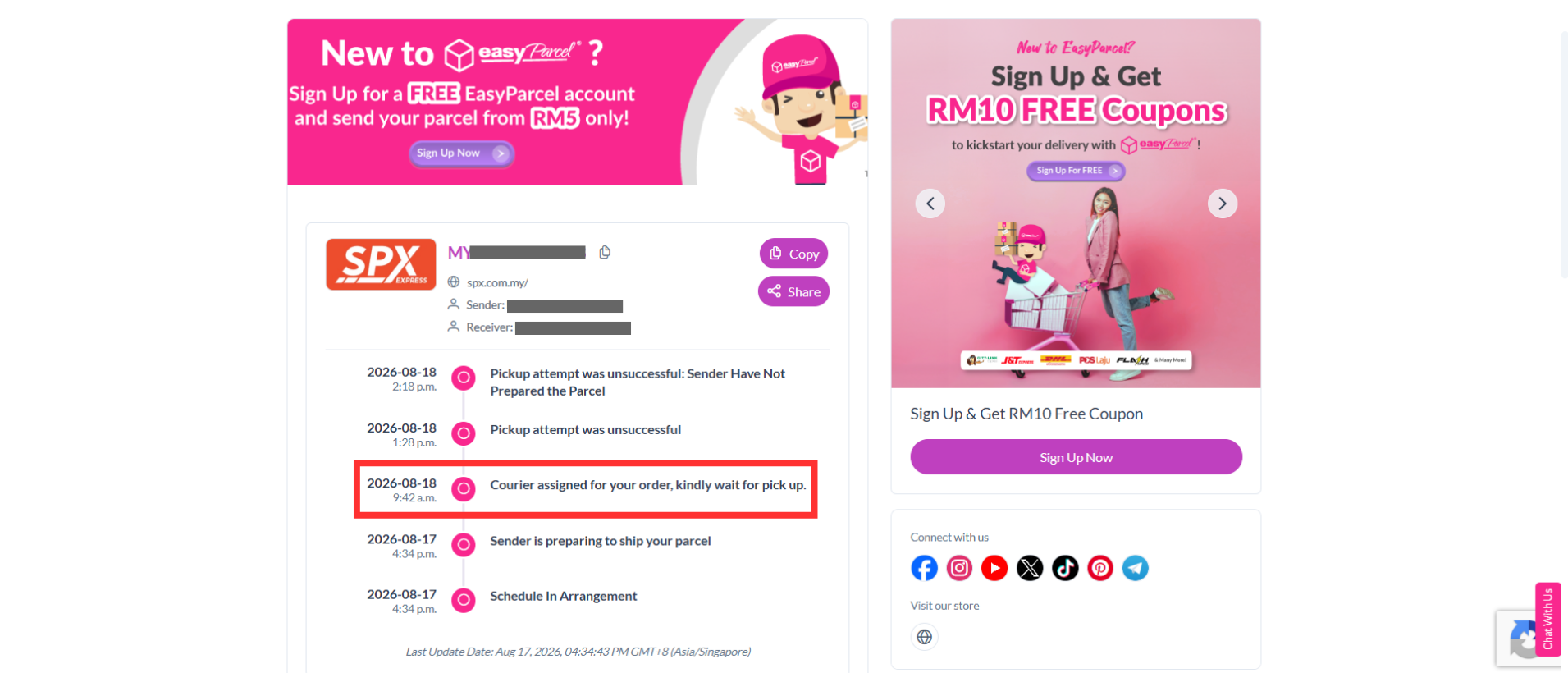
Step 2: It will bring you to the tracking page, where you'll see the estimated time for the courier to come and pick up your parcel.
How Can the Collection Time for an On-Demand Parcel Be Checked?
What if you're sending an express, on-demand parcel? Well, worry not. You can follow these simple steps to know when your on-demand parcel will be collected.
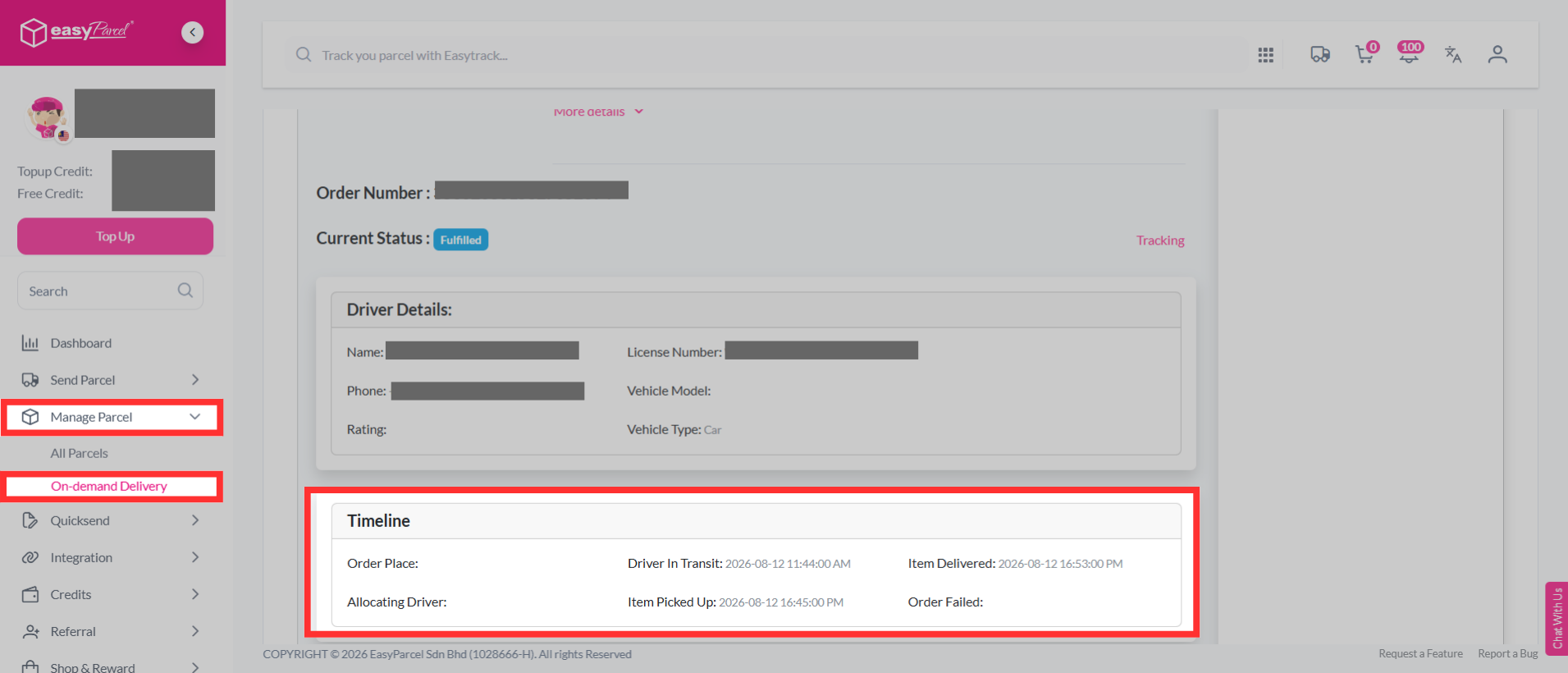
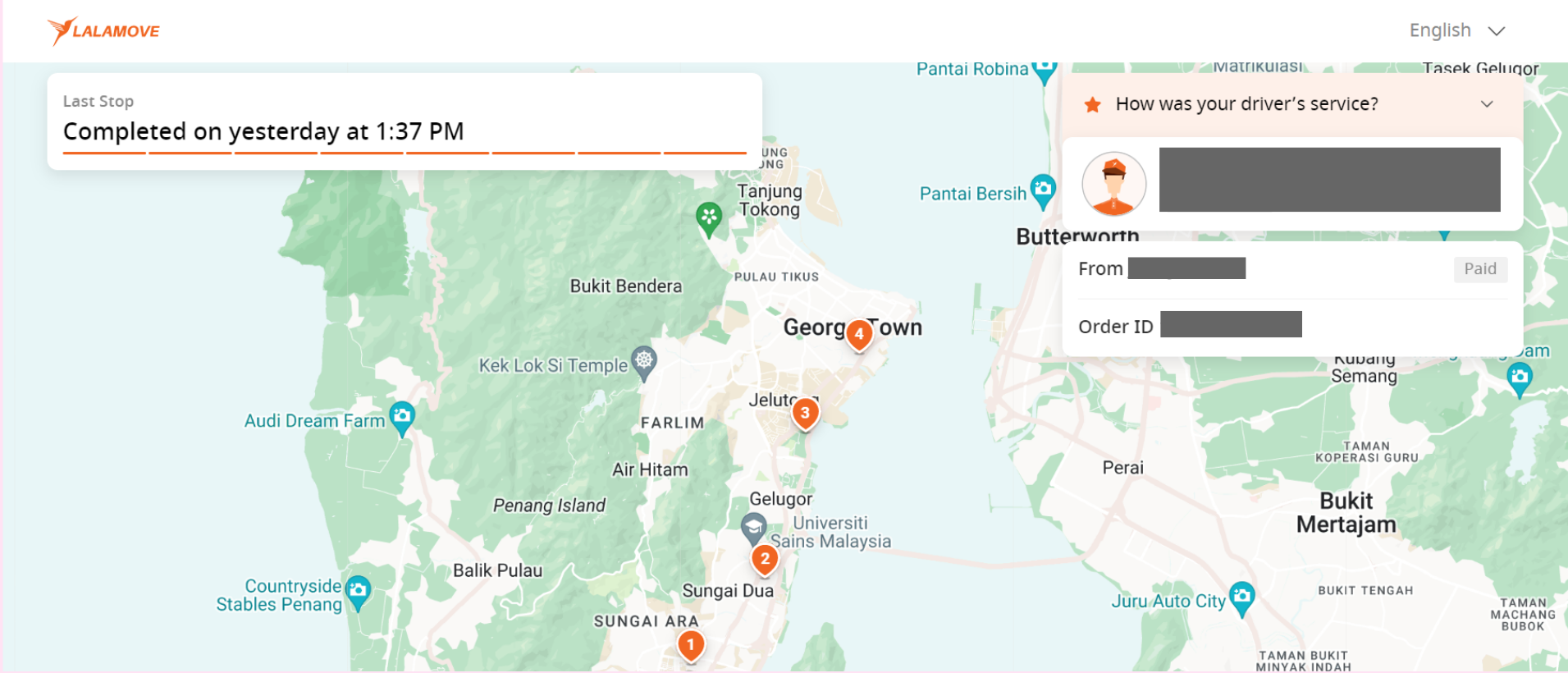
Step 1: Log in to your EasyParcel account, head over to "Manage Parcel" then click on " On-demand Delivery". Click on the on-demand parcel that needs to be collected; it will show you the details.
Note: You can check the Timeline section to see the details of your parcel pick up.
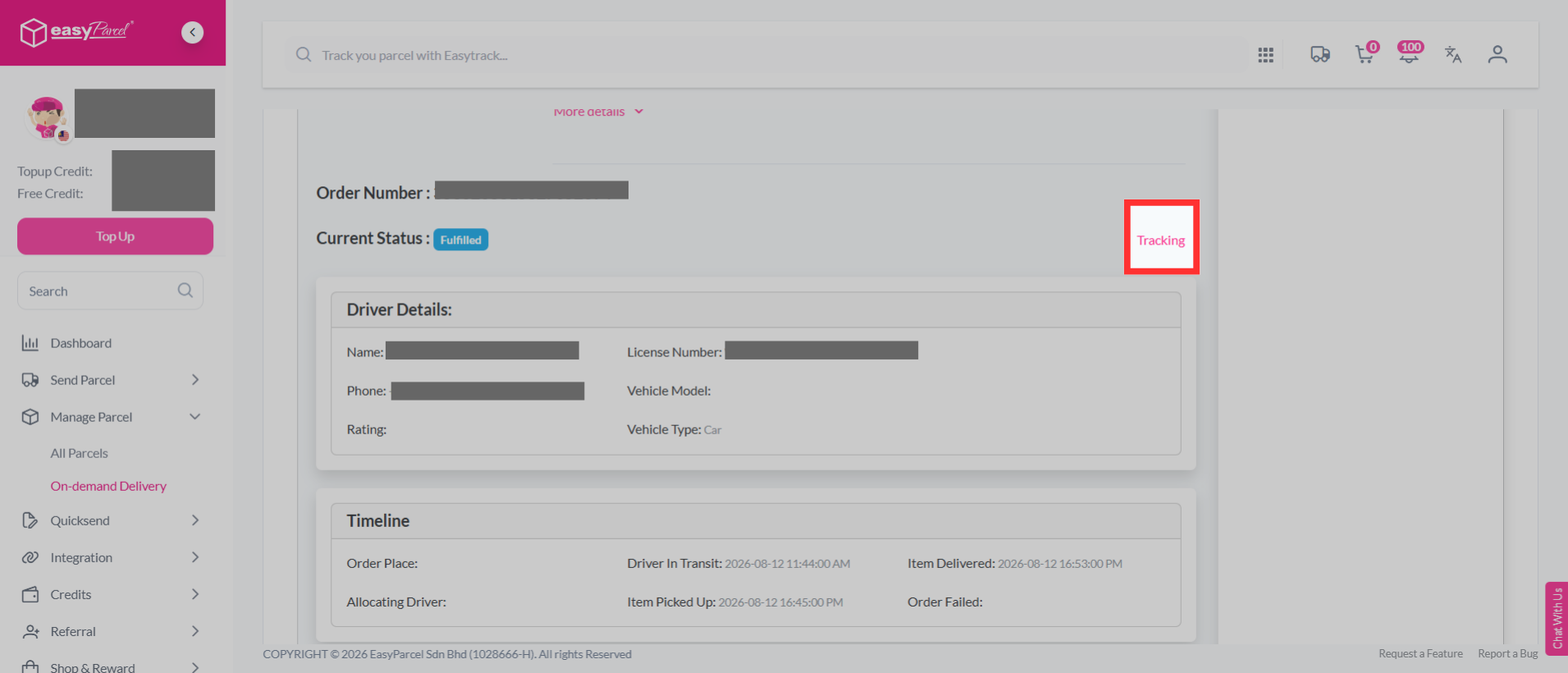
Step 2: Alternatively, you can also click on "Tracking" which will bring you to a live tracking page.
How Can the Scheduled Pickup Date Be Confirmed?
Are you an organized business person or just a casual sender who loves to prepare everything in advance? Well, you definitely scheduled your parcels to be picked up at a specific time too. Now, in case you want to refresh your mind on when your parcels will be picked up, you can follow these simple step-by-step.
Step 1: Log in to your EasyParcel account, head over to "Manage Parcel"; and click on "All Parcels". Click the parcels you have scheduled, and you'll see the scheduled date you have chosen in its details.
What Are the Standard Courier Pickup Windows?
| Domestic | ||
| Courier Partner | Pick Up Time | Learn Courier Info |
 | 1pm - 6pm | J&T Express |
 | 2:30pm - 5 pm | KEX Express |
 | 9am - 5pm | PosLaju |
 | 9am - 5pm | Pos MELPlus |
 | 9am- 6pm | Best Express |
 | 1pm - 6pm | Skynet |
 | 12pm - 6pm | DHL eCommerce |
 | 9am - 5pm | City-Link Express |
 | 9am - 5.30pm | Aramex Domestic |
 | 2pm - 5pm | UTS Logistics |
 | 9am - 7pm | SPX Express |
 | 10am - 6pm | LEX |
 | Parcel will be picked up within an estimated duration of 20 minutes. | Pandago |
 | Depends on the distance between the rider and sender's location | Lalamove |
 | Within 10 mins after booking made | Grab Express |
International | ||
| Courier Partner | Pick Up Time | Learn Courier Info |
 | 8am - 6pm | Teleport Priority |
 | 9am - 5.30pm | Aramex International |
 | 1pm - 6pm | EMS |
 | 11am - 7pm | Janio |
 | 12pm - 5.30pm | SF Express |
 | 9:30am - 5pm | UPS |
 | Pick up time will be before 10pm. | Ninja Van |
 | 11am - 5pm | FedEx |
You can also learn how to remind the courier to come and pick up your parcel when it's time for collection.