
Quick Summary
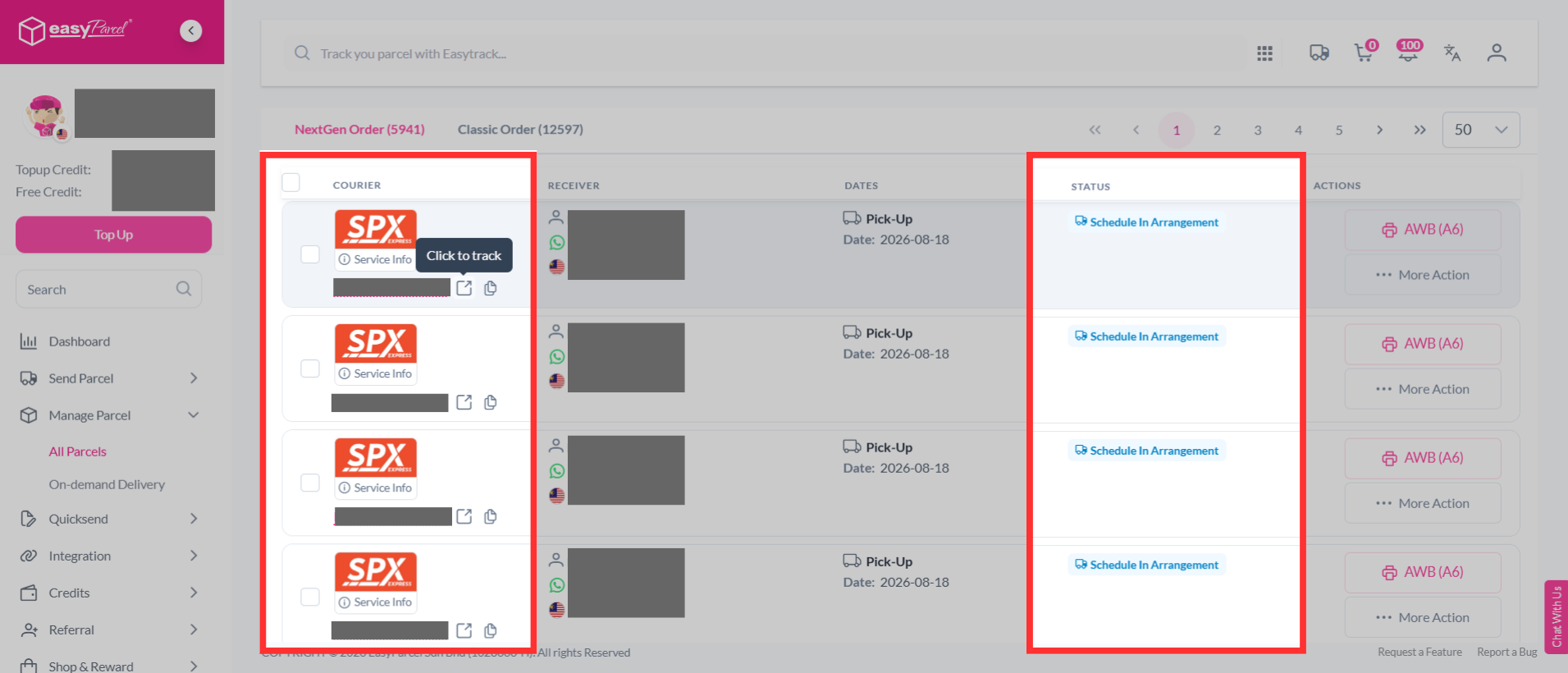
Shipment delivery status can be checked on EasyParcel by logging into the account and navigating to Manage Parcel > All Parcels, then clicking the tracking number to view updates. Alternatively, EasyTrack can be used on the EasyParcel website without logging in by entering the tracking number or order number to see the latest delivery status.
Topics Covered:
How To Track And View All Parcels?
Step 1: Log in to the EasyParcel account; under "Manage Parcel" click "All Parcels".
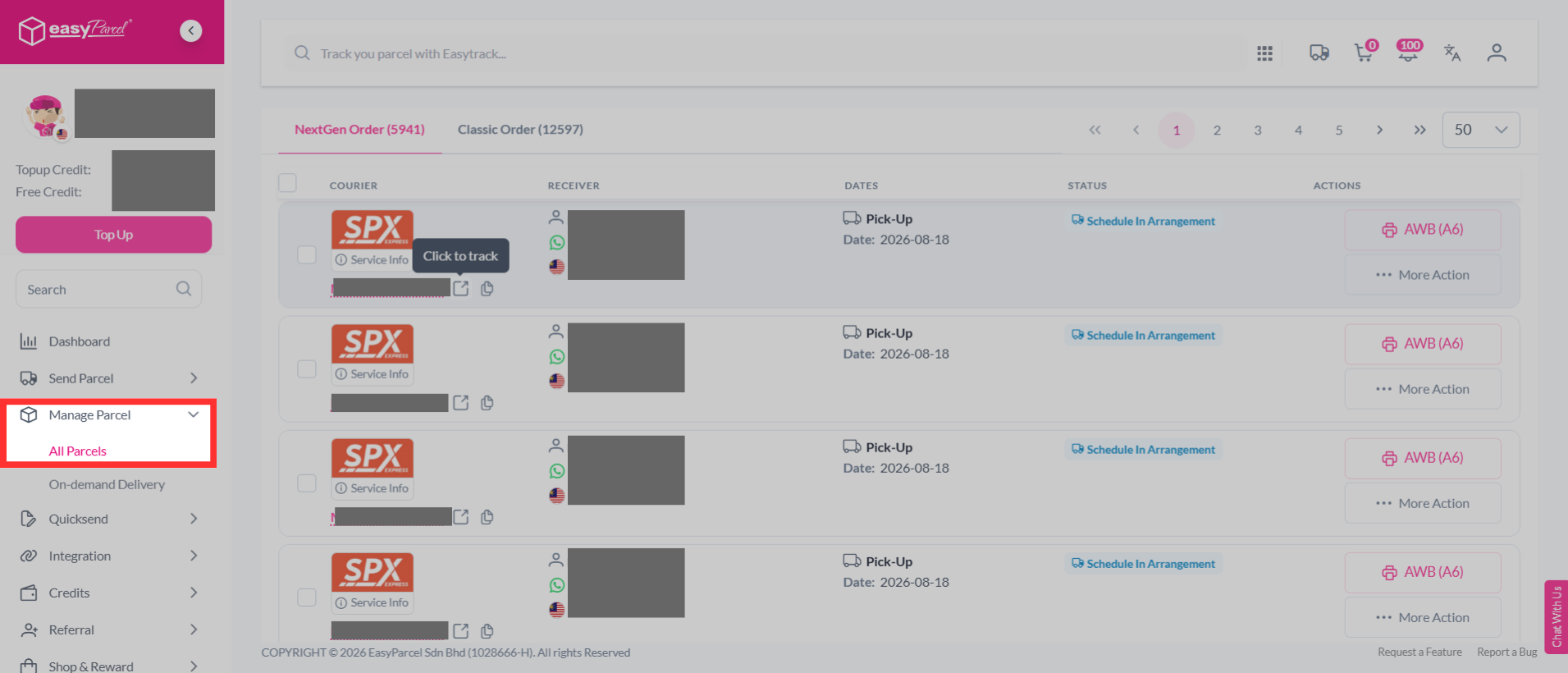
Step 2: All parcels can be viewed on one page to track status or click on a specific tracking number.
How To Track On-Demand Parcels?
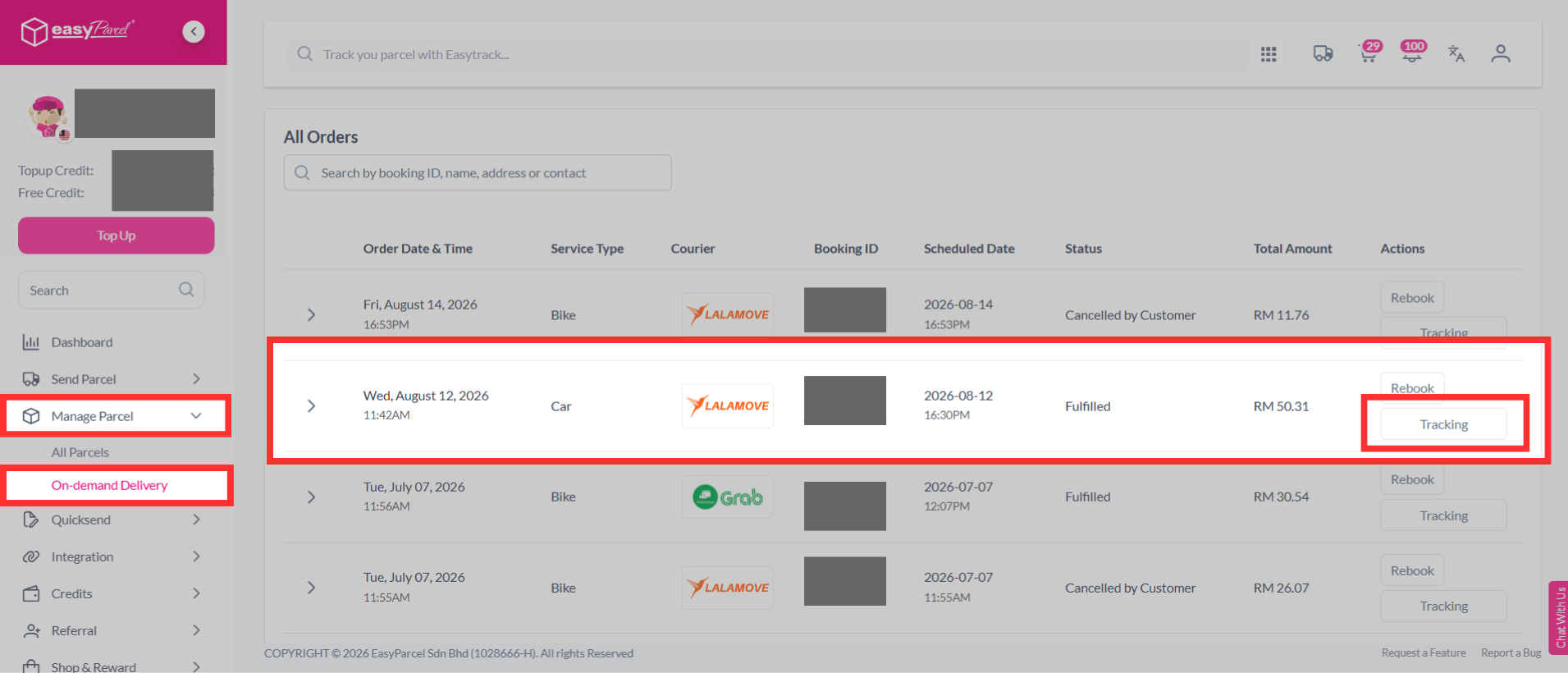
Step 1: Log in to the EasyParcel account; under "Manage Parcel" click "On-demand Delivery" and choose your on-demand parcel.
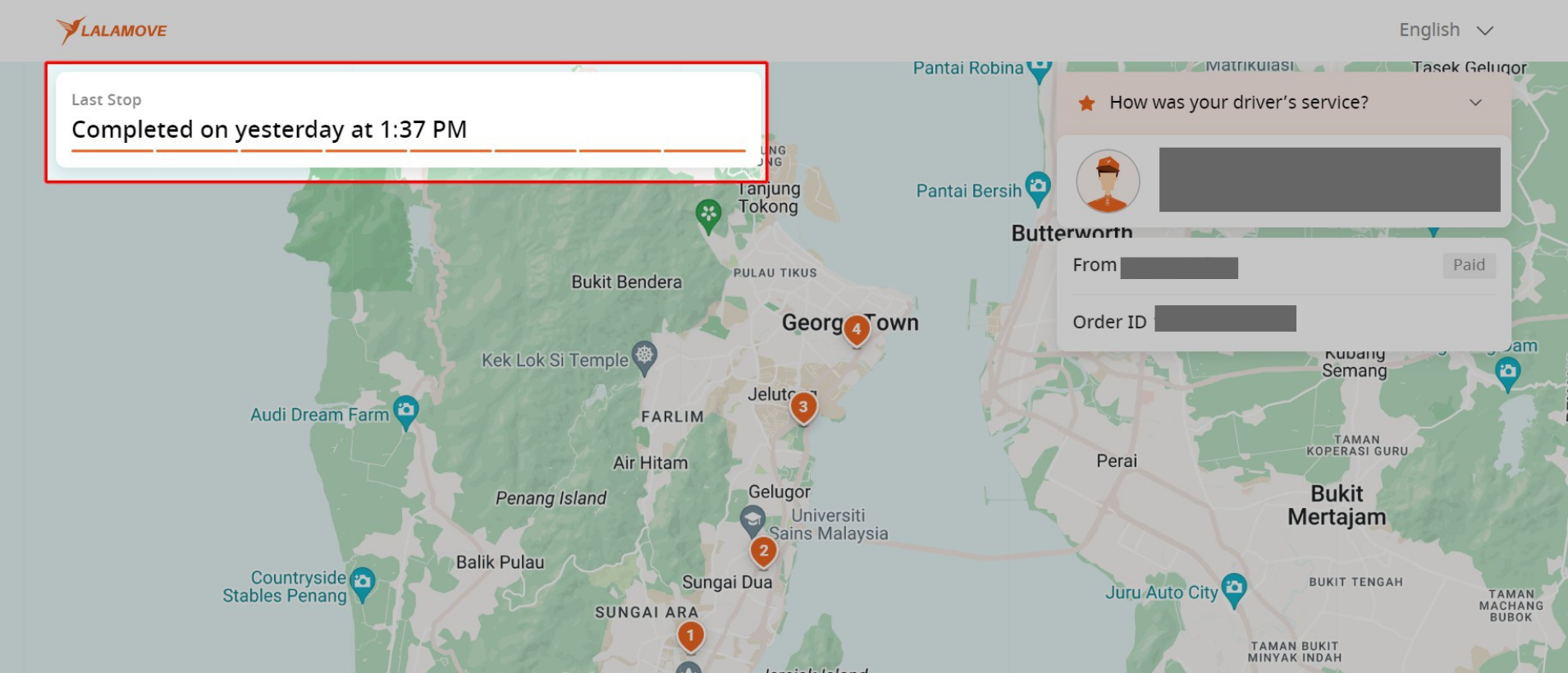
Step 2: Live-tracking for the on-demand parcel is available for viewing.
How To Use EasyTrack For Parcel Tracking?
If not logged in to your account, EasyTrack can be used for tracking.
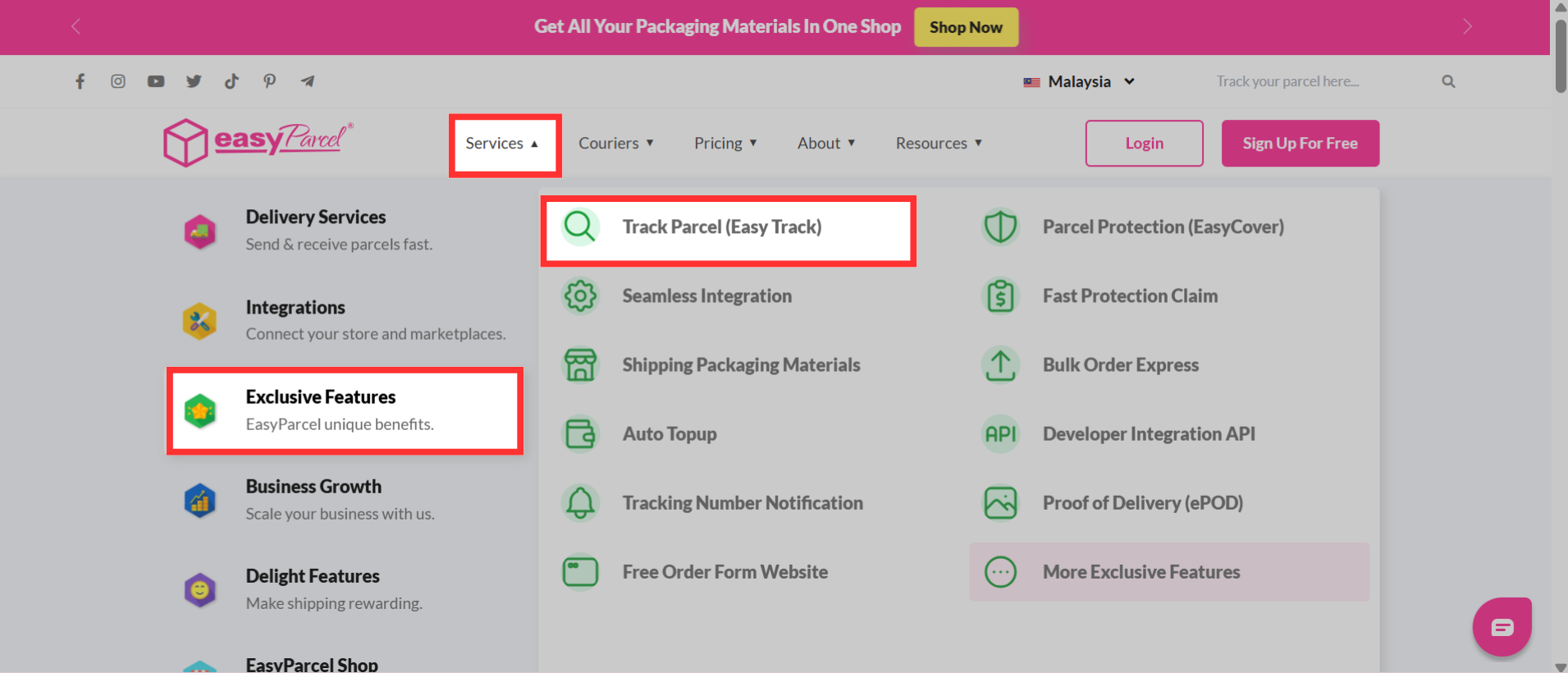
Step 1: Navigate to the EasyParcel website, hover over "Services" > "Exclusive Features" and click on "Track Parcel (EasyTrack)".
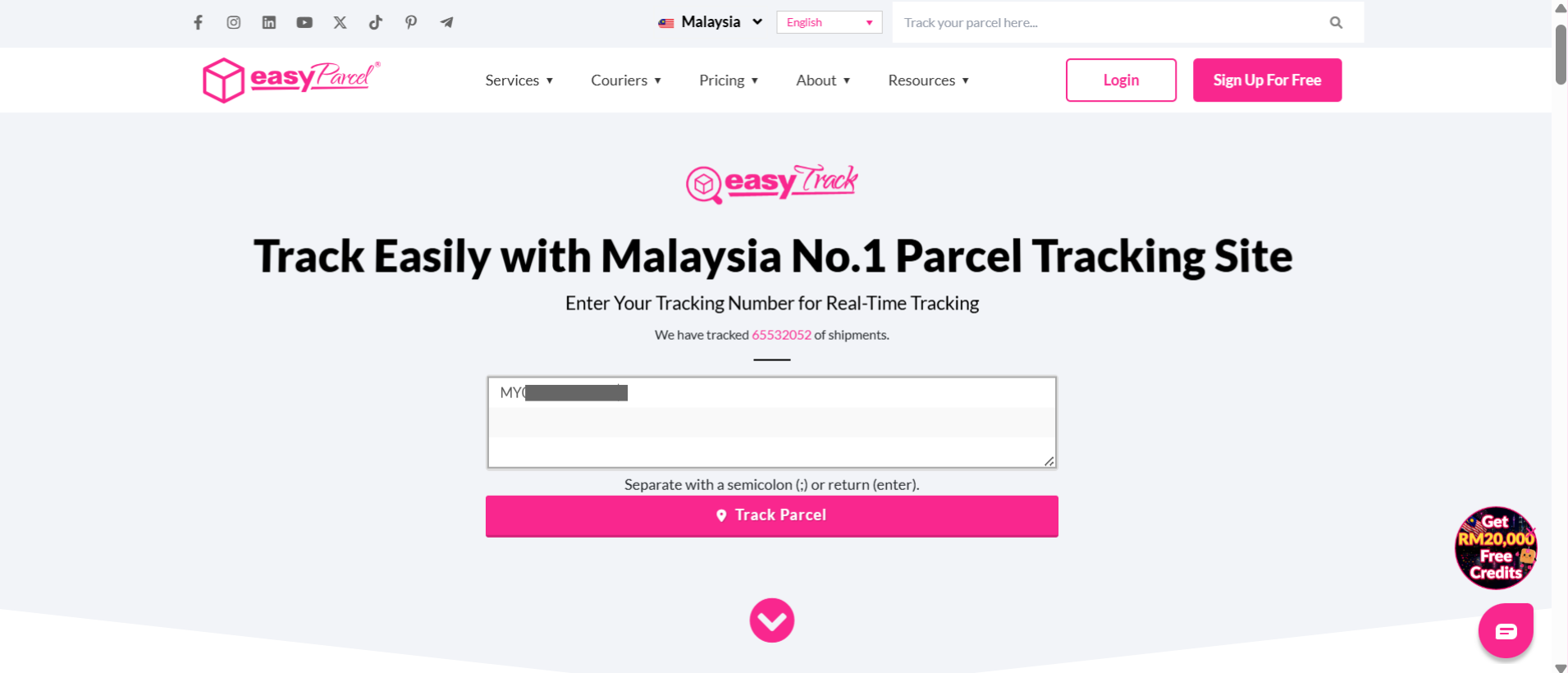
Step 2: The page directs to EasyTrack. Enter the tracking number inside the column.
Note: Up to 15 tracking numbers may be entered. Separate with a semicolon (;) or return (enter).
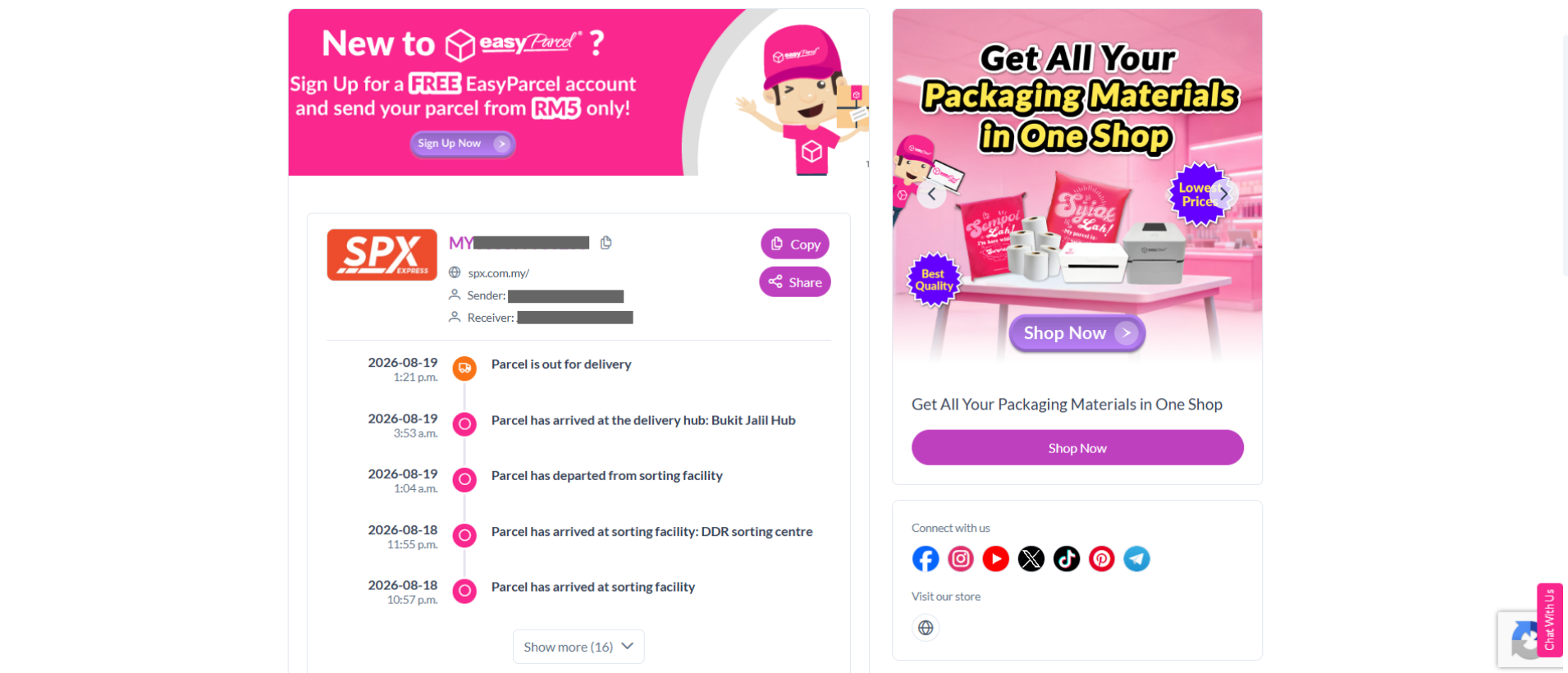
Step 3: The delivery status and the estimated delivery date of the parcels are shown.
For any issues or concerns regarding a parcel, EasyParcel's customer support can be contacted for assistance.