Quick Summary
Once a shipment is created on EasyParcel, the shipping address or parcel details cannot be edited. If there’s a mistake and the parcel has not been picked up, you’ll need to cancel the shipment and rebook it with the correct information. If the parcel has already been collected, you can contact EasyParcel support to request assistance, though changes are not guaranteed and depend on the courier.
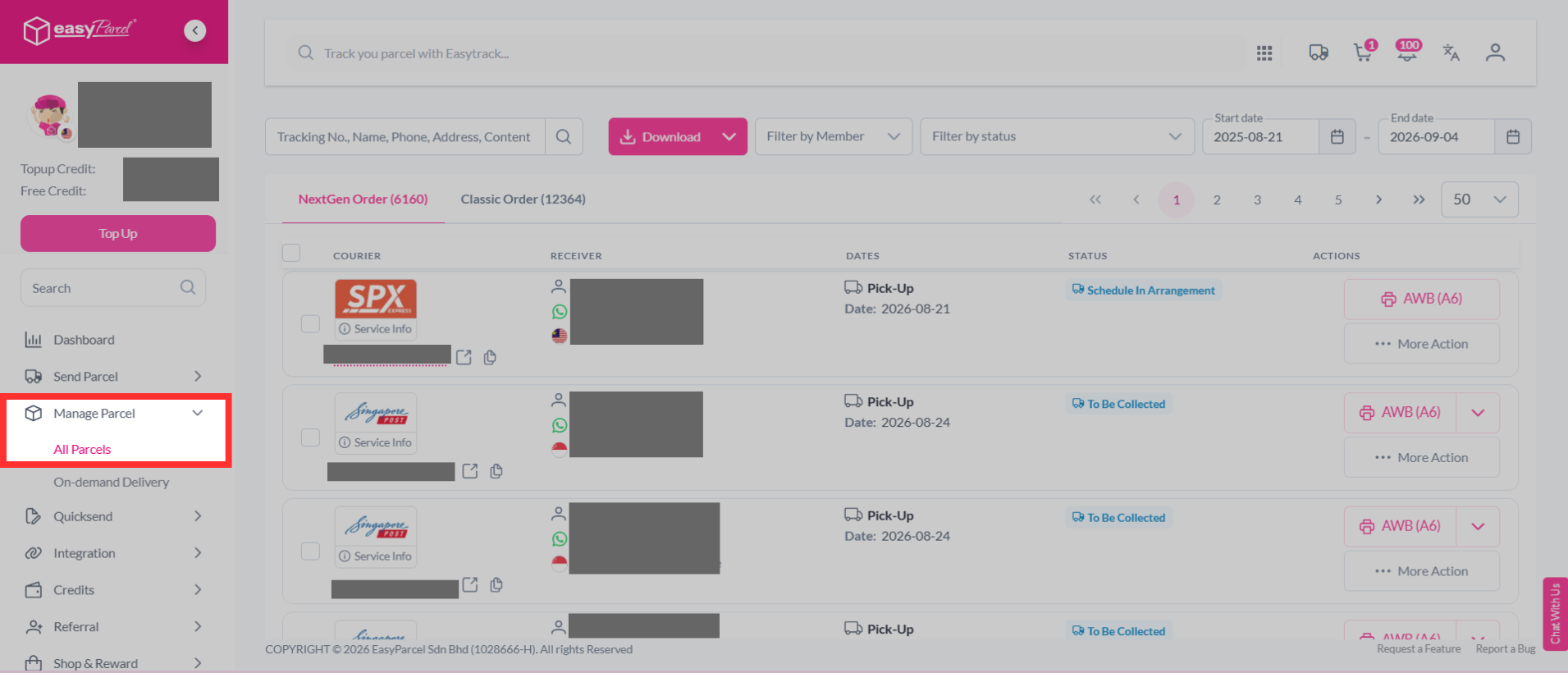
Unfortunately, it is not possible to change or edit the shipping address or details after a shipment is created. However, cancellation of the order is possible by going to "Manage Parcel" and clicking on "All Parcels". Choose which parcel needs to cancel, click on "More Action", and click "Cancel".
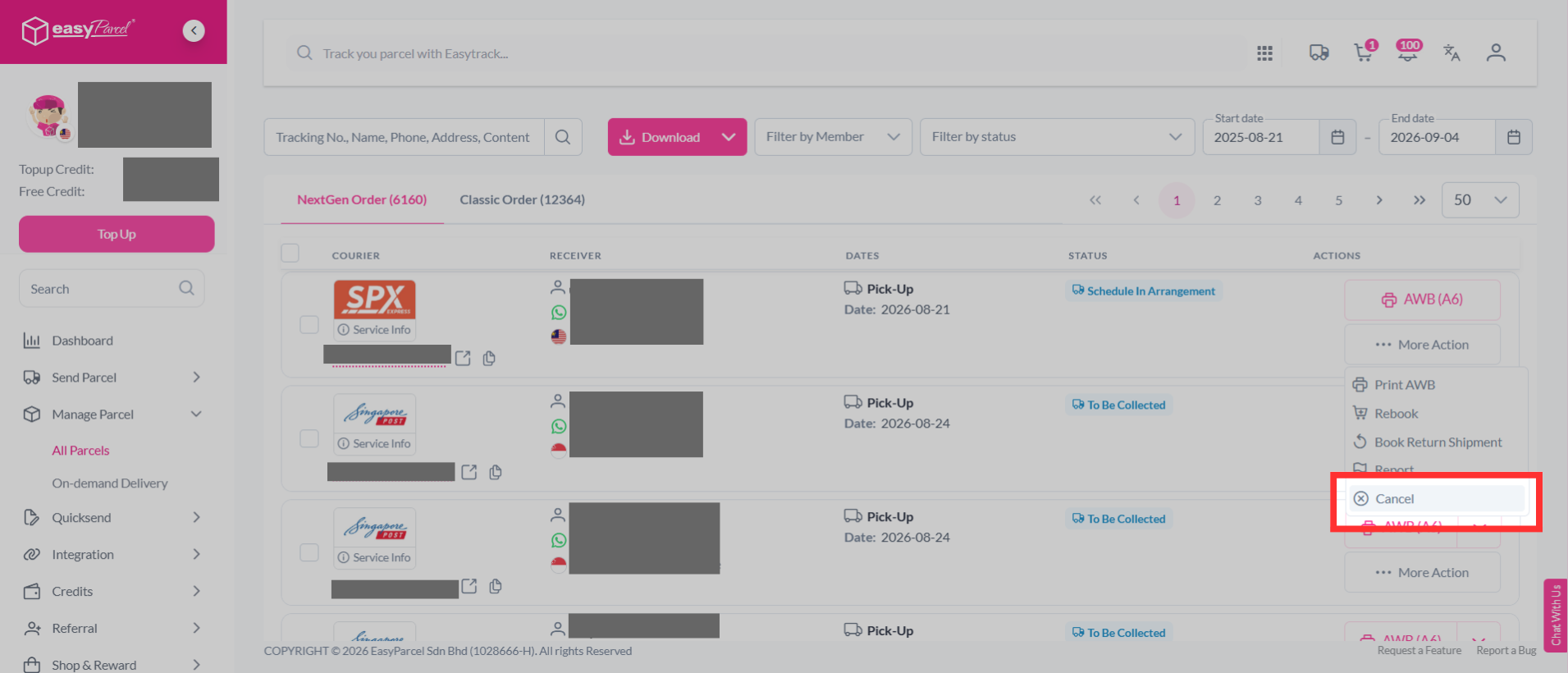
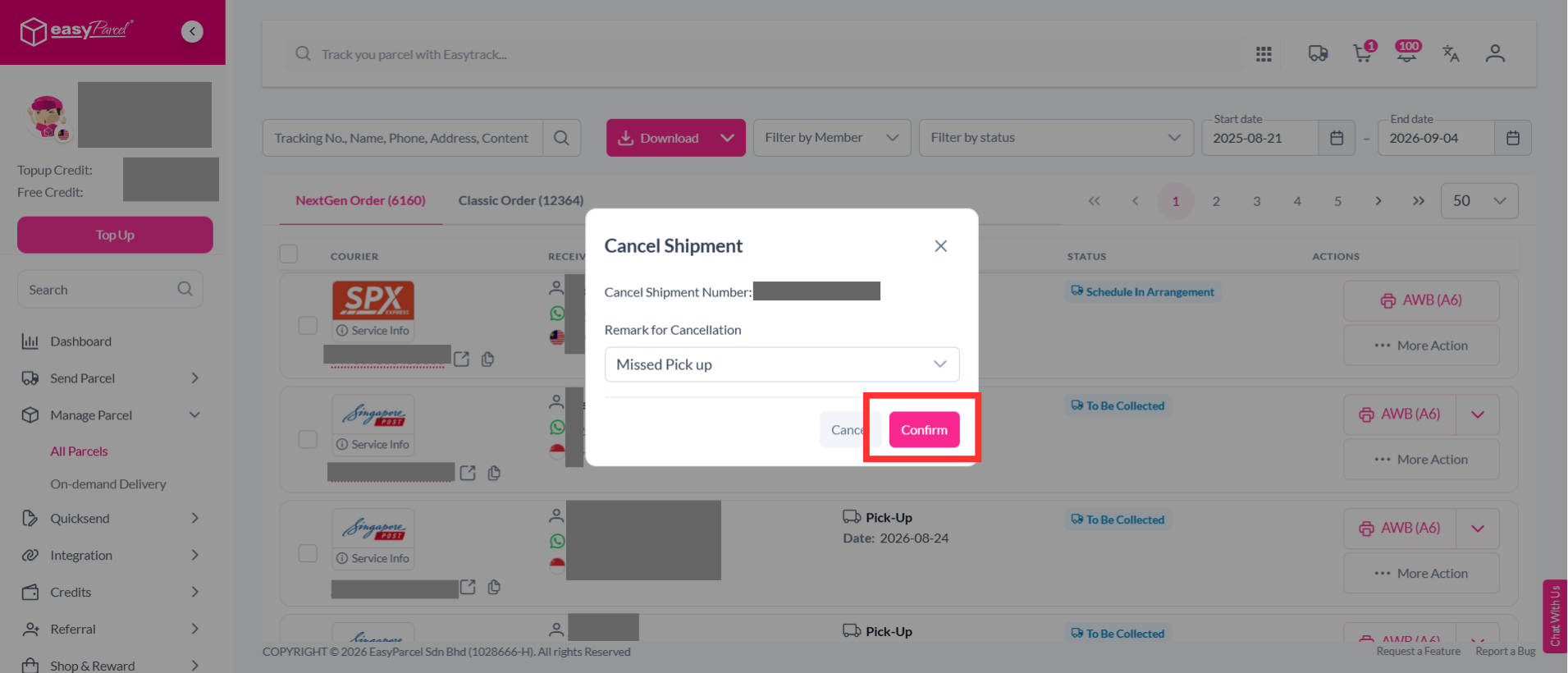
You may select the reason of cancellation, then click "Confirm".
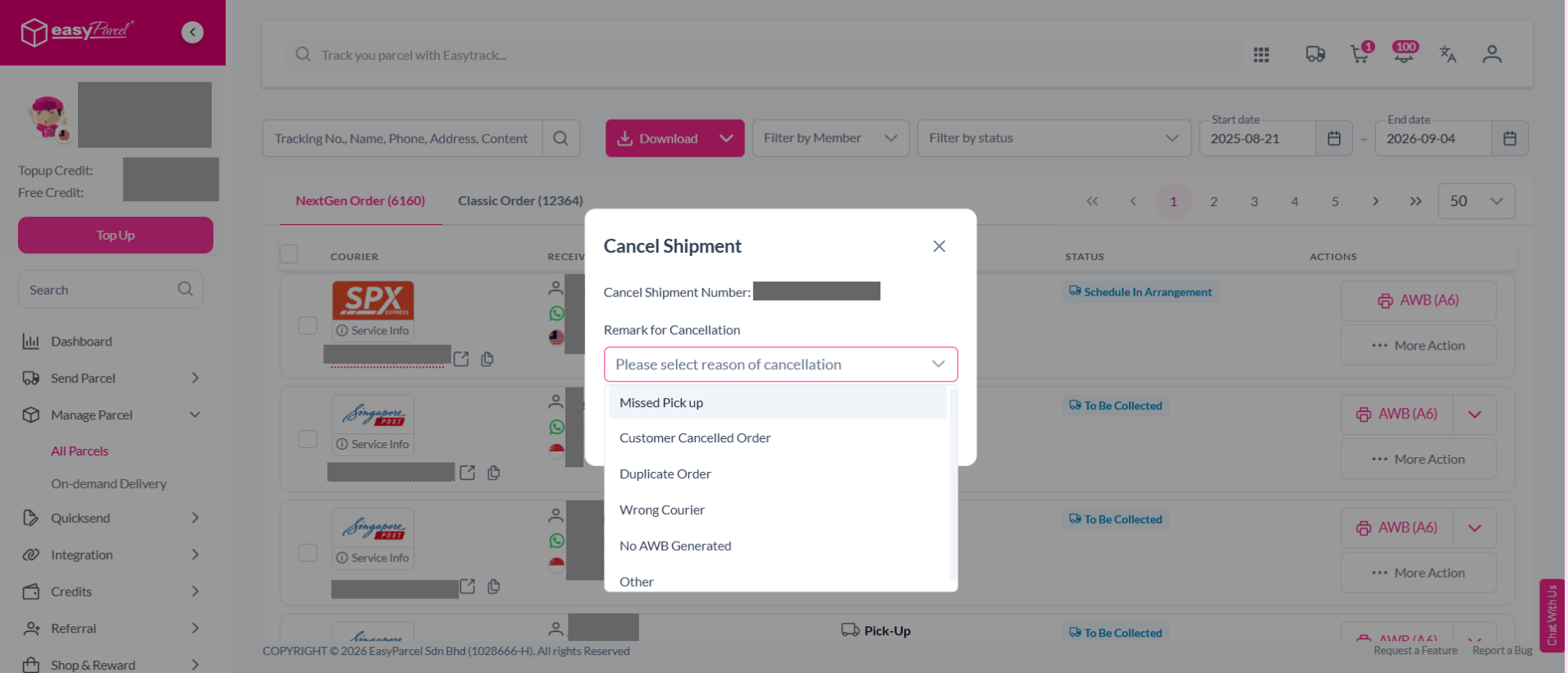
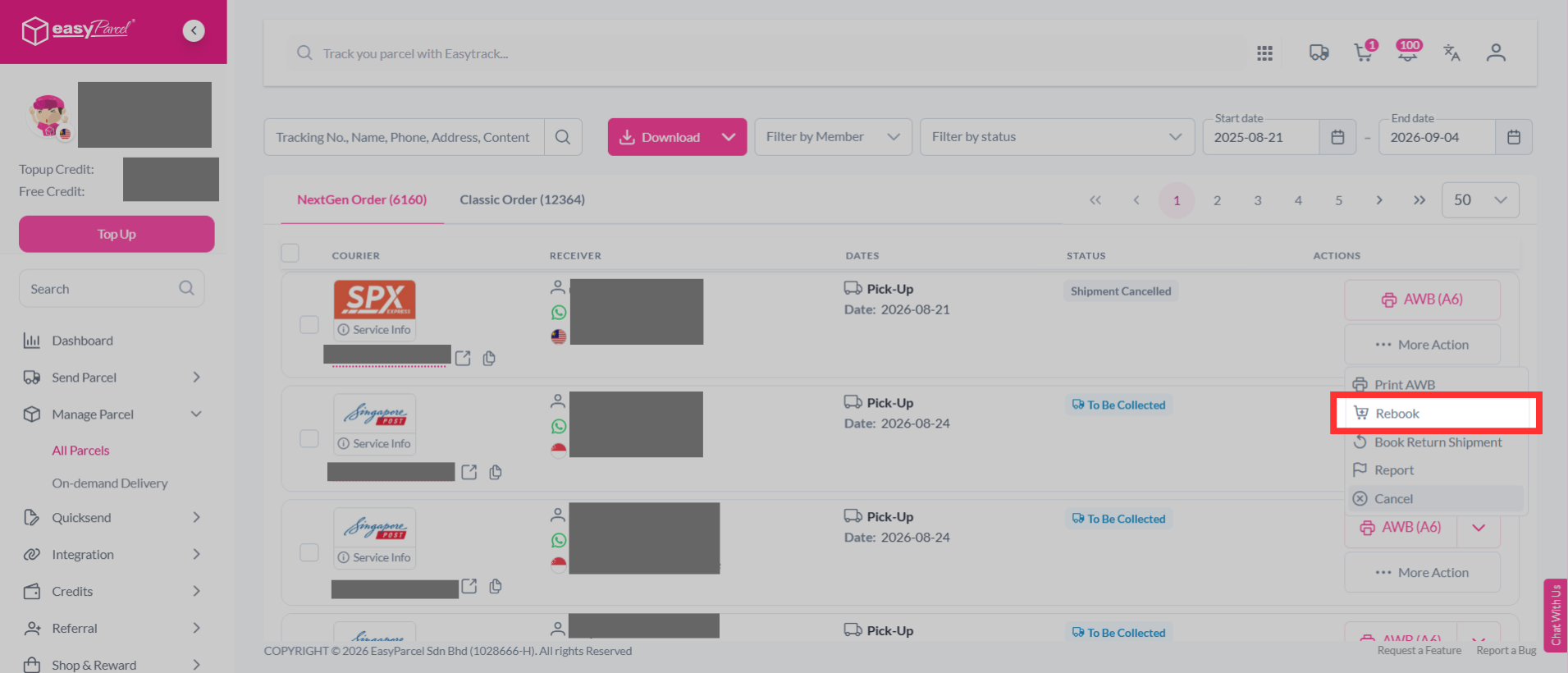
It is then possible to book a new one by clicking "Rebook". "Rebook" enables the rebooking of a parcel without the need to go through the entire booking procedure again.
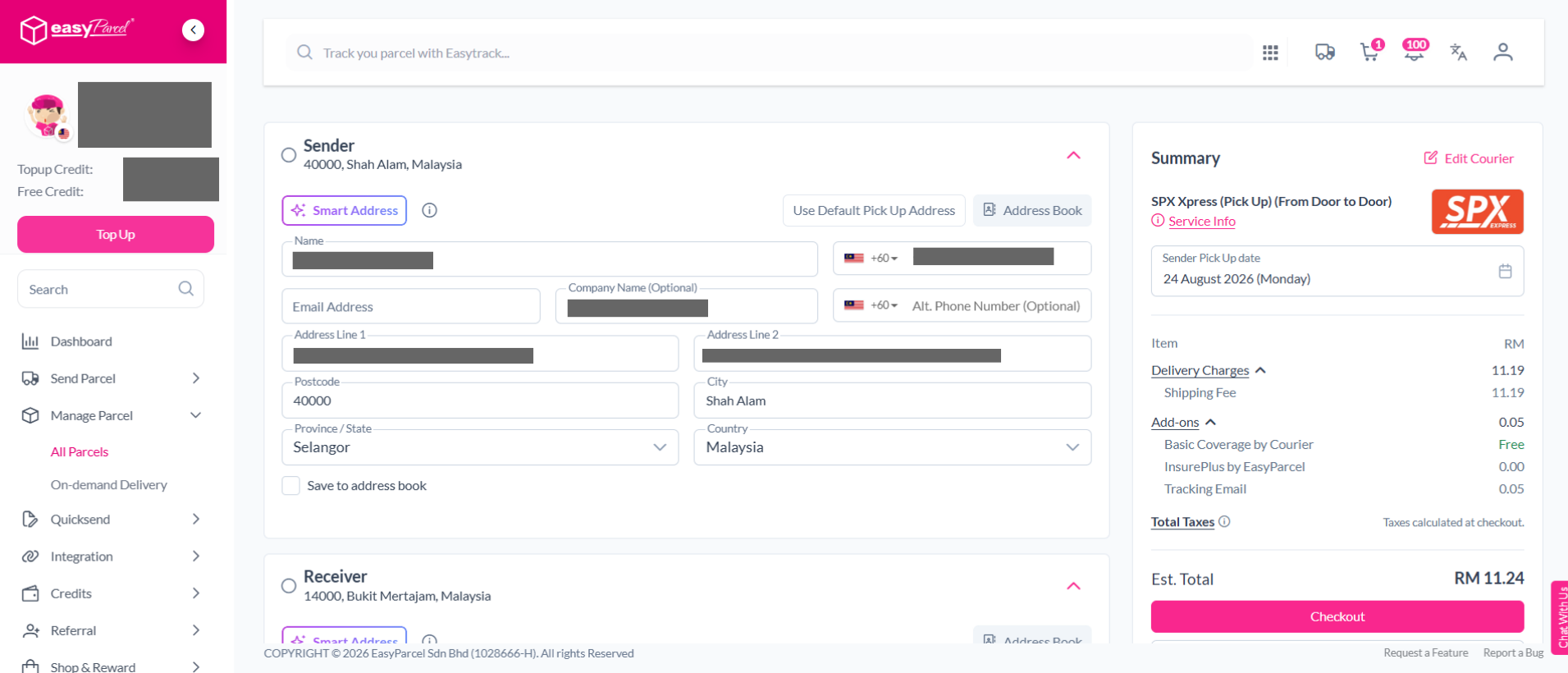
You will then be redirected to booking page. You may proceed to checkout and obtain a new Air Waybill. Learn how to attach the Air Waybill to your parcel.
If you've missed out step 3:
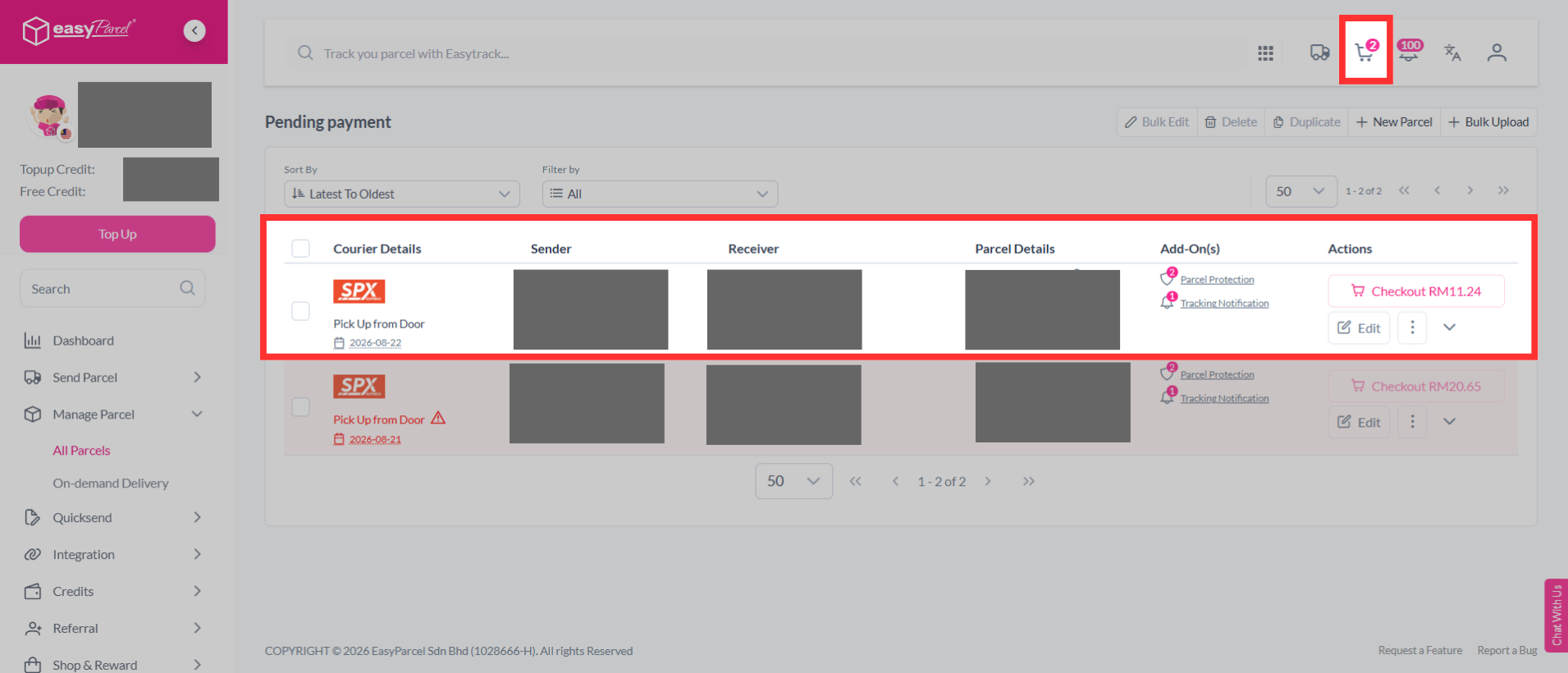
You can click on the cart logo at the top of your page to view your duplicated order.