
Quick Summary
Sending international parcels in bulk on EasyParcel involves downloading the specific International Excel template, filling in detailed item, sender, and receiver information, and uploading it via the "Bulk Upload" feature. Users can process up to 1,000 international orders at once, complete with customs declaration details (HS code, value).
How do I book an international parcel order using Upload File (Bulk Upload)?
Our new bulk upload tool will help you save time when it comes to deliver up to 1,000 packages oversea. Just follow the steps below and complete all the relevant columns before uploading your spreadsheet and the process will be much smoother than you copy and paste 1-by-1.
Follow the steps below. But first log in or sign up for an account.
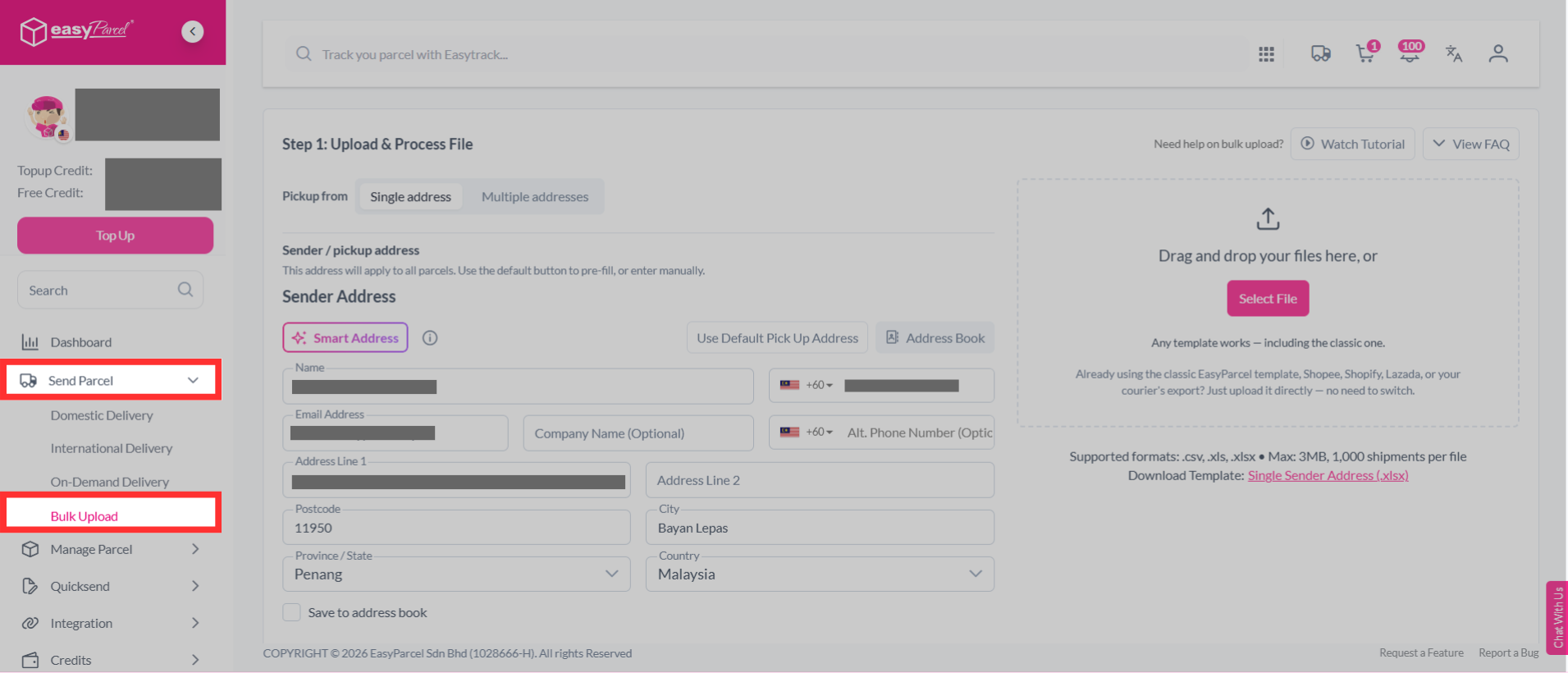
Step 1: Select “Send Parcel” on the dashboard, click “Bulk Upload”.
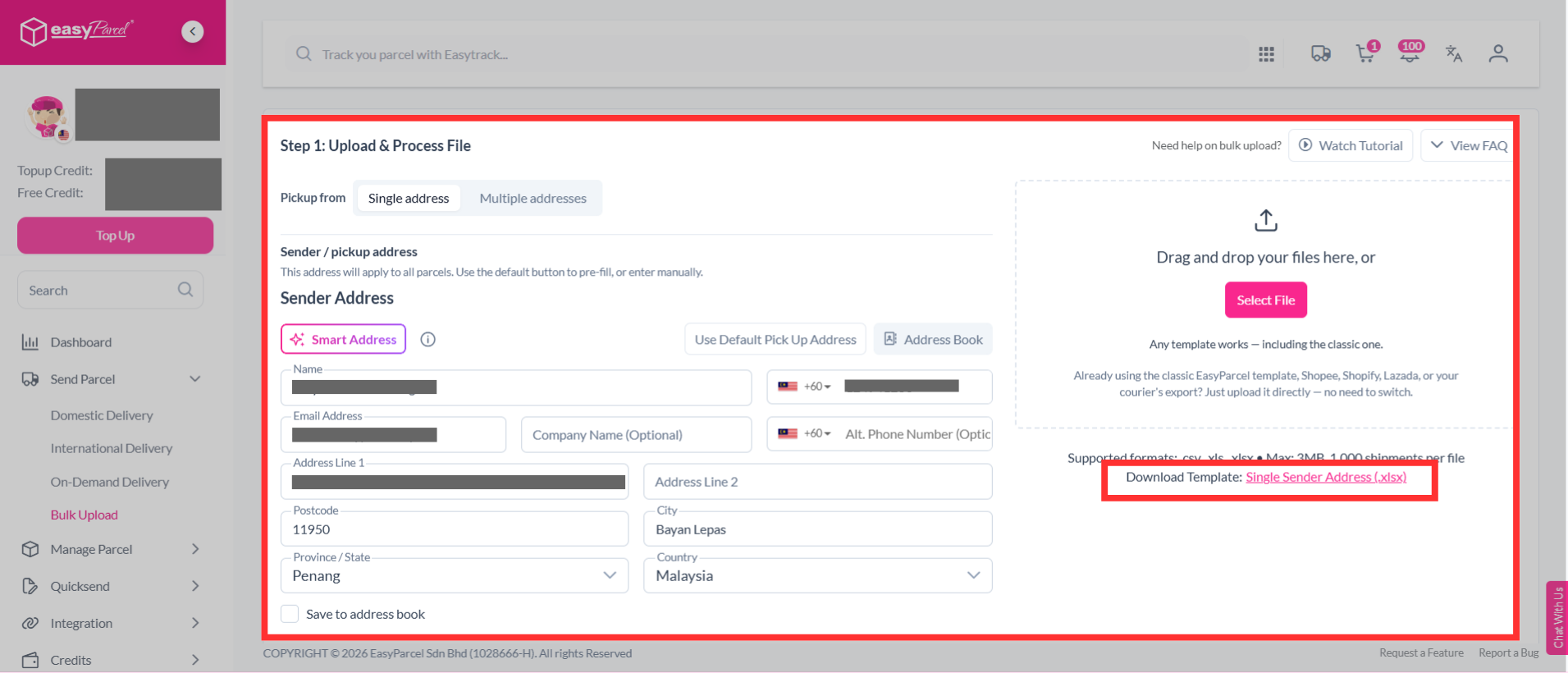
Step 2: Select "Single address", download the bulk upload single sender address template.
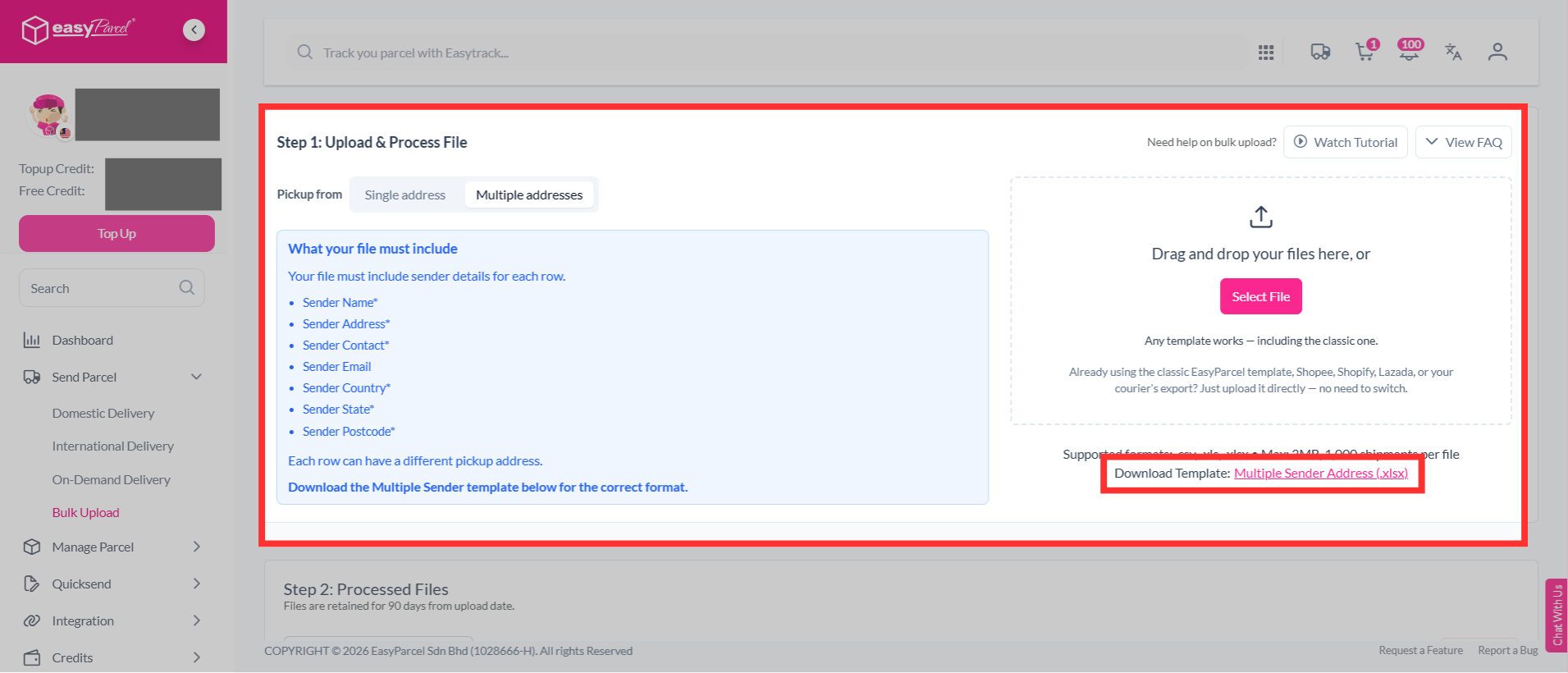
If you have multiple sender addresses, select "Multiple addresses", download the bulk upload multiple sender address template.
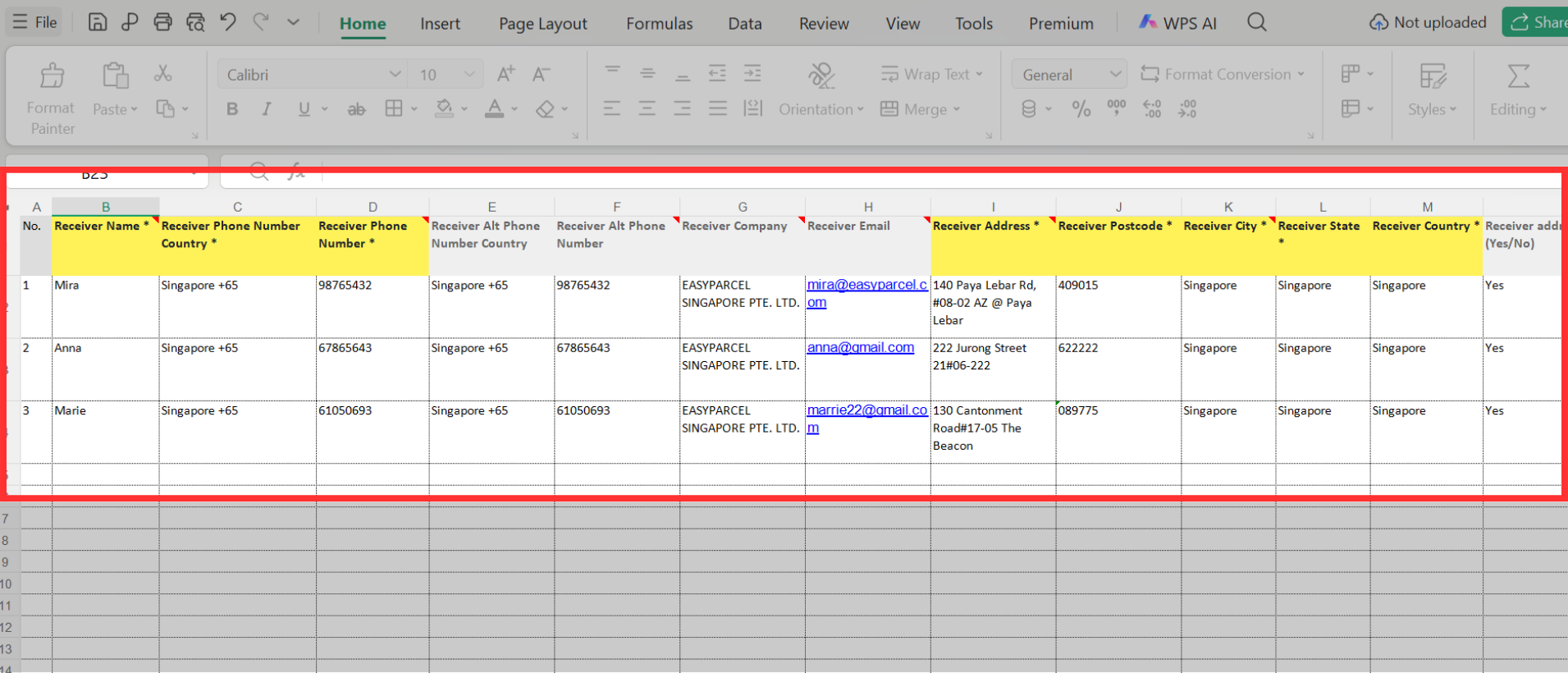
Step 3: Fill in details in the template. This includes:
- Sender details - If you select “Multiple addresses”, you need to enter the sender’s name, phone number, complete address, postcode, city, state and country. You may also provide the sender’s company name, email, alternative phone number and Tax ID if applicable.
- Receiver details - Enter the receiver’s name, phone number, address, postcode, city, state and country. You can also include optional details such as email, company name and Tax ID.
- Parcel weight (kg)
- Parcel dimensions (cm) – Enter the length, width and height of the parcel.
- Parcel content - Describe your parcel content correctly. For example, "H&M men’s sweather" instead of "shirt".
- Price currency - Select the currency used for the item value. For example, "MYR".
- Price per item - Fill in accurate parcel value to ensure a smooth delivery process. It will be kept confidential.
- Item quantity
- Item HS code (optional) - (harmonized commodity description & coding system) were created for international use by the customs department to classify commodities when they are being declared at the custom frontiers by exporters and importers. For eg, the HS code for a book is 4820 20 000. View more
- Reference
Step 4: Upload your bulk upload file.
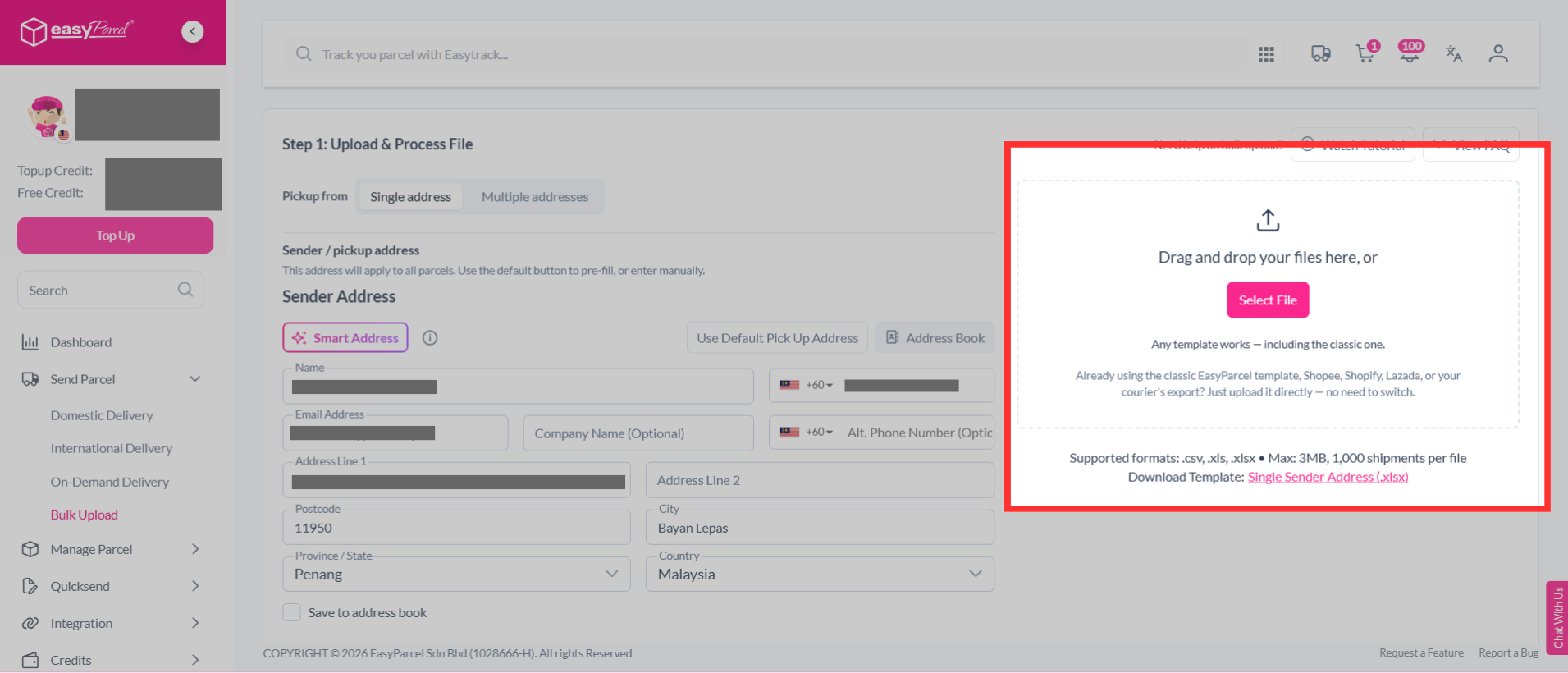
Step 5: After upload your file, click “Edit” to verify your shipment details.
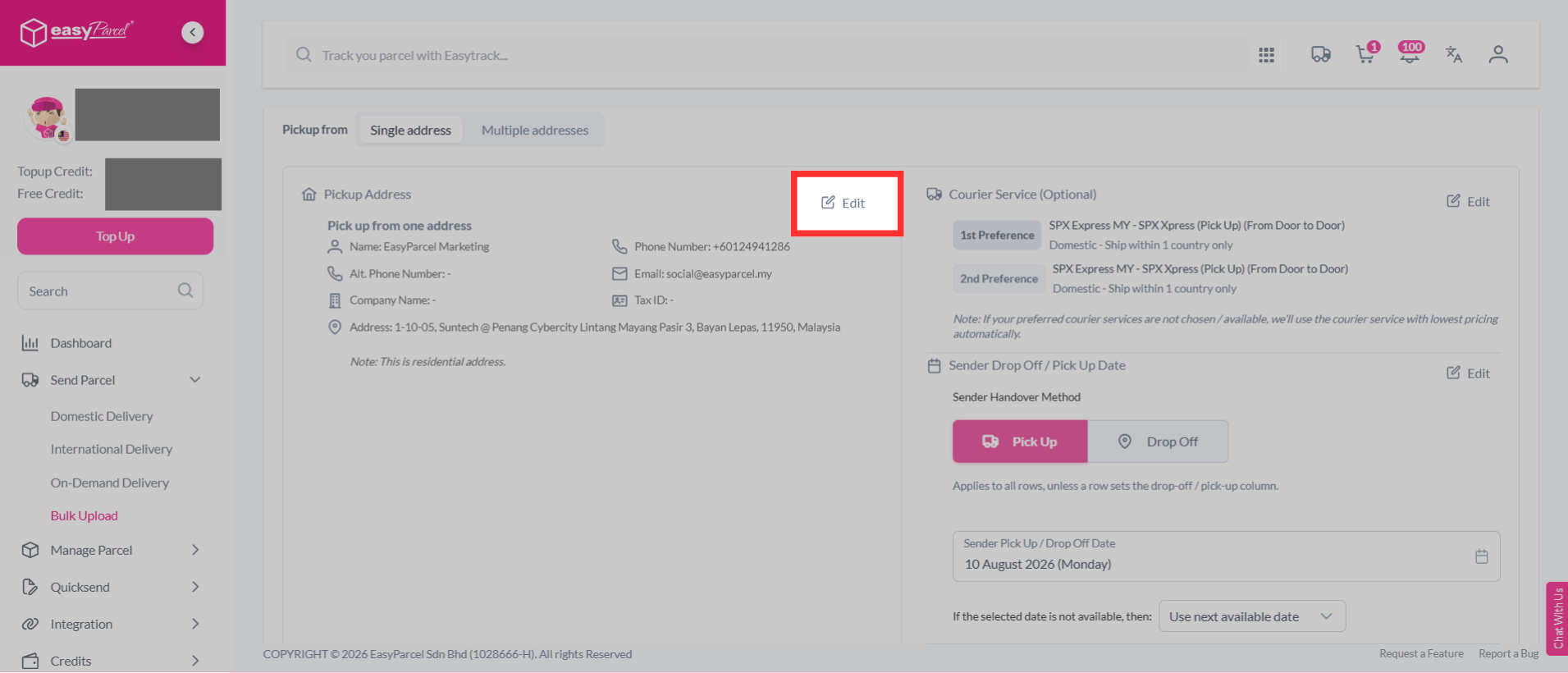
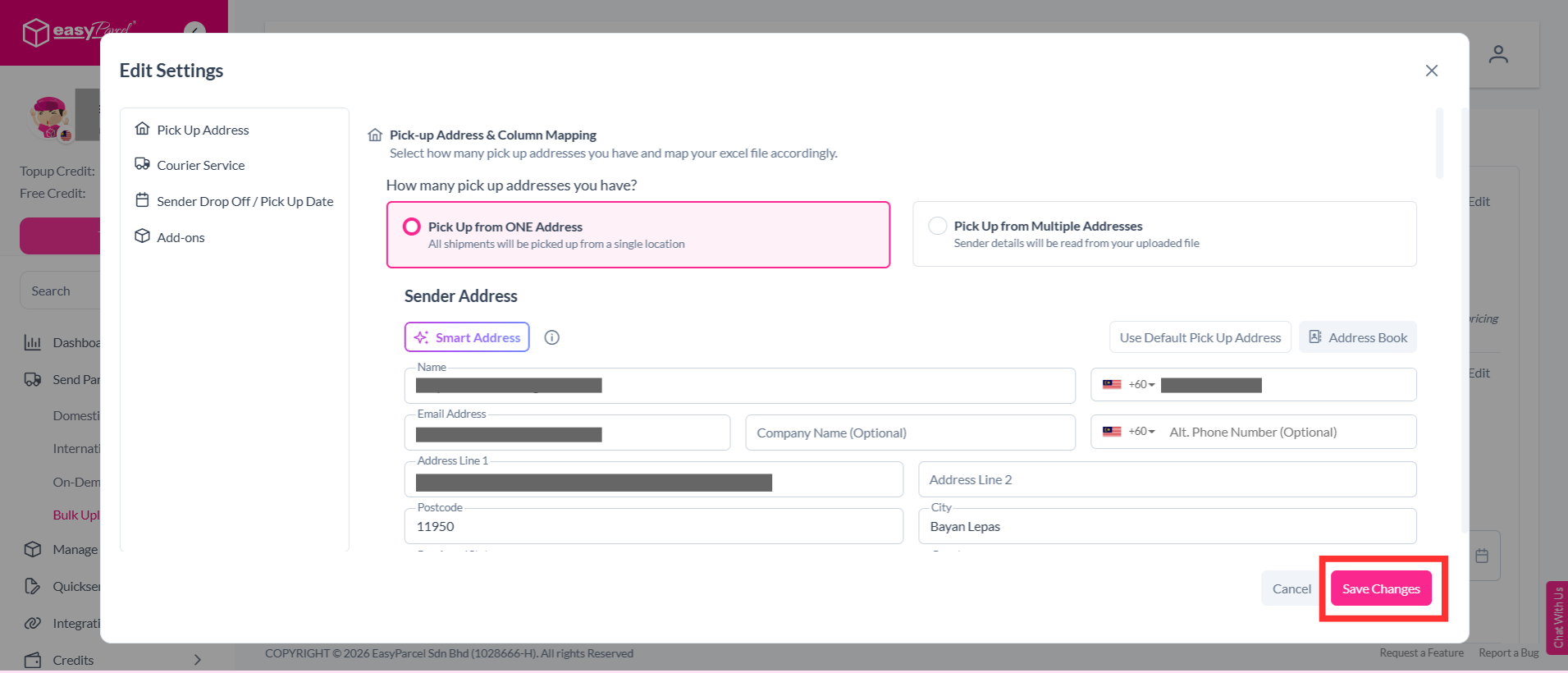
Step 6: You can edit your pick up address, courier service, sender drop off / pick up date and add-ons. Once you have confirmed the details, click “Save Changes” to save your updates.
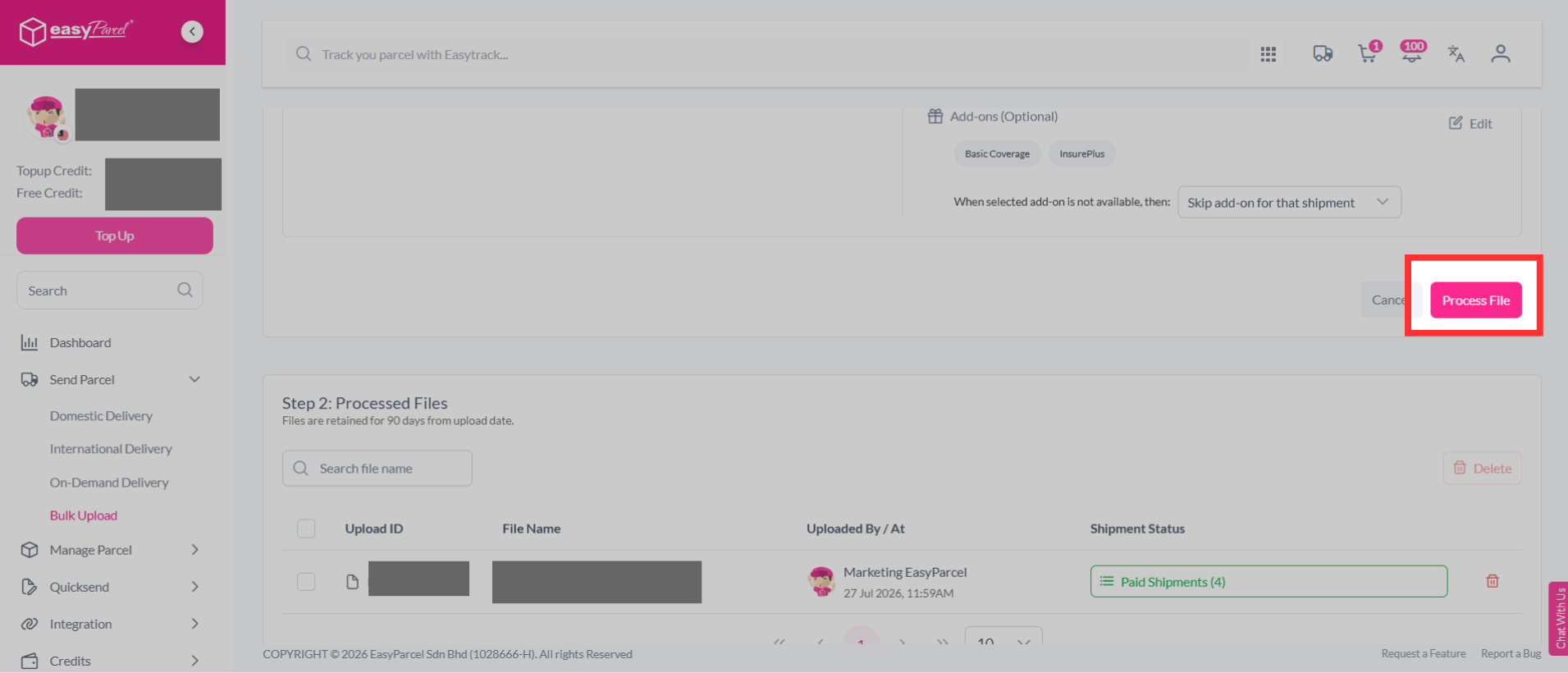
Step 7: Then, click "Process File".
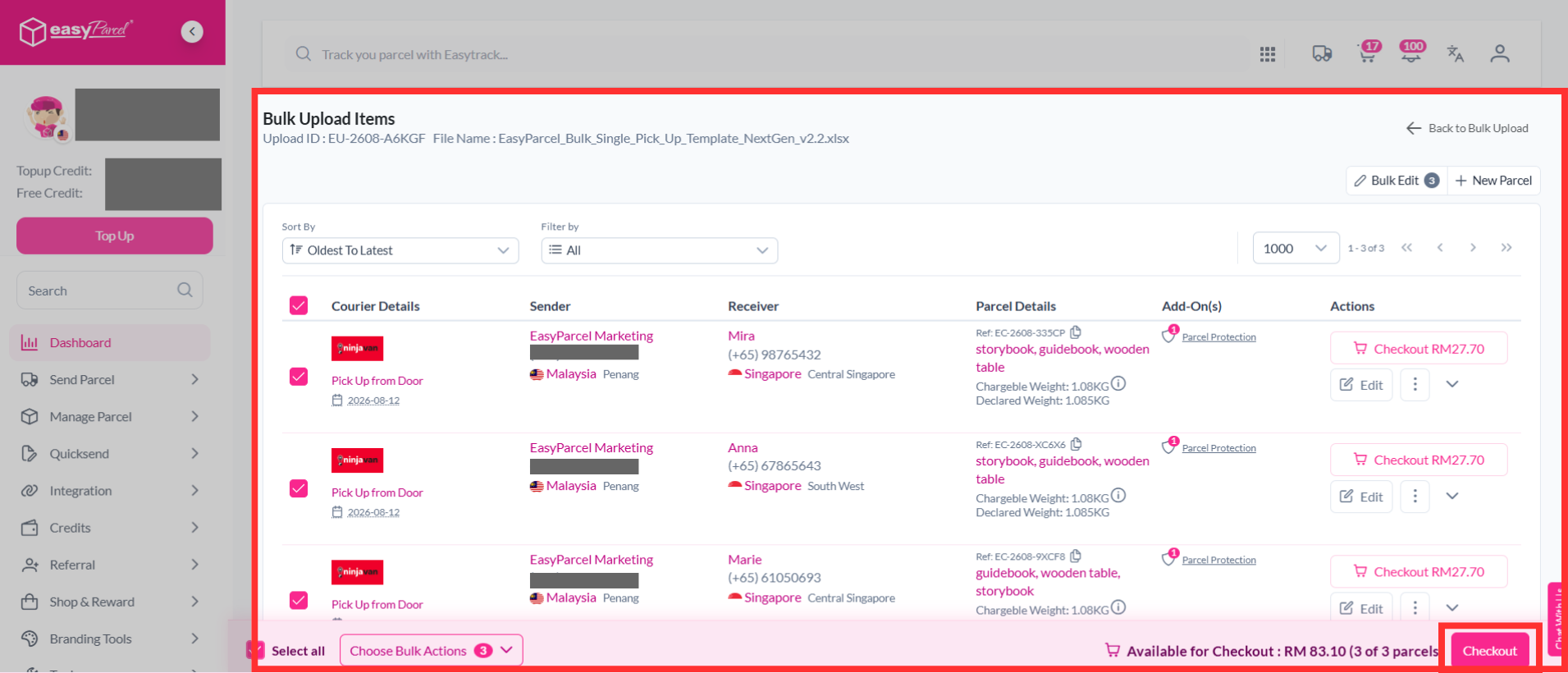
Step 8: You can verify and confirm your orders, click "Checkout".
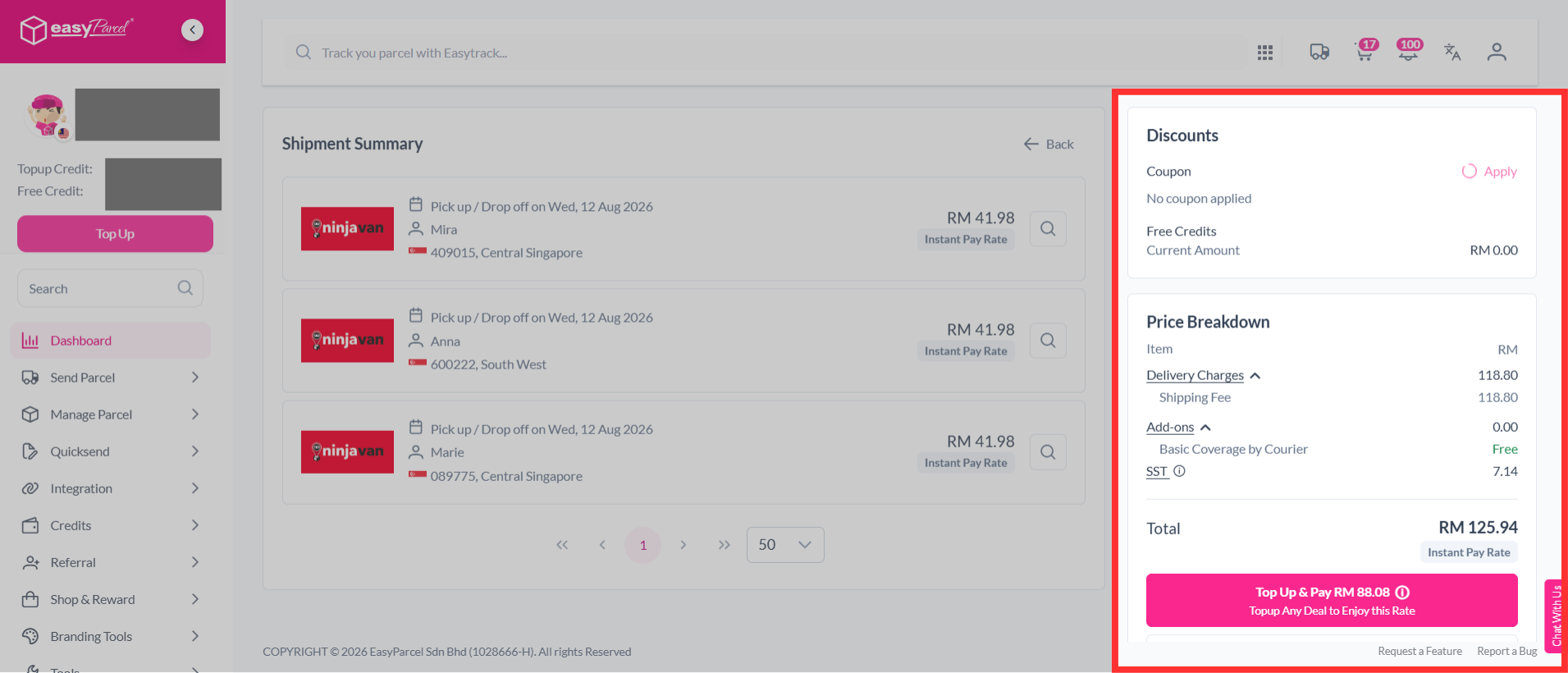
Step 9: Make payment as usual.
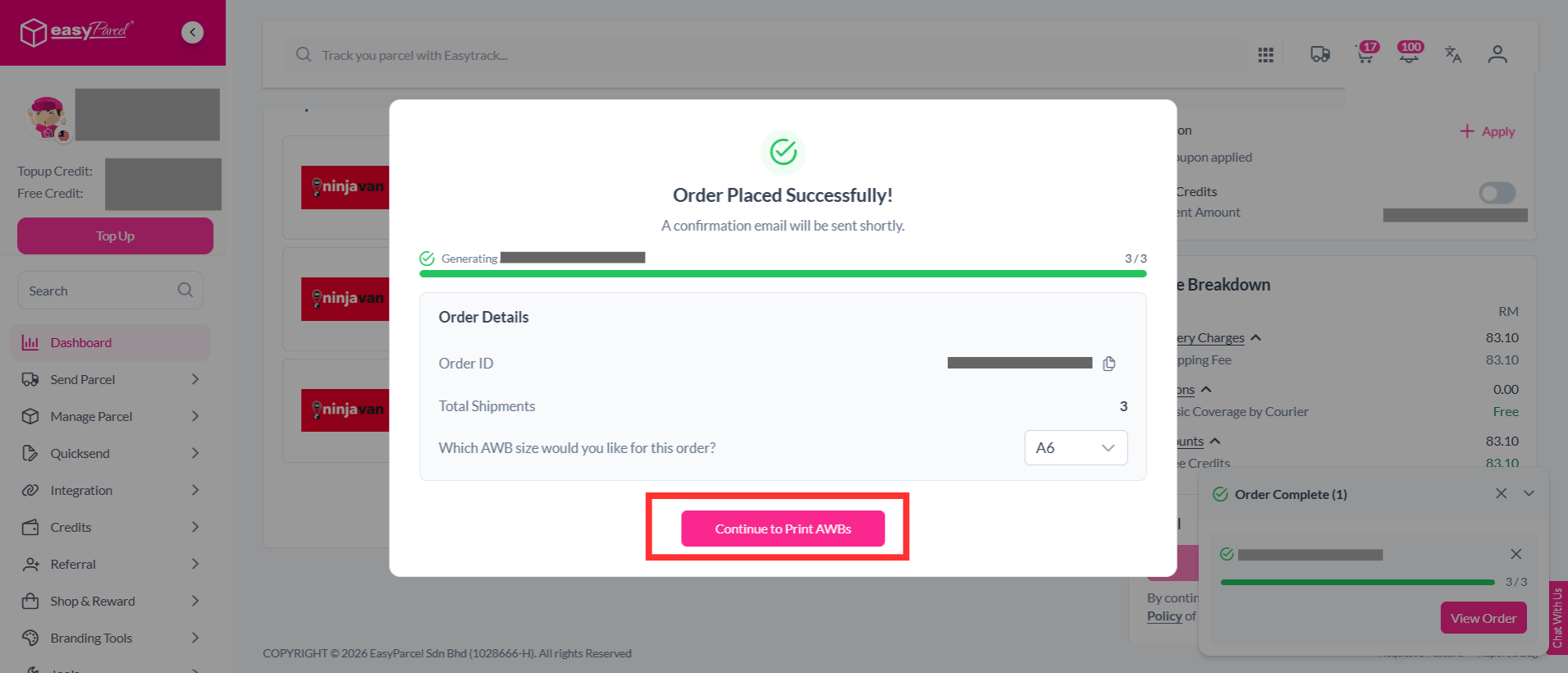
Step 10: You're done. Simply click "Continue to Print AWBs" to print out your air waybills.
If you've missed out step 10:-
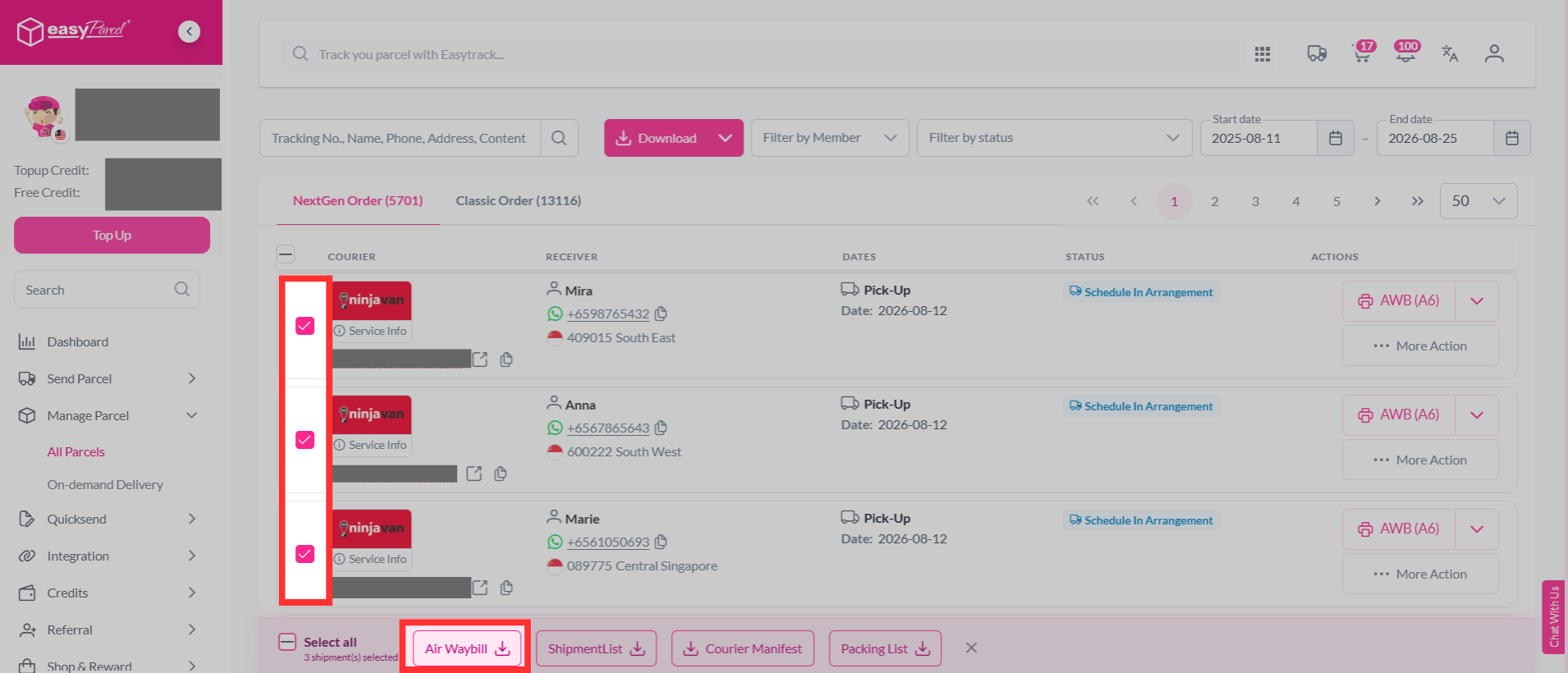
Step 1: Head over to "Manage Parcel", then click "All Parcels".
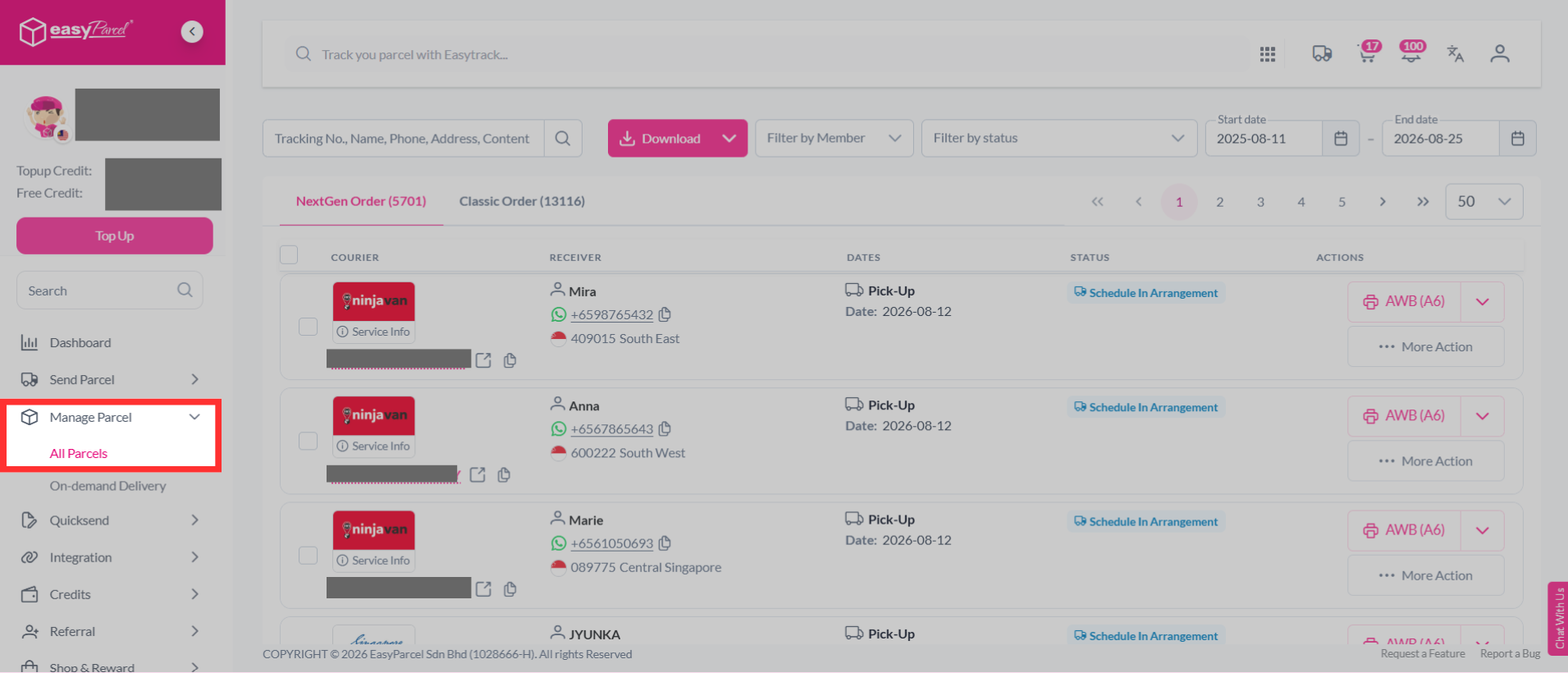
Step 2: You may multi-select your orders to download the air waybills in bulk.
And there you have it! You’ve successfully uploaded your domestic parcels using EasyParcel’s Bulk Upload feature. We’re thrilled to help you streamline your shipping process! If you have any questions or need further assistance, don’t hesitate to check out our other articles or contact our friendly support team. We’re here to support you every step of the way!