Quick Summary
To compare courier services on EasyParcel, log in and use the "Send Parcel" feature, inputting sender/recipient postcodes, parcel weight, and dimensions to instantly view a list of courier options. Compare rates, estimated delivery times, pickup performance, and service types (drop-off/pickup) to select the best option.
We'll Cover:
Compact Service Options
- What is Compact Service Options?
- What is Service Options?
- What is Service Info?
- What is Pick Up Punctuality?
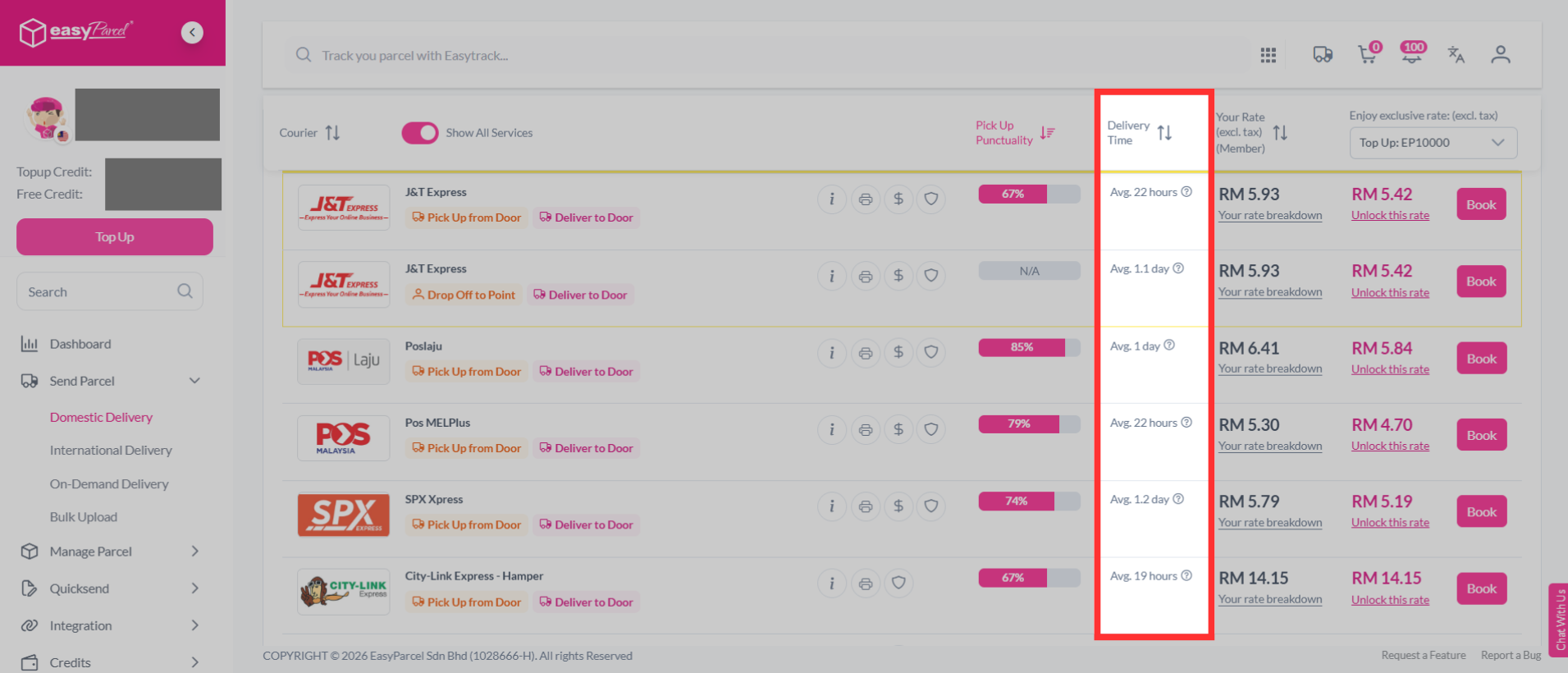
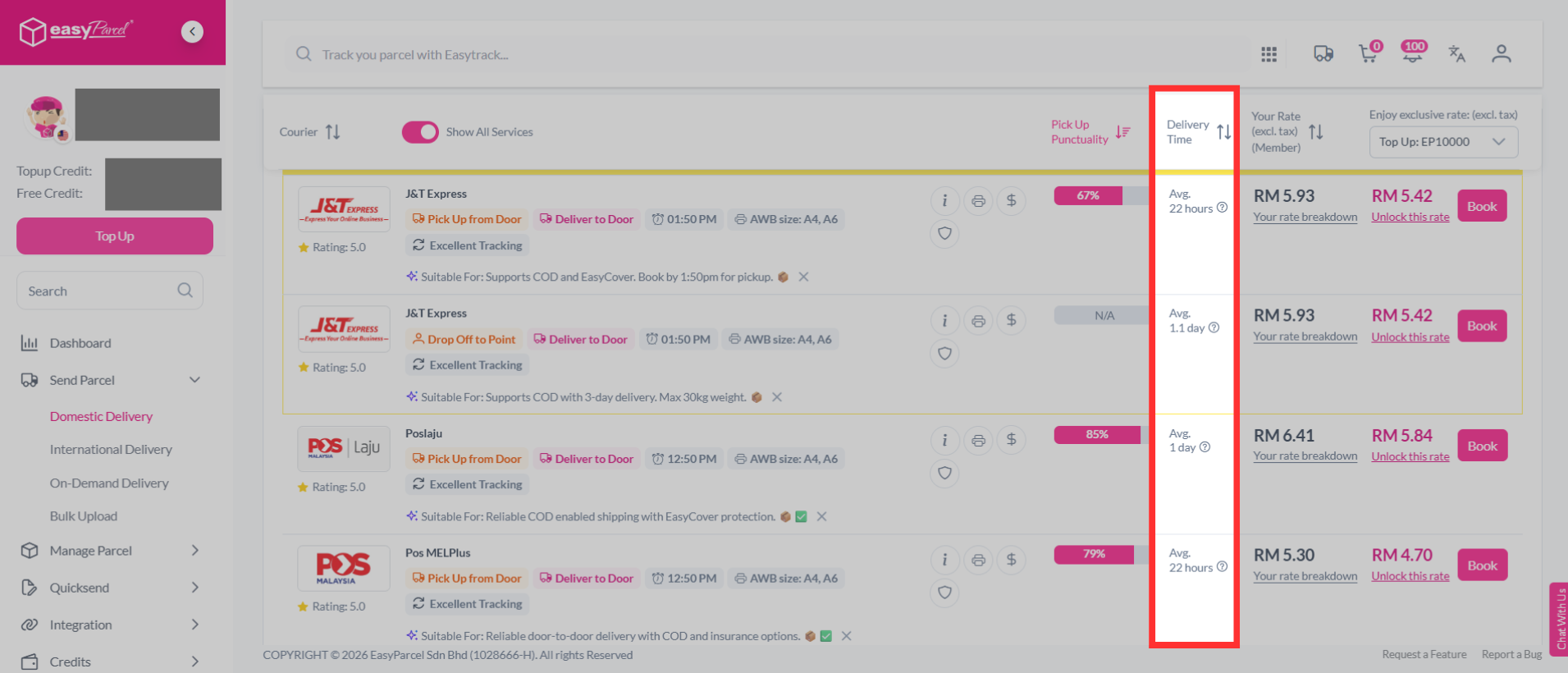
- What is Delivery Time?
- What is Rate?
Advanced Service Options
1. What is Compact Service Options?
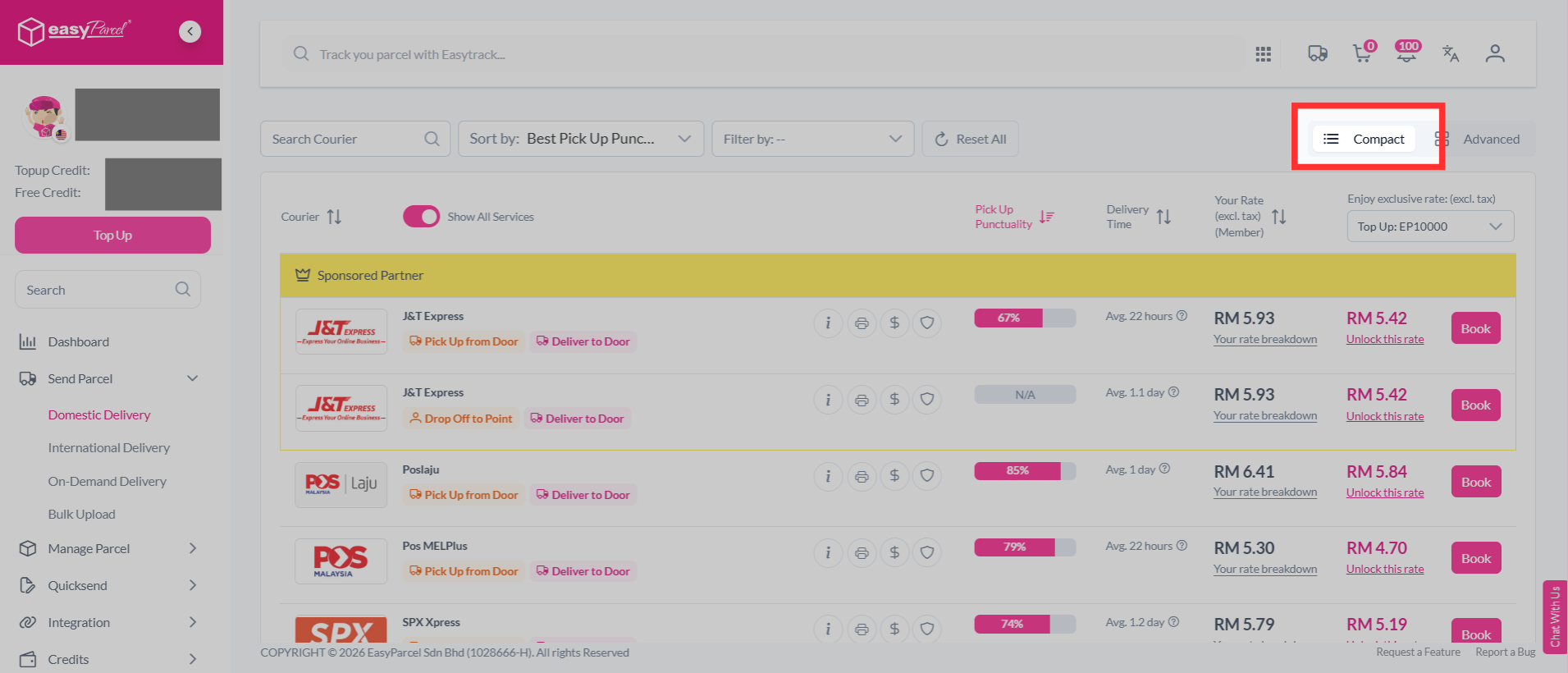
How to switch to compact view?
On the courier list, click the Compact toggle (the list icon) at the top right of the results. This switches the display to a condensed, streamlined layout showing just the essentials for each courier, so you can scan through options and book quickly.
What is Service Options?
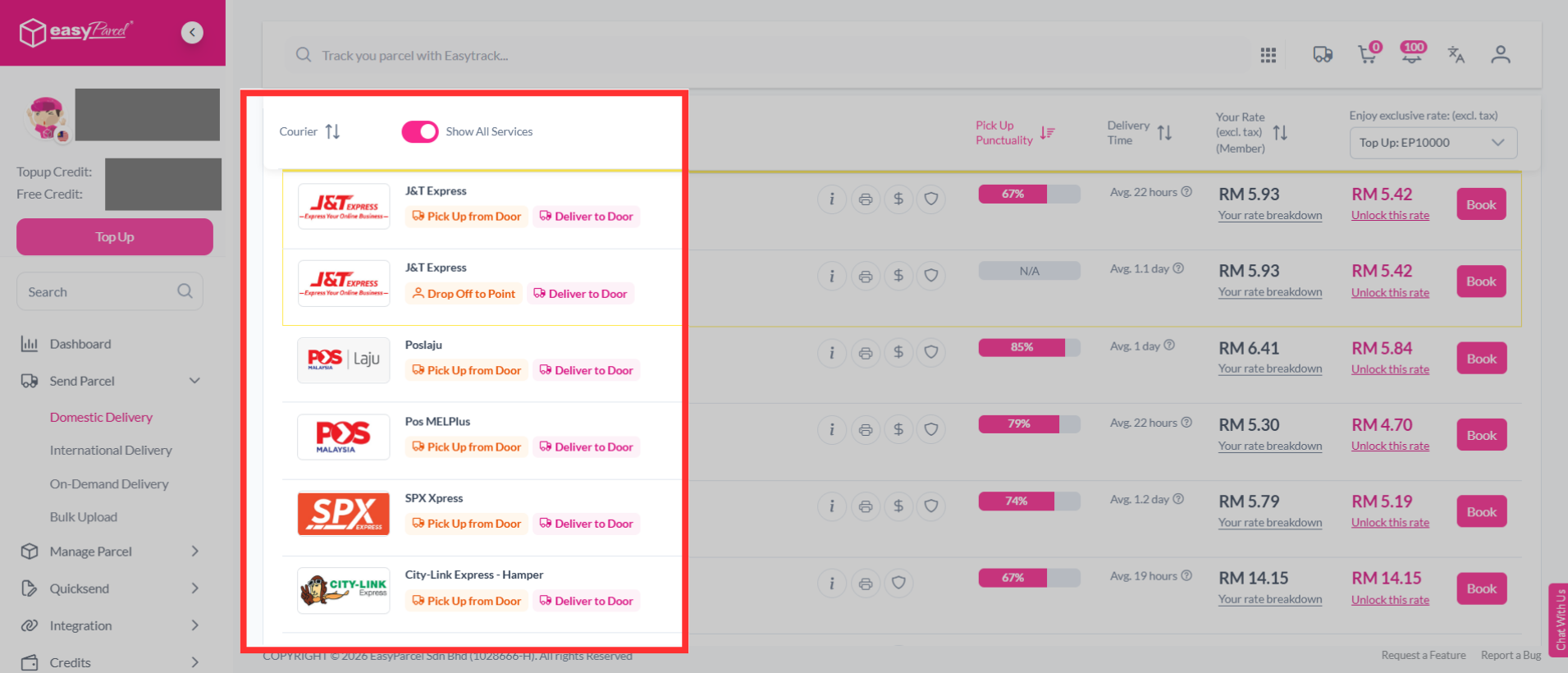
How to compare the courier service options?
The first aspect you can consider when comparing is the service offered by each courier. In certain areas, couriers offer unique services, and you can see them all on just one page. The services offered include: pick up service, drop off service, and Minimum Order Requirement (MOQ). You can see these services listed just under the courier name and you can choose the ones that suit your parcel needs.
What is Service Info?
How to compare the courier service info?
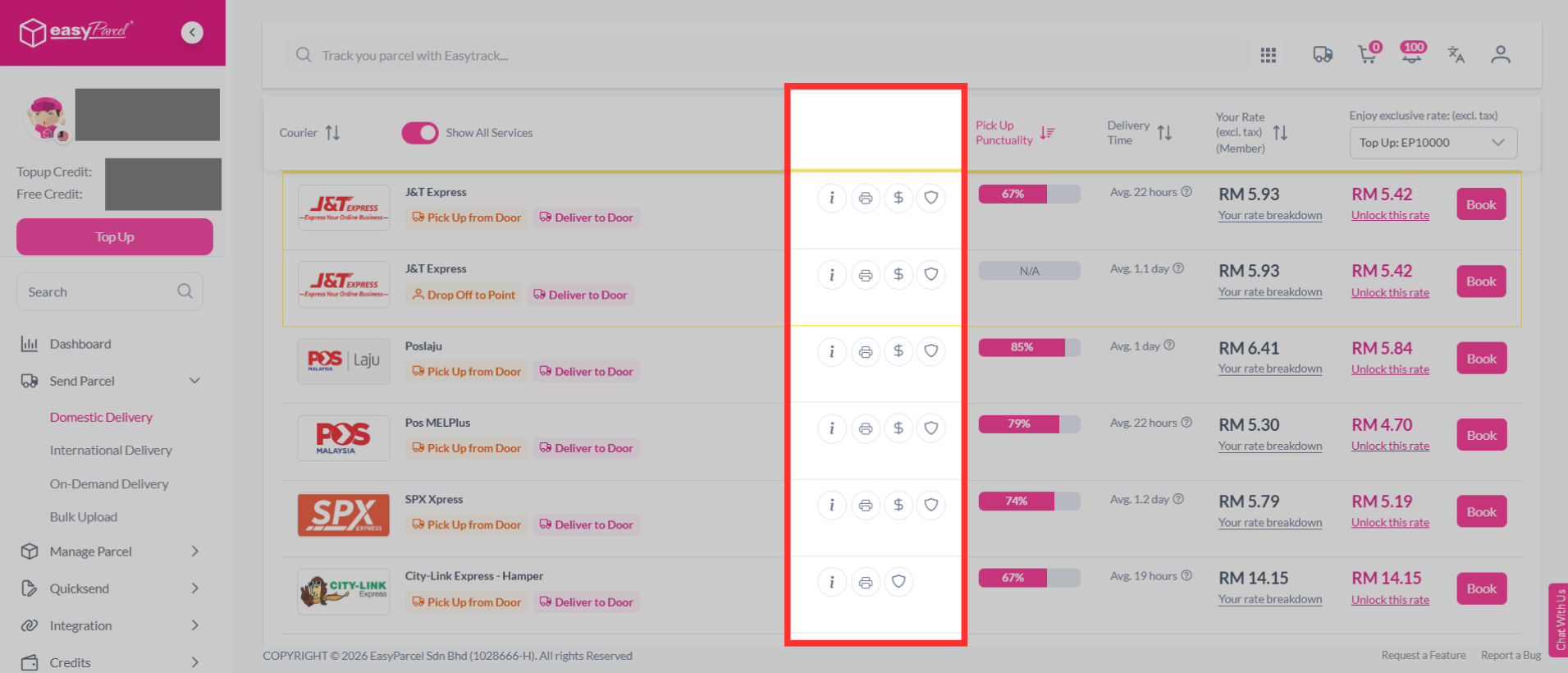
Next to each courier, you'll also see a row of four quick-action icons:
- Info (i) — Shows additional service info for that courier.
- Printer — Shows supported Air Waybill (AWB) sizes, such as A4 and A6.
- Rate ($) — Shows whether Cash on Delivery (COD) is available.
- Protection (shield) — Shows the basic coverage available for parcel damage and loss.
What is Pick Up Punctuality?
How to compare the pick up punctuality?
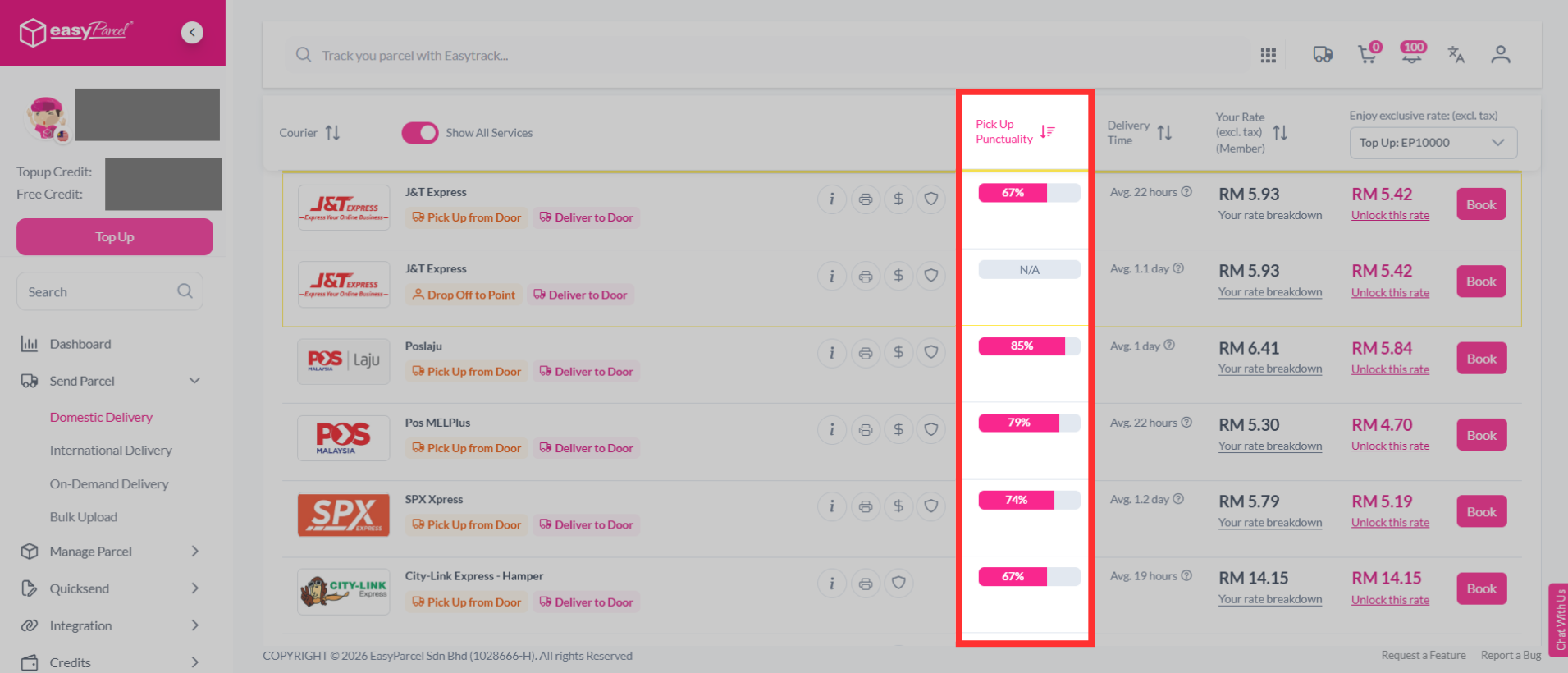
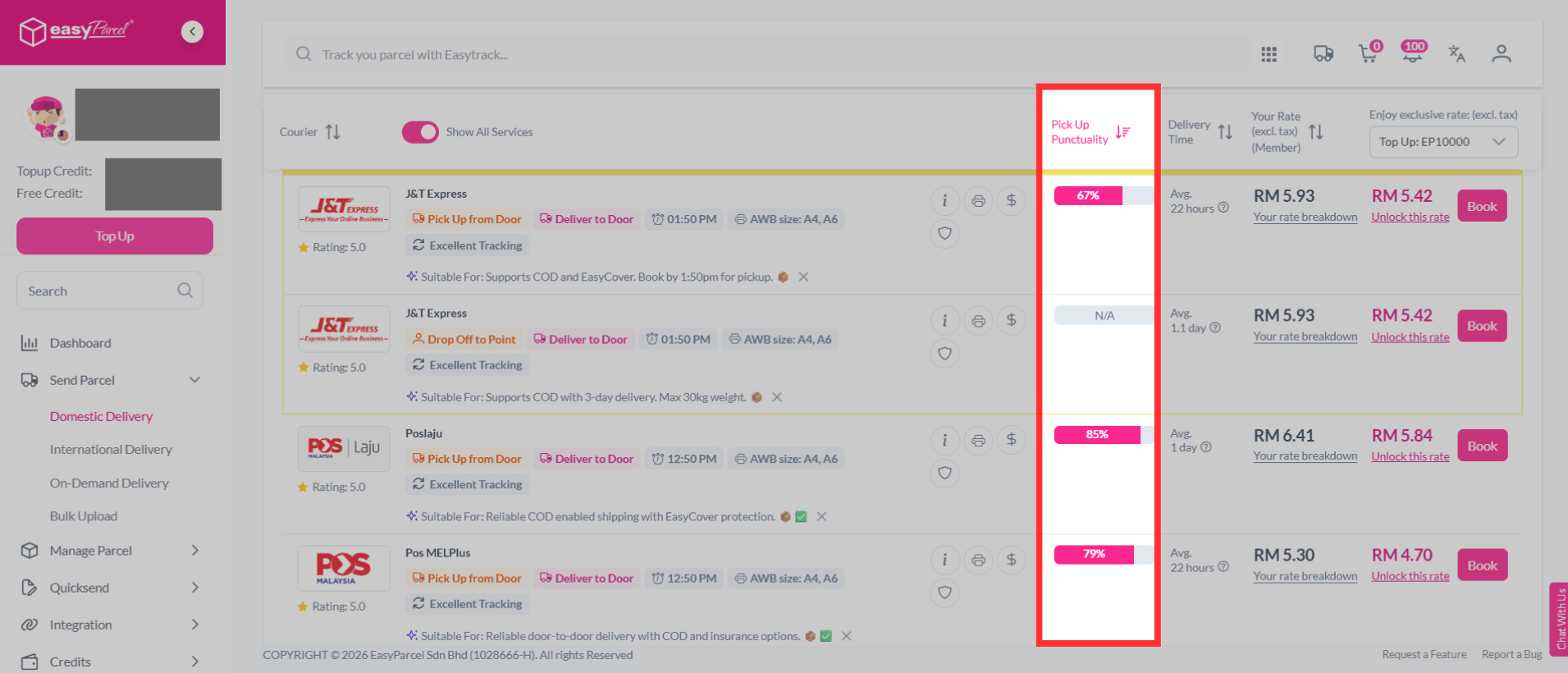
Pick up punctuality shows you how reliable a courier is when it comes to scheduled parcel pickups. You'll be able to see the courier's pickup success rate and timeliness, giving you more confidence in choosing a courier that suits your needs, especially if you depend heavily on pickup services.
What is Rate?
How to compare your rate and promo rate (pricing)?
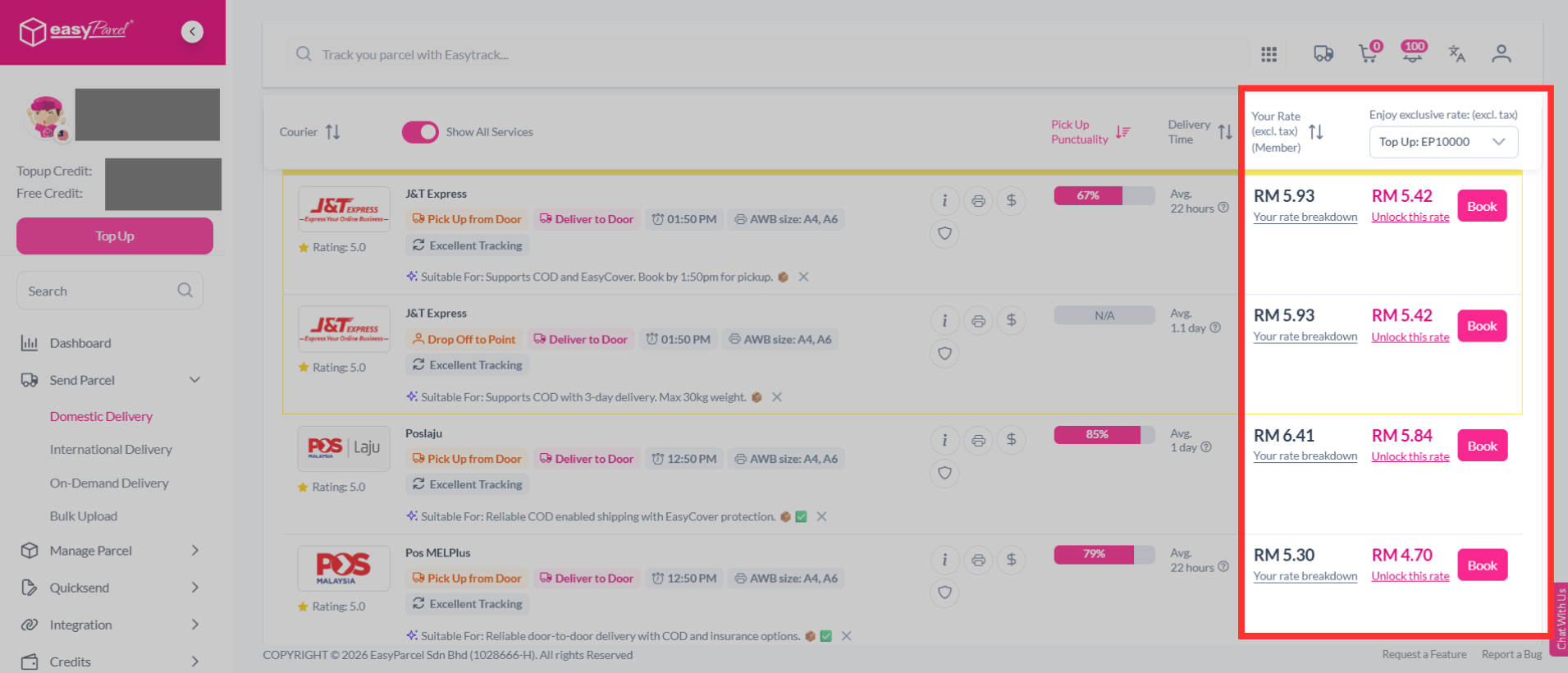
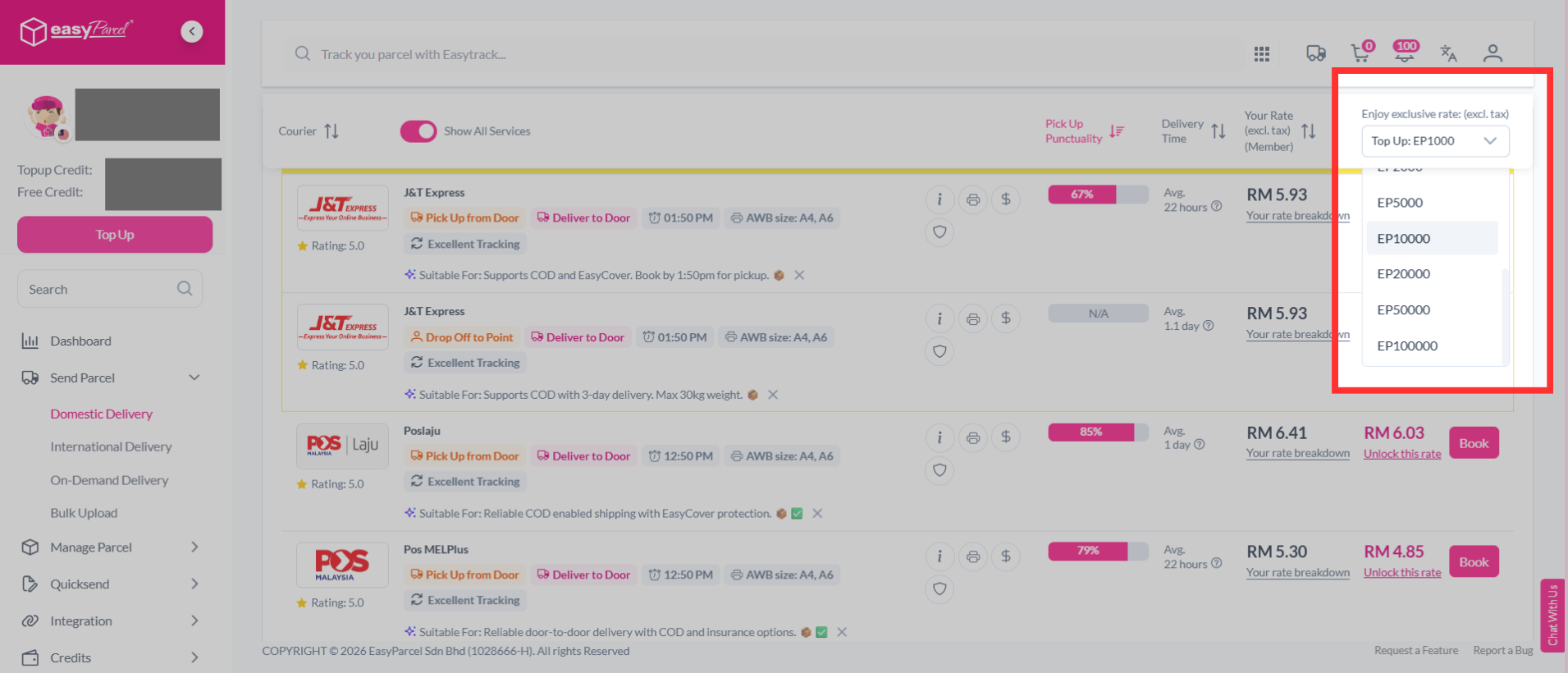
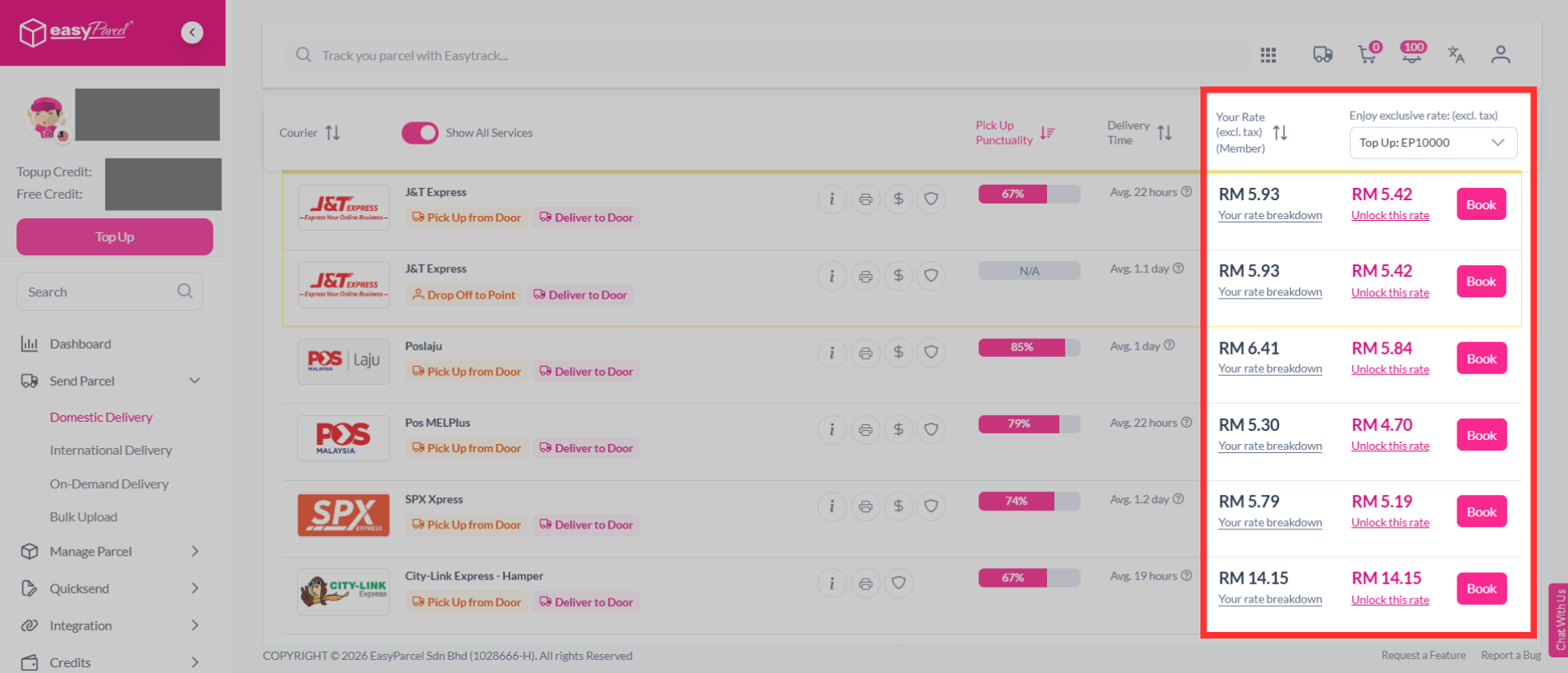
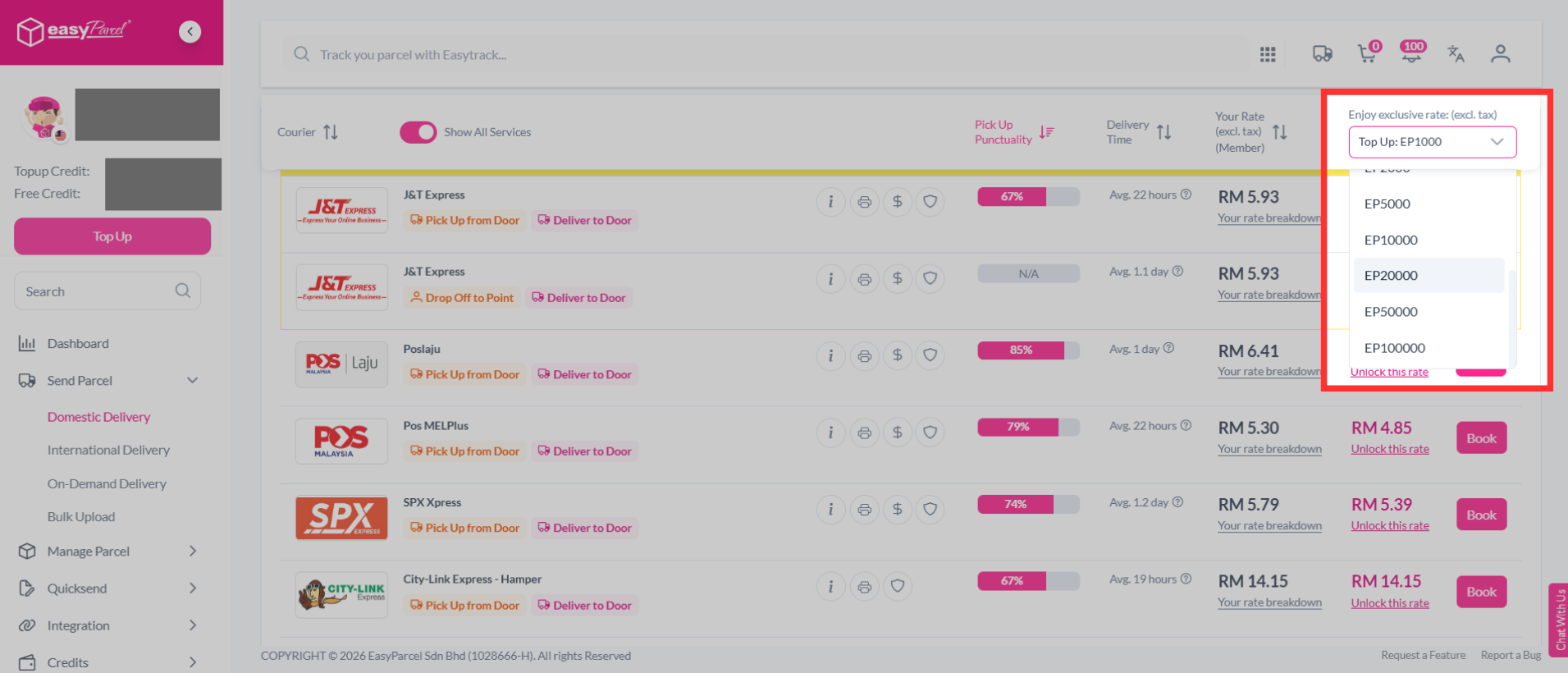
The last, but surely not the least, aspect is the shipment rate offered by each of our courier partners. Seemingly, there are two ways you can compare the rate.
First, "Your Rate" and secondly, "Enjoy exclusive rate". "Your Rate" represents the rate you'll be paying based on your current membership, while the "Enjoy exclusive rate" section is for you to explore other exclusive shipping rates if you upgrade to other membership levels. This will make it easy for you to compare and see other amazing rates that you can unlock for your parcel bookings. You can unlock the exclusive shipping rates by simply making a new top up.
2. What is Advanced Service Options?
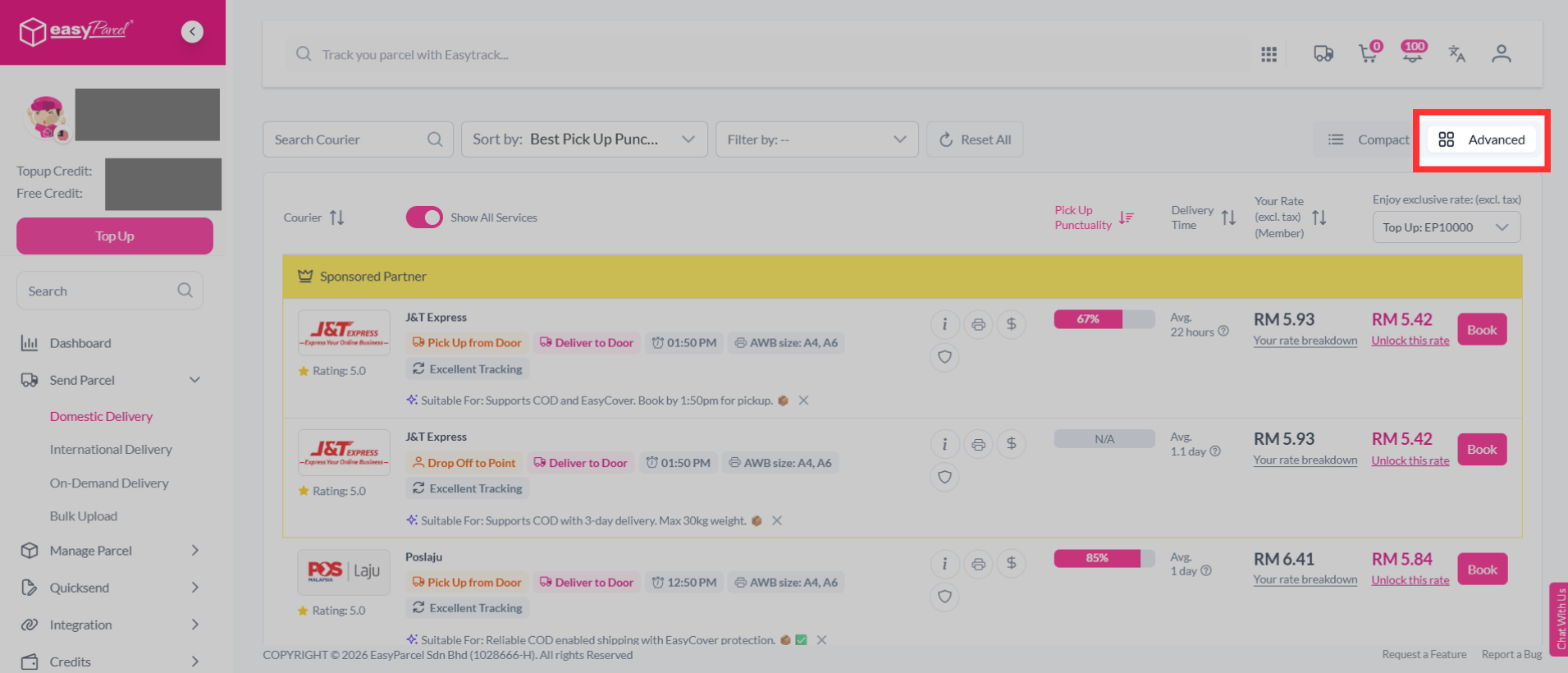
How to switch to advanced view?
On the courier list, click the Advanced toggle (the grid icon) at the top right of the results. This switches the display to an expanded layout that shows more detail per courier. So you can compare more closely before booking.
What is Service Options?
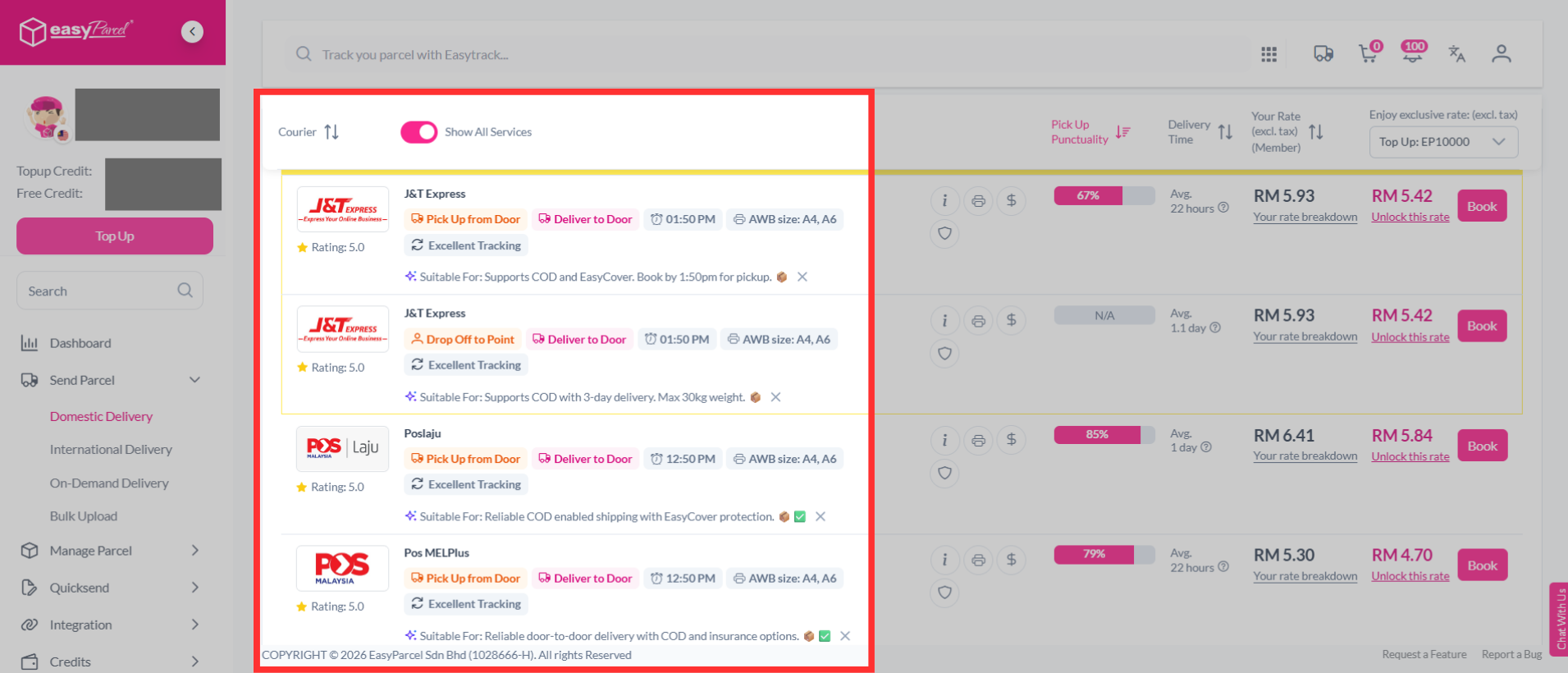
How to compare the courier service options?
The first aspect you can consider when comparing is the service offered by each courier. In certain areas, couriers offer unique services, and you can see them all on just one page. The services offered include: pick up service, drop off service, same day pickup cut-off time, AWB size, Proof of Delivery (POD) available, and Minimum Order Requirement (MOQ). You can see these services listed just under the courier name and you can choose the ones that suit your parcel needs.
What is Service Info?
How to compare the courier service info?
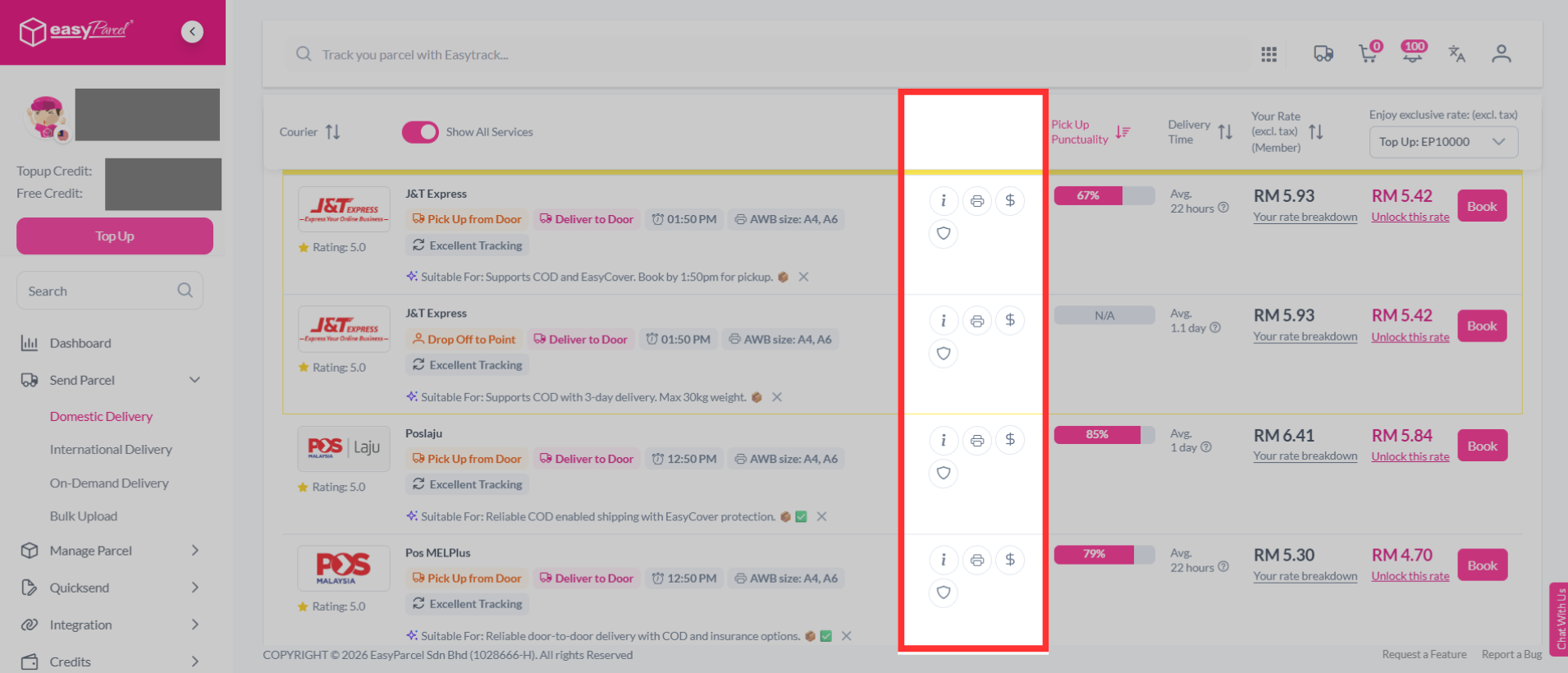
Next to each courier, you'll also see a row of four quick-action icons:
- Info (i) — Shows additional service info for that courier.
- Printer — Shows supported Air Waybill (AWB) sizes, such as A4 and A6.
- Rate ($) — Shows whether Cash on Delivery (COD) is available.
- Protection (shield) — Shows the basic coverage available for parcel damage and loss.
What is Pick up Punctuality?
How to compare the pick up punctuality?
Pick up punctuality shows you how reliable a courier is when it comes to scheduled parcel pickups. You'll be able to see the courier's pickup success rate and timeliness, giving you more confidence in choosing a courier that suits your needs, especially if you depend heavily on pickup services.
What is Rate?
How to compare your rate and exclusive rate (pricing)?
The last, but surely not the least, aspect is the shipment rate offered by each of our courier partners. Seemingly, there are two ways you can compare the rate.
First, "Your Rate" and secondly, "Enjoy exclusive rate". "Your Rate" represents the rate you'll be paying based on your current membership, while the "Enjoy exclusive rate" section is for you to explore other exclusive shipping rates if you upgrade to other membership levels. This will make it easy for you to compare and see other amazing rates that you can unlock for your parcel bookings. You can unlock the exclusive shipping rates by simply making a new top up.