
Quick Summary
To send domestic parcels via Single Parcel on EasyParcel, log in to your account, select "Send Parcel", click "Domestic Delivery", and enter the sender/receiver postcodes along with the parcel weight and dimensions. Compare rates, select a courier, set a pickup date, fill in contact details, and pay to download the air waybill.
Beginner's Video Tutorial [Older Version/V8]
Overview of Booking a Parcel
Sending a Domestic Parcel with EasyParcel: A Quick Guide
New to EasyParcel? No worries! We'll walk you through the simple steps to book your first domestic parcel delivery. It's easy, affordable, and you can do it all from home.
Here's the overview:
- Sign Up for Free: Create an EasyParcel account. You'll even get a RM10 coupon to try us out.
- Enter the Details: Fill in the sender and receiver information, including addresses and contact details.
- Specify Your Parcel: Select the appropriate parcel size and weight.
- Select Your Courier: Pick the courier service that best suits your needs and budget.
- Add Insurance (Optional): Protect your parcel with optional insurance.
- Review and Pay: Double-check your order details and proceed to payment.
That's it! Your parcel is ready to be picked up by the courier or dropped off at their branches.
How to book domestic parcel?
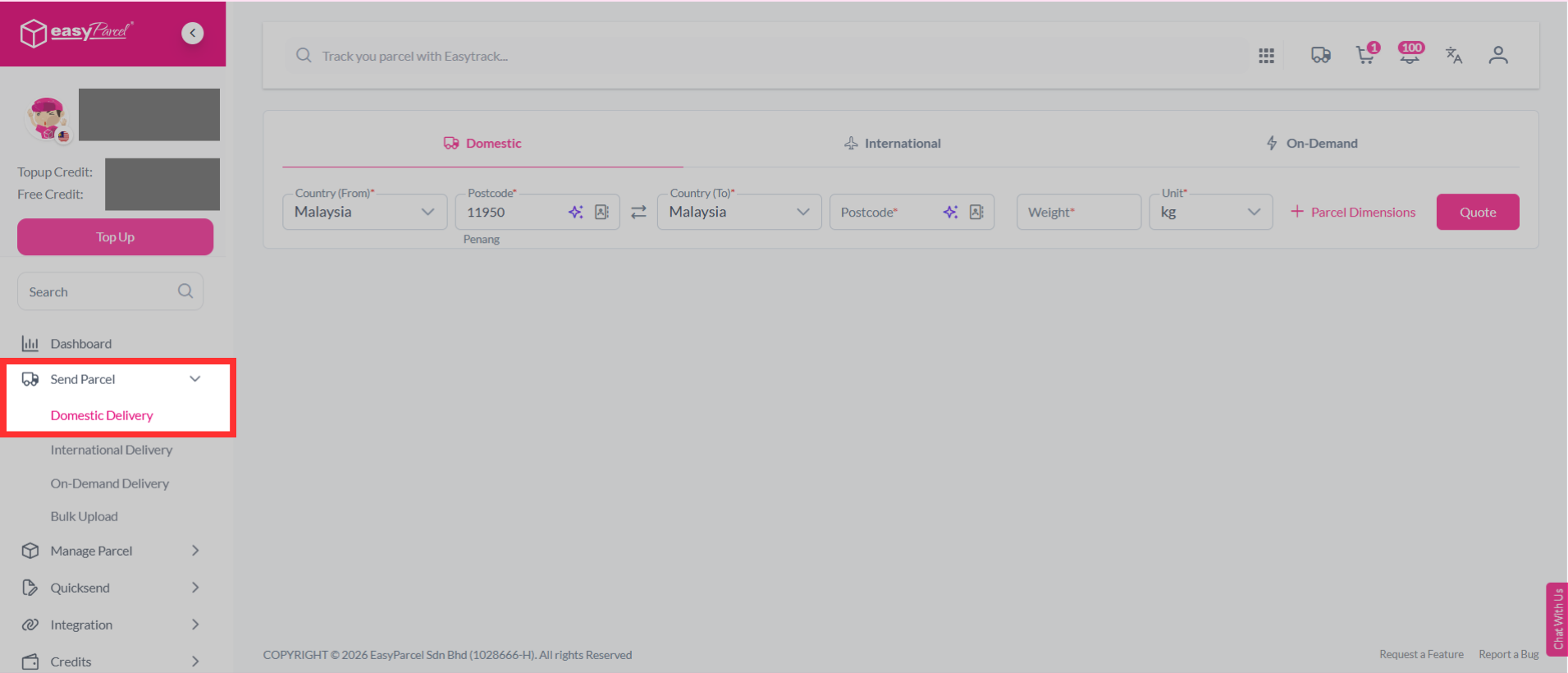
Now let's see how to do the steps from your account:Step 1: Select "Send Parcel", then choose "Domestic Delivery" from your dashboard.
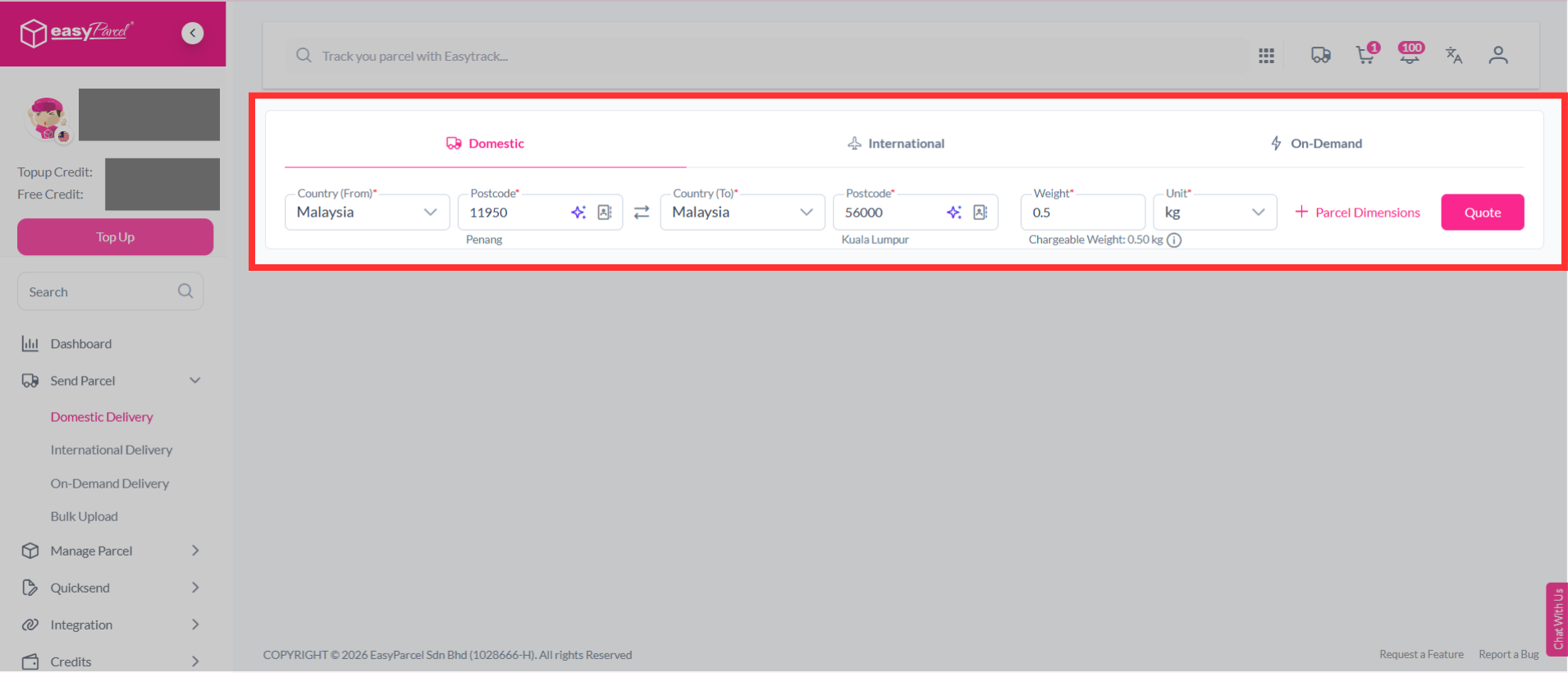
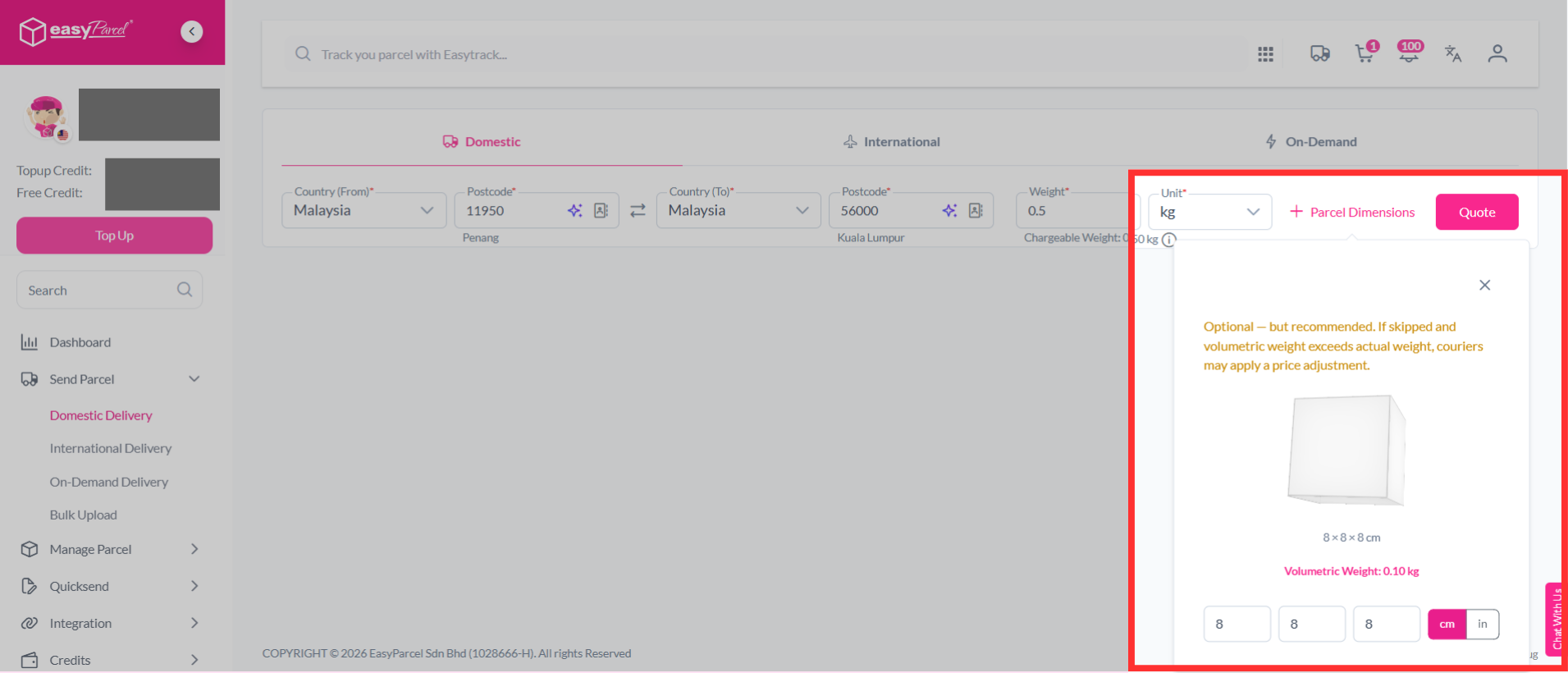
Step 2: Key in the postcodes, weight and parcel dimensions of your parcel. If you're unsure how to determine your parcel weight, you can learn it here. Then, click on "Quote".
Note: Couriers calculate your parcel's actual weight and volumetric weight. The shipping charge is based on whichever weight is higher.
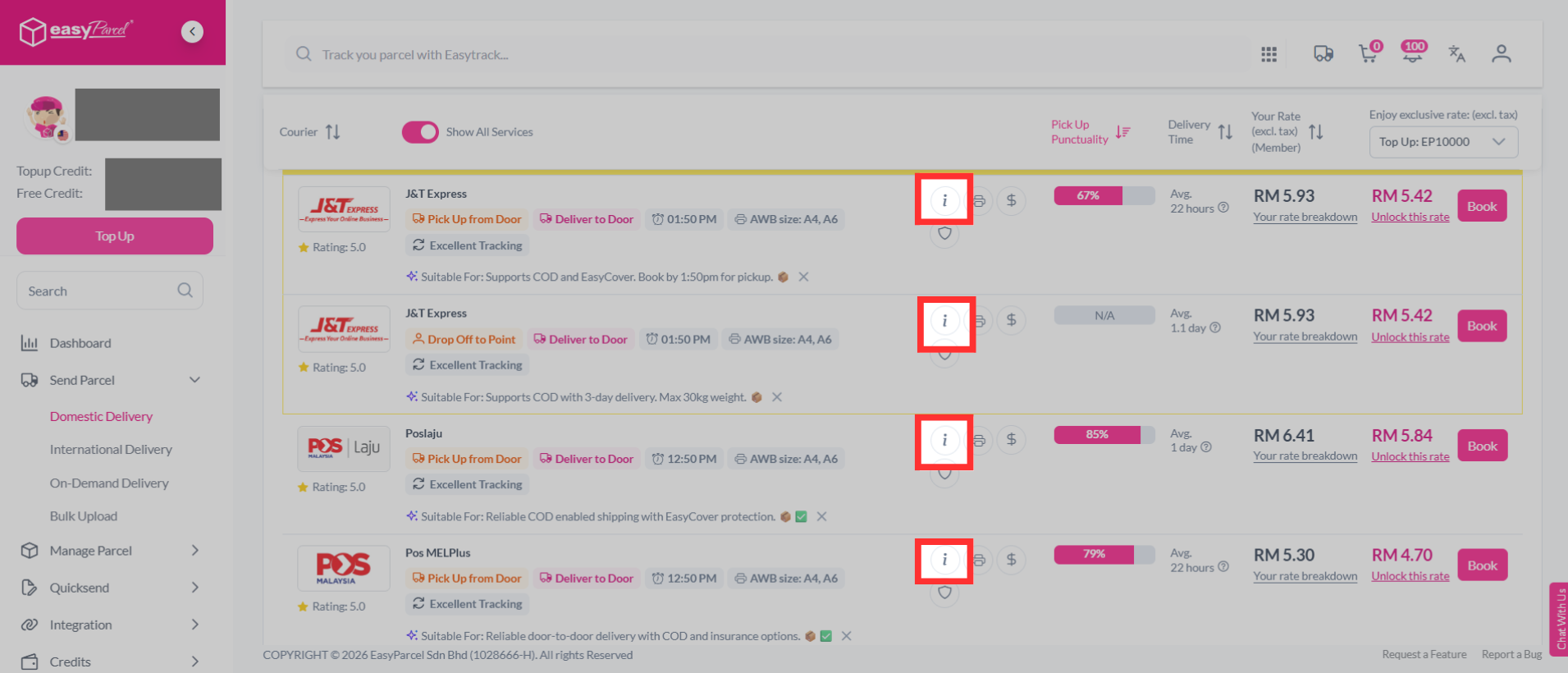
Step 3: Select whichever courier according to your preference with a click on the "Book" button.
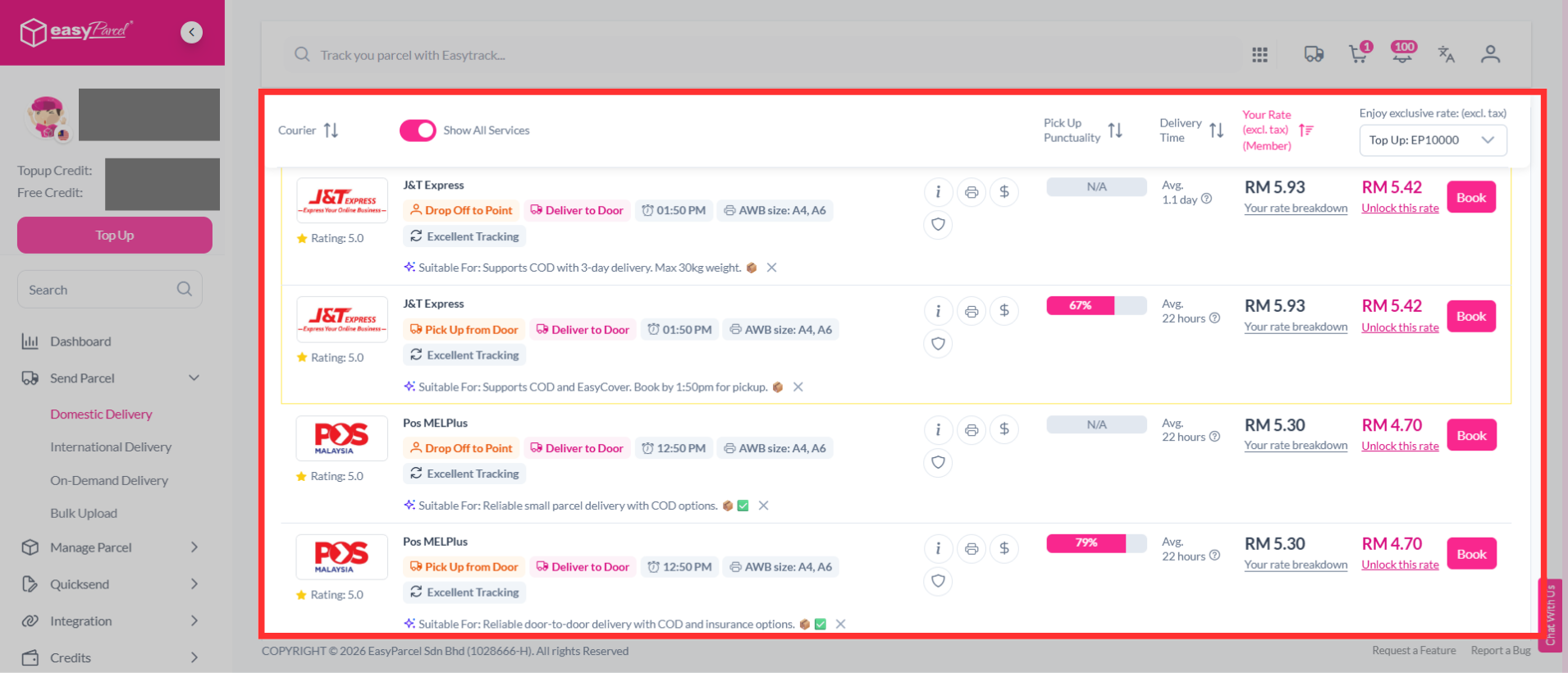
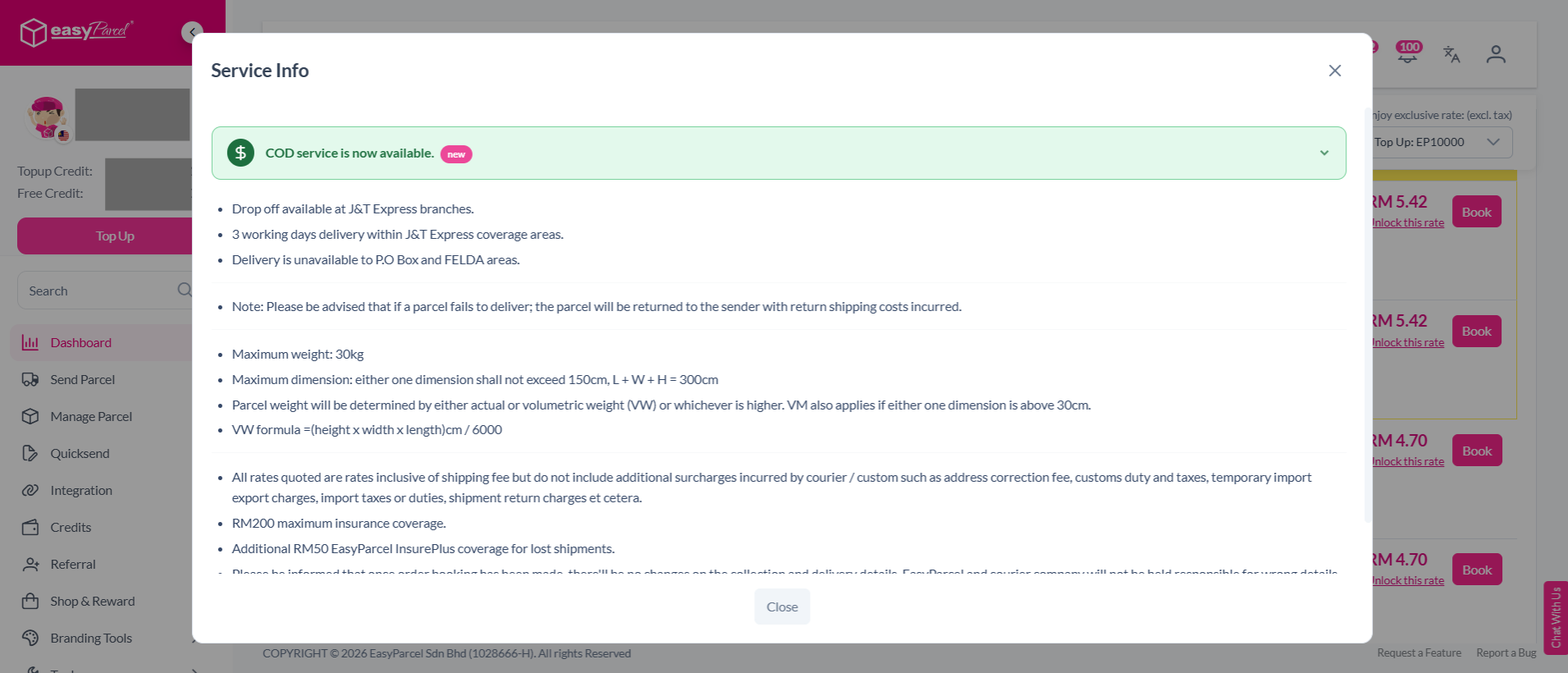
You may also click on the info icon to view more details about each courier before booking.
Example of the courier information:
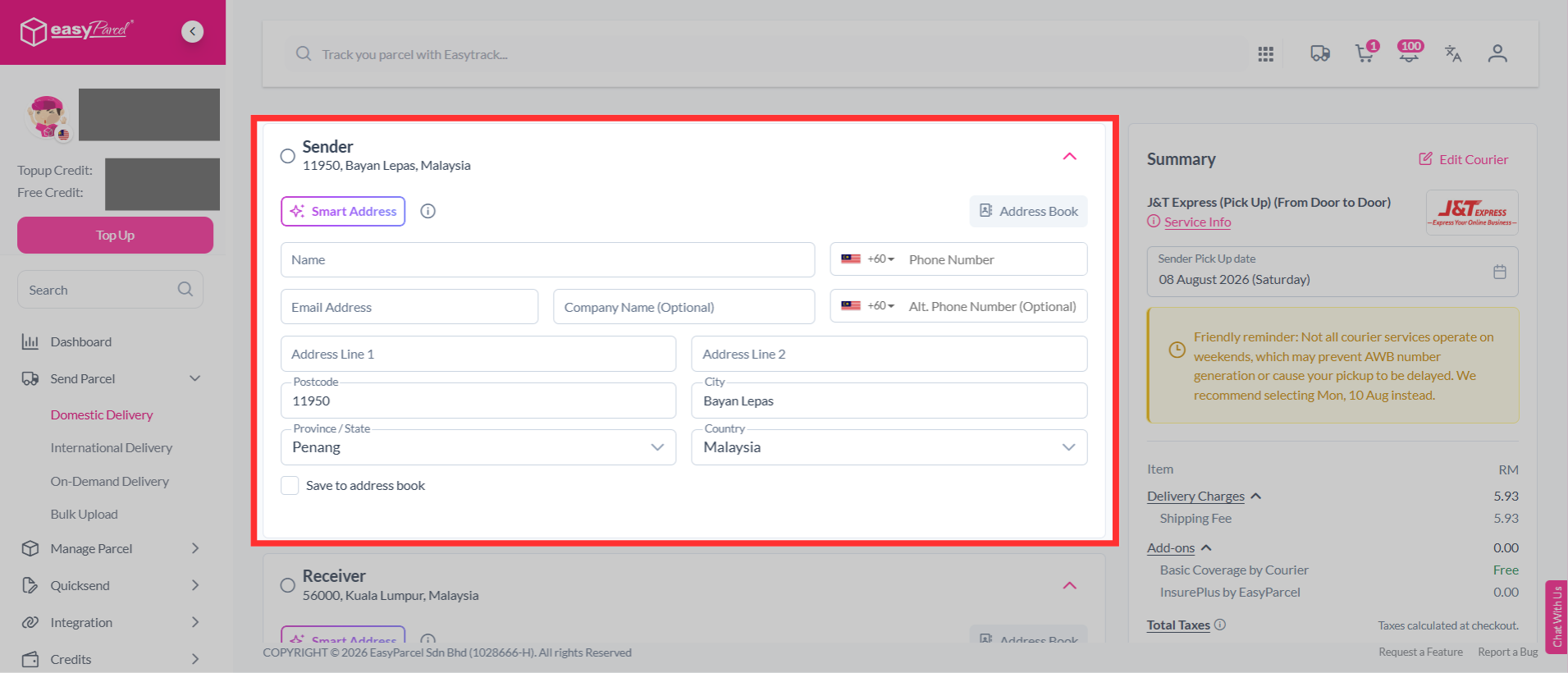
Step 4: Fill in the sender's details. Use Smart Address to quickly fill in the address details. Simply paste the name, phone number, and address, and the system will automatically fill in the relevant fields for you.
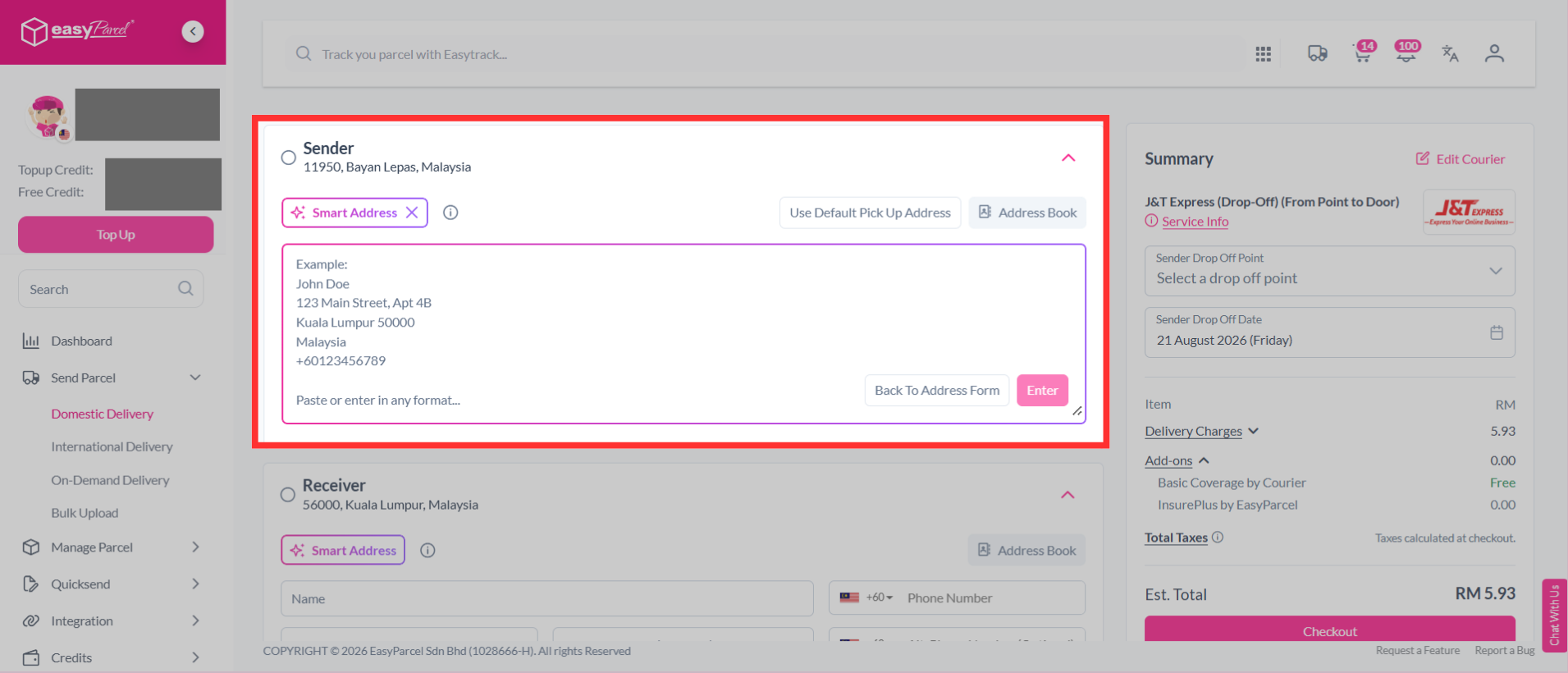
Step 5: Fill in the receiver's details. Use Smart Address to quickly fill in the address details. Simply paste the name, phone number, and address, and the system will automatically fill in the relevant fields for you.
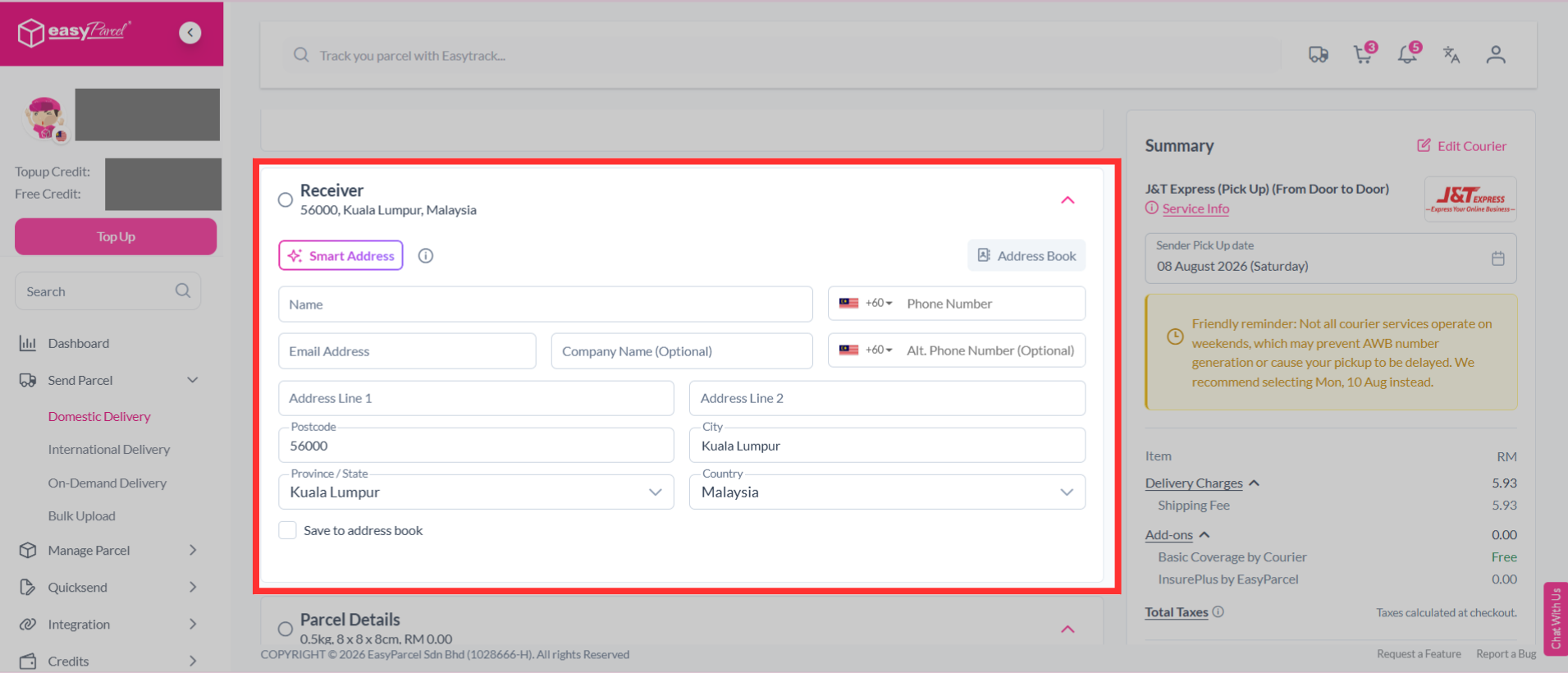
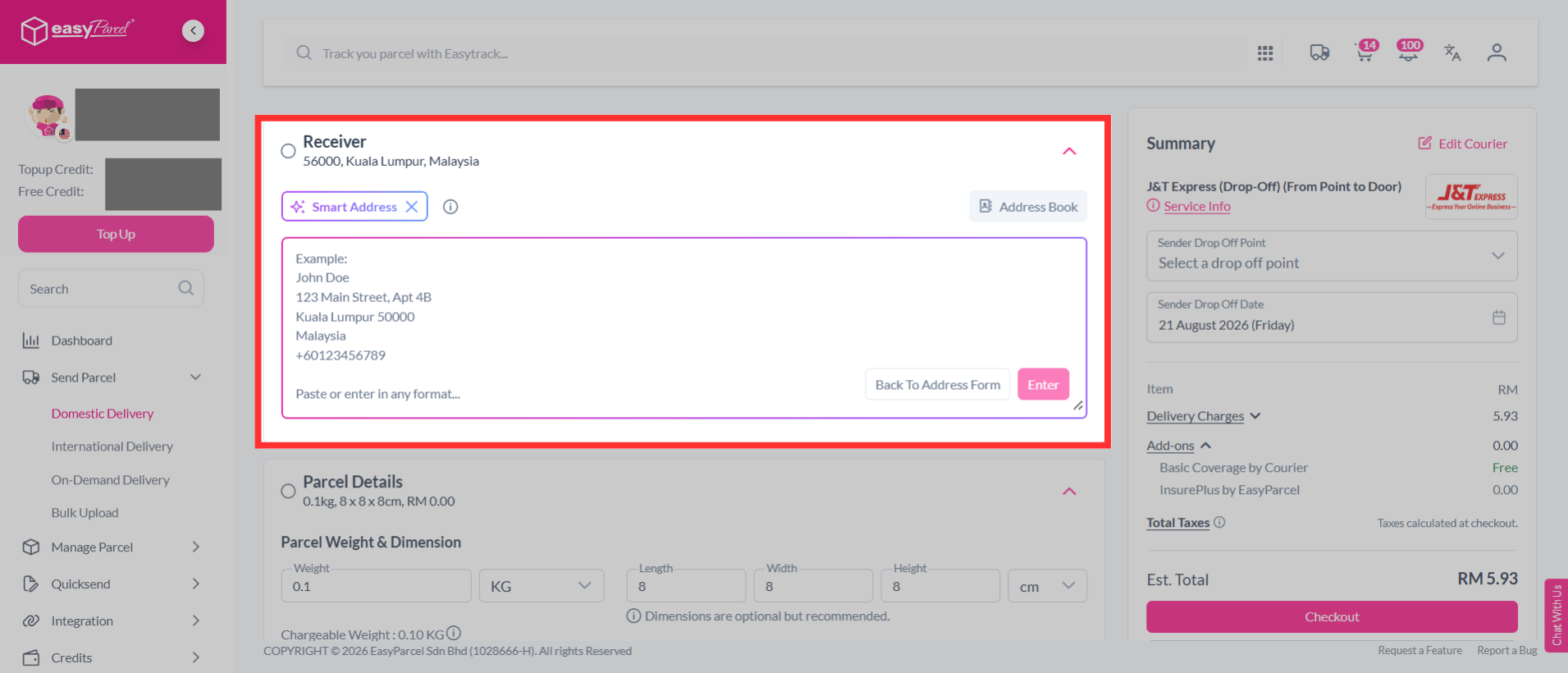
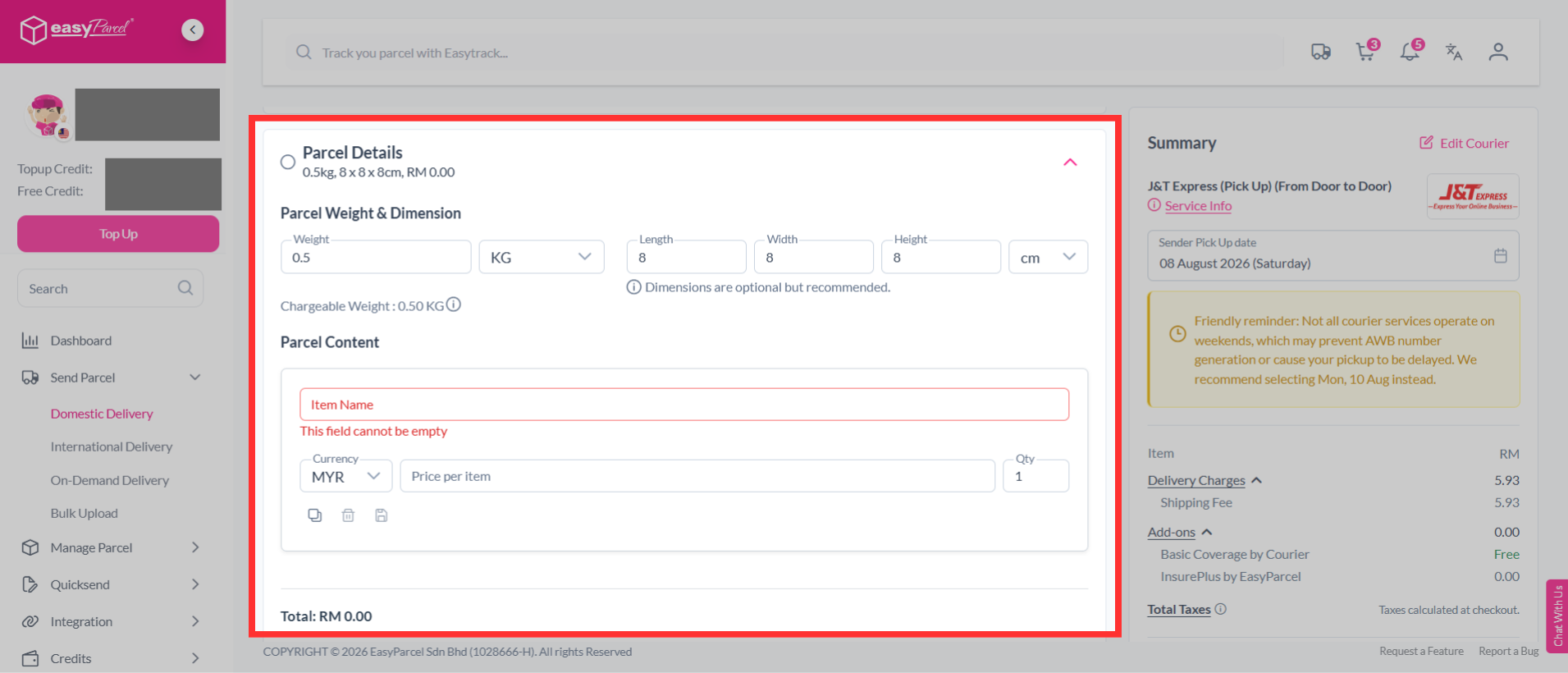
Step 6: Check your parcel weight & dimension. Fill in the parcel content and the value.
Note: For domestic deliveries to Sabah and Sarawak, there will be no duty tax charges. The invoice is provided for customer purposes and reference only.
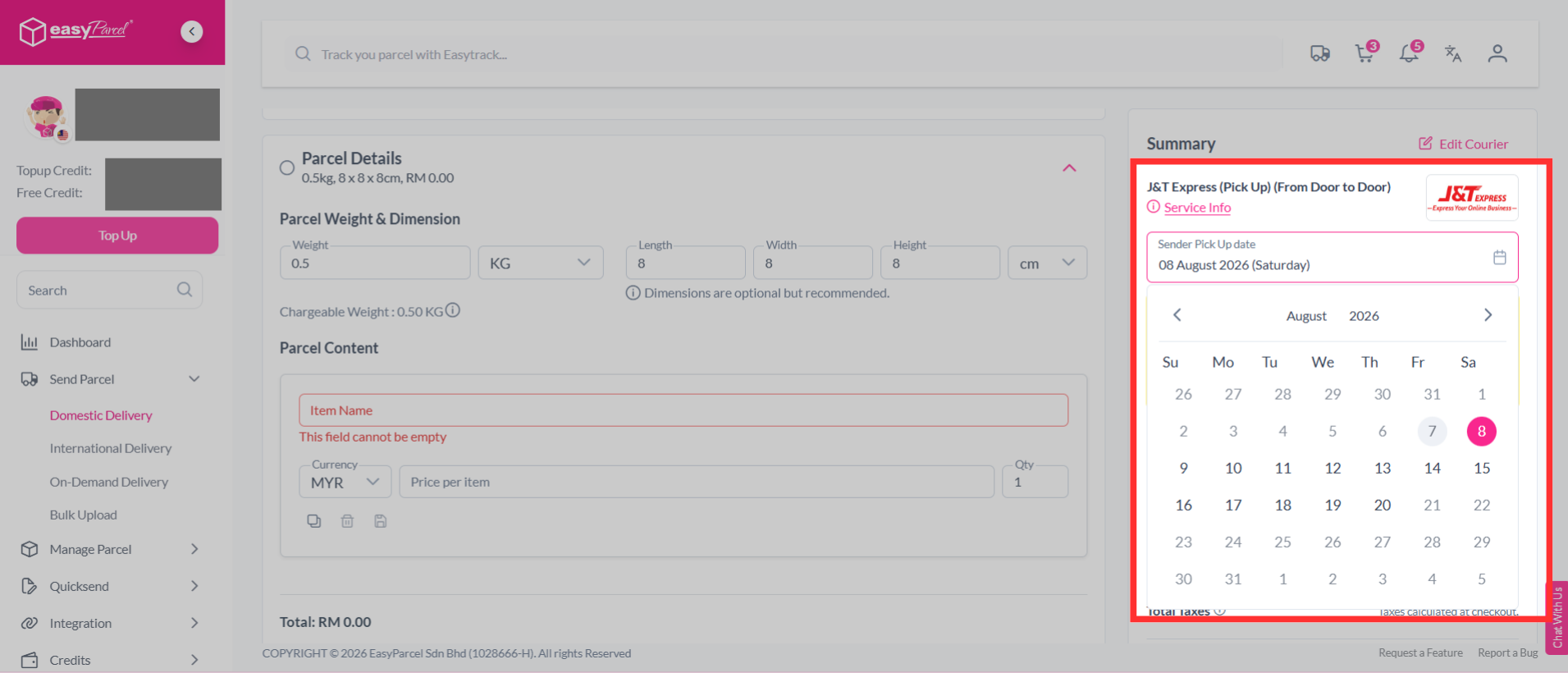
Step 7: Choose a pickup/drop-off date.
Note: Each courier has a specific minimum number of parcel requirements to pick up parcels from your doorstep. Kindly refer to the service information on our courier partners here.
Step 8: You can choose additional services to protect your parcel, keep customers updated and protect shipment details.
- Parcel Protection (EasyCover)
- By opting for EasyCover, you will be able to protect your shipments in cases of lost. This will be based on your parcels value or up to RM10,000, whichever is lower.
- Tracking SMS
- Notify your customers of their parcel's tracking number and status by activating tracking SMS.
- Tracking Email
- Send a tracking email to your customer once the order has been made.
- Tracking Whatapp
- Send your customers parcel tracking updates via WhatsApp.
- Privacy Masking
- Protect your sender and receiver information.
- Custom Air Waybill (AWB)
- Customise your Air Waybill (AWB) with your preferred details.
- Cash on Delivery (COD)
- Activate Cash on Delivery (COD) where drivers will collect the stated amount from receivers.
- Send Malaysia e-Invoice to Customer
- Send a Malaysia e-Invoice to your customer after completing the shipment.
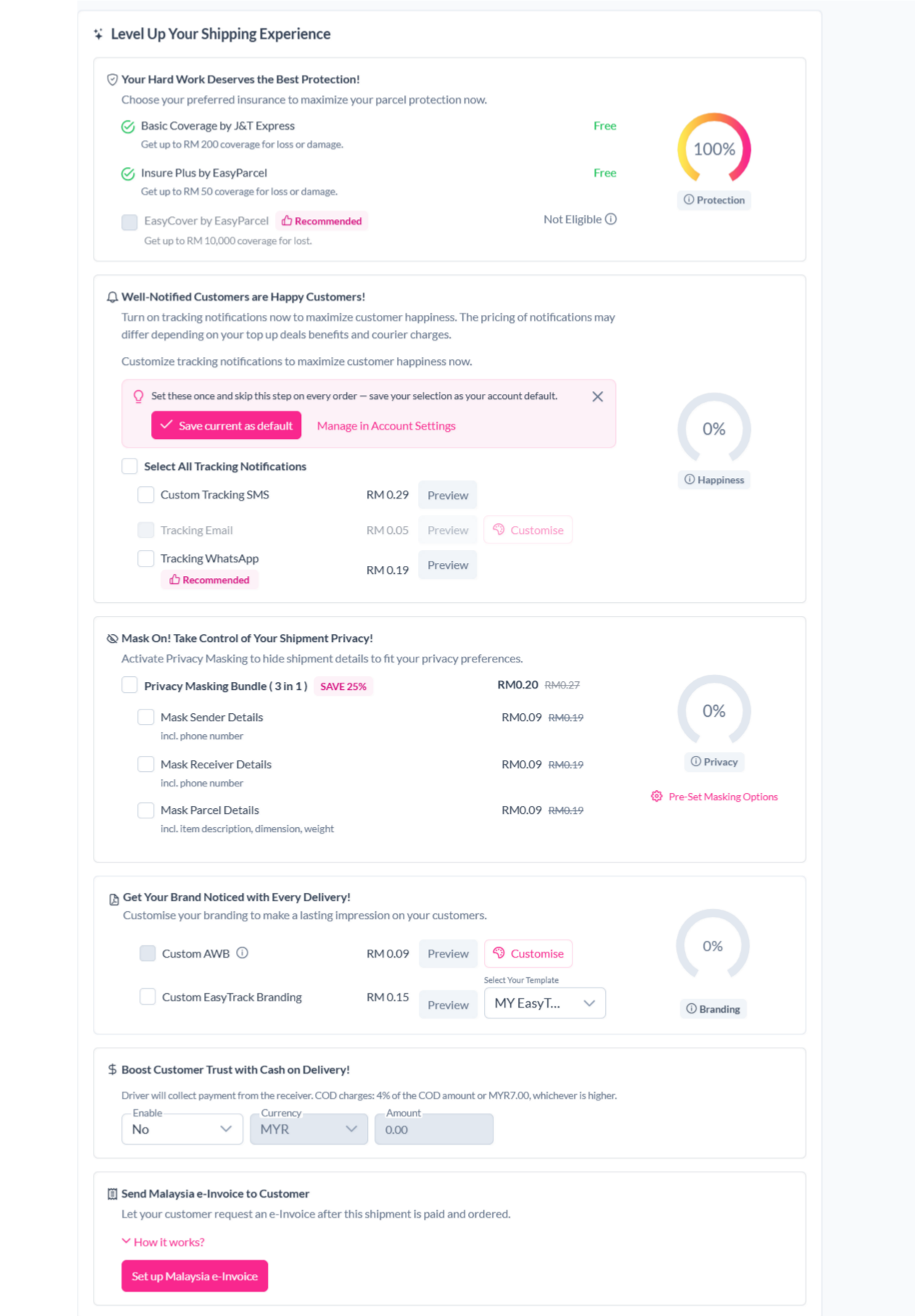
Step 9: Then continue with a click on the "Check Out" button.
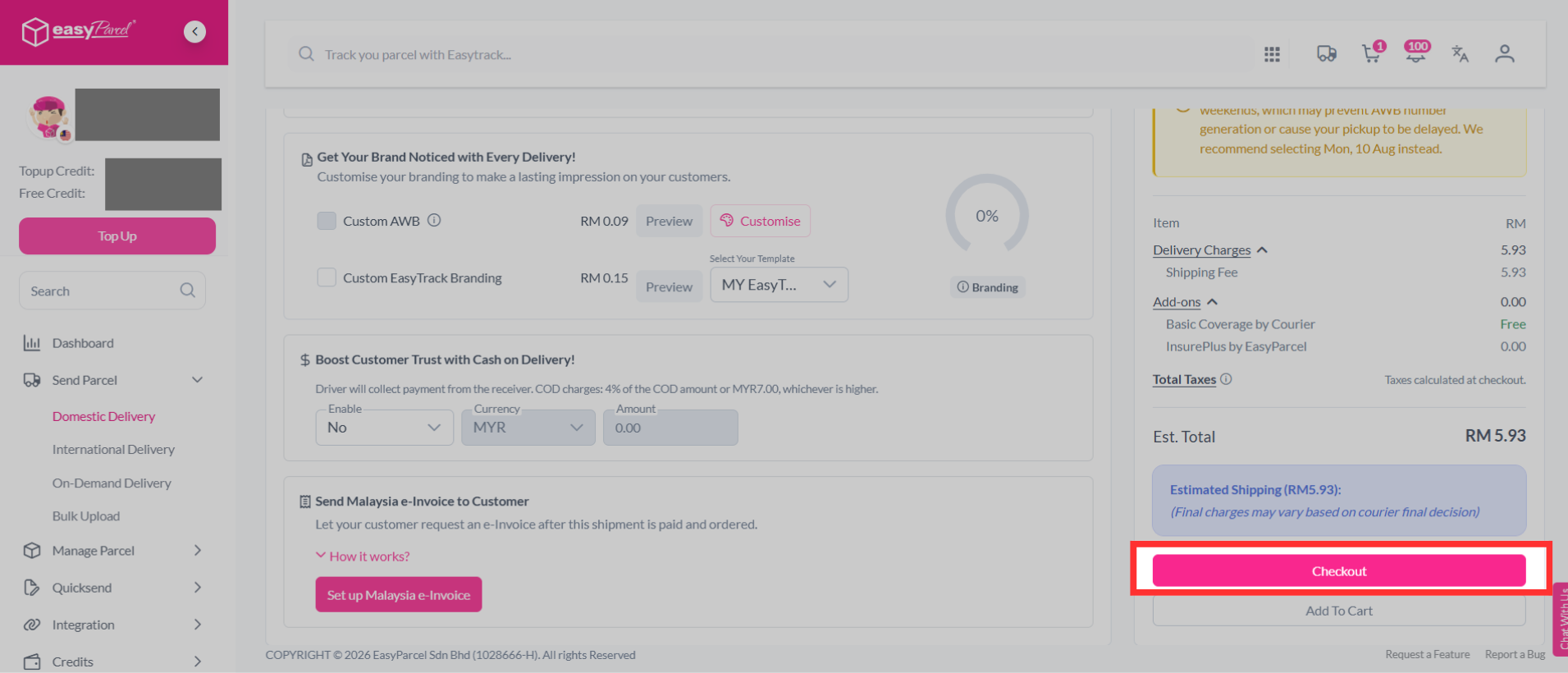
Step 10: Complete the booking and pay it.
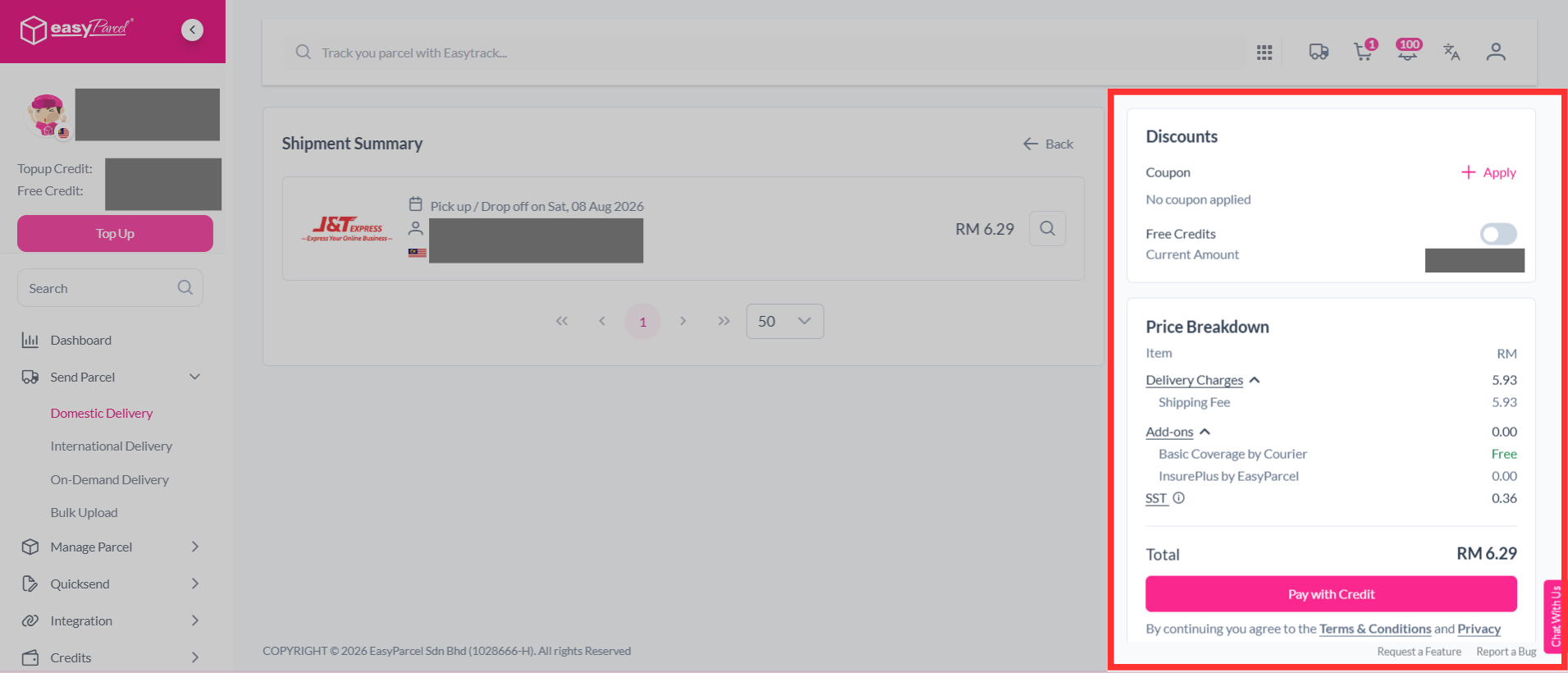
Step 11: You're done. Simply click "Continue to Print AWBs" to download your air waybill for printing.
If you've missed out step 11:
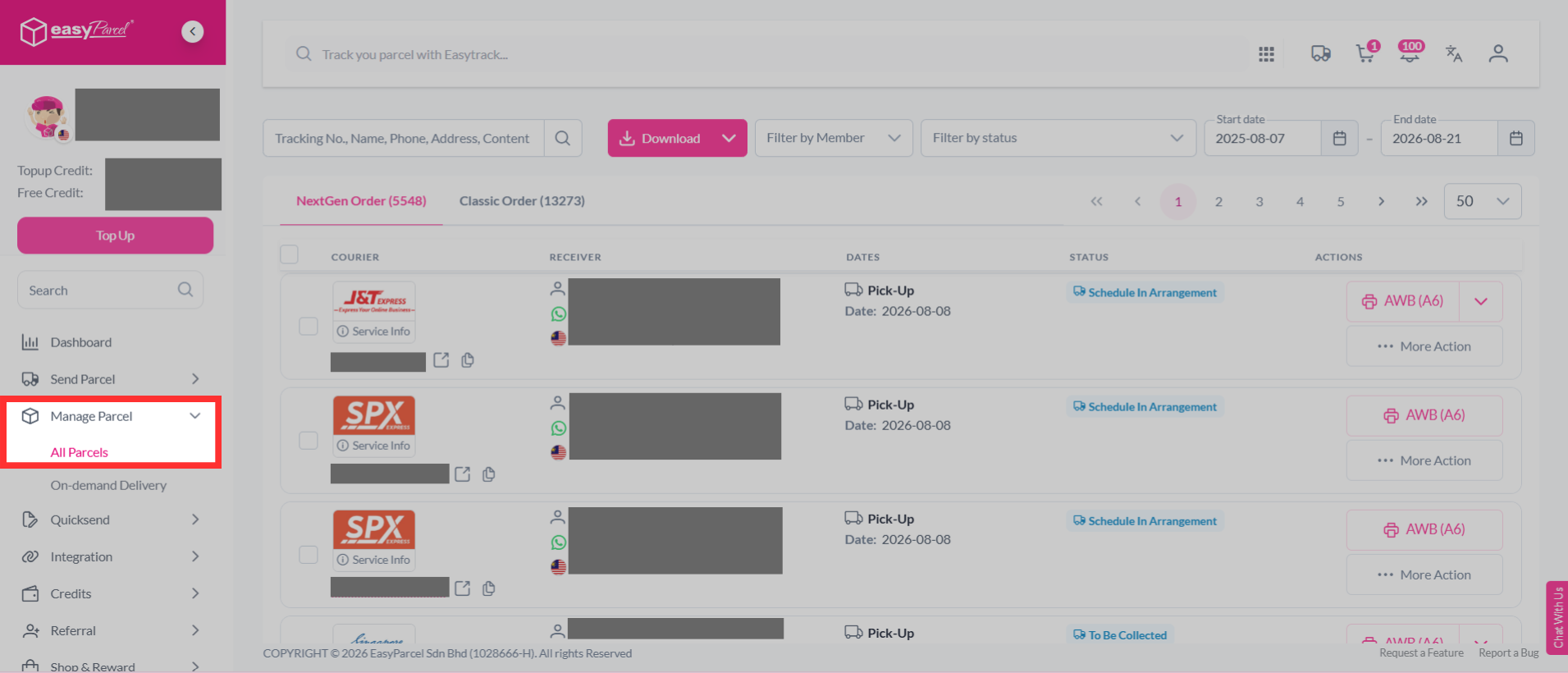
Step 1: Head over to "Manage Parcel", then click "All Parcels".
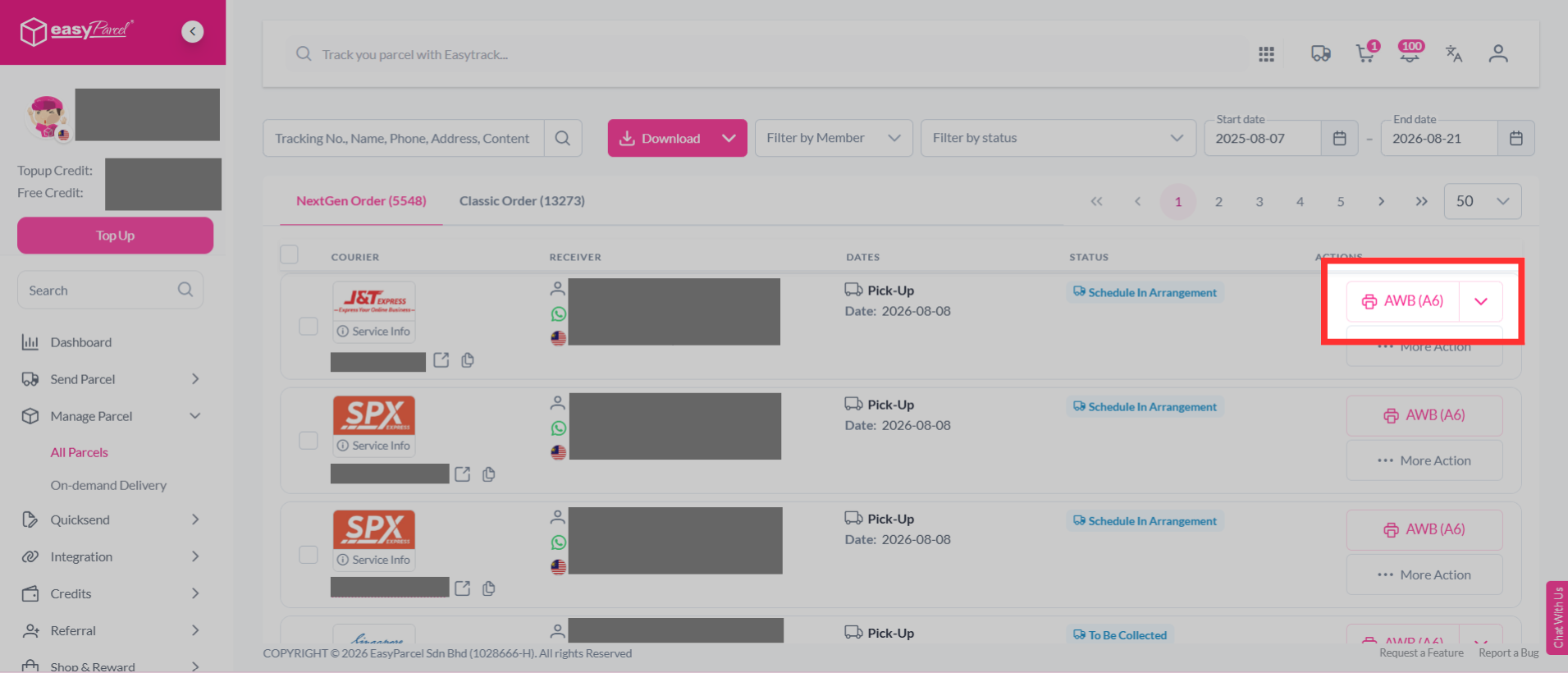
Step 2: Click the printer icon to download your air waybill.
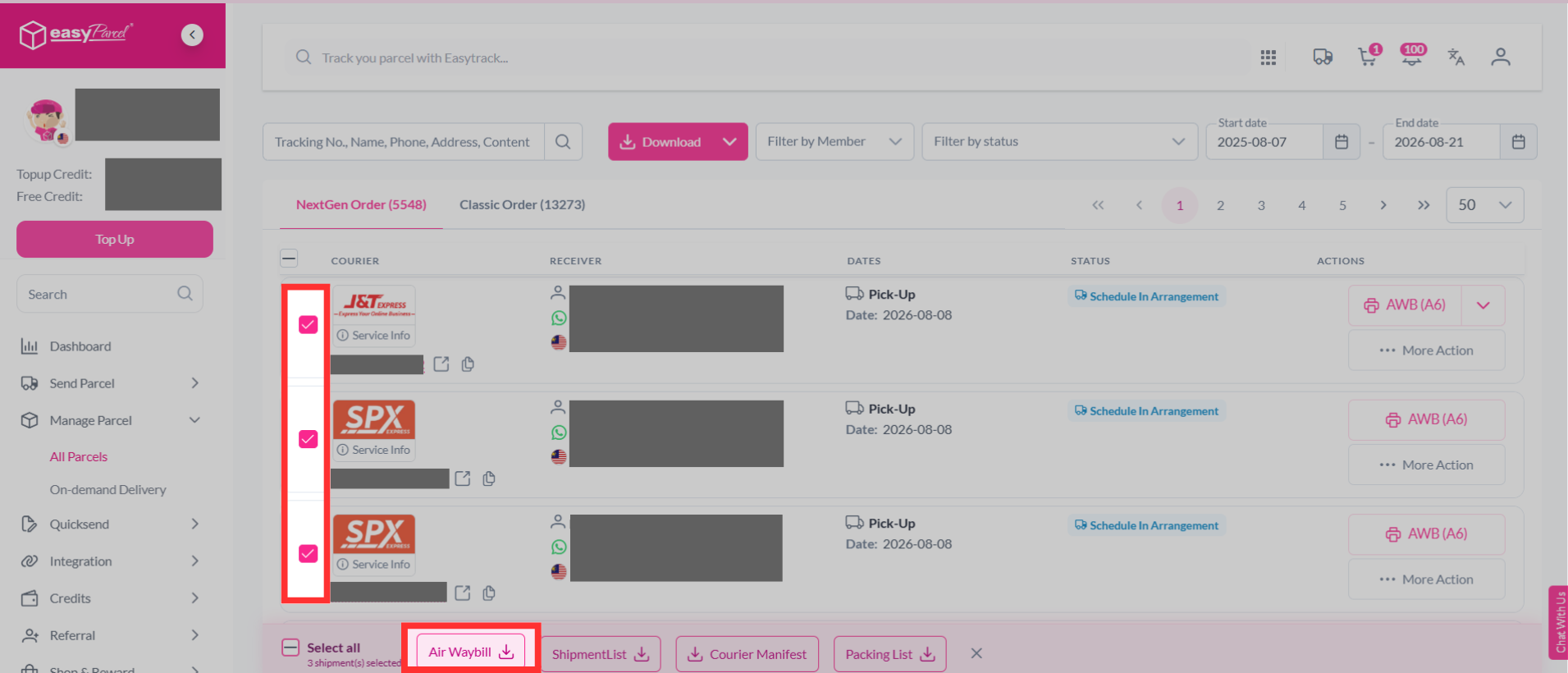
Step 3: You may also multi-select your orders to download the air waybills in bulk.
FAQ
- Q: What payment methods are available for booking?
A: You can complete the payment by clicking "Pay With Credit." Alternatively, you can use the instant payment option for faster processing, but keep in mind that it may come with additional charges. - Q: How do I select a courier for my parcel?
A: Once you've entered the parcel details, you can select a courier by clicking the "Book" button next to your preferred option. - Q: How do I choose the best courier for my delivery?
A: Choosing the best courier depends on your delivery needs. We offer a variety of courier partners such as J&T, DHL, Pos Laju and more. - Q: How do I confirm my booking?
A: After reviewing your parcel details, click the "Check Out" button, then complete your payment by selecting "Pay With Credit." - Q: Can I send multiple parcels at once?
A: Yes, you can send multiple parcels at once by using the file upload option for bulk parcel shipments. - Q: What items are allowed for domestic shipping?
A: You can ship most items domestically as long as they are not dangerous, explosive, or provocative. To ensure your items are acceptable, check our Domestic - Prohibited Item List for details. - Q: What steps should I follow after creating a parcel on EasyParcel?
A: After creating a parcel, you should print the Air Waybill (AWB), pack your parcel, and track its progress. For detailed instructions on these steps, check out our guide here.
And there you have it! You've successfully sent domestic parcels. We're really excited for you! We hope this guide was helpful but if you still have questions, don't worry – we've got you covered. Check out our other articles or reach out to our friendly support team. We're happy to help you every step of the way!
Read Next: Learn how to send international parcel via international delivery.