
Quick Summary
EasyParcel parcel delays are typically caused by high courier volume during peak seasons, adverse weather conditions disrupting logistics, or issues with documentation (especially for international shipments). Other common reasons include courier pick-up failures, incomplete addresses, or shipments containing prohibited items.
Parcel delays can be frustrating, but understanding the common reasons can help you address them effectively. Here are some potential reasons for delays and how EasyParcel can assist:
Common Reasons For Parcel Delays
High Volume Periods: During peak seasons such as holidays, couriers handle a significantly higher volume of parcels, which can cause delays.
Weather Conditions: Adverse weather, such as storms or floods, can disrupt courier routes and schedules.
Customs Clearance: International shipments may be delayed at customs due to documentation issues or random checks.
Missed Pick Up: If the courier couldn't collect your parcel as scheduled, it might be delayed until the next available pick-up time.
Incorrect or Incomplete Address: Ensure that all shipping details are accurate to avoid misdelivery and delays.
Bag Opened (PosLaju Only): If you notice that your parcel bag was opened, it indicates the bag was opened for inspection or processing. This is a normal part of the shipping process and does not necessarily mean your parcel is damaged or missing.
What to do when my parcel is delayed
Check Tracking Information: Visit the EasyTrack page and enter your tracking number to see the latest updates. For On-Demand parcel, you can track the real-live progress.
Verify Shipping Details: Ensure that the address and recipient information are correct.
Notifications: Stay updated with email notifications about your parcel's status, including any delays.
Contact Support: If there's no update for an extended period, reach out to our support team via the contact form, where our dedicated team will help to resolve the issue. Learn when and how you can report the parcel delay.
If there’s a delay in your parcel delivery, you can report the issue easily through your EasyParcel account. Follow these steps to submit a report, and our customer support team will work with the courier to resolve the issue.
Solution 1 (Recommended)
Step 1: Log in to your account, head over to "Manage Parcel", then click on "All Parcels".
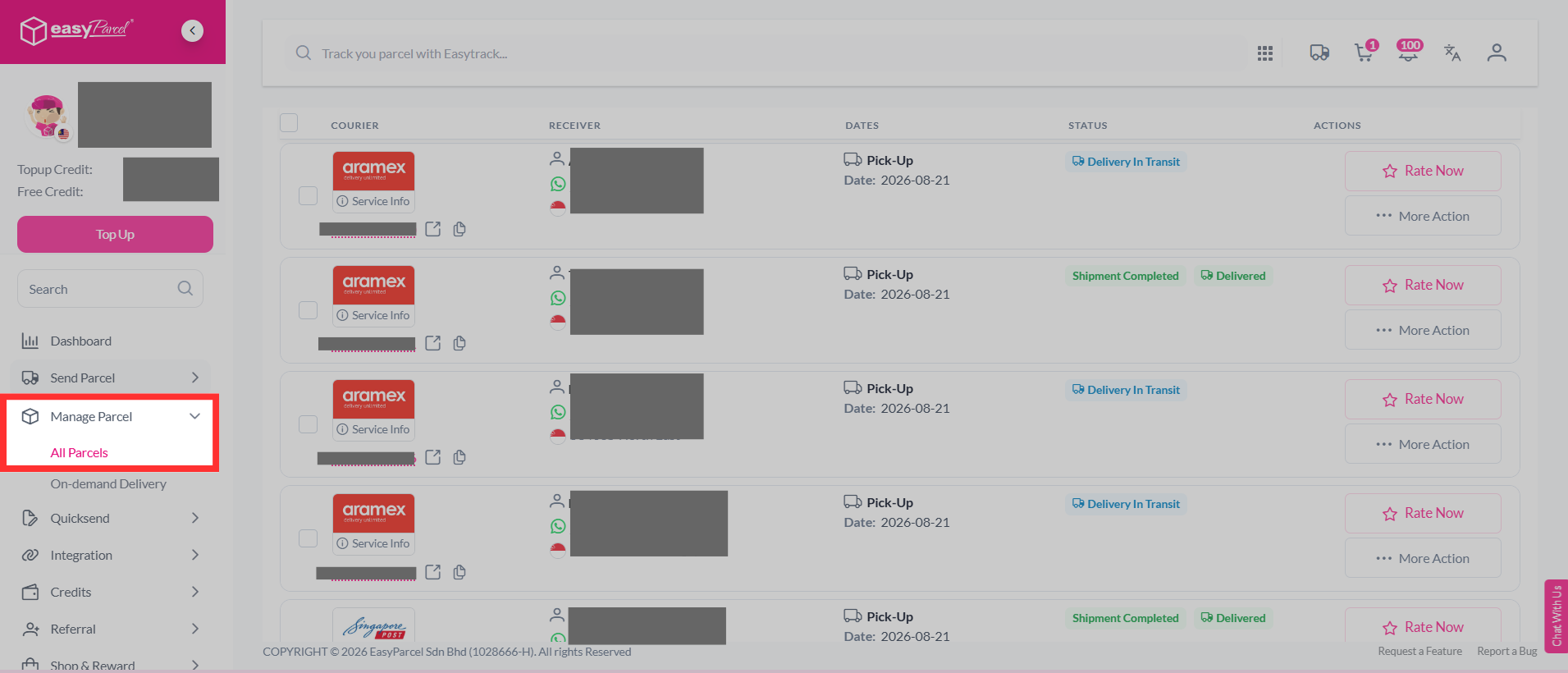
Step 2: Select the parcel you want to report, click "More Actions", and select "Report".
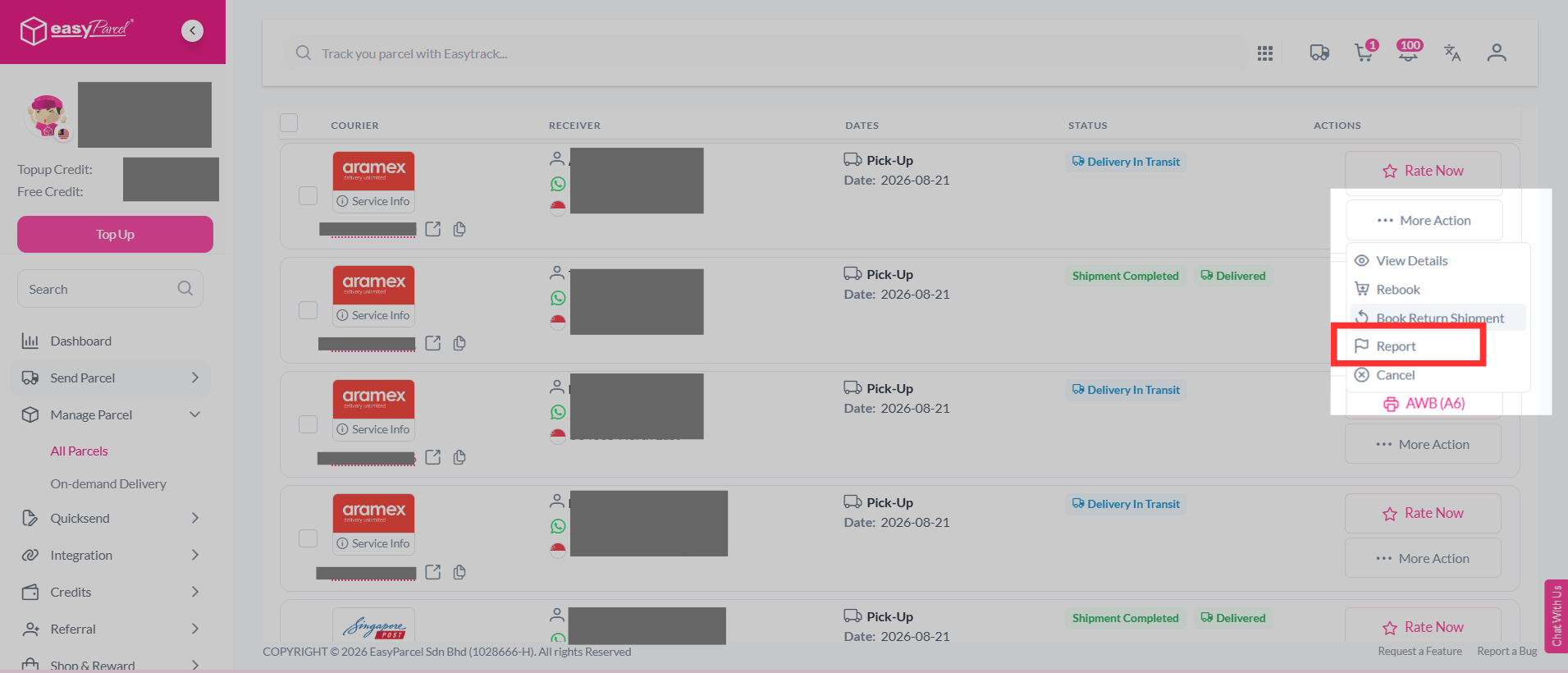
Step 3: Select the "Parcel Delivery - late delivery/delivery issue".
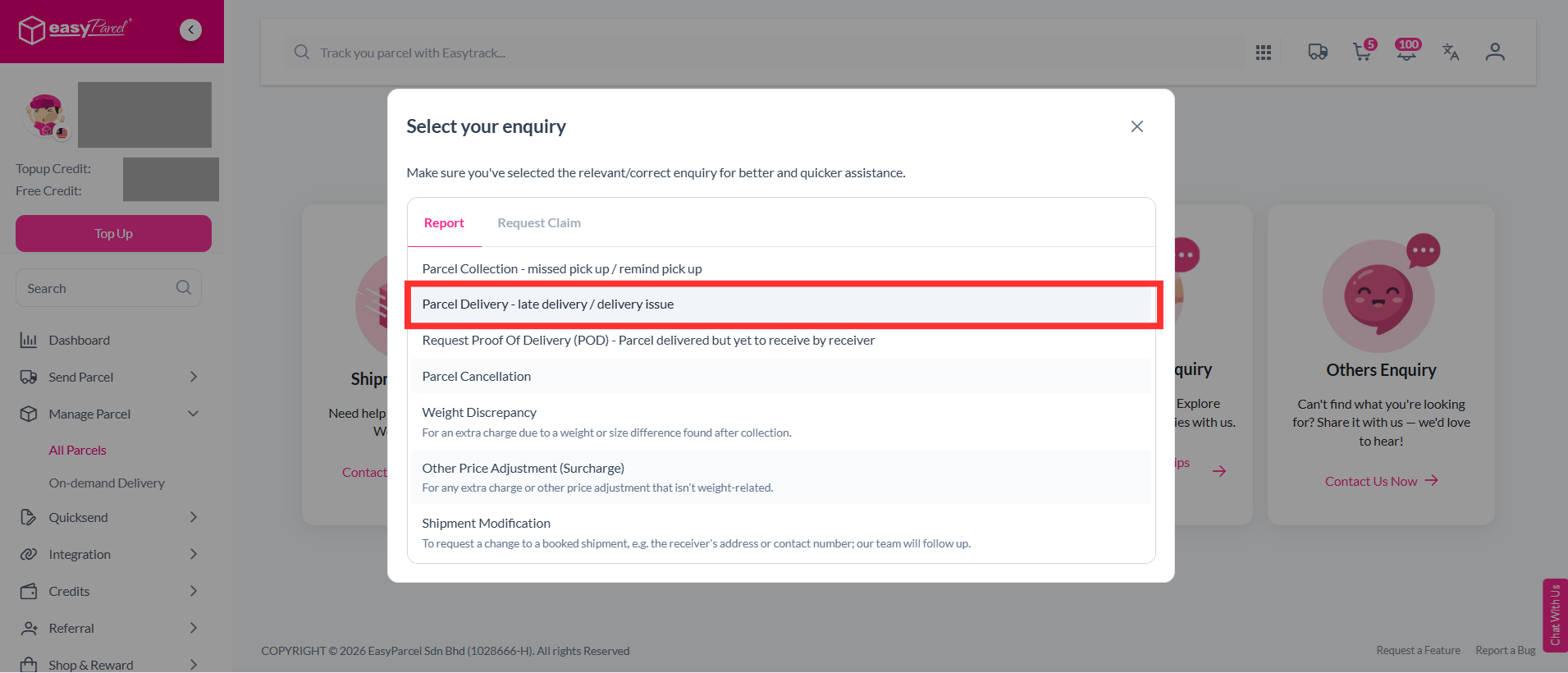
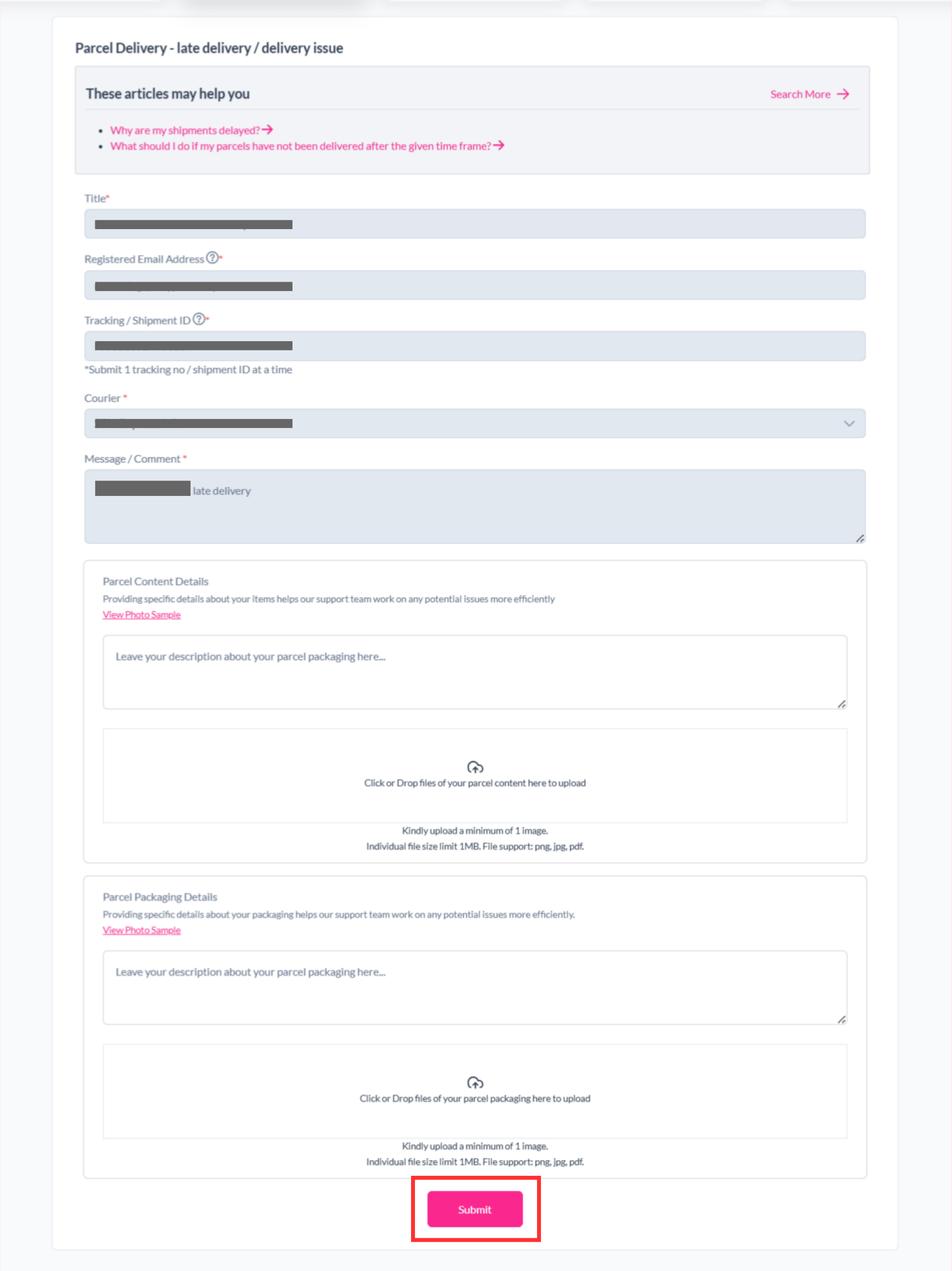
Step 4: Our system will automatically fill in the details. Attach the required screenshot and click "Submit".
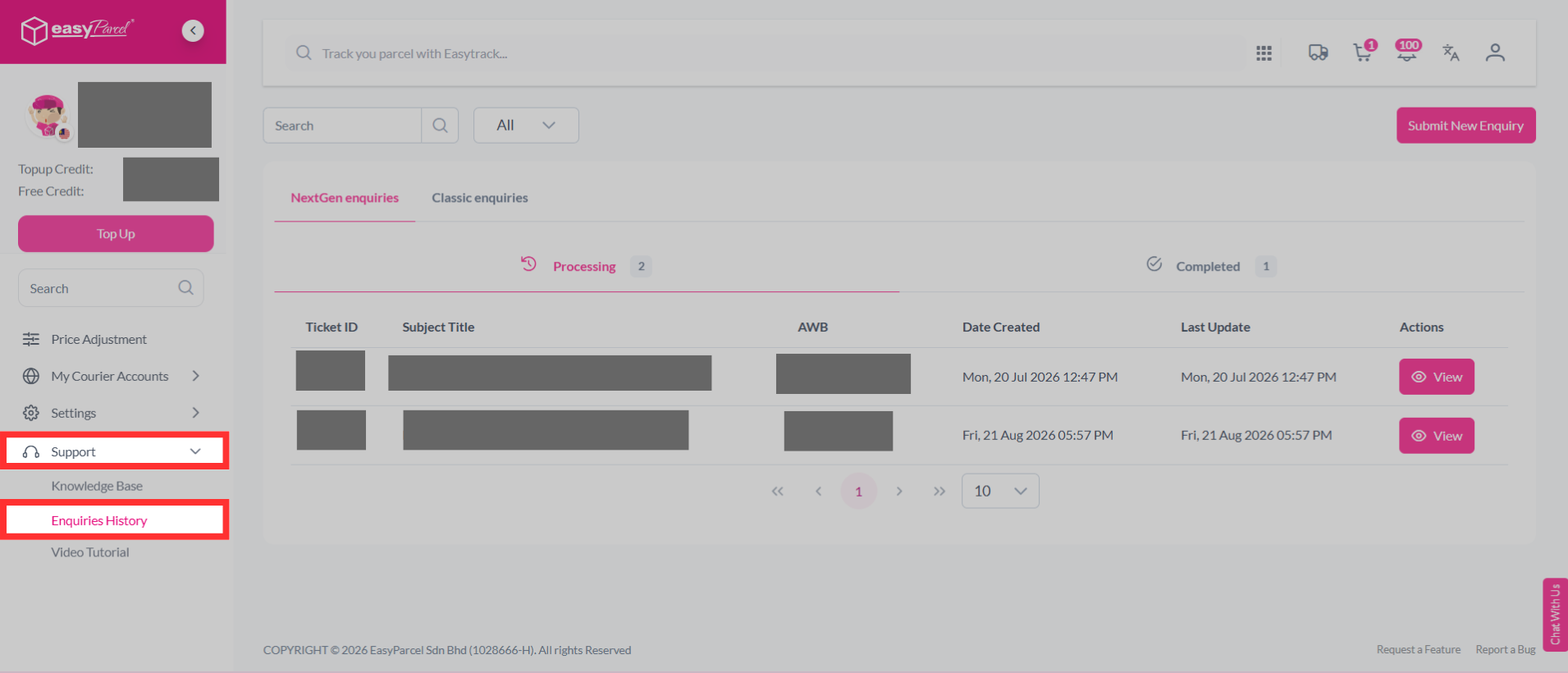
Step 5: Your report has been submitted to our support team and you can track the parcel report status by clicking on "Support" > "Enquiries History".
Solution 2
Step 1: Visit our Contact Us website at https://app.easyparcel.com/my/en/contact-us/
Step 2: After entering the website, click on "Shipment Enquiry".

Step 3: Next, select whether your parcel is a domestic or international shipment.

Step 4: A list of options will appear prior to selecting your inquiry type. From there, select "Parcel Delivery - late delivery/delivery issue".
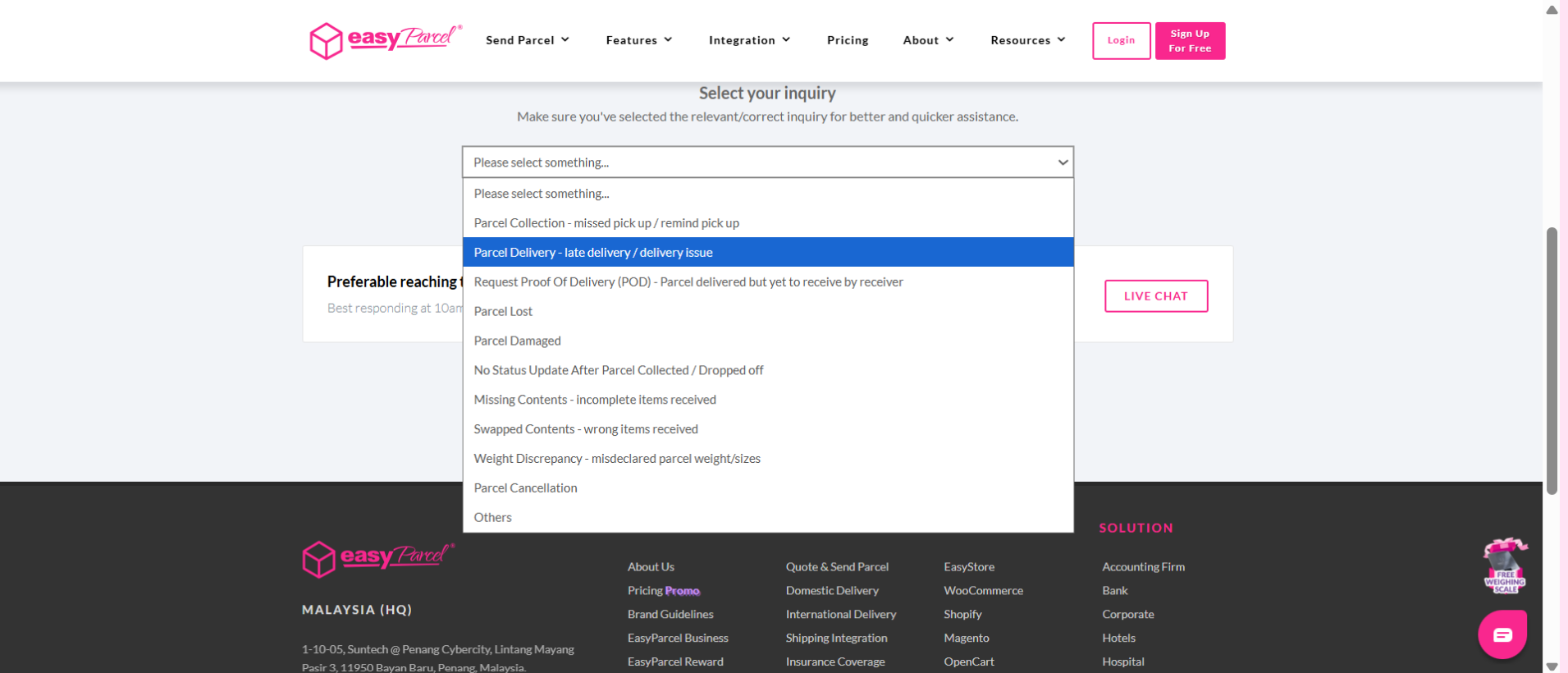
Step 5: Fill up the form, upload the required documents. Once submitted, our customer support team will approach you accordingly via your ticket ID where it can be found in your email.

FAQ
- Q: What should I do if my parcel is lost?
A: If your parcel is lost, log in to your EasyParcel account, go to "Manage Parcel", and report it. You can also visit our Contact Us page for further assistance. For more information, check out our article. - Q: When should I report my delayed parcel?
A: You should report your parcel if it has exceeded 3 working days with no movement. Additionally, if it has been 15-25 days since the pick-up date and there’s still no movement, you can submit a Lost Claim if the courier confirms the parcel is lost. For more information, check out our article. - Q: How to check my reported issues status?
A: To check the status of your parcel report, log into your EasyParcel account, go to 'Support' at the bottom of the side column, then click on 'Customer Support'. From there, select 'Parcel Report' and click on 'Message Board' to view your submitted reports and their statuses.
And that’s it! You now have a better understanding of why your parcel might be delayed and what steps to take. We hope this guide was helpful. If you have any further questions, feel free to explore our other articles or reach out to our dedicated support team. We're here to assist you every step of the way!
Read Next: What should I do if my parcels have not been delivered after the given time frame?