1. Introduction
Hey EasyParcel fam! Interested in integrating EasyParcel with BigSeller? You’re in the right place. This article provides a comprehensive guide for you. Follow along with our detailed steps outlined below. With this integration, you can seamlessly connect EasyParcel to handle your eCommerce platforms.
Note: Before you ship orders with EasyParcel, please ensure that there is sufficient balance in your EasyParcel account.
2. How to integrate with BigSeller?
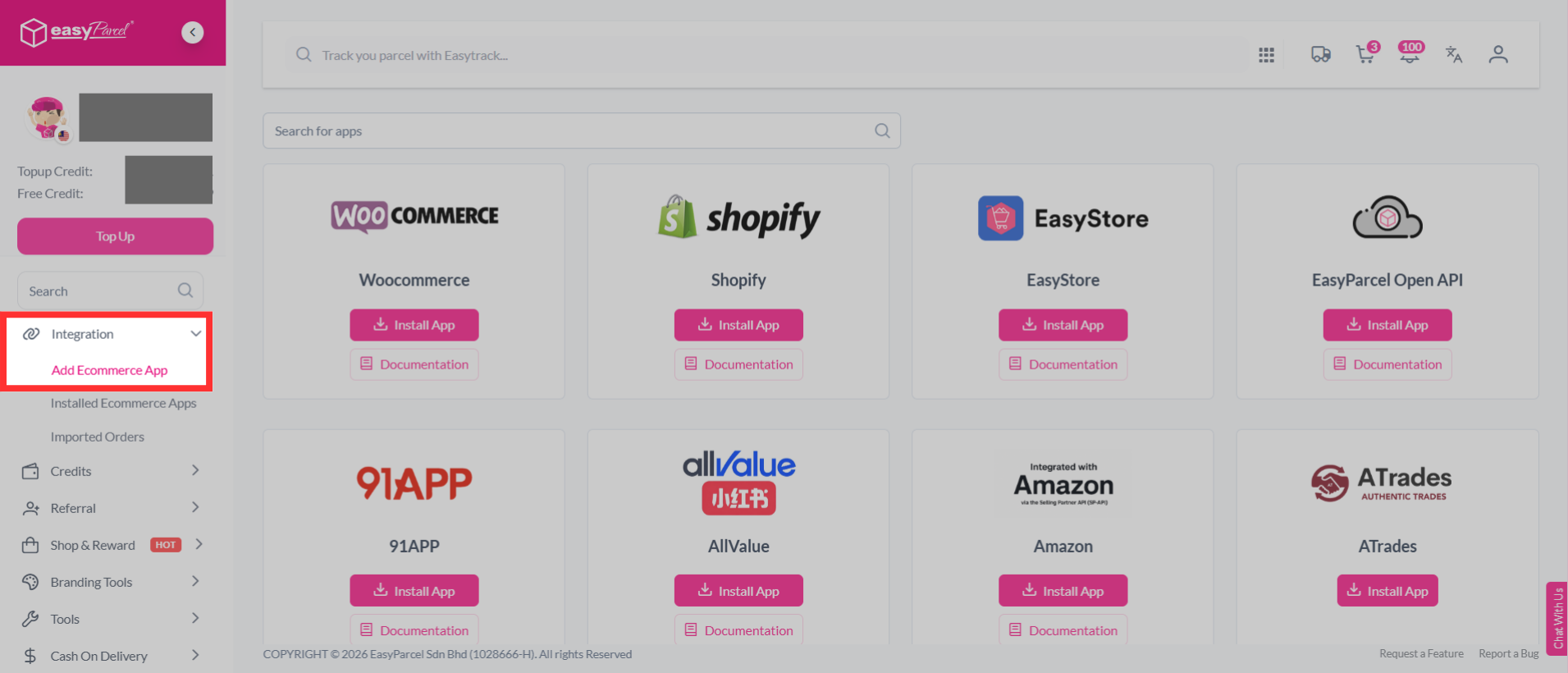
Step 1: Register an EasyParcel account or log in to your EasyParcel account, go to "Integration", click "Add Ecommerce App".
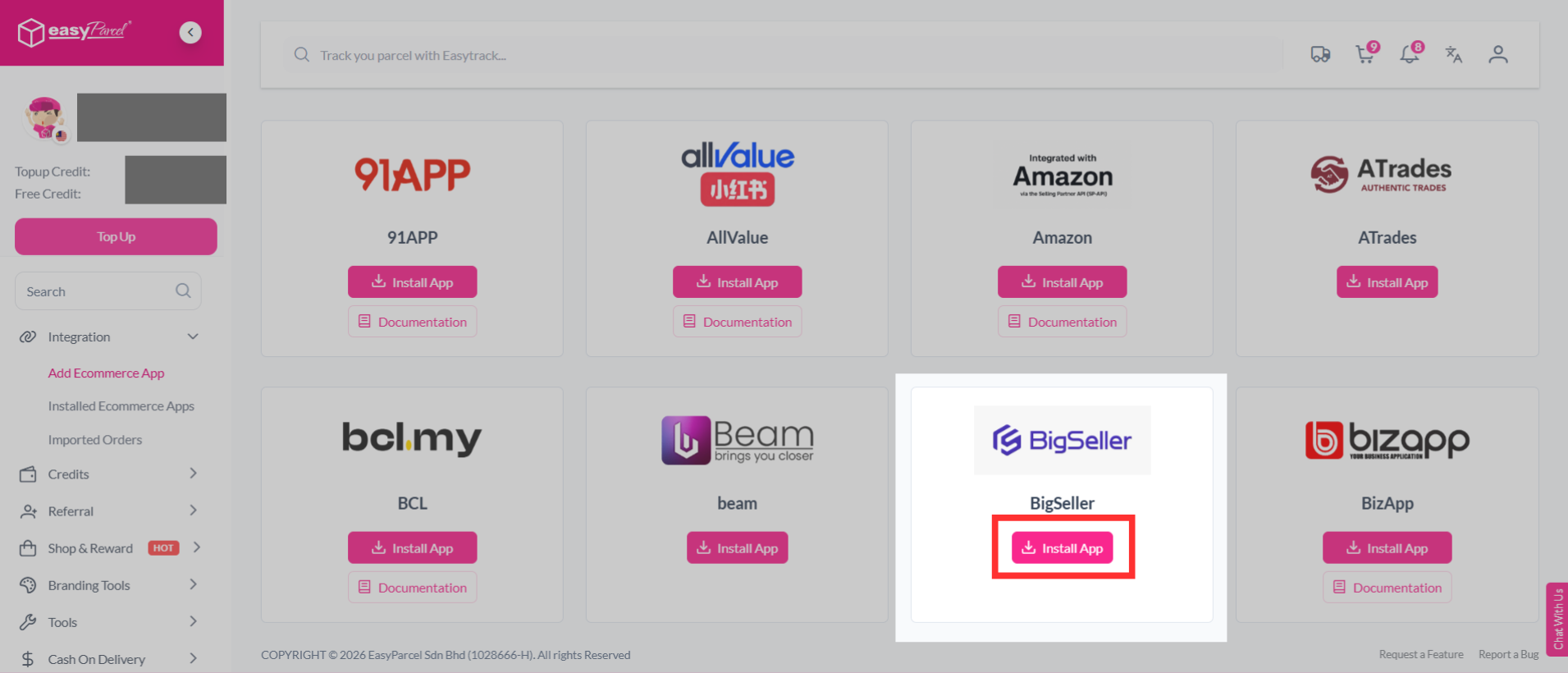
Step 2: Find "BigSeller" from the list, and click "Install App".
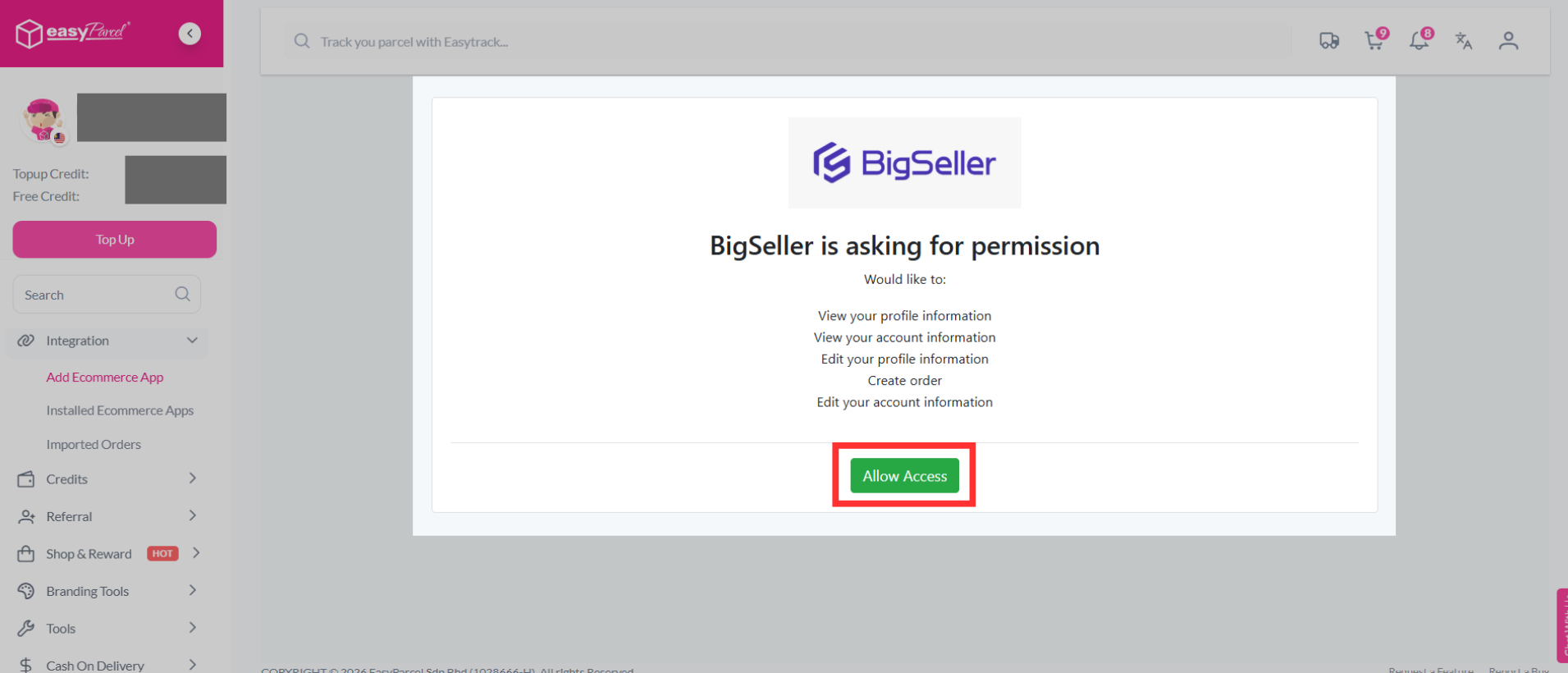
Step 3: BigSeller will ask for permission to connect with EasyParcel. Review the requested permissions, then click "Allow Access" to continue.
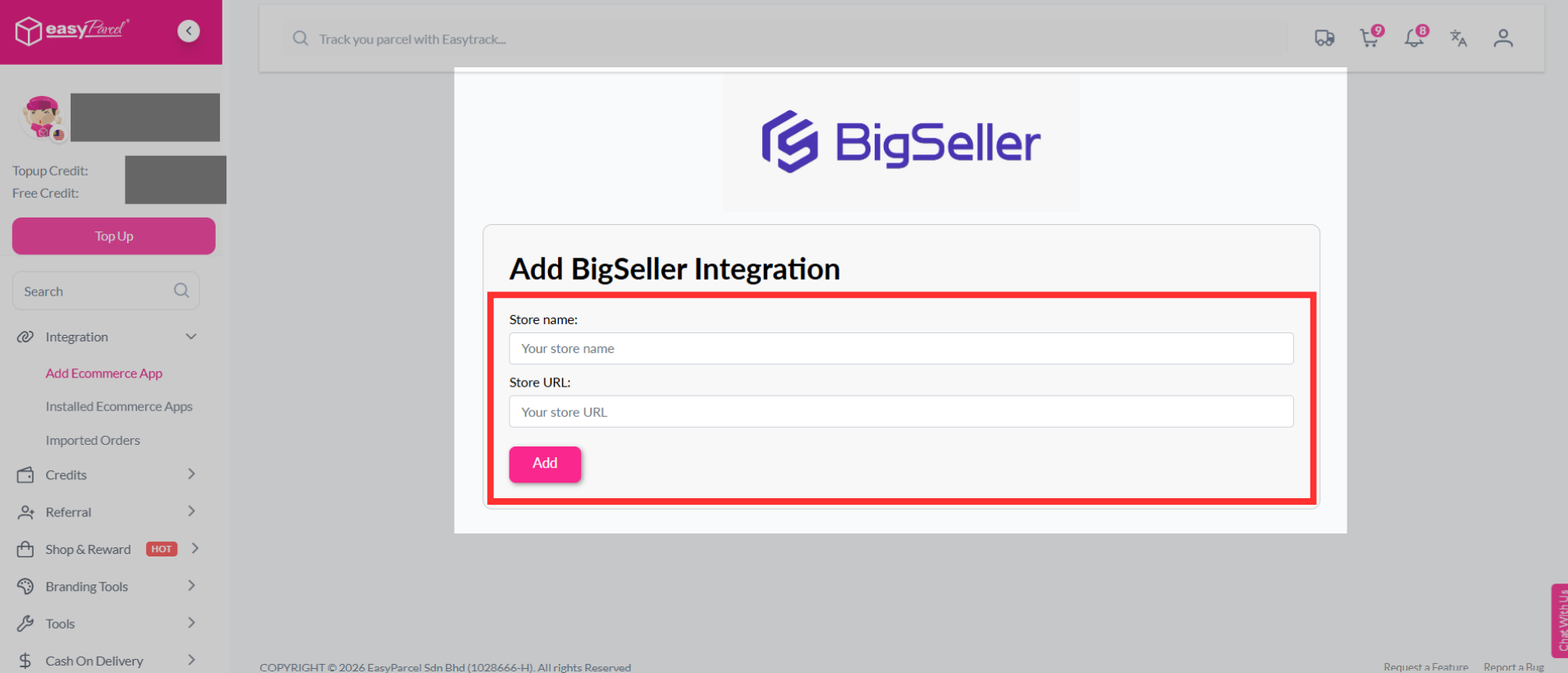
Step 4: Fill in your store’s name and store URL, then click "Add" to continue.
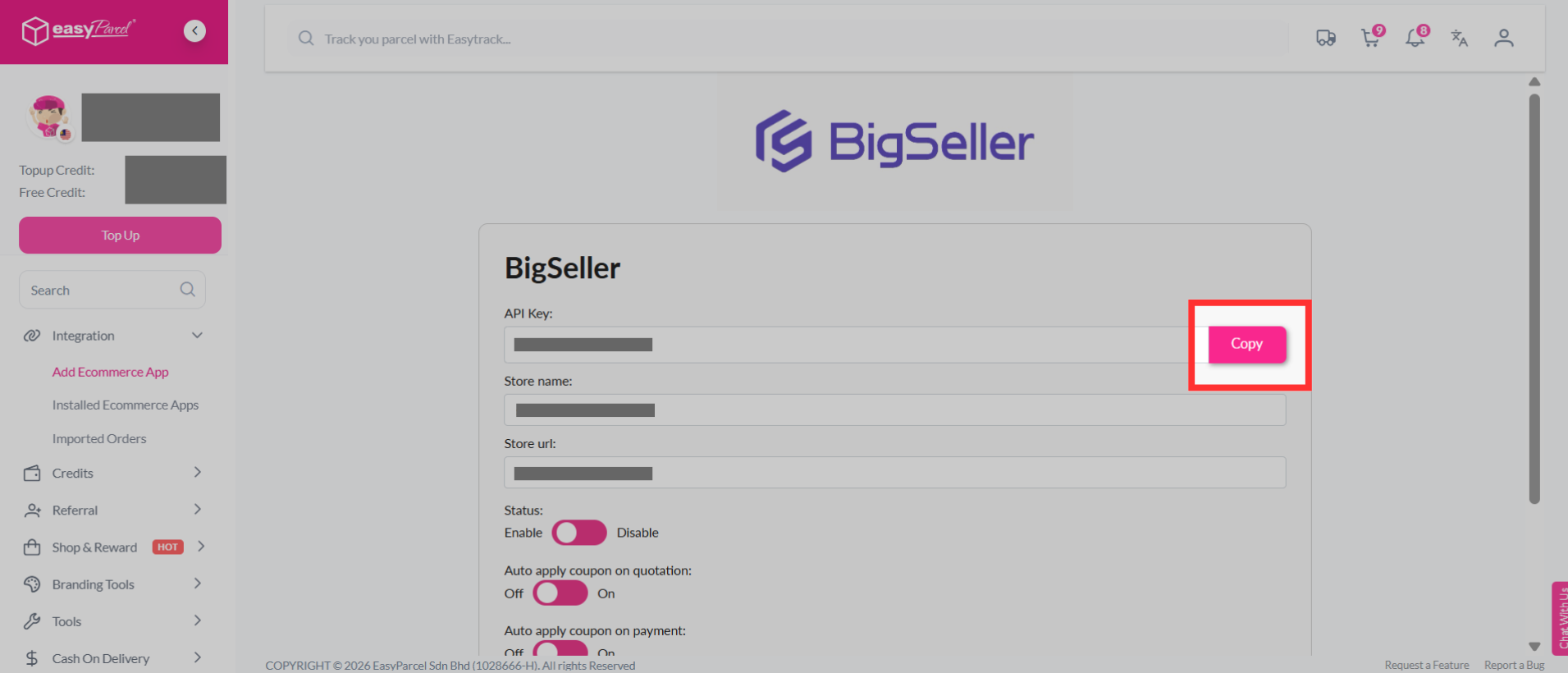
Step 5: EasyParcel will generate a unique Integration ID (API Key) for your store. Copy the Integration ID, as you will need to paste it into the BigSeller.
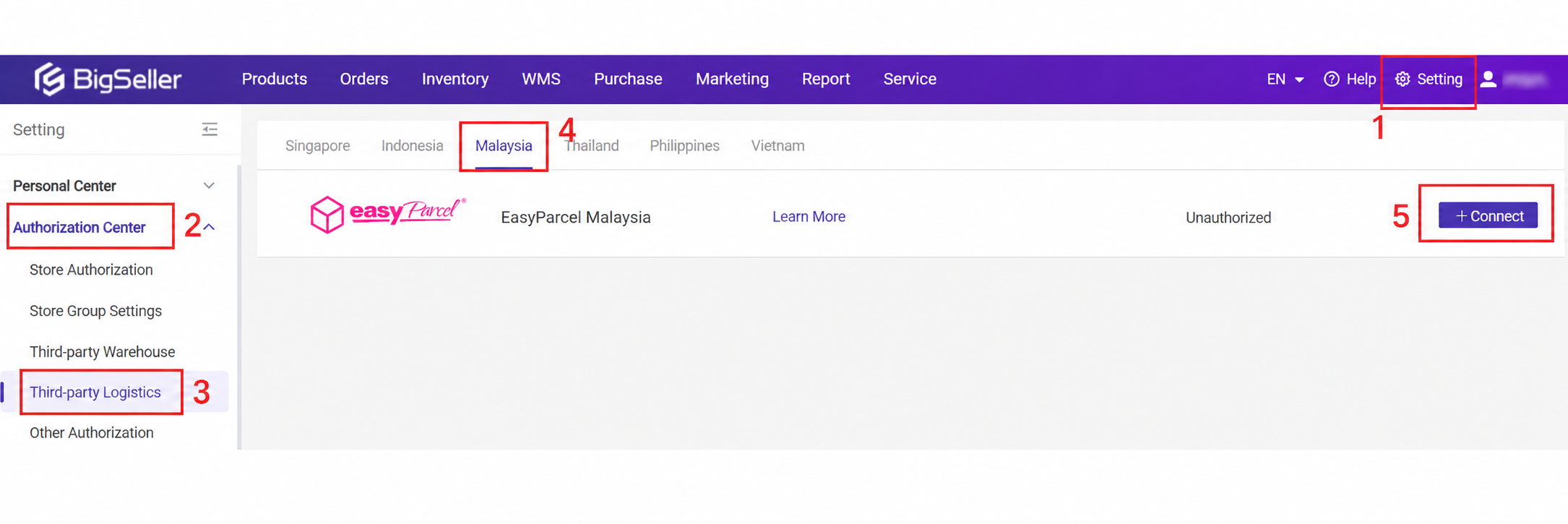
Step 6: Log in to your BigSeller account, navigate to the "Settings", then to the "Authorization Center", select "Third-party Logistics", choose "Malaysia", and click on "EasyParcel Malaysia", followed by "Connect".
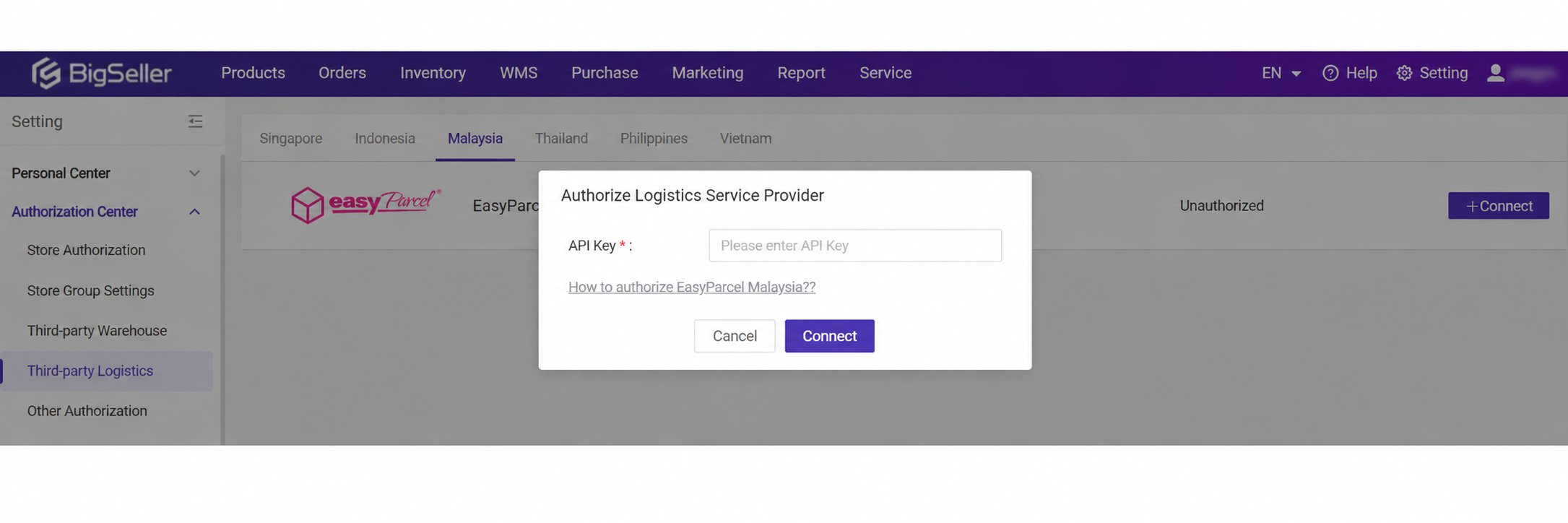
Step 7: Fill in your API Key / Integration ID.
Note: The API Key copied from EasyParcel will be placed as the API Key here.
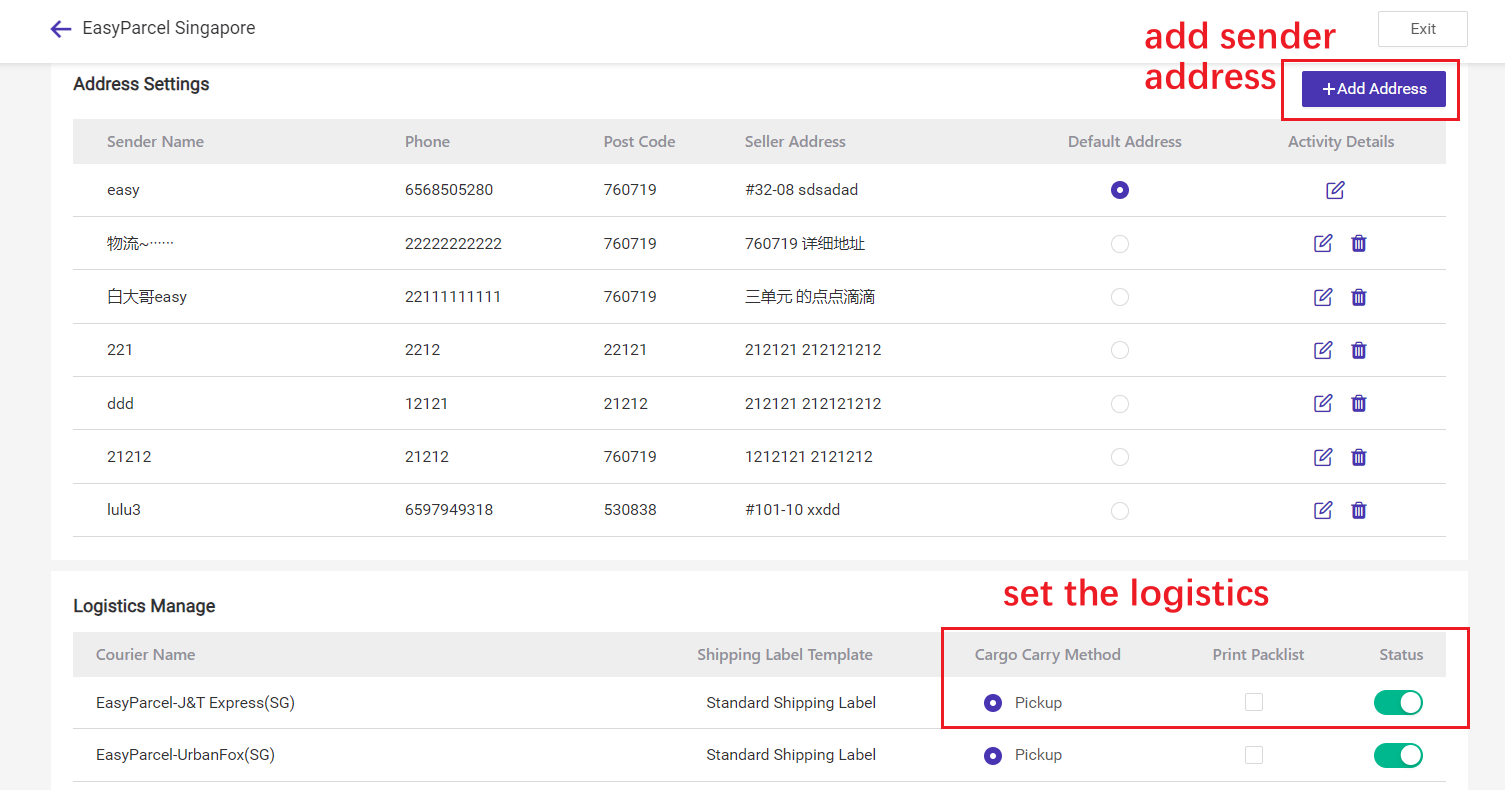
Step 8: Next, set shipping info by clicking the "Edit" button, then add sender address and set the logistics.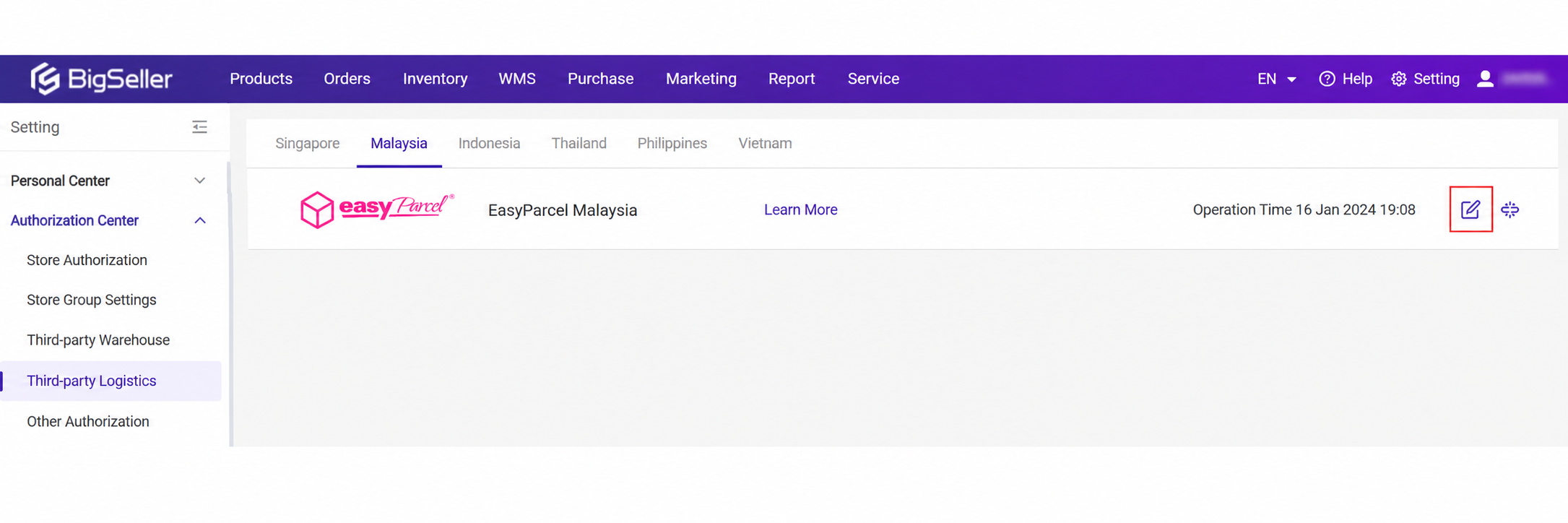
3. Custom Shipping Rate Settings
Single Order
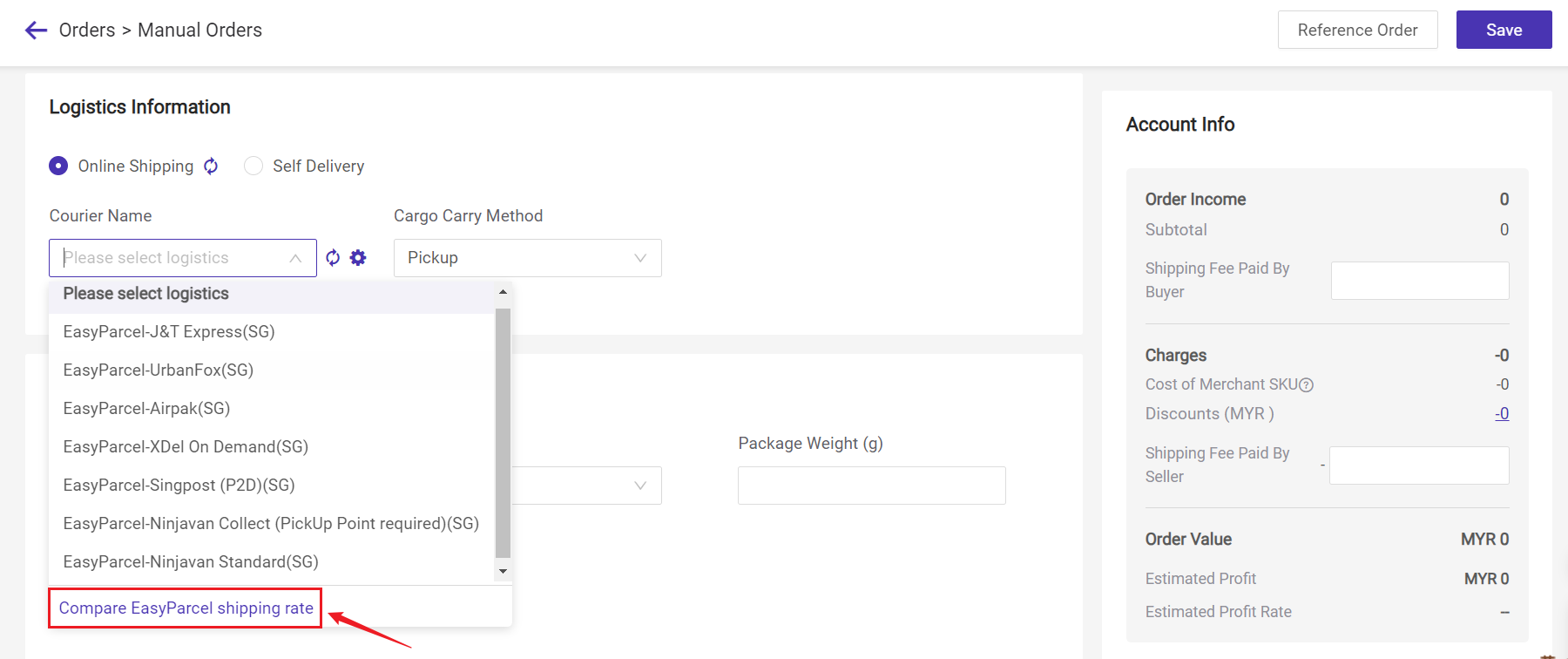
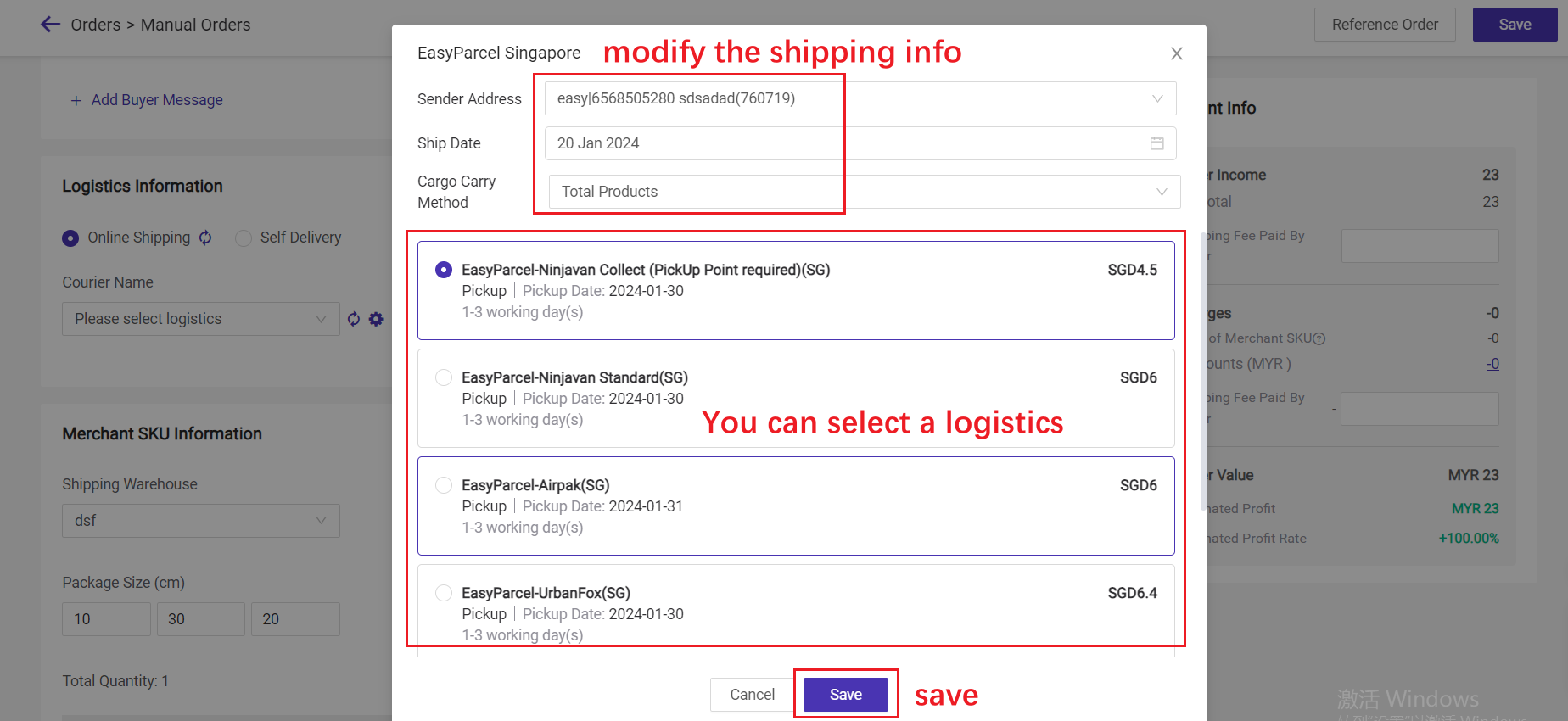
After filling in the buyer info and Merchant SKU info, you can click "Compare EasyParcel shipping rate" to choose logistics based on the shipping fee.
Bulk Modification
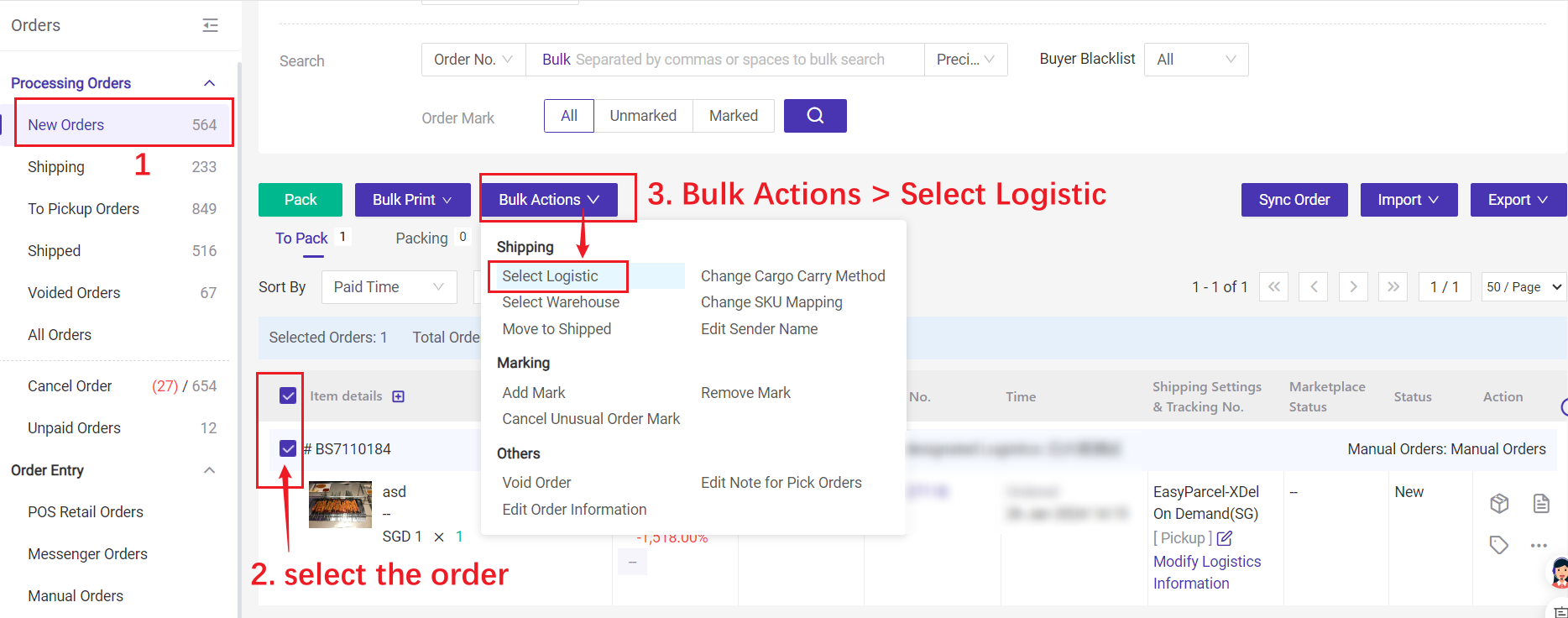
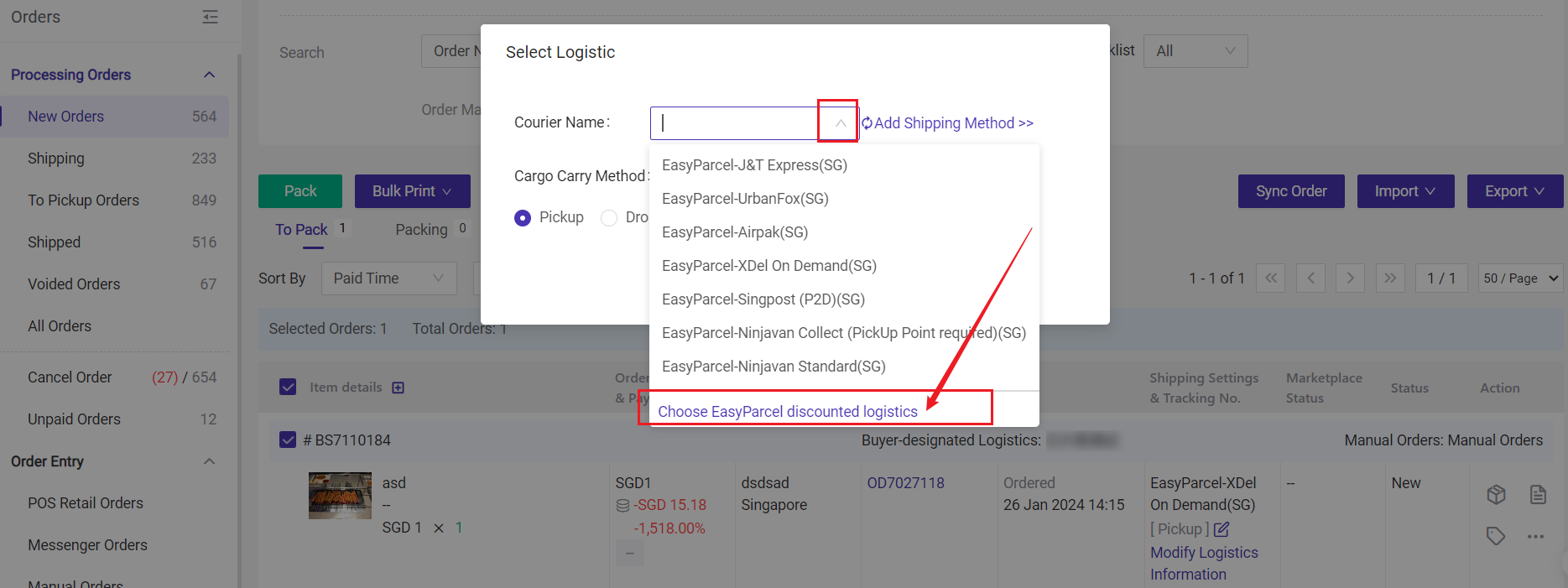
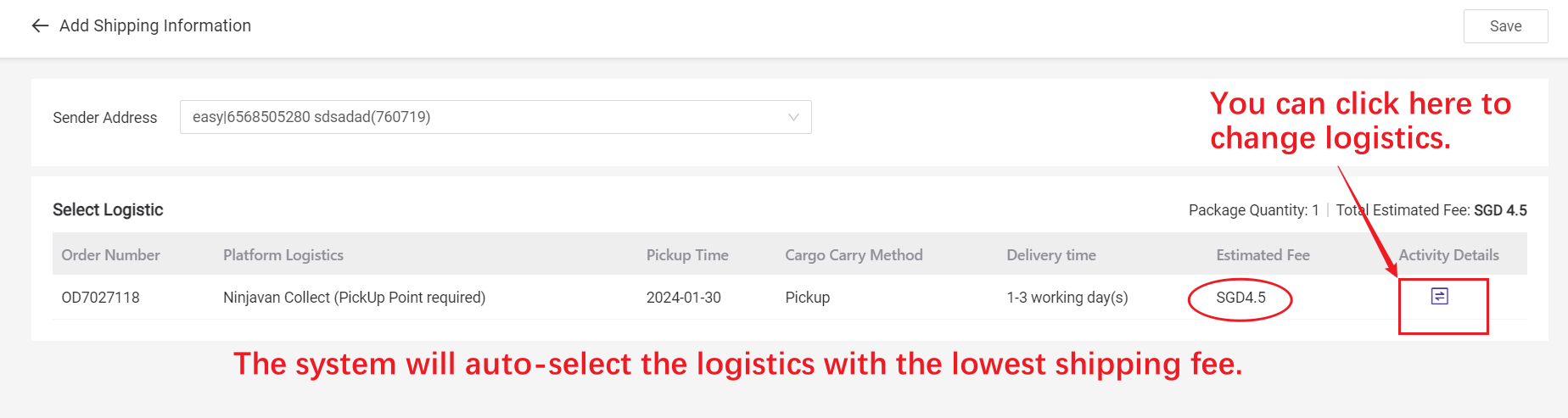
On "New Orders" page, you can select/change logistics for multiple orders.