
We'll Cover:
How To Integrate EasyParcel With Ulive [Older Version/V8]
Hi, EasyParcel fam! Looking to integrate EasyParcel with Ulive? You can find the guide here in this article. You can follow the step-by-step in this tutorial video or you can check out the steps instruction below in this article.
Setting up Integration
Step 1: From the dashboard, navigate to "Integration" and select it. Then, click "Add Ecommerce App".
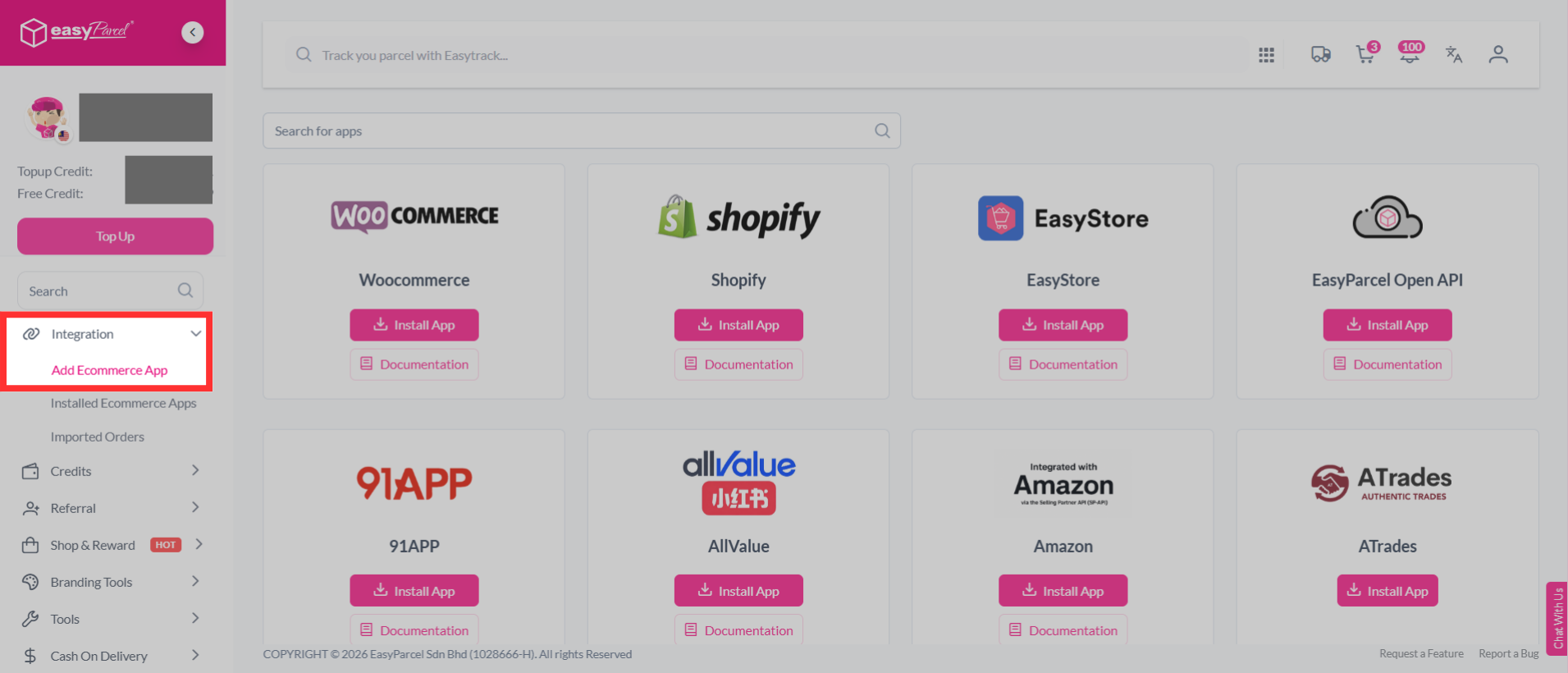
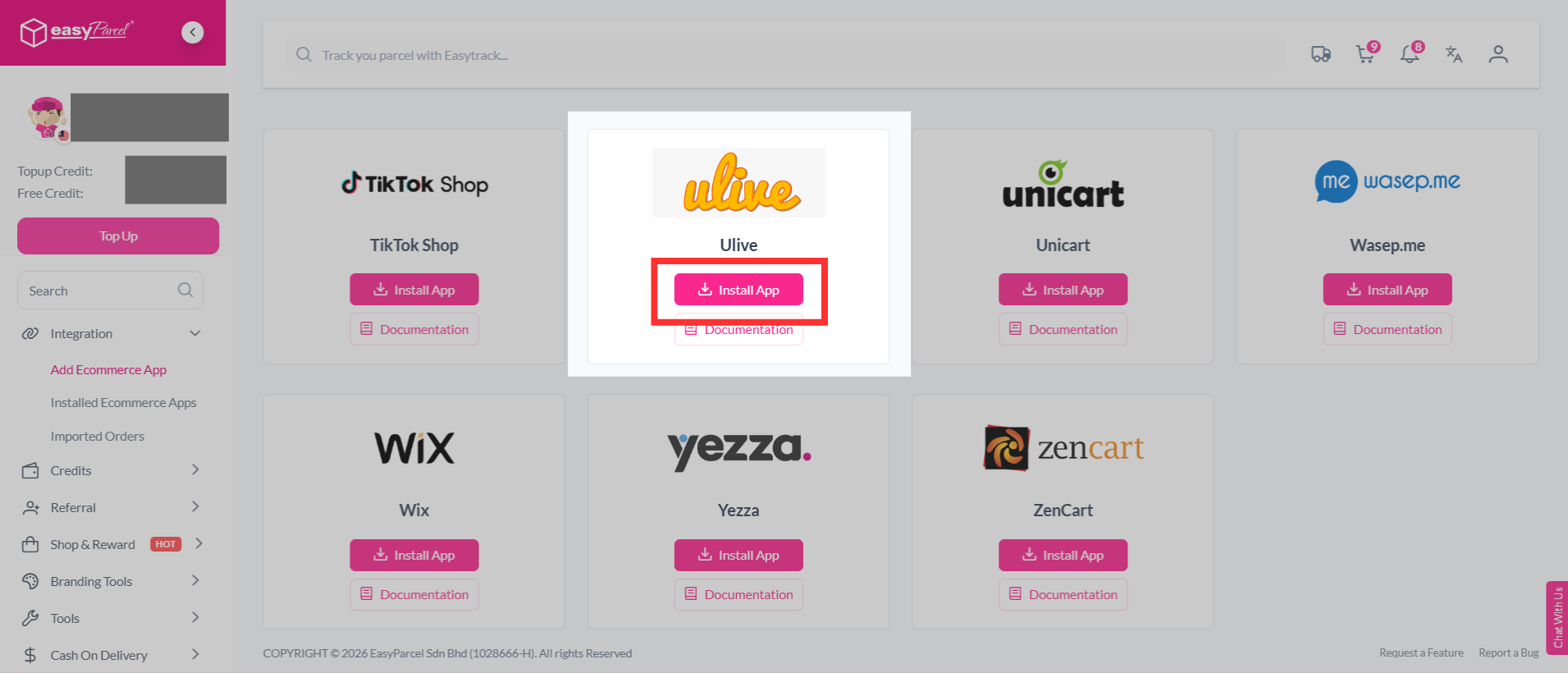
Step 2: Find "Ulive" from the list, and click "Install App".
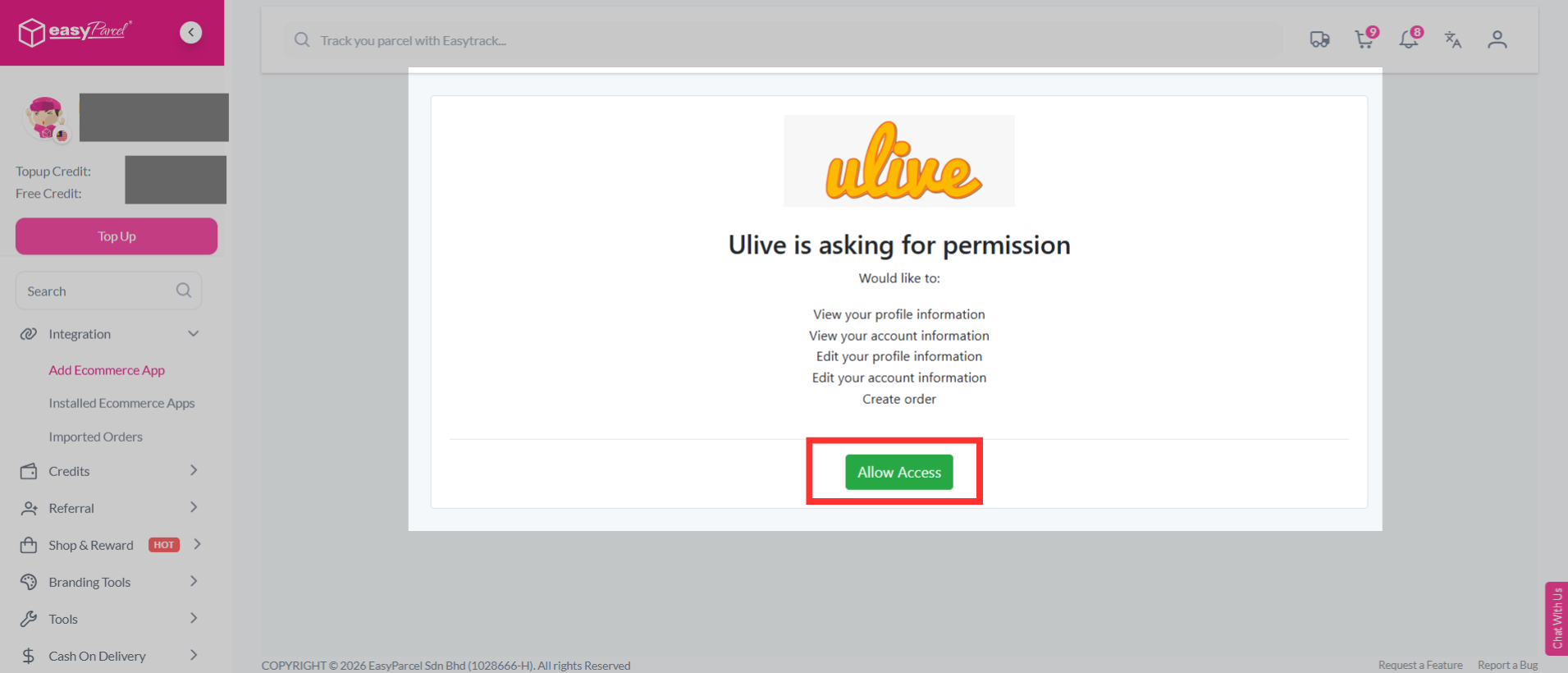
Step 3: Ulive will ask for permission to connect with EasyParcel. Review the requested permissions, then click "Allow Access" to continue.
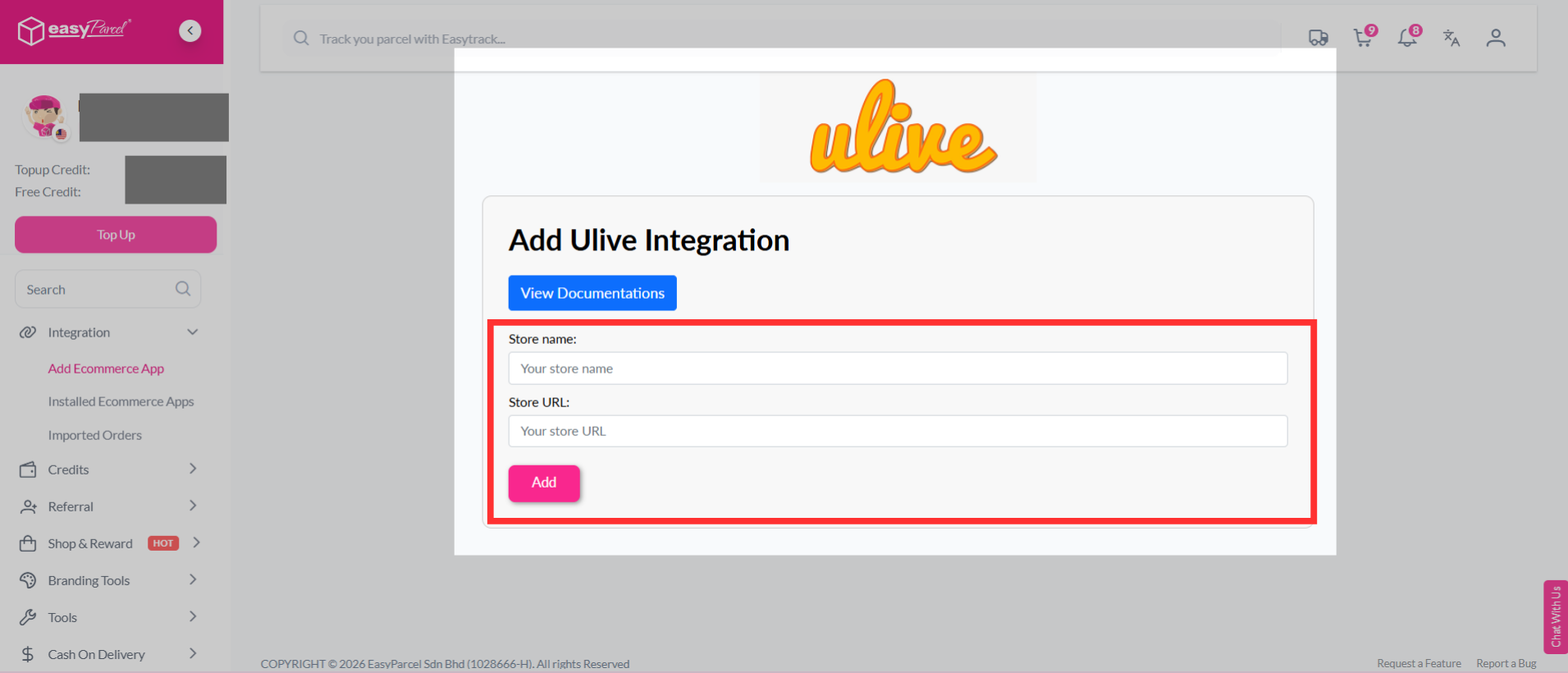
Step 4: Fill in your store’s name and store URL, then click "Add" to continue.
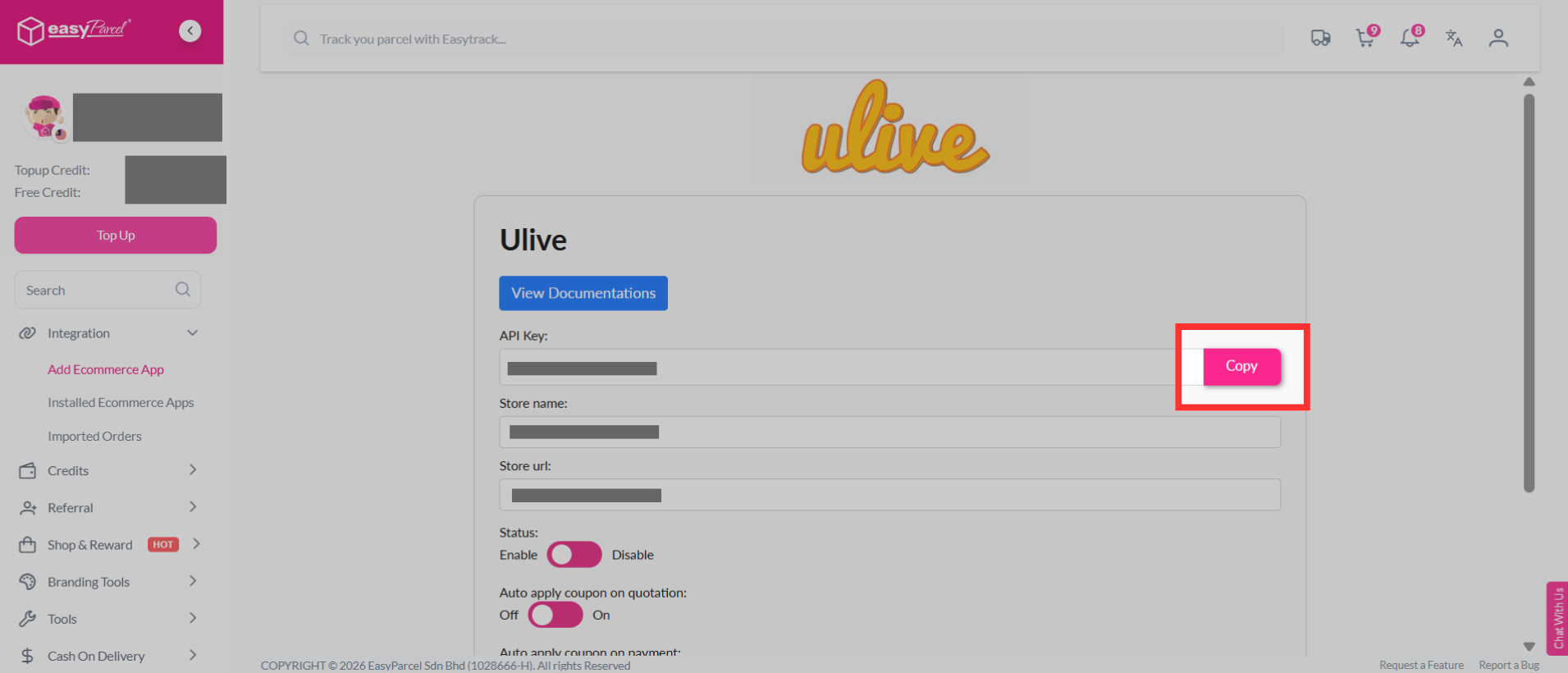
Step 5: EasyParcel will generate a unique Integration ID (API Key) for your store. Copy the Integration ID, as you will need to paste it into the Ulive.
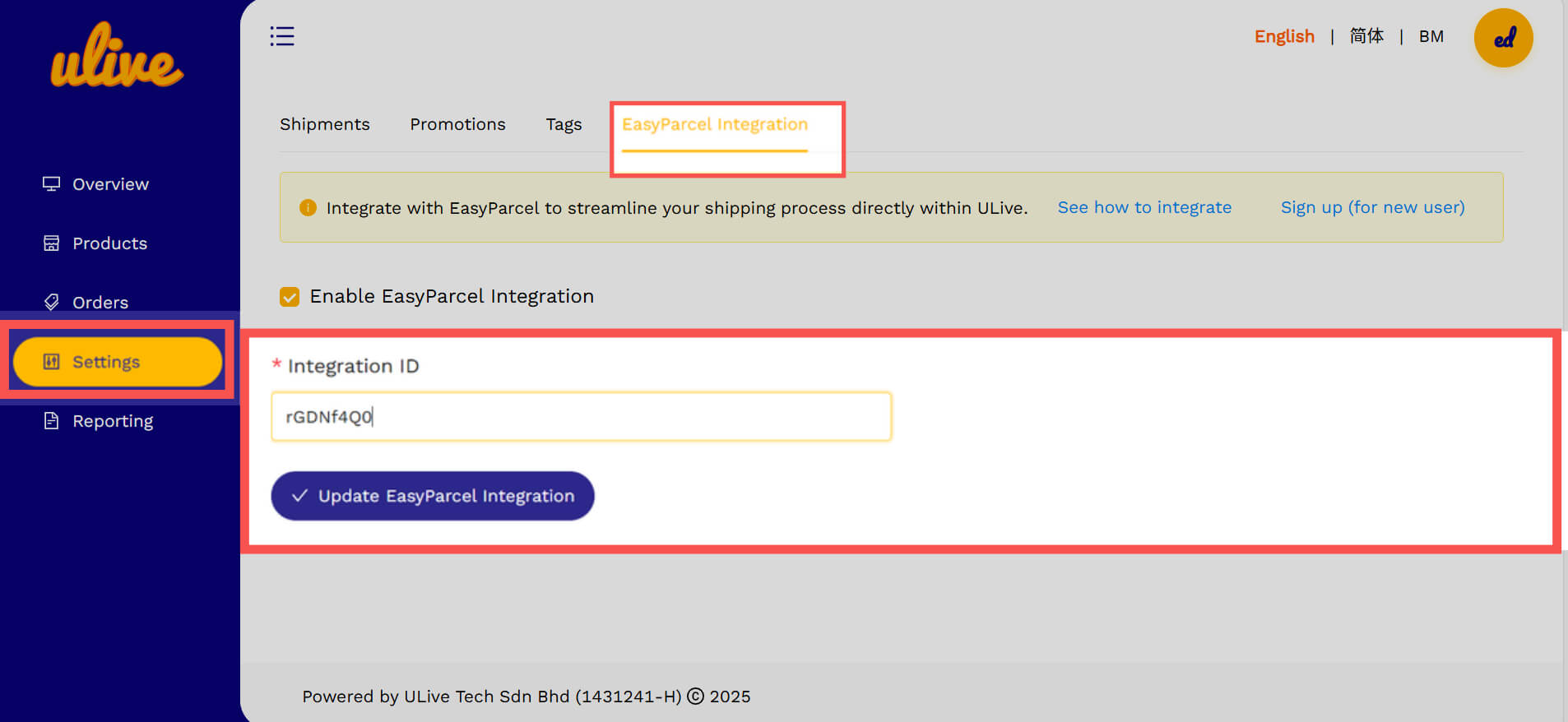
Step 6: Go to "Setting", and next to the Tags section, you'll see EasyParcel Integration. Turn it on, paste your integration ID, and click update "EasyParcel Integration" to save it.
Note: The API Key copied from EasyParcel will be placed as the API Key here.
Fulfil the Order
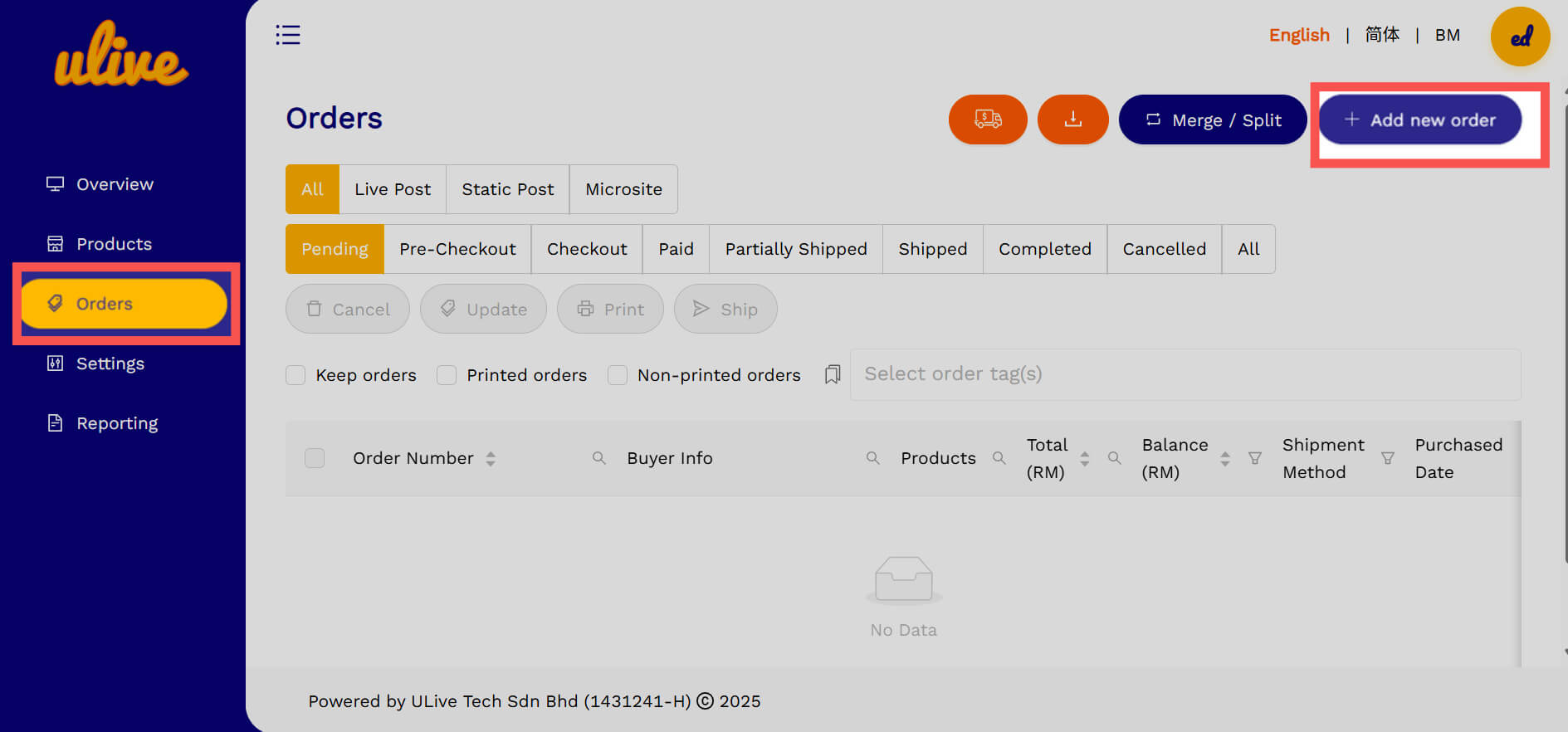
Step 1: Go to "Orders", then click "Add New Order".
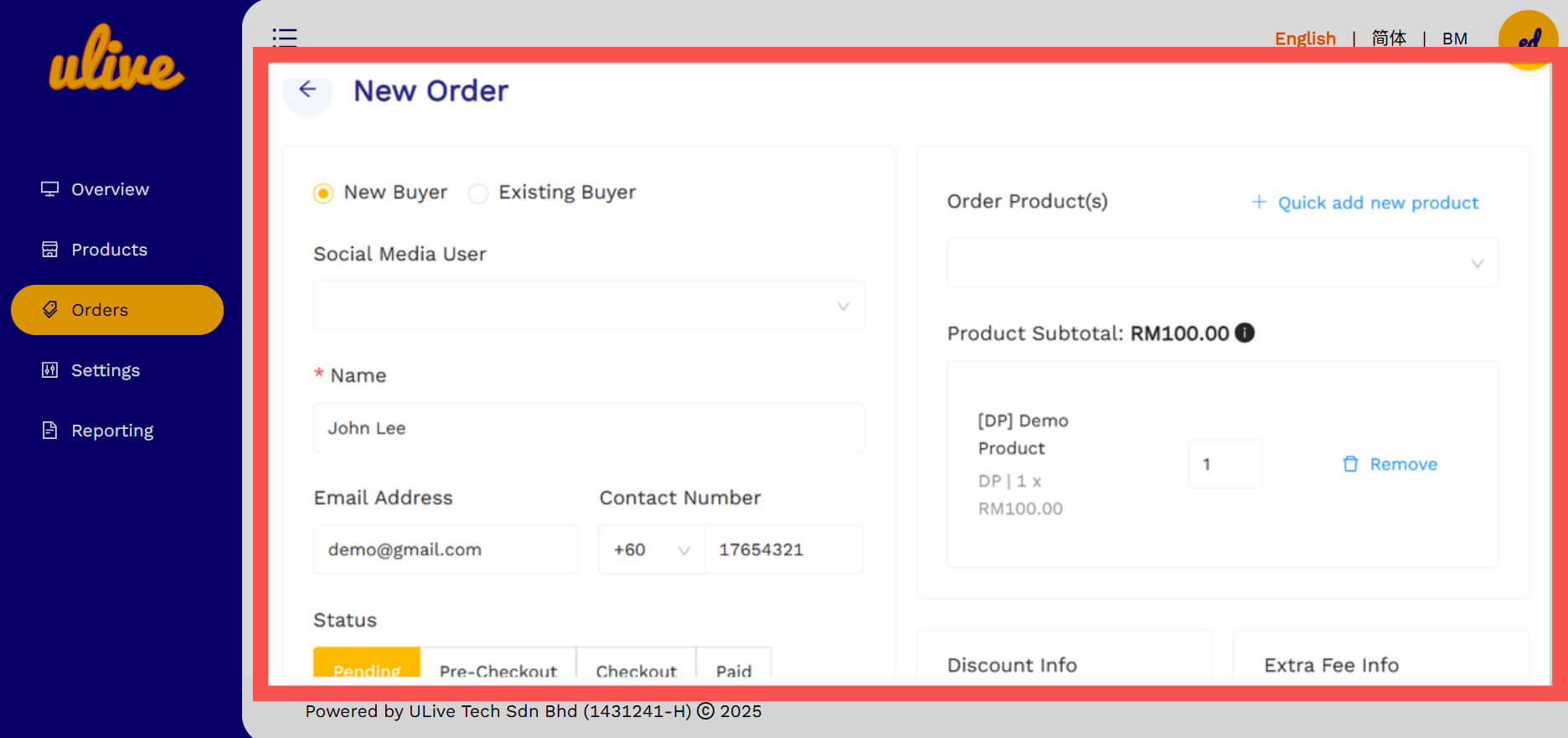
Step 2: Fill in all the details of sender information & address.
Step 3: Click the button of "Order Number" then select "Ship".
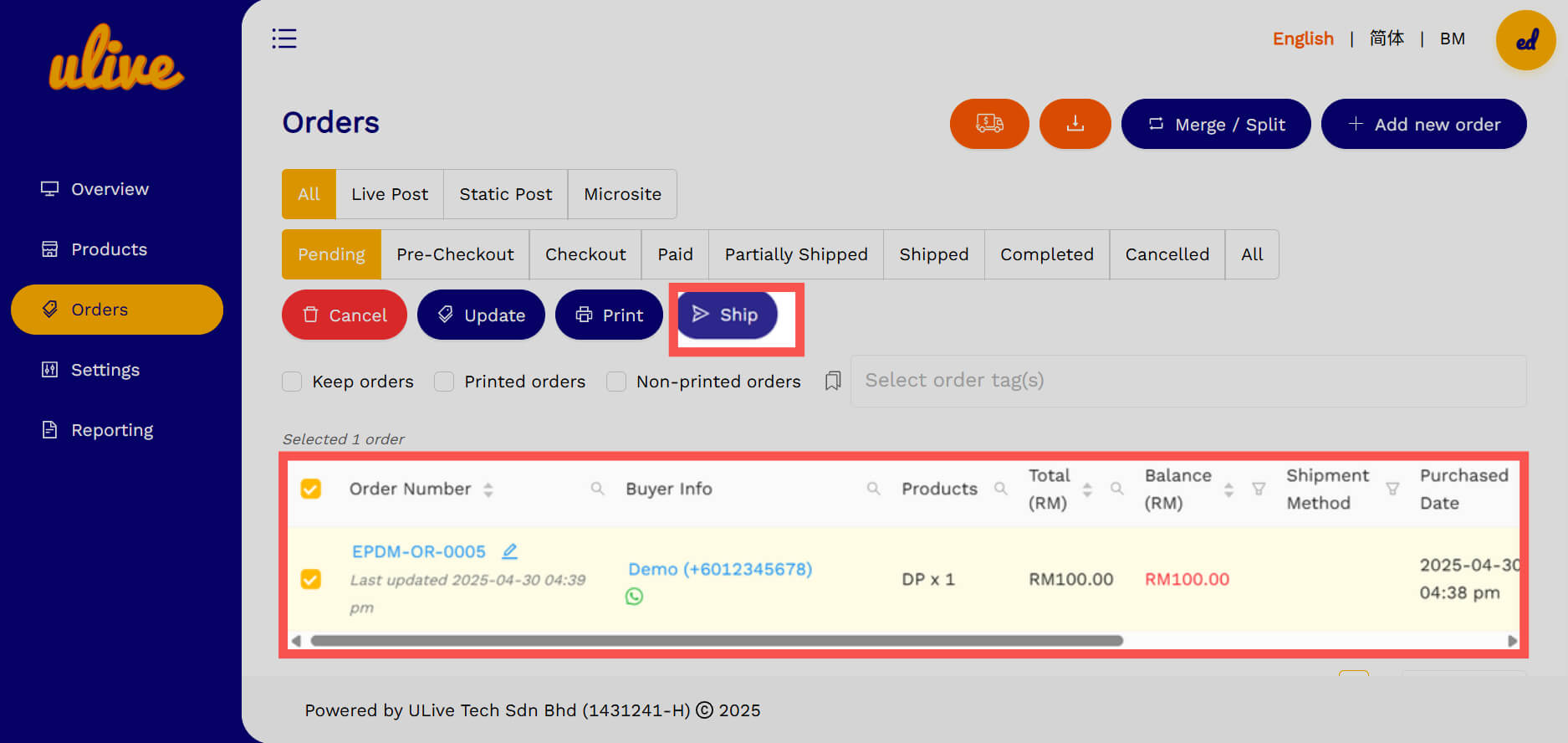
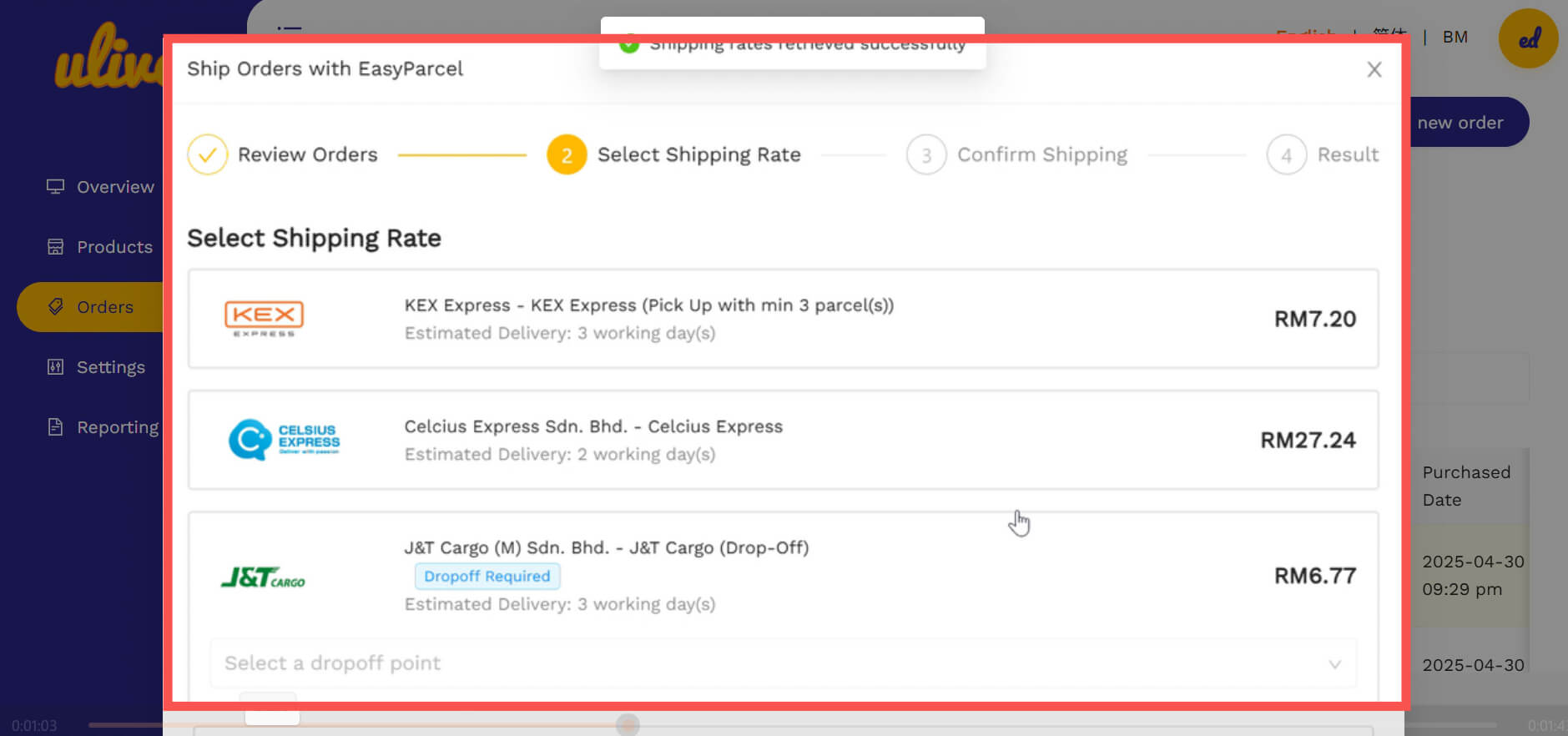
Step 4: Next, you'll see a "Review Order" section. Click "Confirm", and it will take you to the "Select Shipping Rate" page. There, you can pick the courier you want to use.
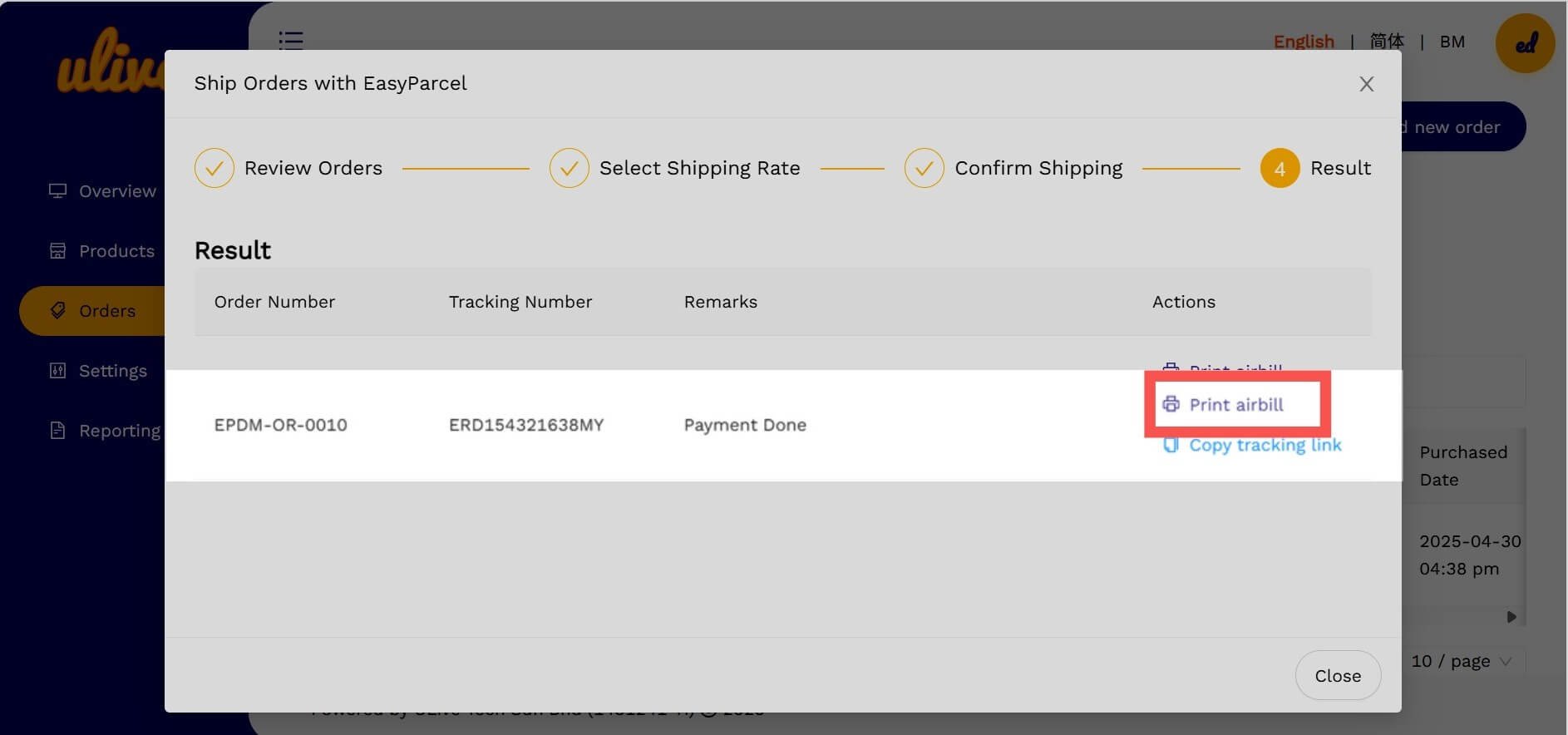
Step 5: Click confirm to go to the next page. On the "Result Page", you'll see a "Print AWB" section where you can download the AWB. You can also find it later under the "Shipped" section.
Note: Copy and share the tracking link with your customer to help them monitor their parcel's status at any time.
And that's it! You've successfully connected EasyParcel with Ulive - great job! We hope this guide helped you out. But if you still have question, no worries! You can read our other help articles or contact our friendly support team anytime. We're always here to help!