
Quick Summary
EasyParcel InsurePlus is a complimentary, extra insurance coverage for domestic shipments within Malaysia that secures against parcel loss, offering up to RM50 or the parcel value (whichever is lower) in addition to basic courier insurance. It provides faster, guaranteed reimbursement within 14 days of approval.
What is InsurePlus?
We understand that there could be some unfortunate incidents that happen during the delivery process, such as a domestic parcel lost. Therefore, we have come out with EasyParcel InsurePlus that will provide extra insurance coverage with a nett value of RM50 or parcel value, whichever is lower, to all EasyParcel users who've lost a domestic parcel on top of basic insurance provided by courier companies.
Every user is guaranteed to be reimbursed EasyParcel credit with a maximum value nett of RM50 or parcel value (whichever is lower) within 14 days no matter the parcel is more or less. Kindly take note that you'll need to file a claim for InsurePlus within your selected courier's basic insurance timeframe. **Details such as parcel invoice, pictures or photographs will be required for the investigation process.
How to file insurance claim for InsurePlus?
Solution 1 (Recommended)
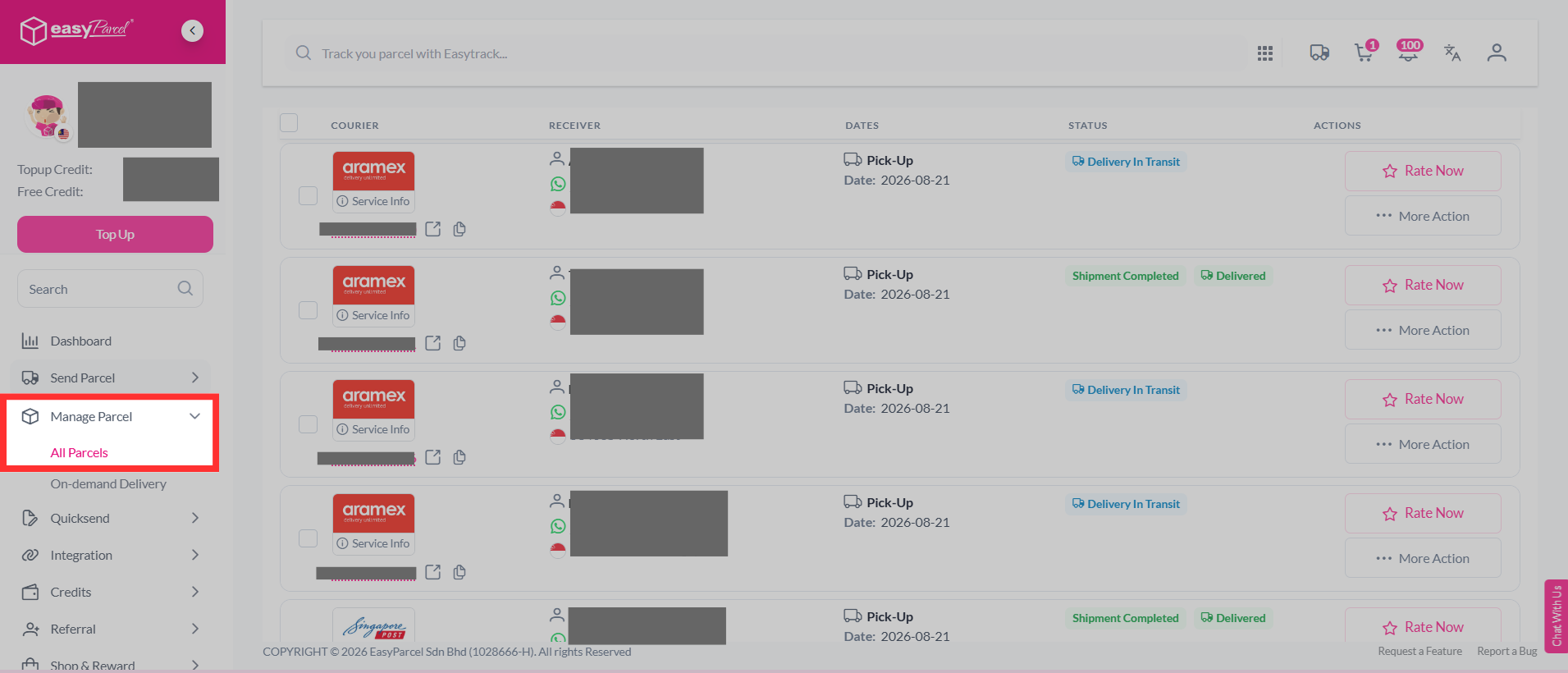
Step 1: Log in to your account, head over to "Manage Parcel", then click on "All Parcels".
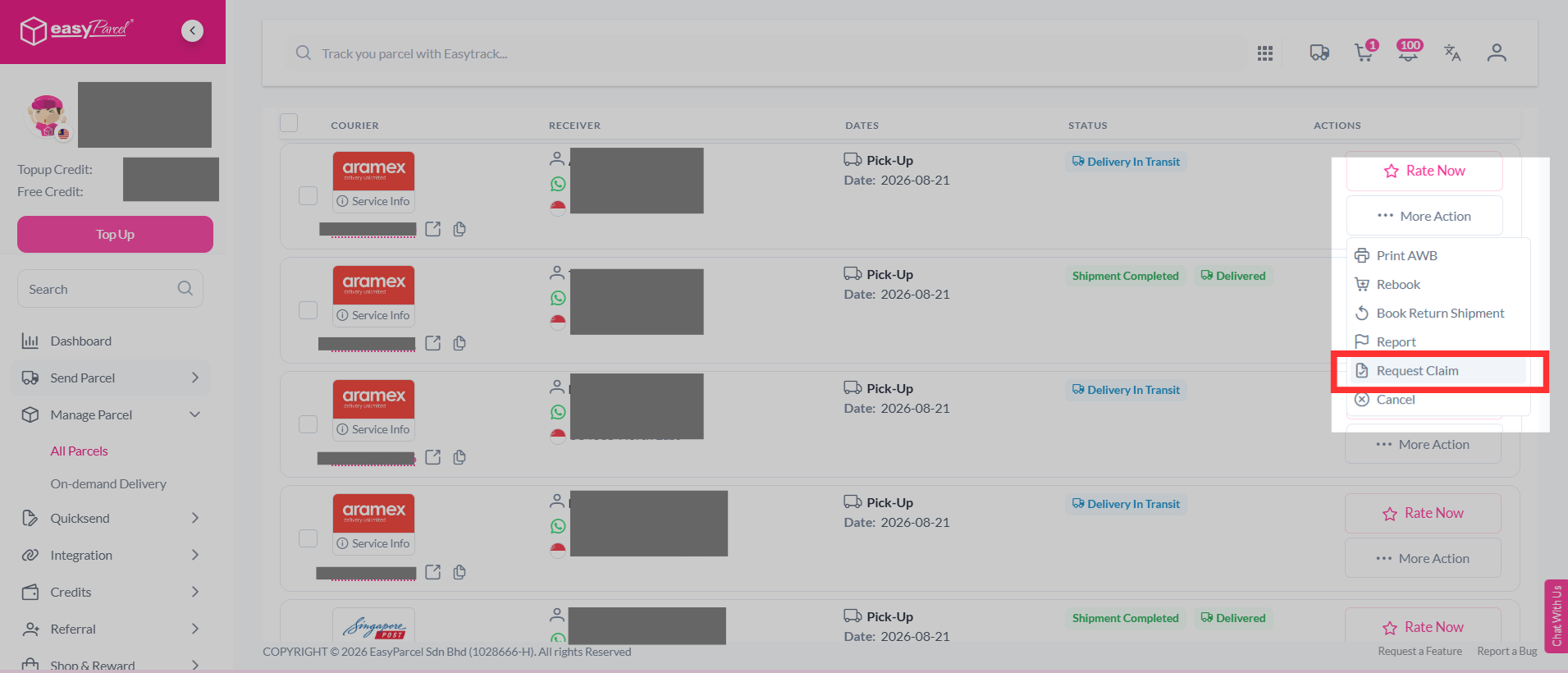
Step 2: Select the parcel you want to file a claim for, click "More Actions", and select "Request Claim".
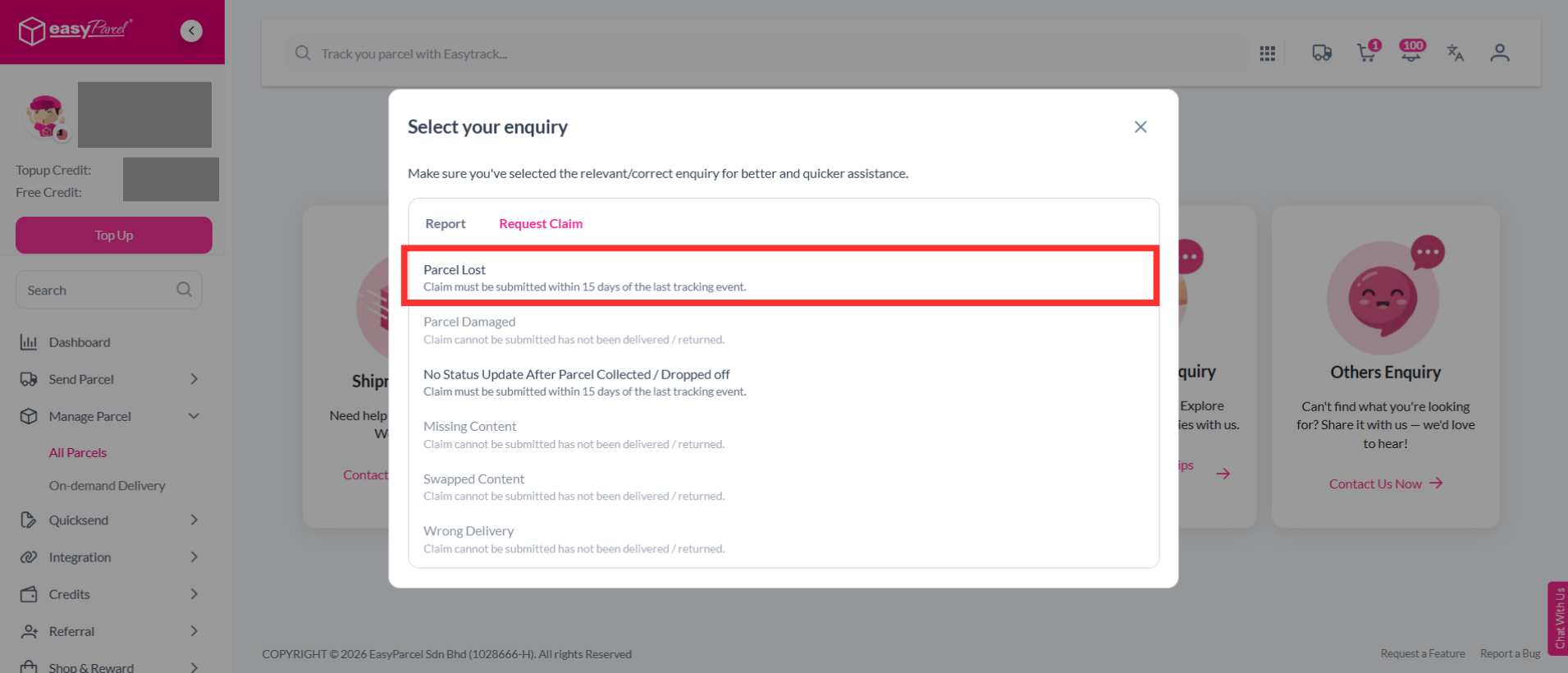
Step 3: Select the "Parcel Lost".
Note: Claim must be submitted within 15 days of the last tracking event.
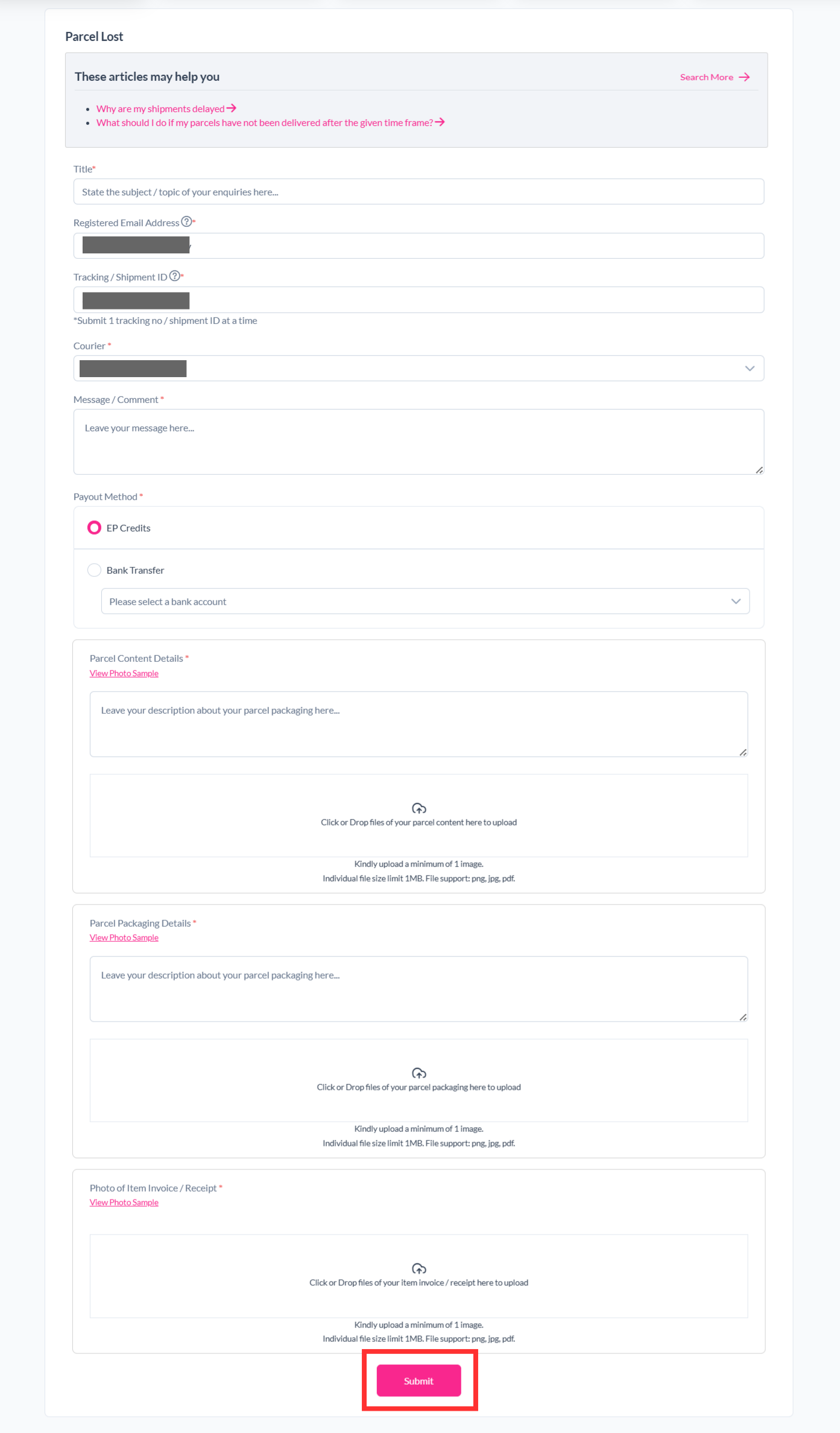
Step 4: Fill in the details required and click "Submit".
Step 5: Your report has been submitted to our support team and you can track the parcel report status by clicking on "Support" > "Enquiries History".
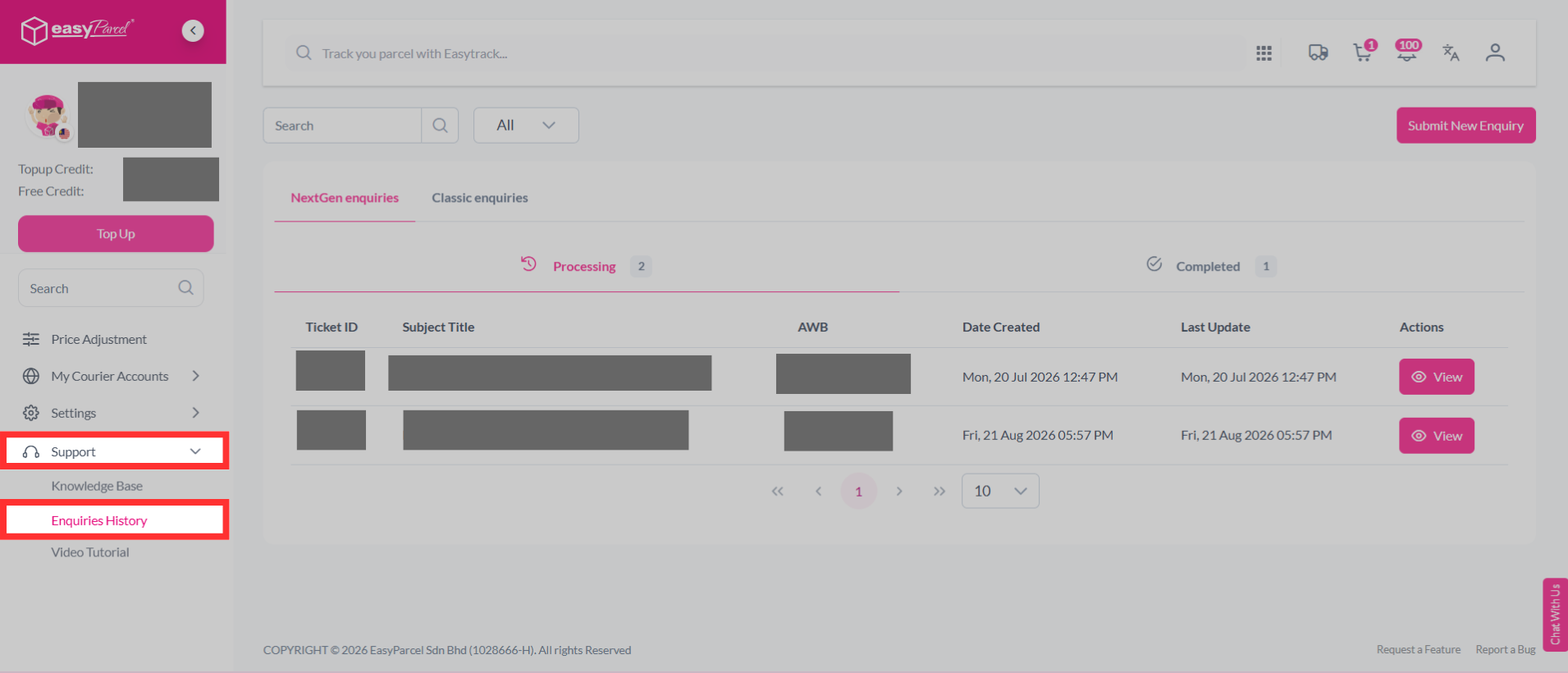
Note: Once the parcel report is successful, the reimbursement will be made in EasyParcel credit, which will be credited automatically to your EasyParcel account.
Solution 2
Step 1: Visit our Contact Us website at https://app.easyparcel.com/my/en/contact-us/
Step 2: After entering the website, click on "Shipment Enquiry".

Step 3: Next, select whether your parcel is a domestic or international shipment.

Step 4: A list of options will appear prior to selecting your inquiry type. From there, select "Parcel Lost".

Step 5: Fill up the necessary details required in the section below. Once submitted, our customer support team will approach you accordingly via your ticket ID where it can be found in your email.

Note: Once the parcel report is successful, the reimbursement will be made in EasyParcel credit, which will be credited automatically to your EasyParcel account.