Quick Summary
To buy parcel protection on EasyParcel, use EasyCover during booking by selecting it as an add-on (2.5% of parcel value for domestic delivery, 3.7% of parcel value for international delivery) for up to RM10,000 coverage, or purchase it after booking via "Protect Parcel" by entering the tracking number, courier details, and value. It covers loss shipments.
We'll Cover:
What protection will I get when I buy?
The protection that you can buy from EasyParcel is EasyCover protection. EasyCover is a protection that will cover your parcel from a loss shipment of up to RM10,000. This protection is available to cover for EasyParcel shipments as well non-EasyParcel shipments.
How to buy protection?
How to purchase EasyCover via Single Parcel?
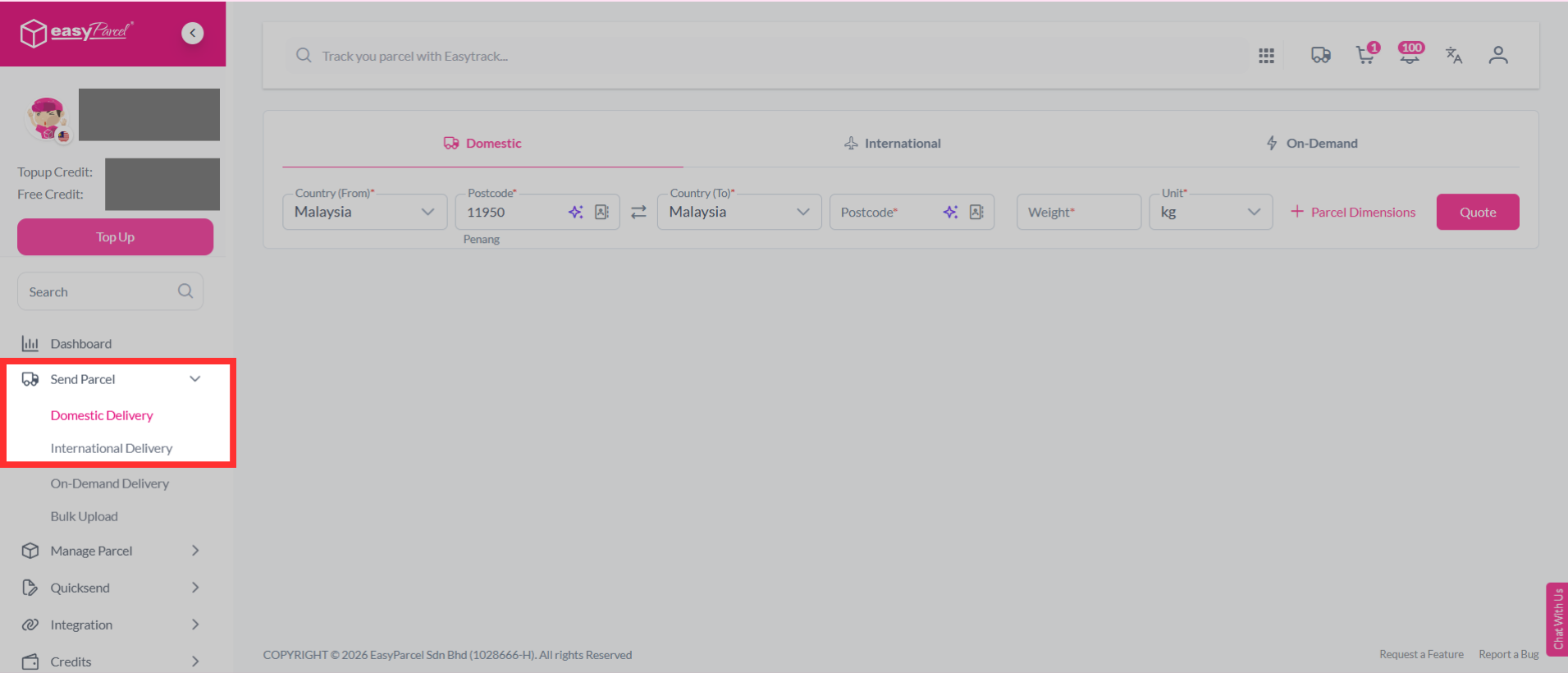
Step 1: Select "Send Parcel", then choose "Domestic Delivery" or "International Delivery" from your dashboard.
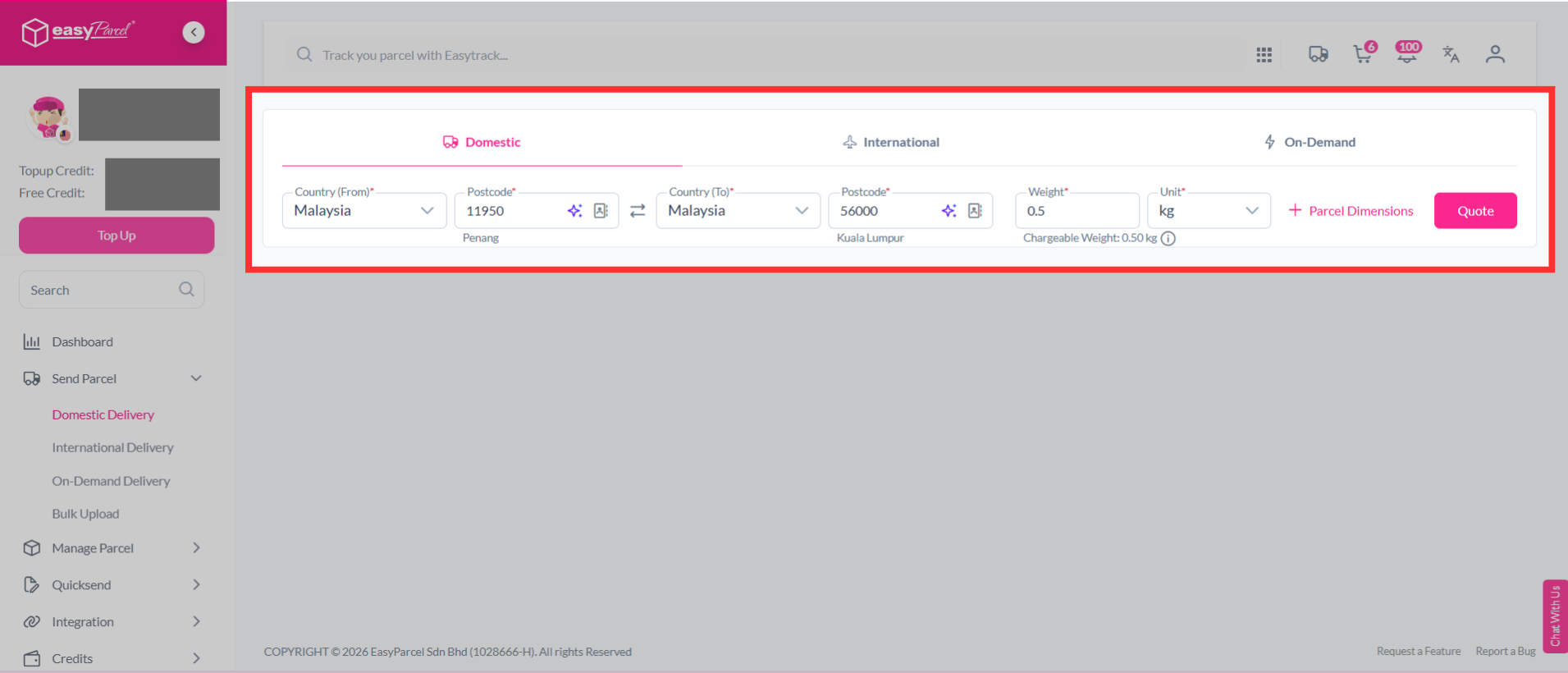
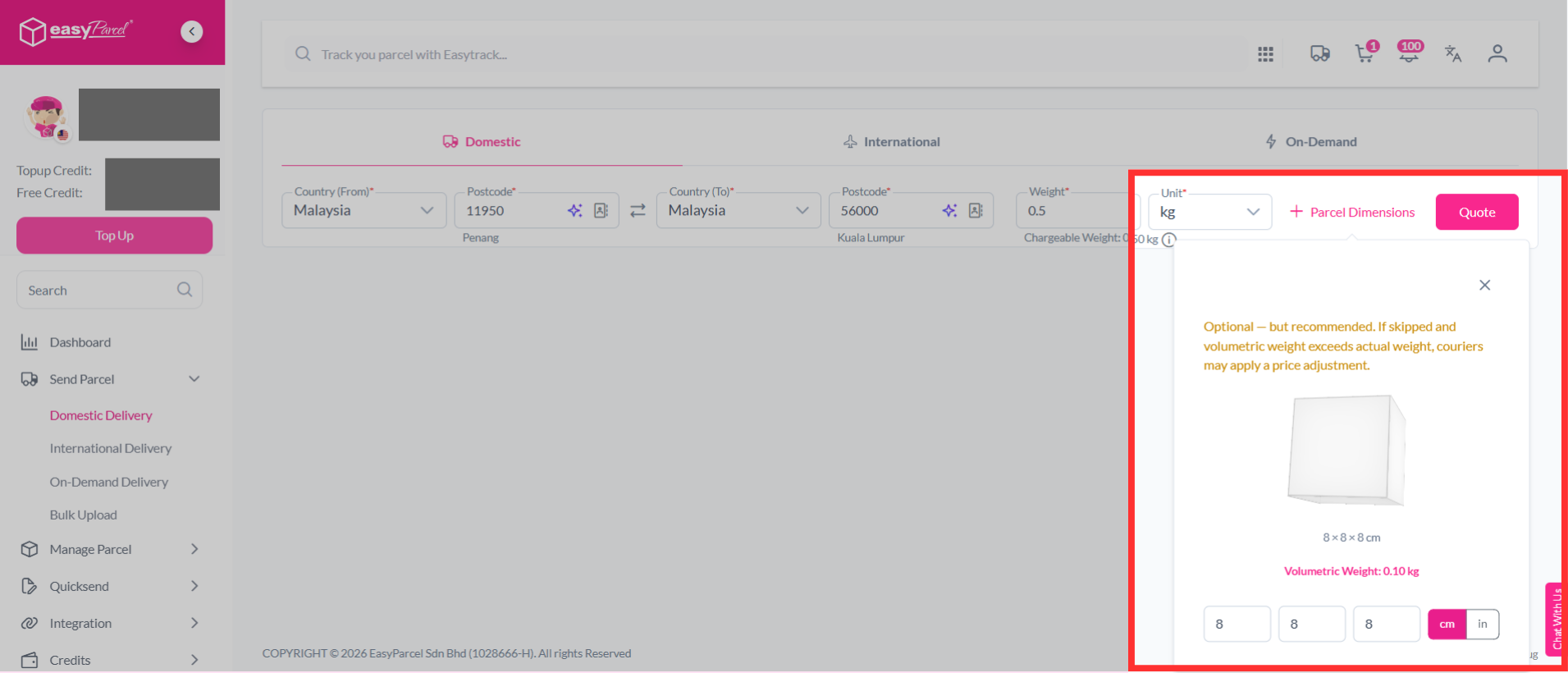
Step 2: Key in the postcodes, weight and parcel dimensions of your parcel. If you're unsure how to determine your parcel weight, you can learn it here. Then, click on "Quote".
Note: Couriers calculate your parcel's actual weight and volumetric weight. The shipping charge is based on whichever weight is higher.
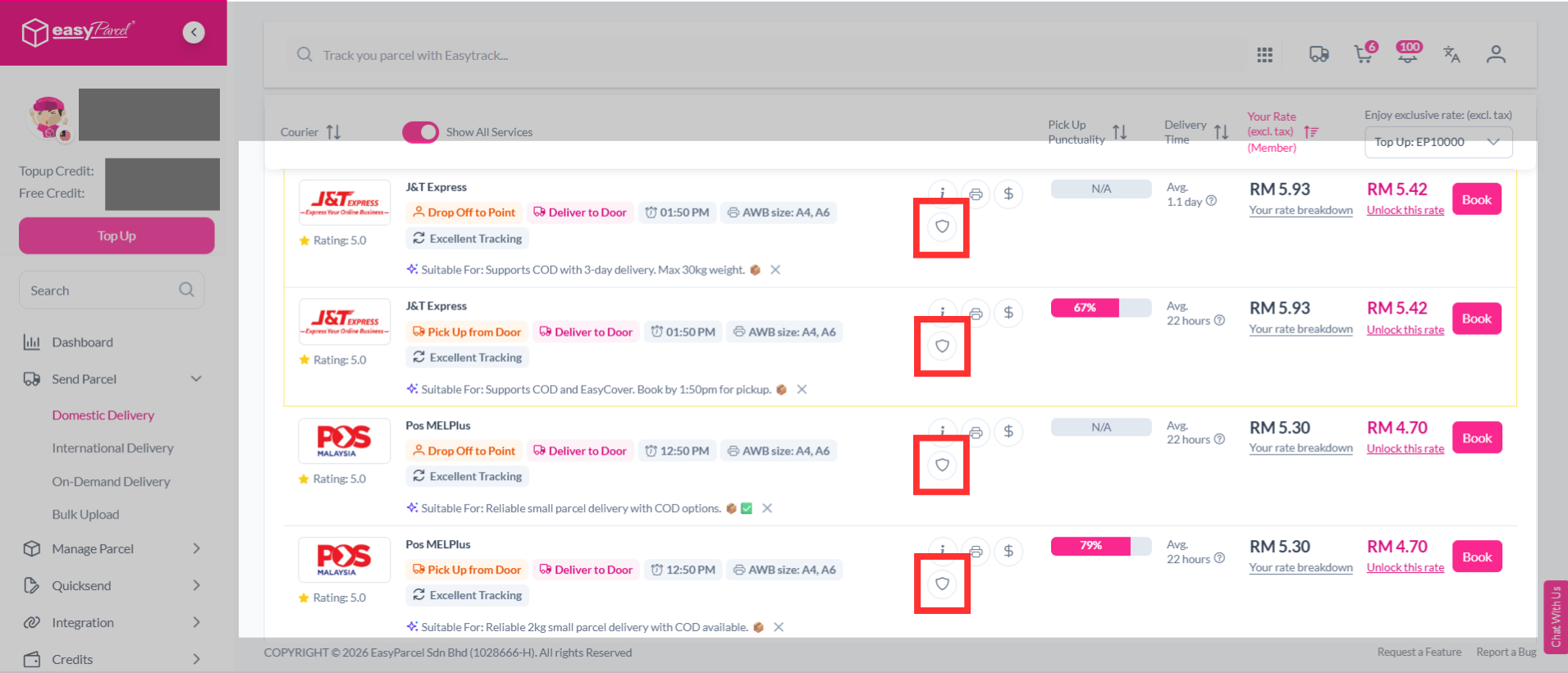
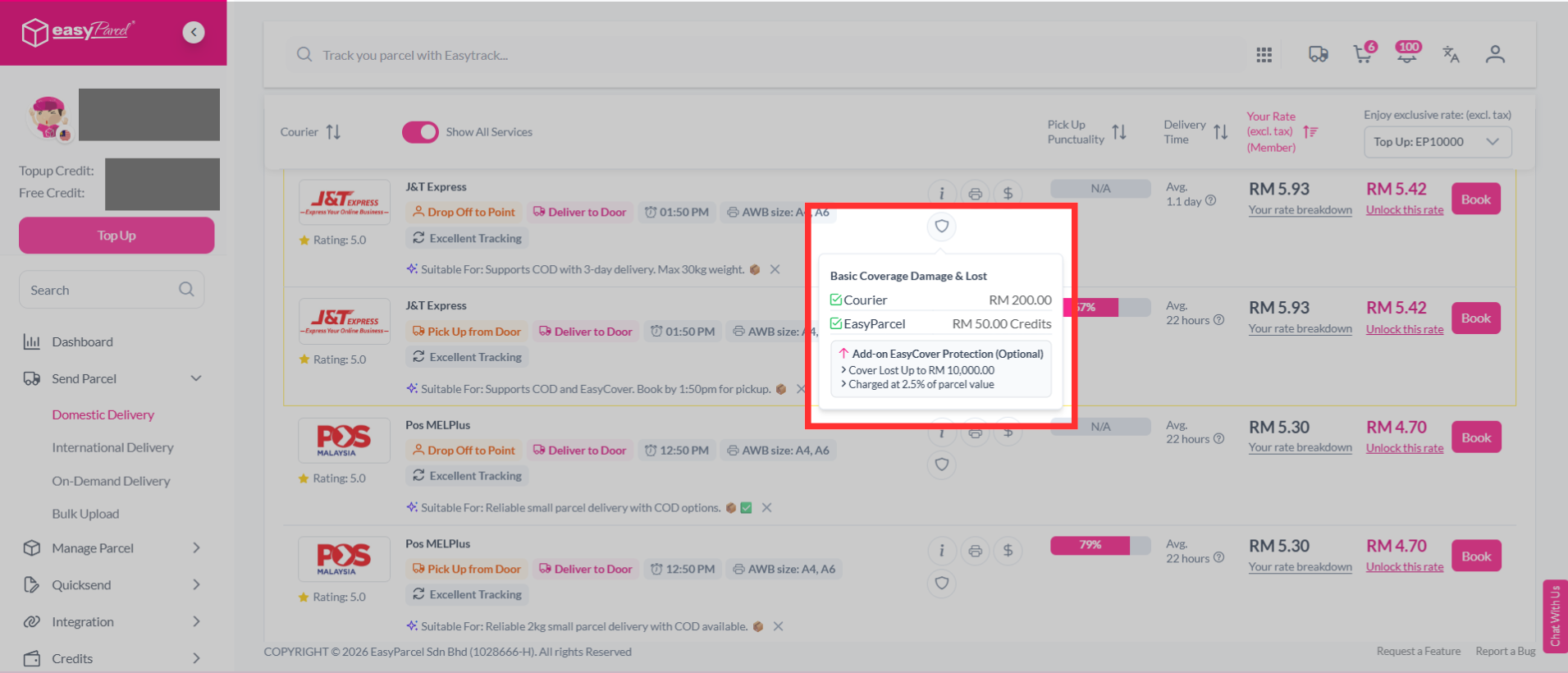
Step 3: You will see a list of available couriers. Click the shield icon to view more details about the Basic Coverage, InsurePlus and EasyCover Protection.
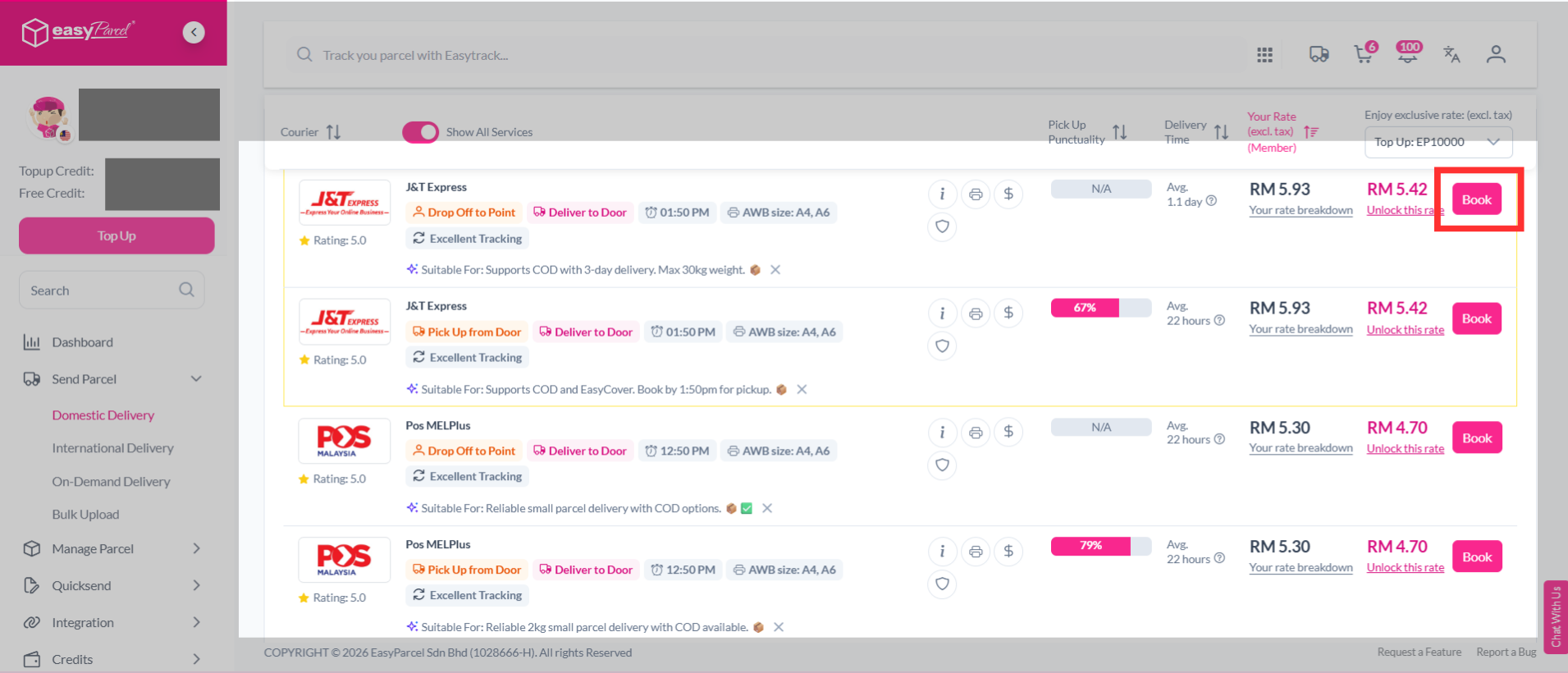
Step 4: You may select a courier that supports EasyCover. Click "Book".
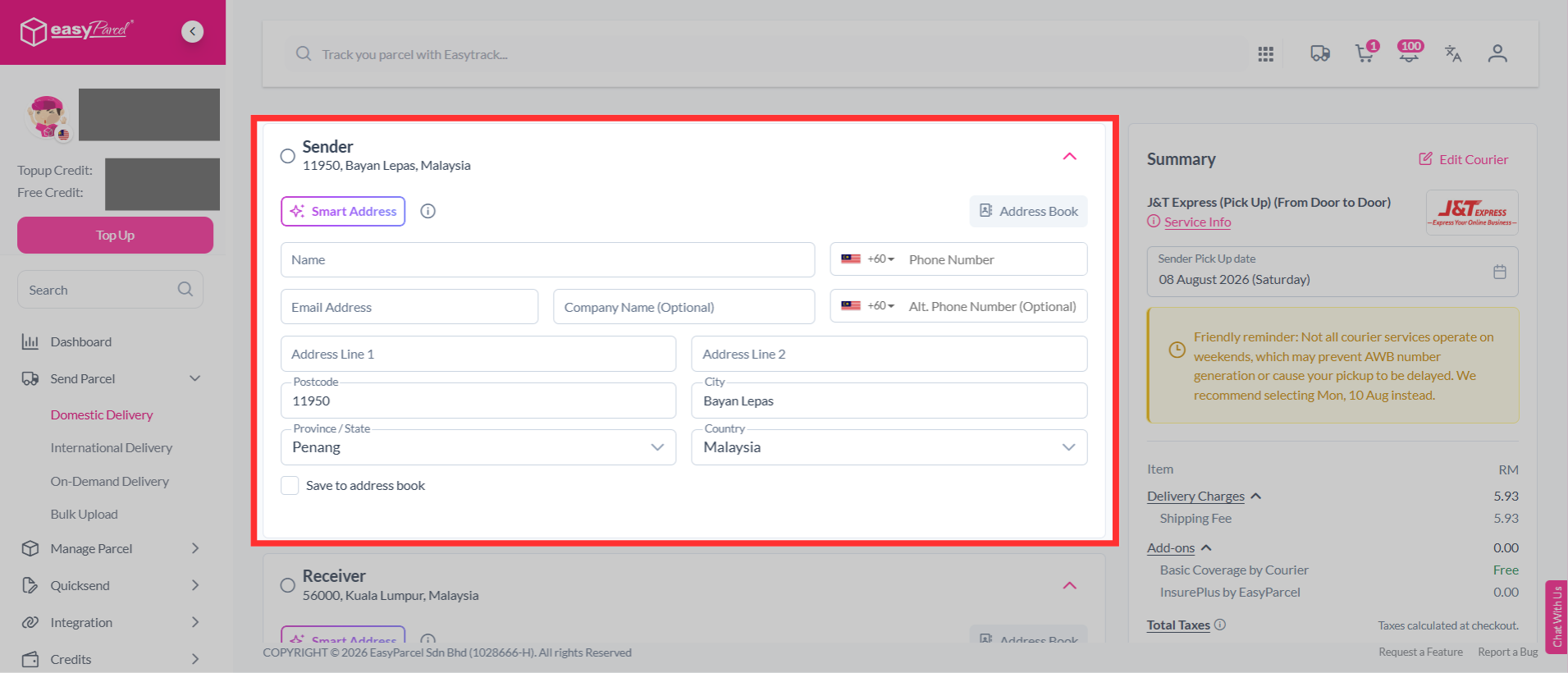
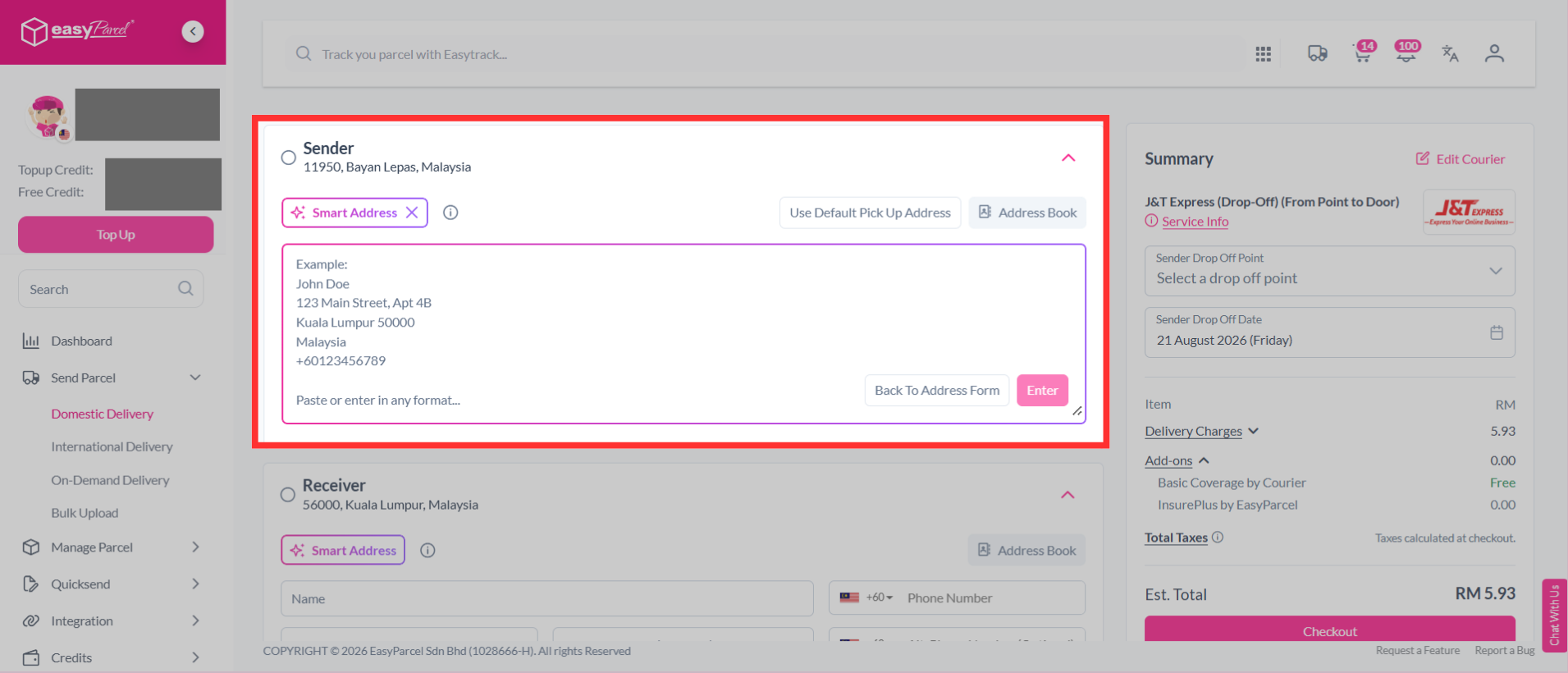
Step 5: Fill in the sender's details. Use Smart Address to quickly fill in the address details. Simply paste the name, phone number, and address, and the system will automatically fill in the relevant fields for you.
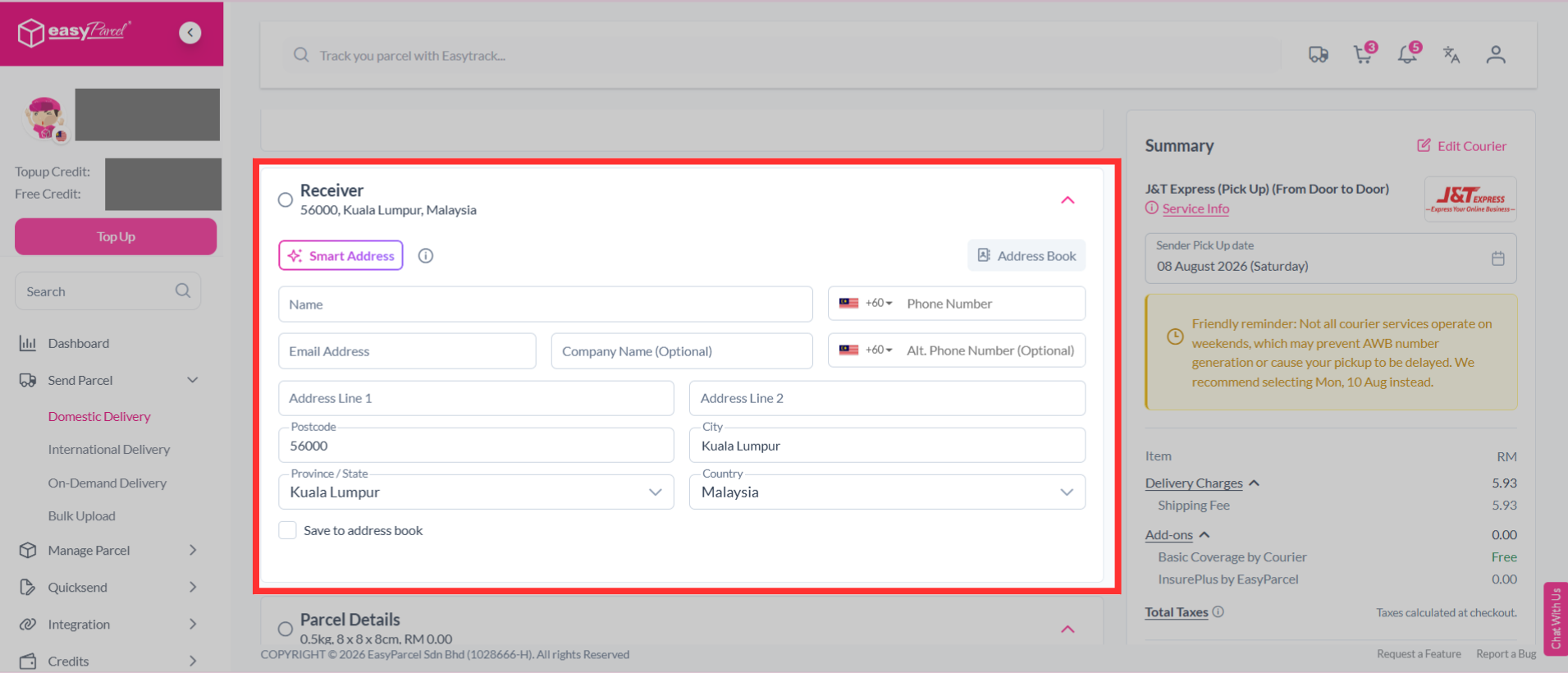
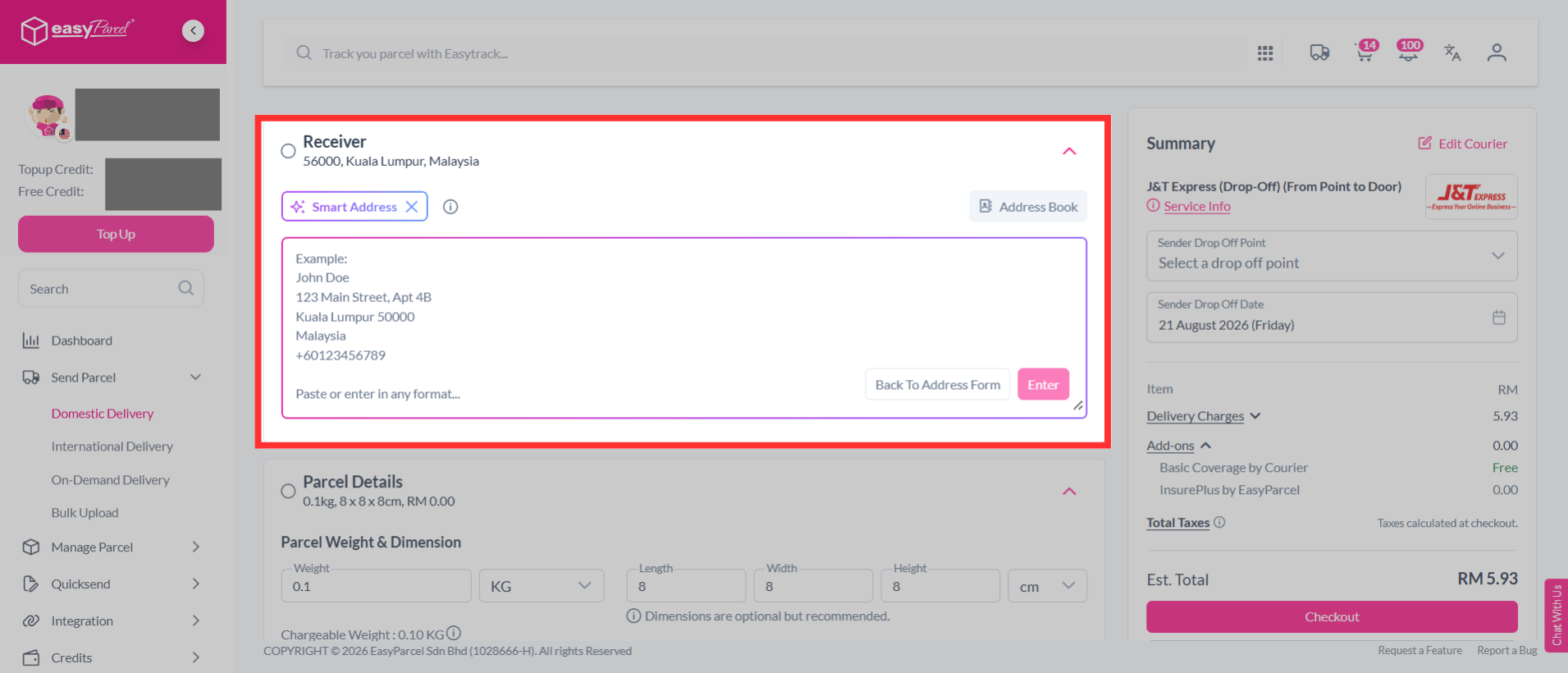
Step 6: Fill in the receiver's details. Use Smart Address to quickly fill in the address details. Simply paste the name, phone number, and address, and the system will automatically fill in the relevant fields for you.
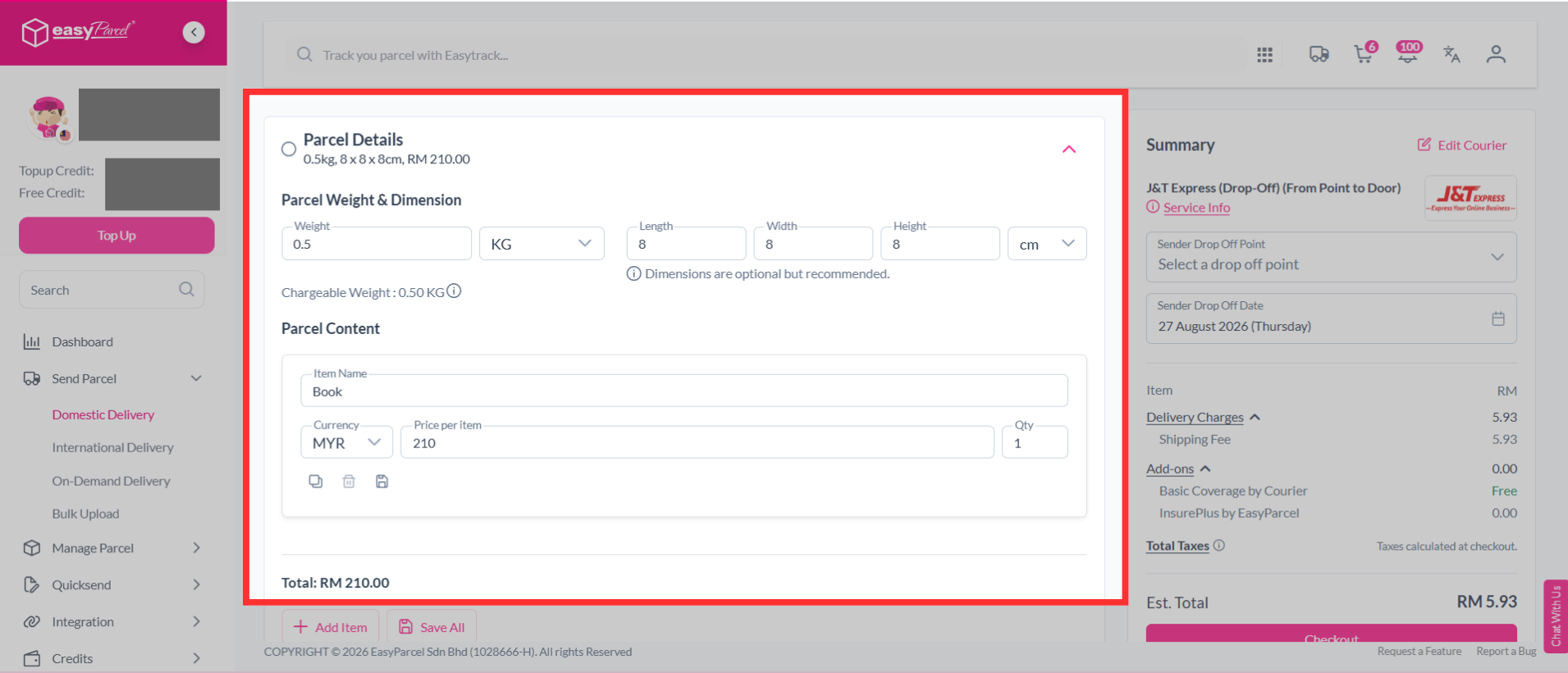
Step 7: Check your parcel weight & dimension. Fill in the parcel content and the value.
Note: For domestic deliveries to Sabah and Sarawak, there will be no duty tax charges. The invoice is provided for customer purposes and reference only.
Step 8: After that, you will see parcel protection under the "Level Up Your Shipping Experience" section.
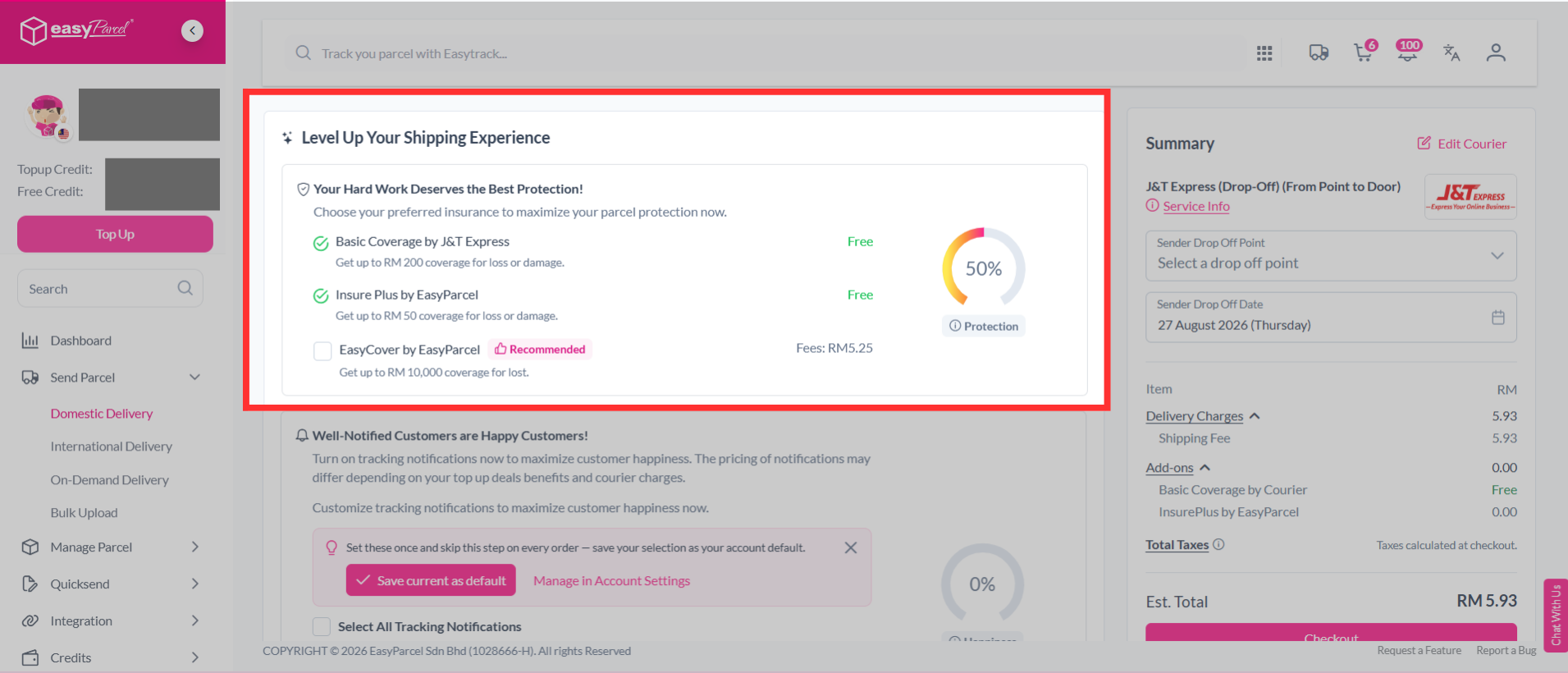
Step 9: You may see the EasyCover fees displayed beside it. Add on EasyCover by clicking on it.
Note: Depending on your selected courier, you'll have different Basic Insurance coverage. If it exceeds the basic coverage offered, then you're able to add on EasyCover protection for your parcels.
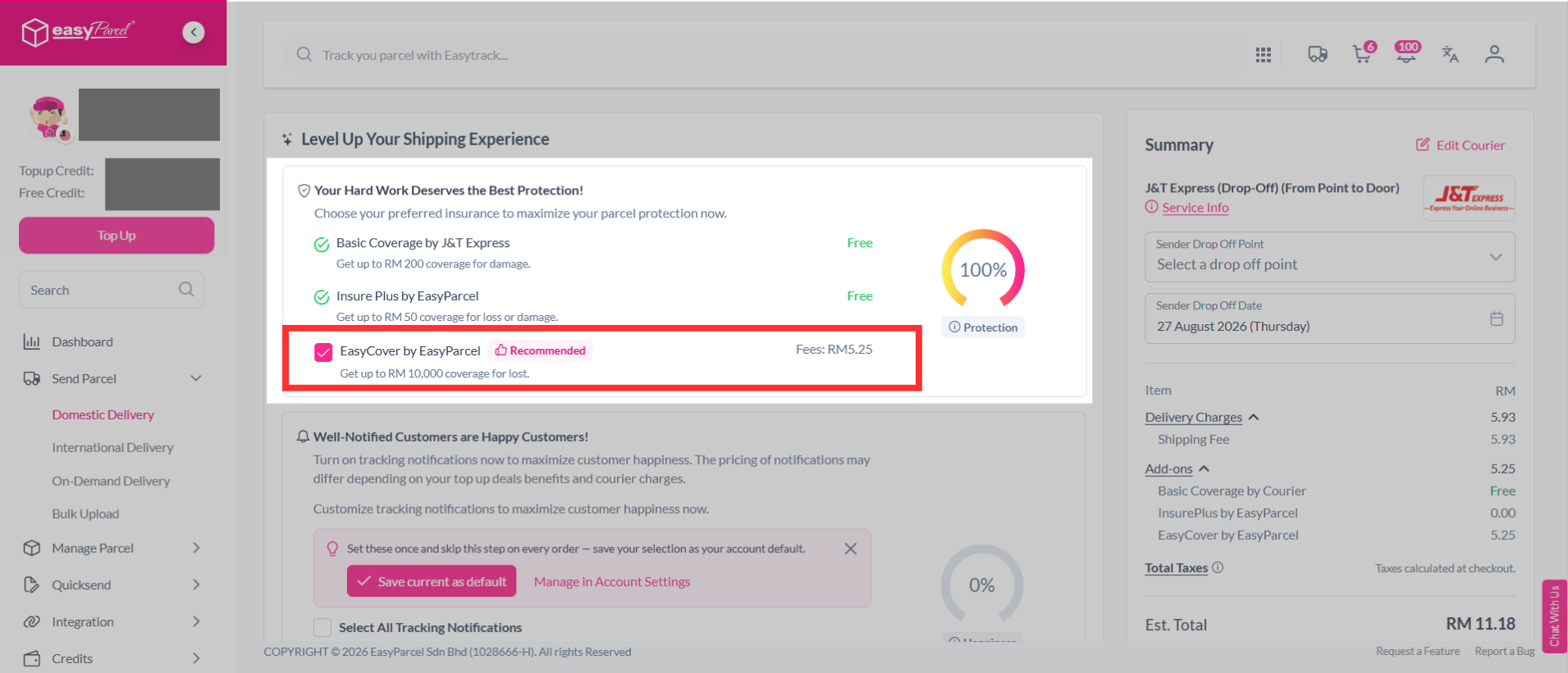
Note: Your parcel minimum value must be RM200.01 to be eligible for EasyCover.
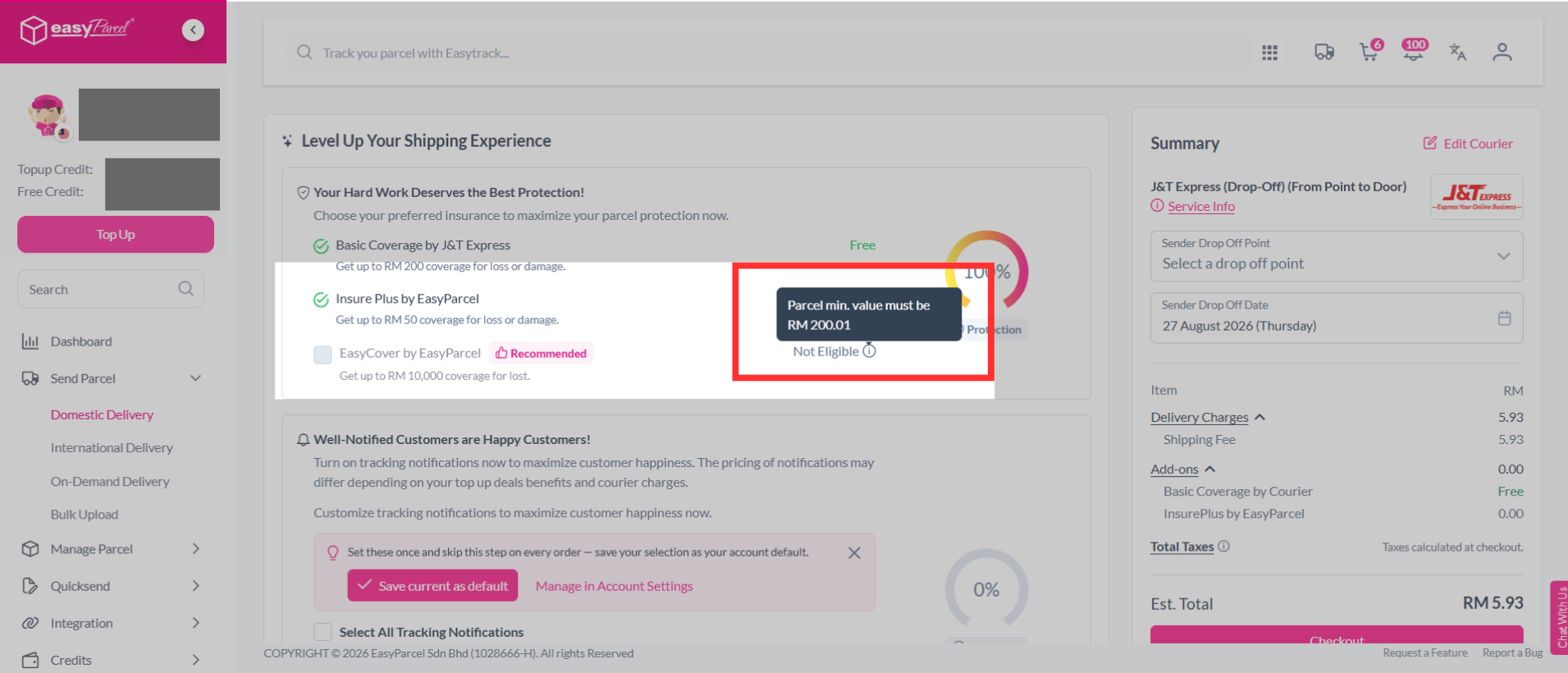
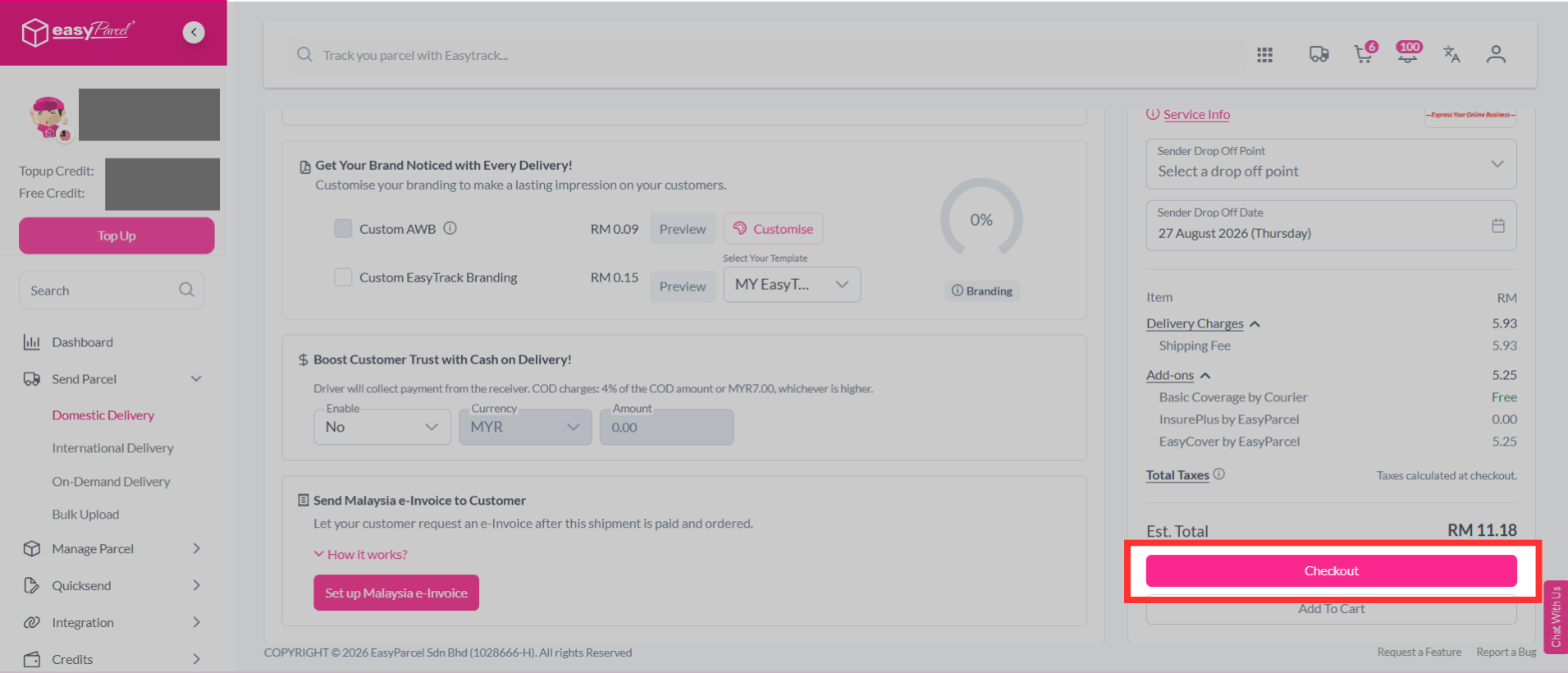
Step 10: You can choose other additional services to protect your parcel, keep customers updated and protect shipment details.
- Tracking SMS
- Notify your customers of their parcel's tracking number and status by activating tracking SMS.
- Tracking Email
- Send a tracking email to your customer once the order has been made.
- Tracking Whatapp
- Send your customers parcel tracking updates via WhatsApp.
- Privacy Masking
- Protect your sender and receiver information.
- Custom Air Waybill (AWB)
- Customise your Air Waybill (AWB) with your preferred details.
- Cash on Delivery (COD)
- Activate Cash on Delivery (COD) where drivers will collect the stated amount from receivers.
- Send Malaysia e-Invoice to Customer
- Send a Malaysia e-Invoice to your customer after completing the shipment.
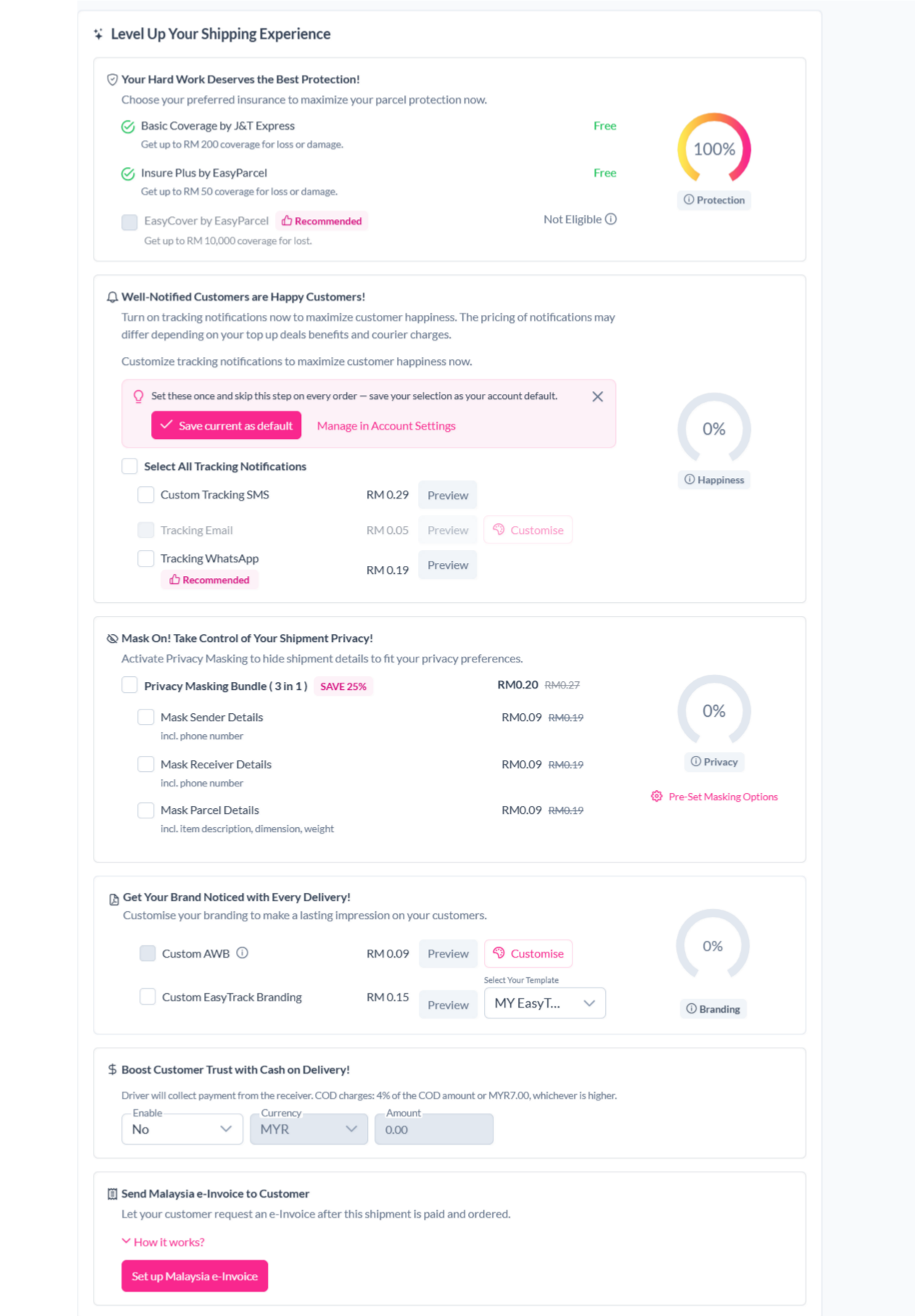
Step 11: Then continue with a click on the "Check Out" button.
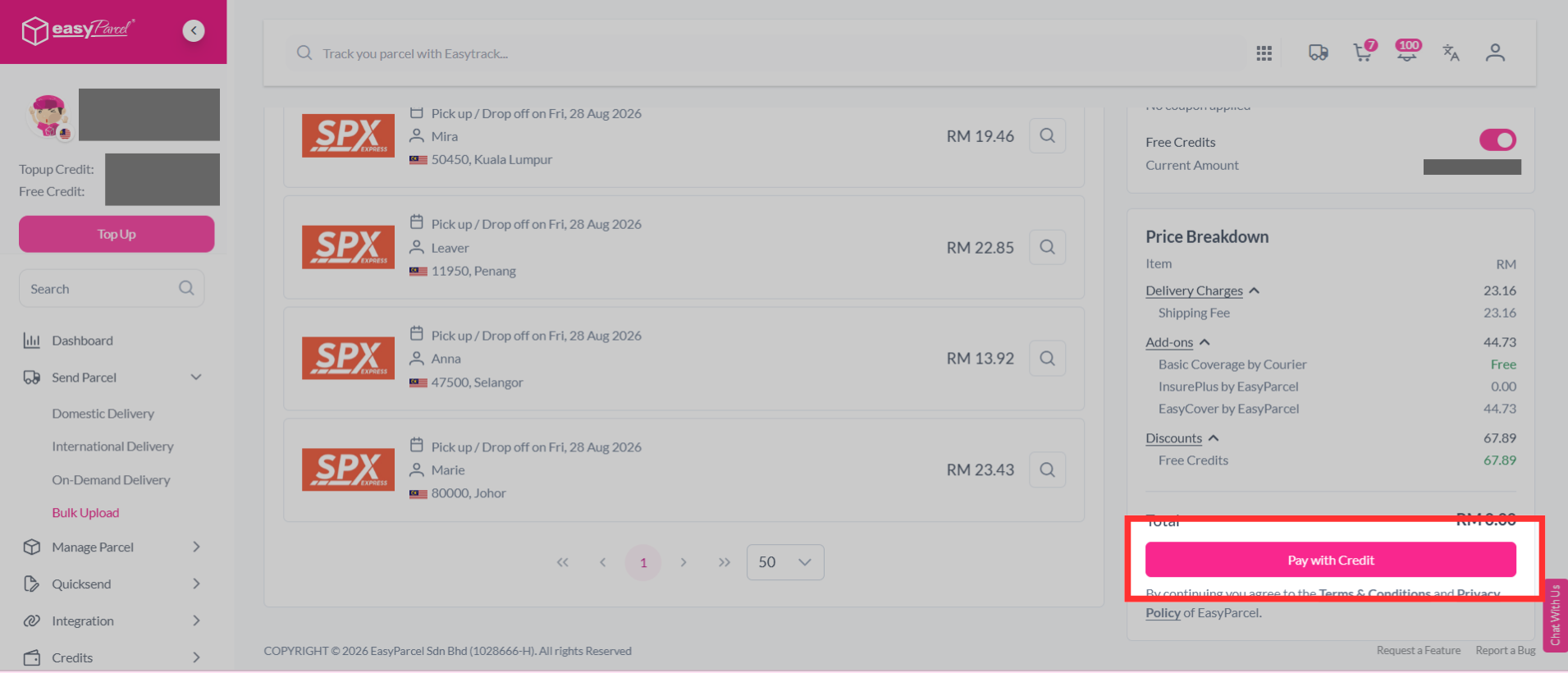
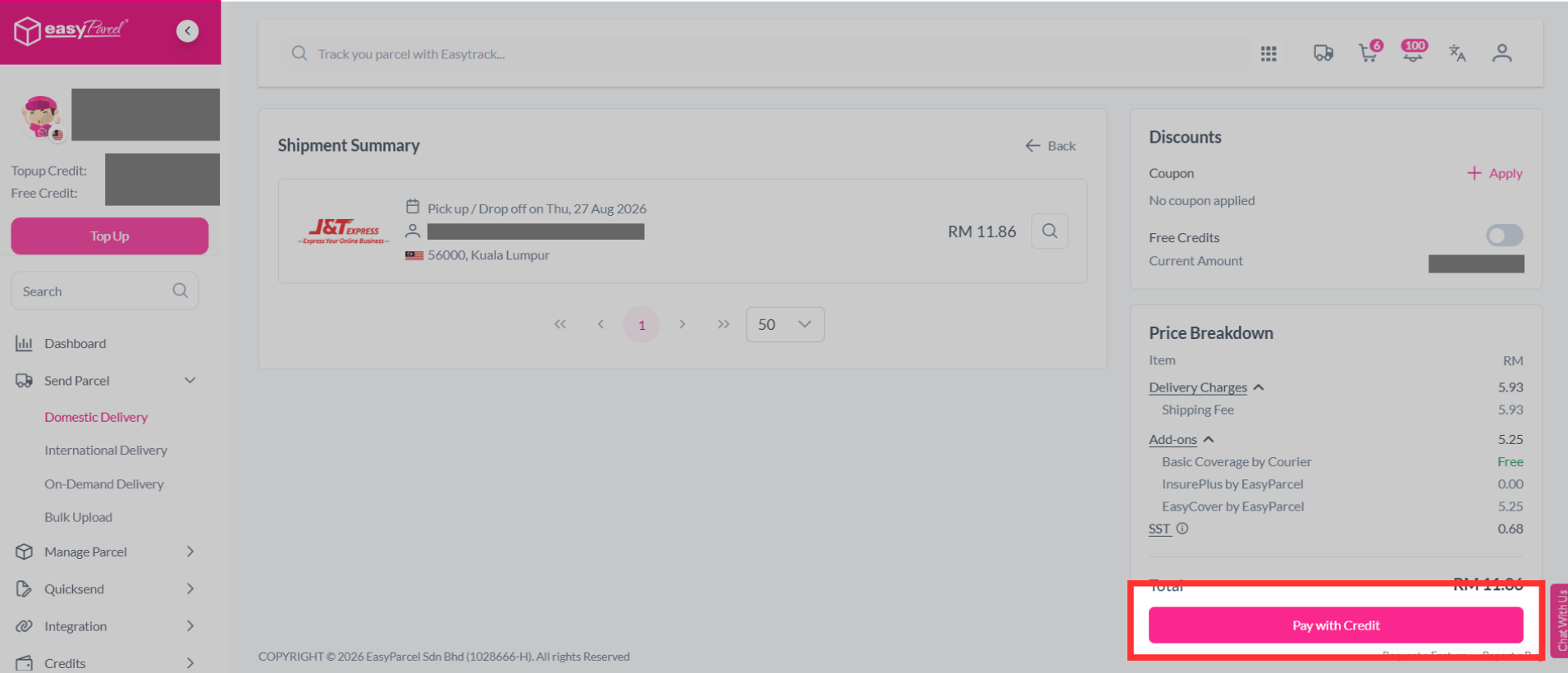
Step 12: Complete the booking and pay it.
How to purchase EasyCover via Bulk Upload?
Step 1: Select “Send Parcel” on the dashboard, click “Bulk Upload”.
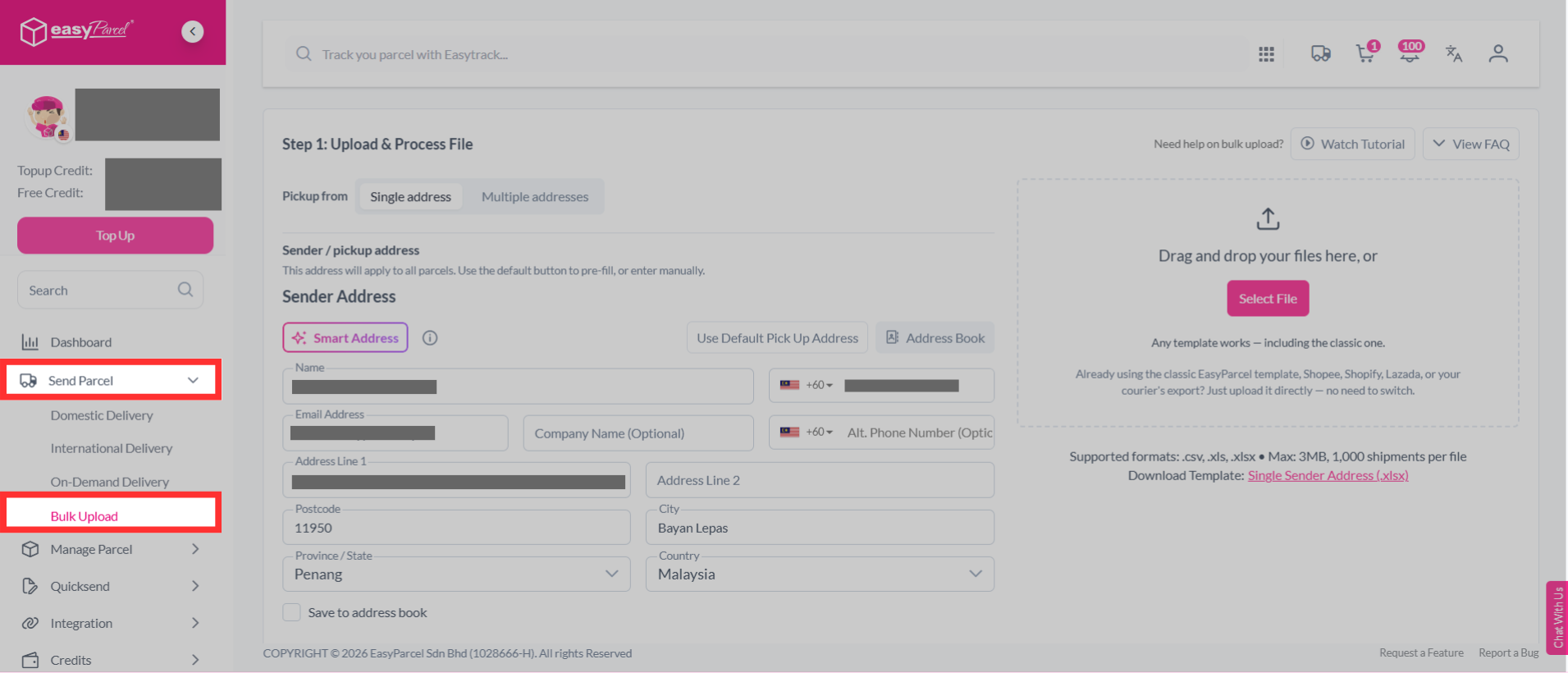
Step 2: Select "Single address", download the bulk upload single sender address template.
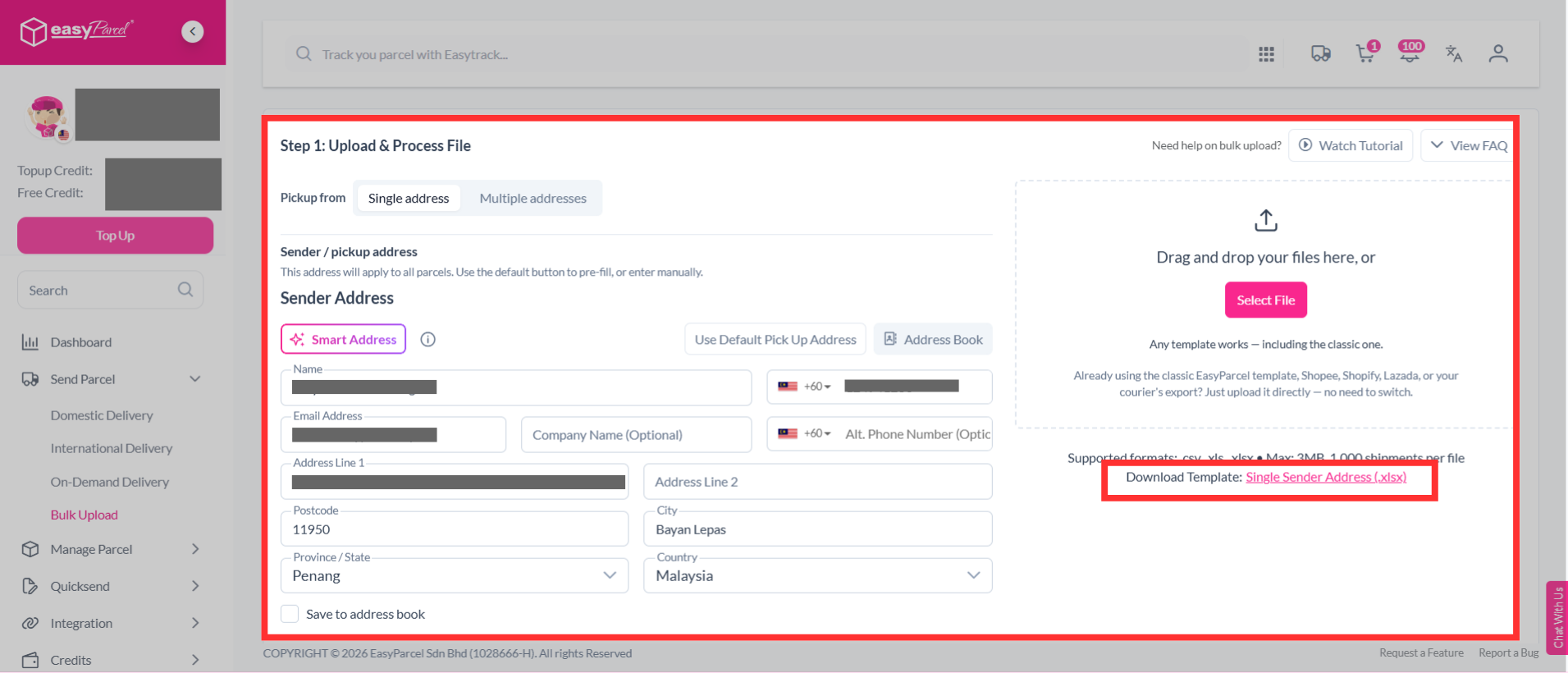
If you have multiple sender addresses, select "Multiple addresses", download the bulk upload multiple sender address template.
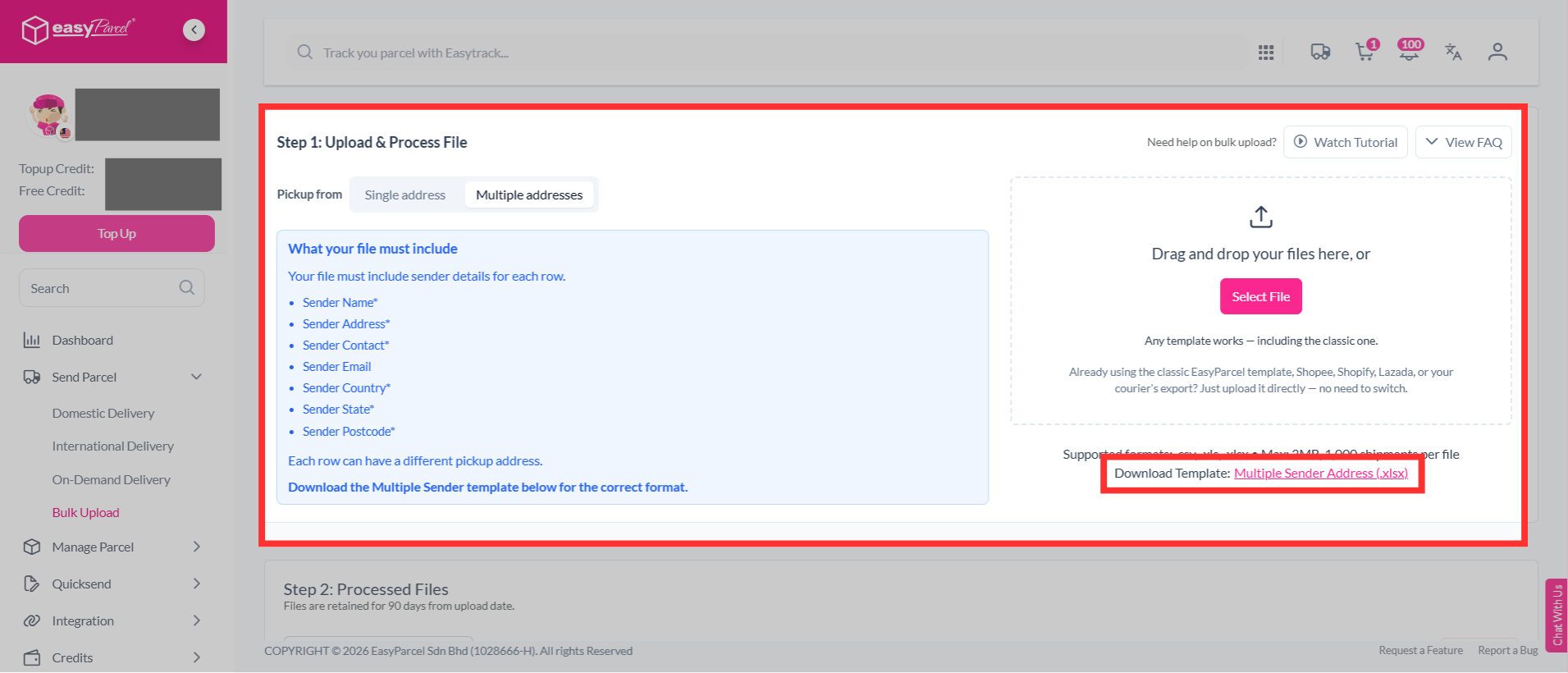
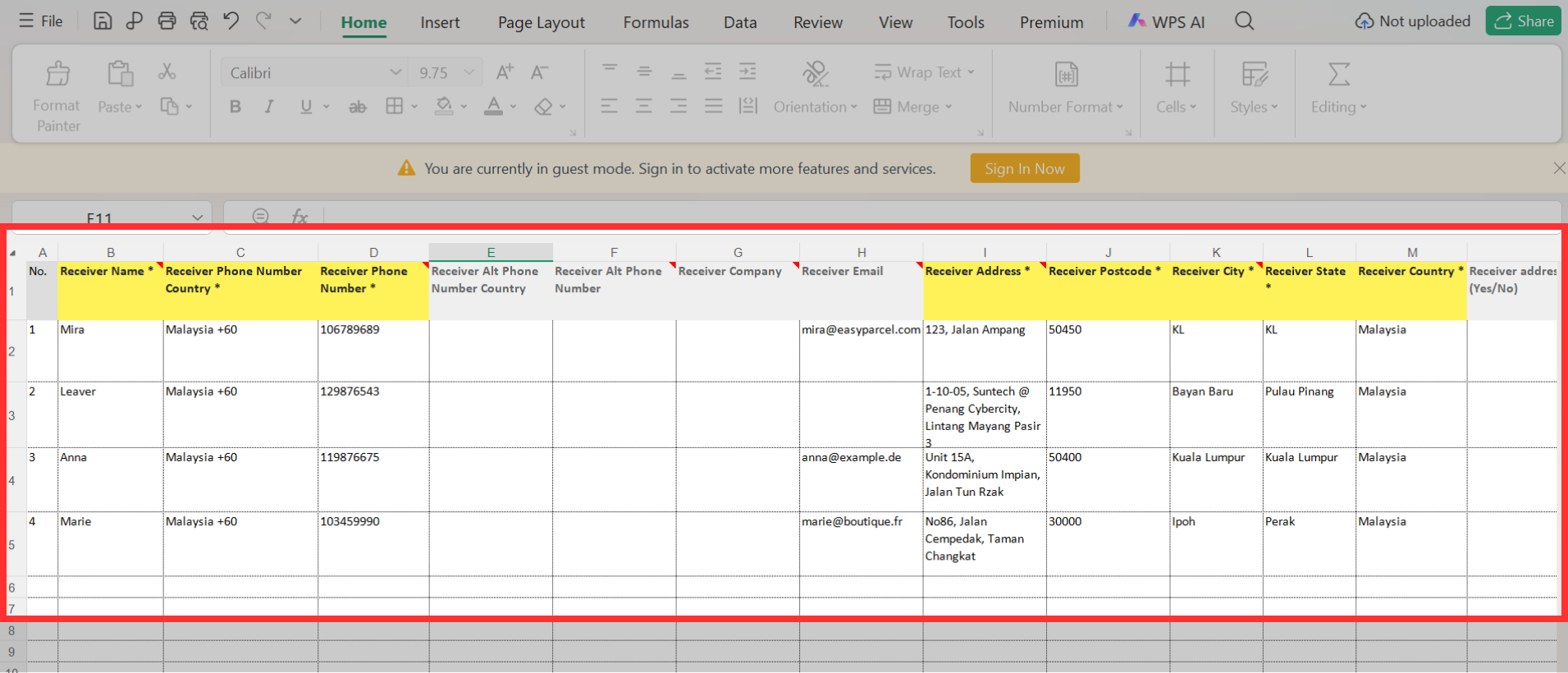
Step 3: Fill in details in the template. This includes:
- Sender details - If you select “Multiple addresses”, you need to enter the sender’s name, phone number, complete address, postcode, city, state and country. You may also provide the sender’s company name, email, alternative phone number and Tax ID if applicable.
- Receiver details - Enter the receiver’s name, phone number, address, postcode, city, state and country. You can also include optional details such as email, company name and Tax ID.
- Parcel weight (kg)
- Parcel dimensions (cm) – Enter the length, width and height of the parcel.
- Parcel content - Describe your parcel content correctly. For example, "H&M men’s sweather" instead of "shirt".
- Price currency - Select the currency used for the item value. For example, "MYR".
- Price per item - Fill in accurate parcel value to ensure a smooth delivery process. It will be kept confidential.
- Item quantity
- Reference
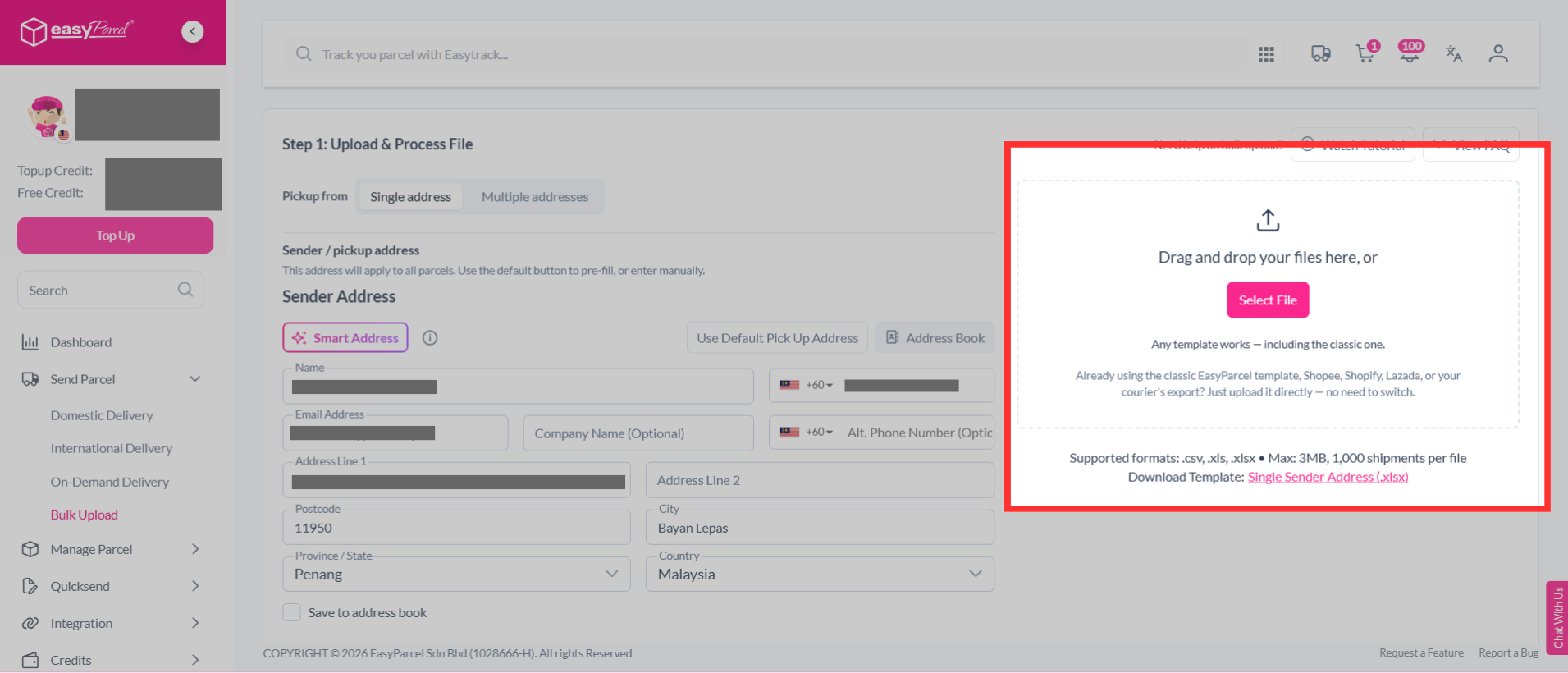
Step 4: Upload your bulk upload file.
Step 5: After upload your file, click "Edit" to verify your shipment details.
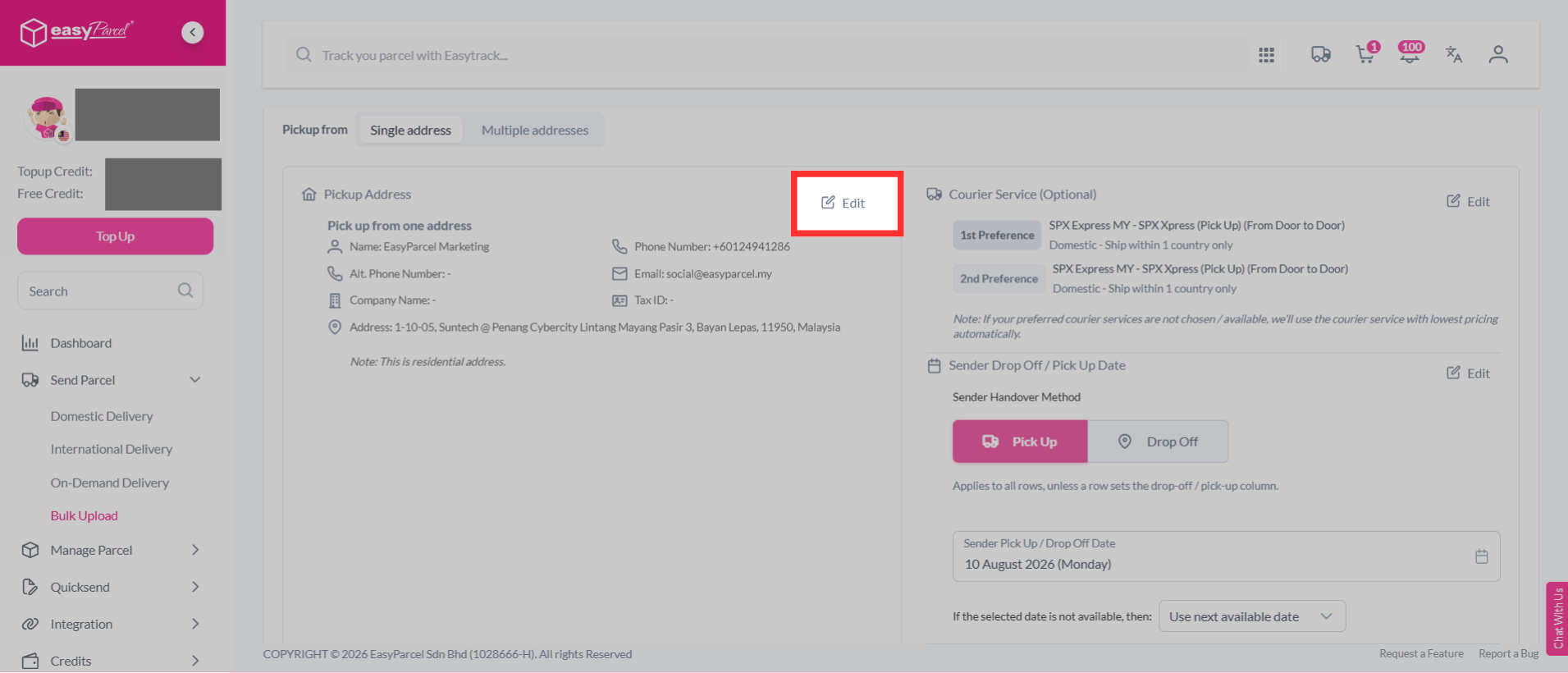
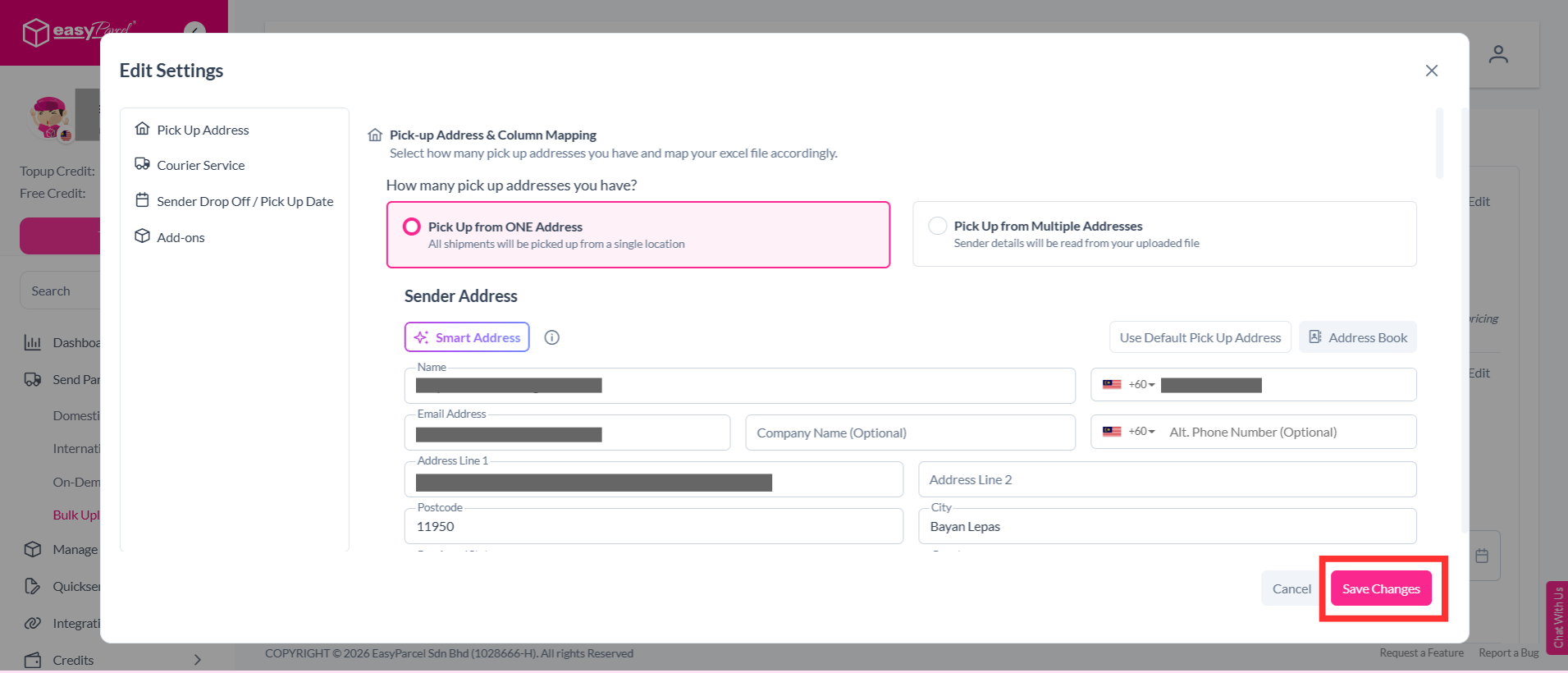
Step 6: You can edit your pick up address, courier service, sender drop off / pick up date and add-ons. Once you have confirmed the details, click “Save Changes” to save your updates.
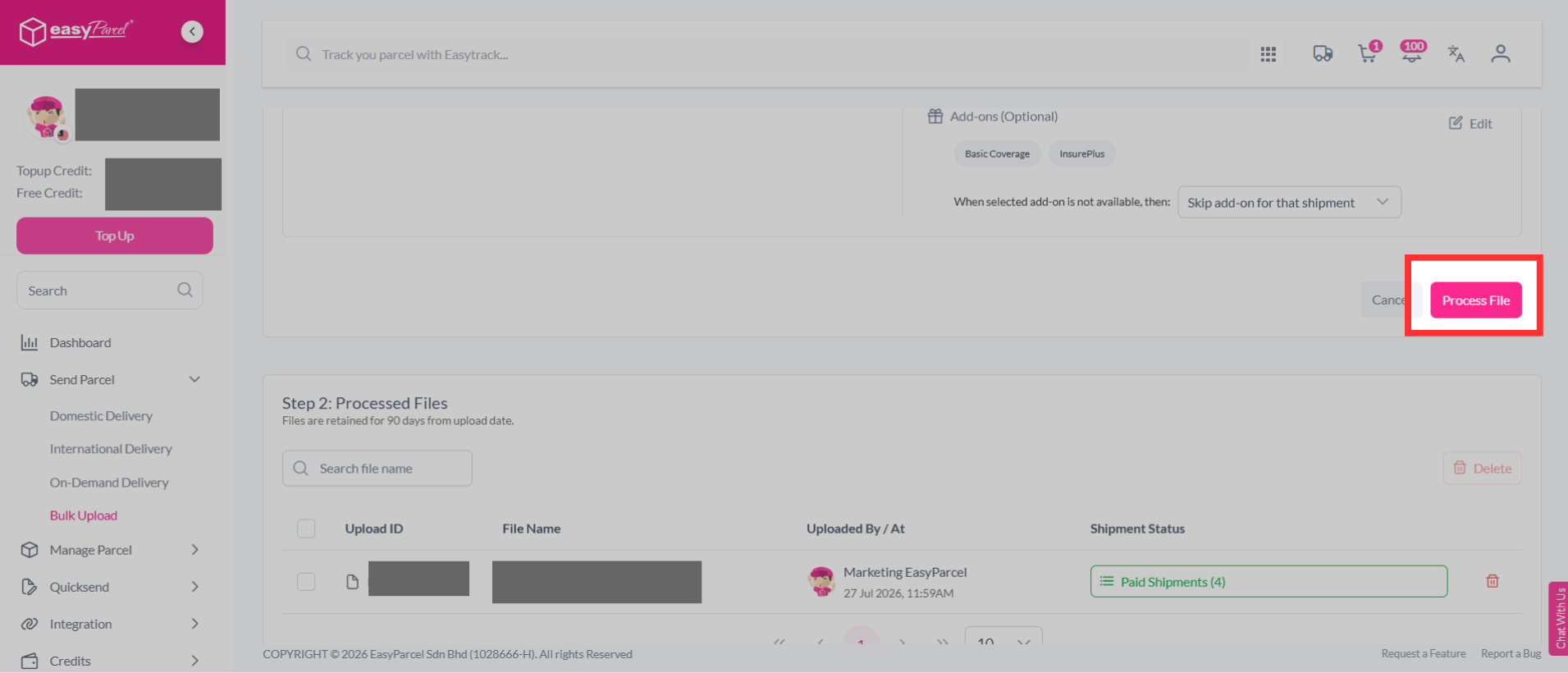
Step 7: Then, click "Process File".
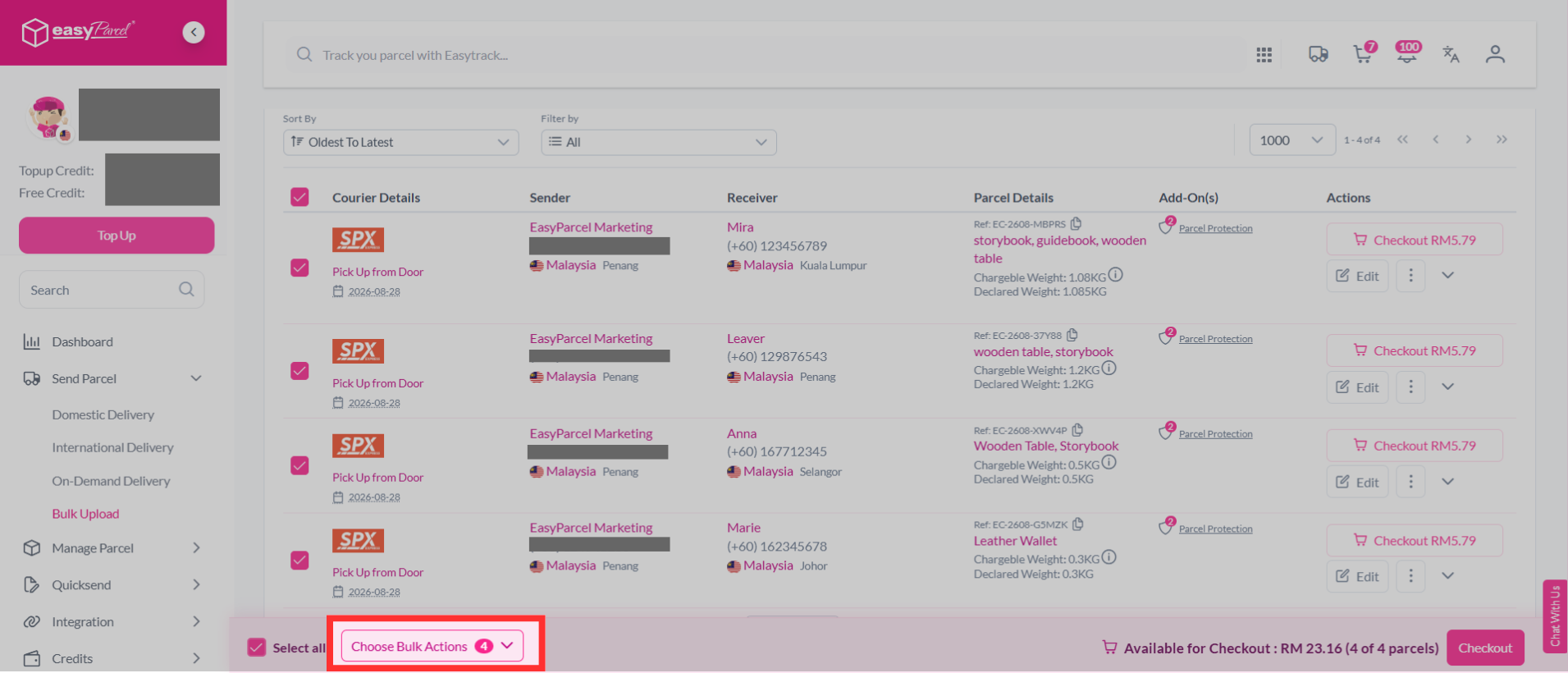
Step 8: Select the parcel you wish to add EasyCover to, then click "Choose Bulk Actions".
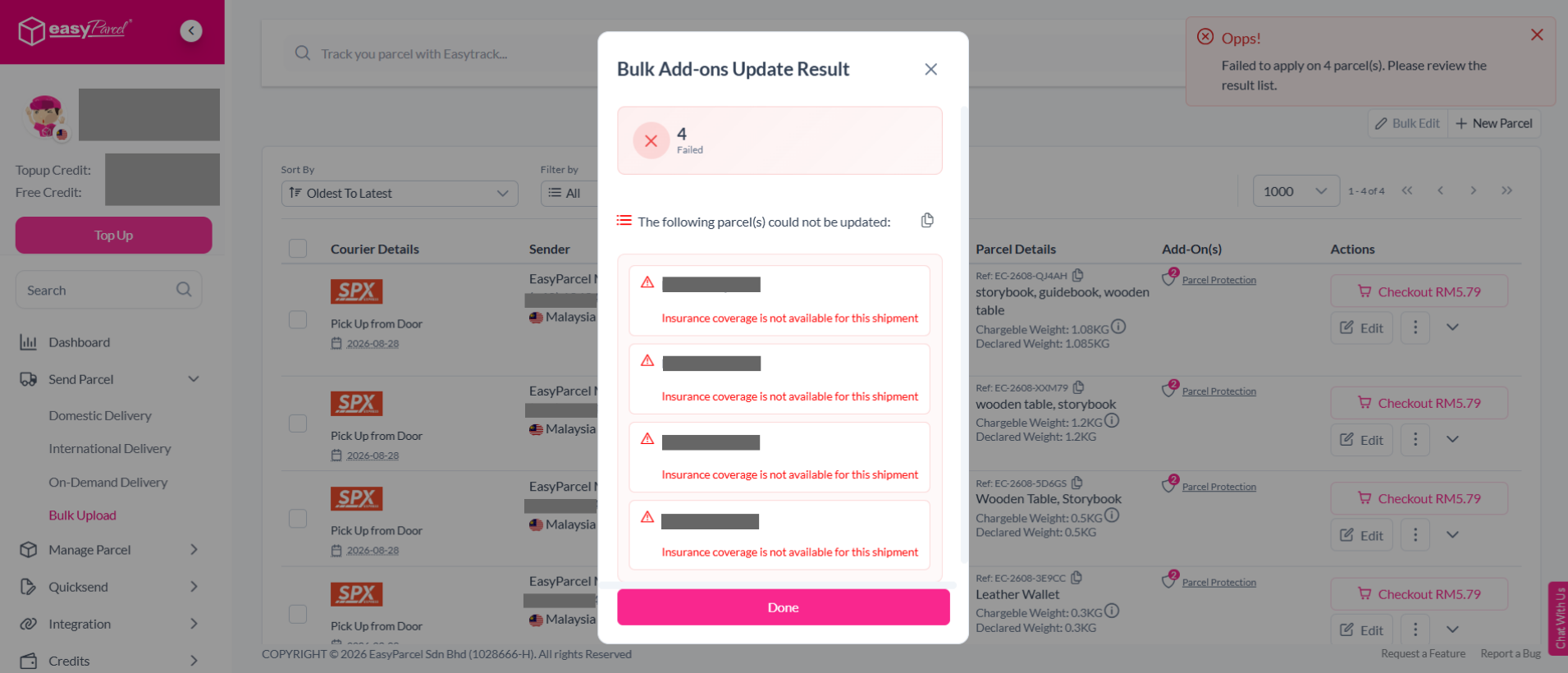
Note: Your parcel minimum value must be RM200.01 to be eligible for EasyCover.
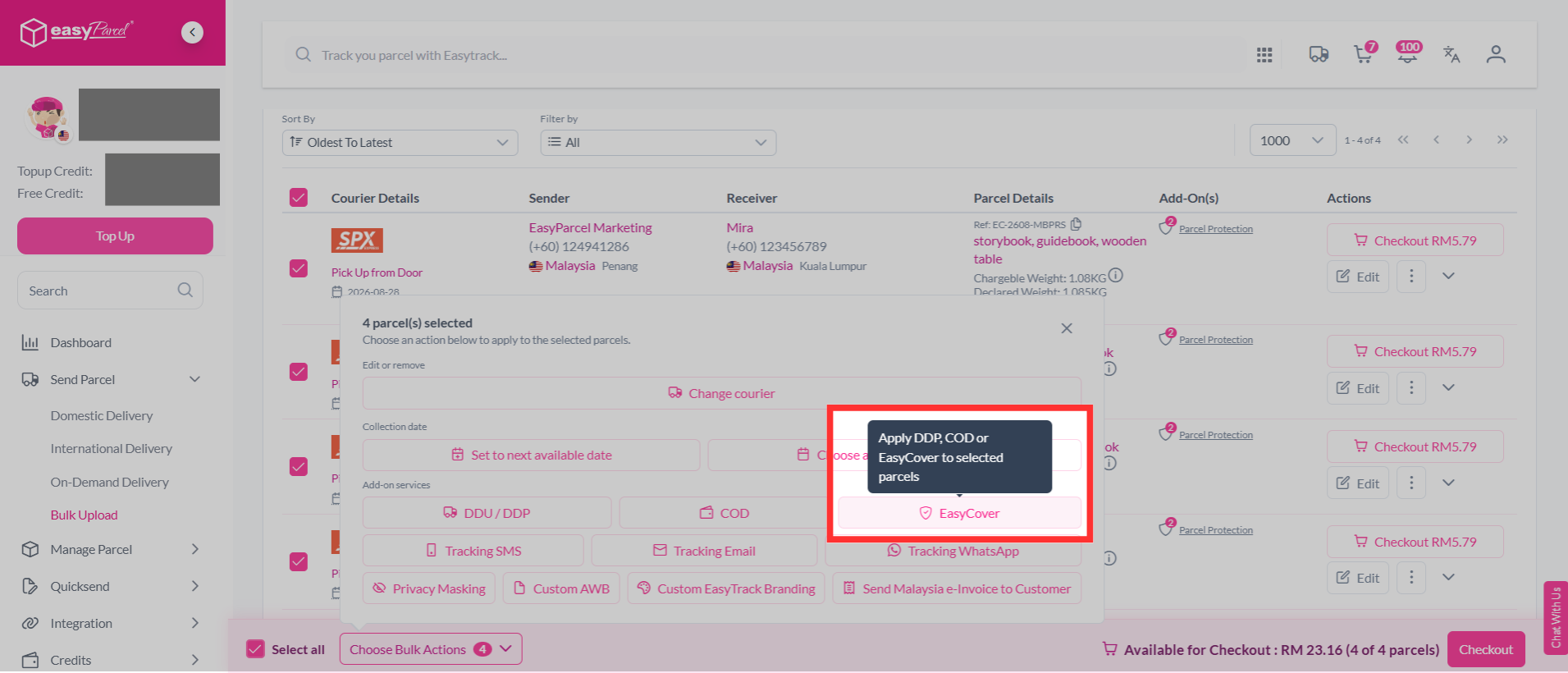
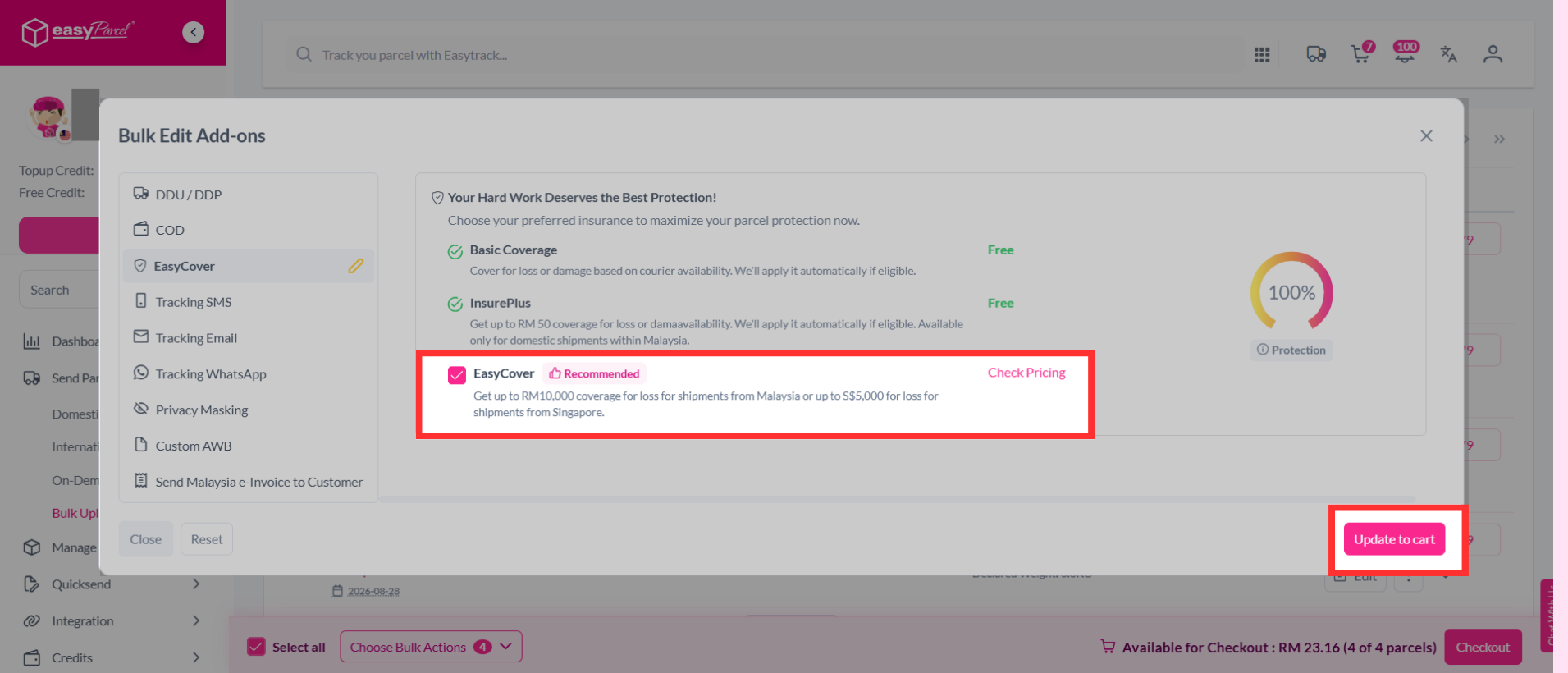
Step 9: Click "EasyCover".
Step 10: Add on EasyCover by clicking on it, and click "Update to cart".
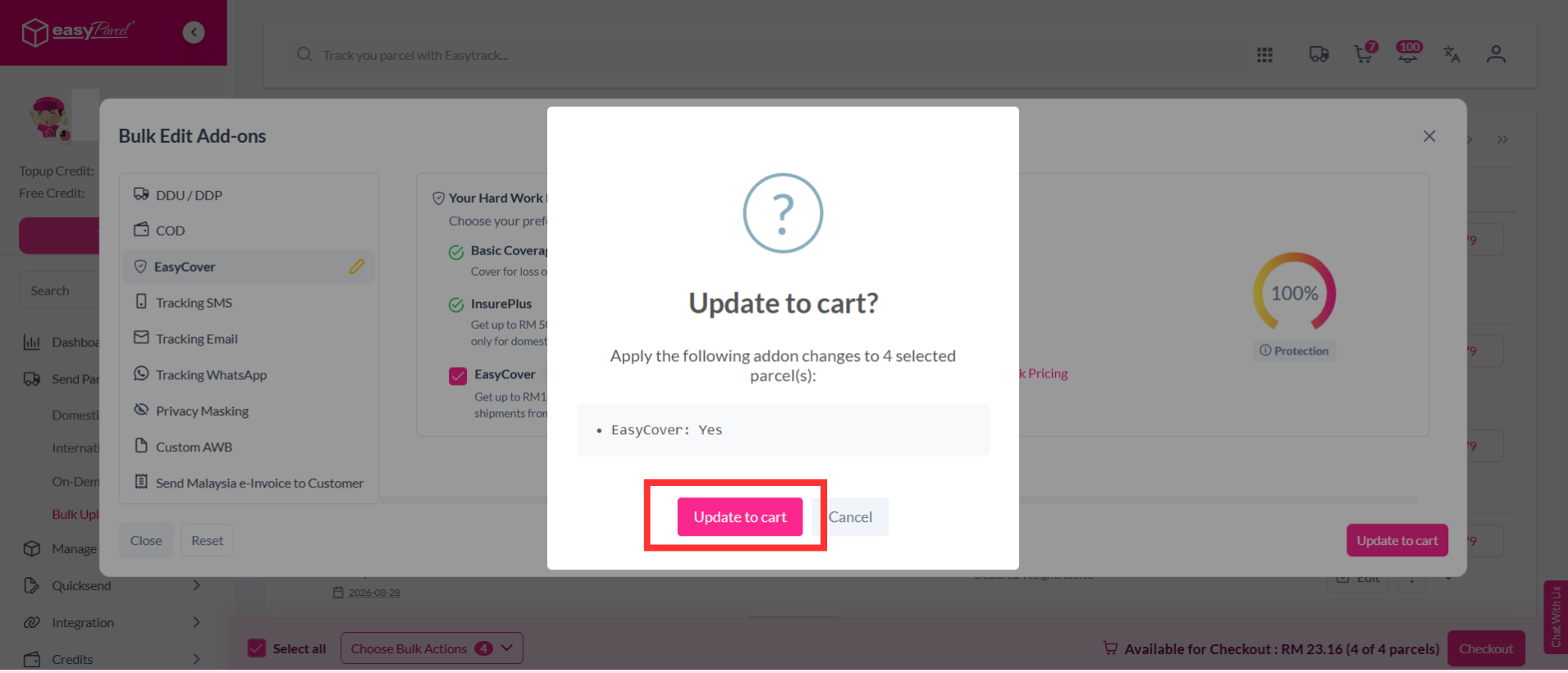
Step 11: Confirm you selection and click "Update to cart".
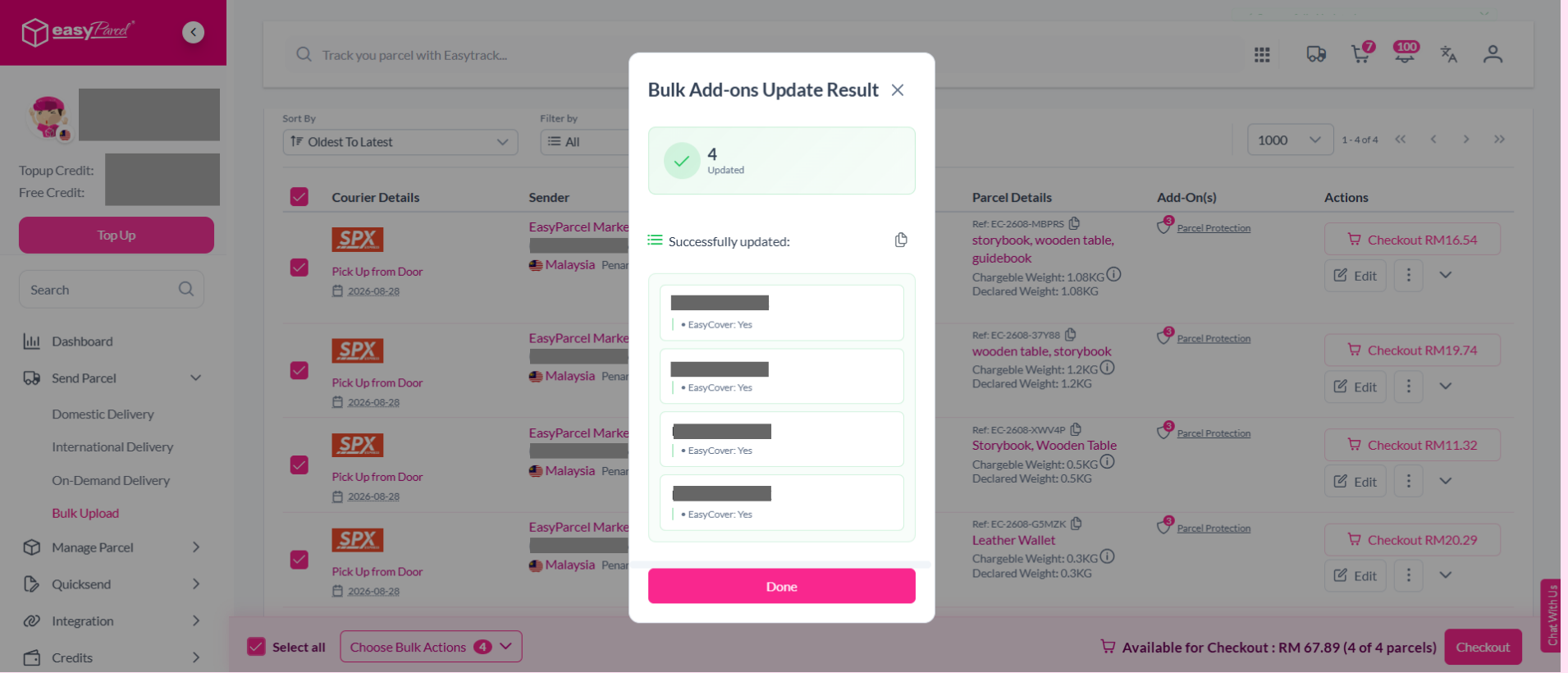
Step 12: Your EasyCover add-on has been successfully updated.
Note: Your parcel minimum value must be RM200.01 to be eligible for EasyCover. If the parcel value is below RM200.01, the EasyCover add-on will failed.
Step 13: You can verify and confirm your orders, click "Checkout".
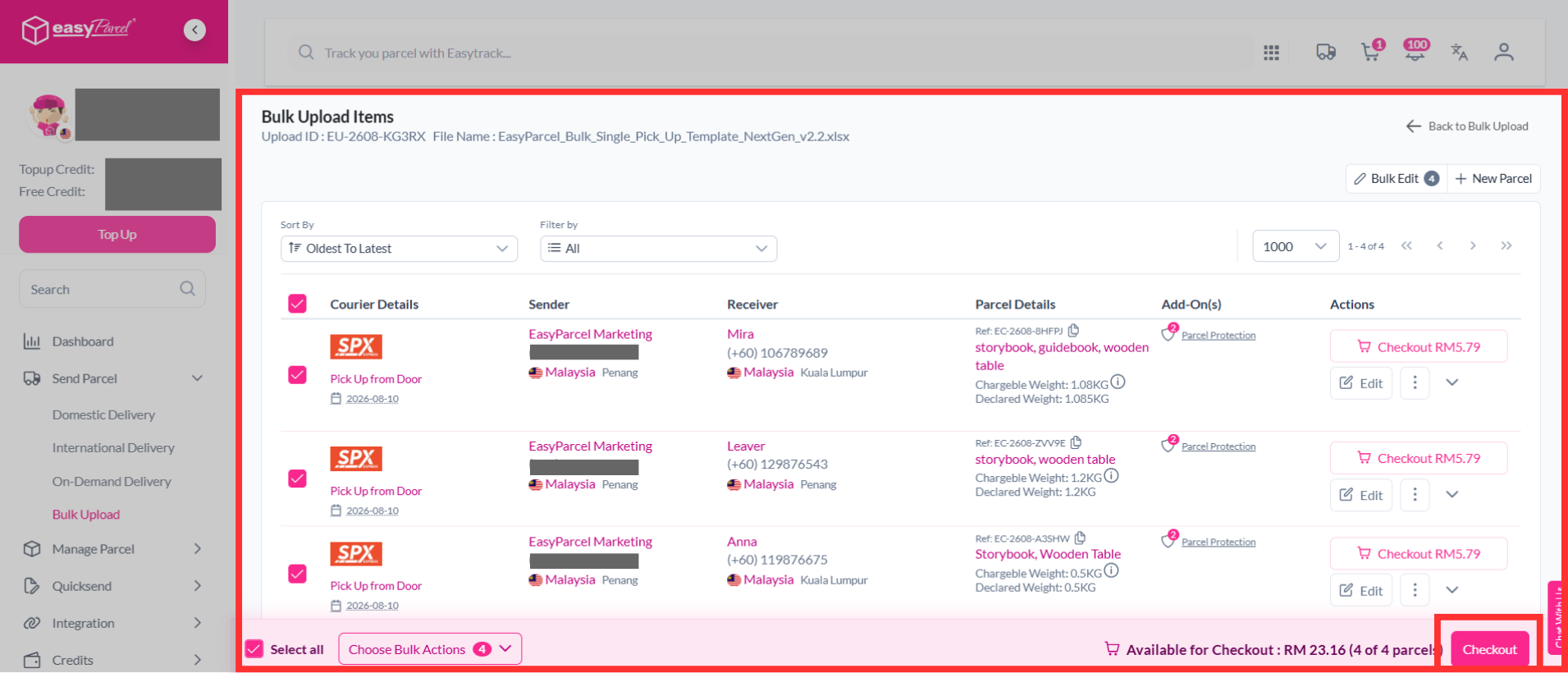
Step 14: Make payment as usual.