
Quick Summary
To check insurance coverage on EasyParcel, review your booking confirmation email, the "Parcel Status" page, or the "My Parcel" section in your account. All shipments include basic courier protection (up to RM200–RM400 typically), while optional, premium "EasyCover" (2.5% of parcel value for domestic delivery and 3.7% of parcel value for international delivery, up to RM10,000 for loss) must be selected during booking.
We'll Cover:
How many types of insurance / protection available in EasyParcel?
There are 3 types of insurance / protection in EasyParcel; Basic Insurance, InsurePlus, and EasyCover. Refer to our tables below to see what each of the insurance / protection types covers.
| Insurance / Protection Types | Offered By | Applicable To | Covers | Covers Up To |
| Basic Insurance | Courier Service | All shipments made via EasyParcel | Loss & damage parcel | Varies depending on the chosen courier |
| InsurePlus | EasyParcel | All shipments made via EasyParcel | Loss parcel | RM50 or parcel value, whichever is lower |
| EasyCover | EasyParcel | Shipments that added 2.5% of parcel value for domestic delivery, 3.7% of parcel value for international delivery during checkout | Loss parcel | Up to a maximum of RM10,000 coverage |
How to check which insurance / protection coverage applied to my shipment?
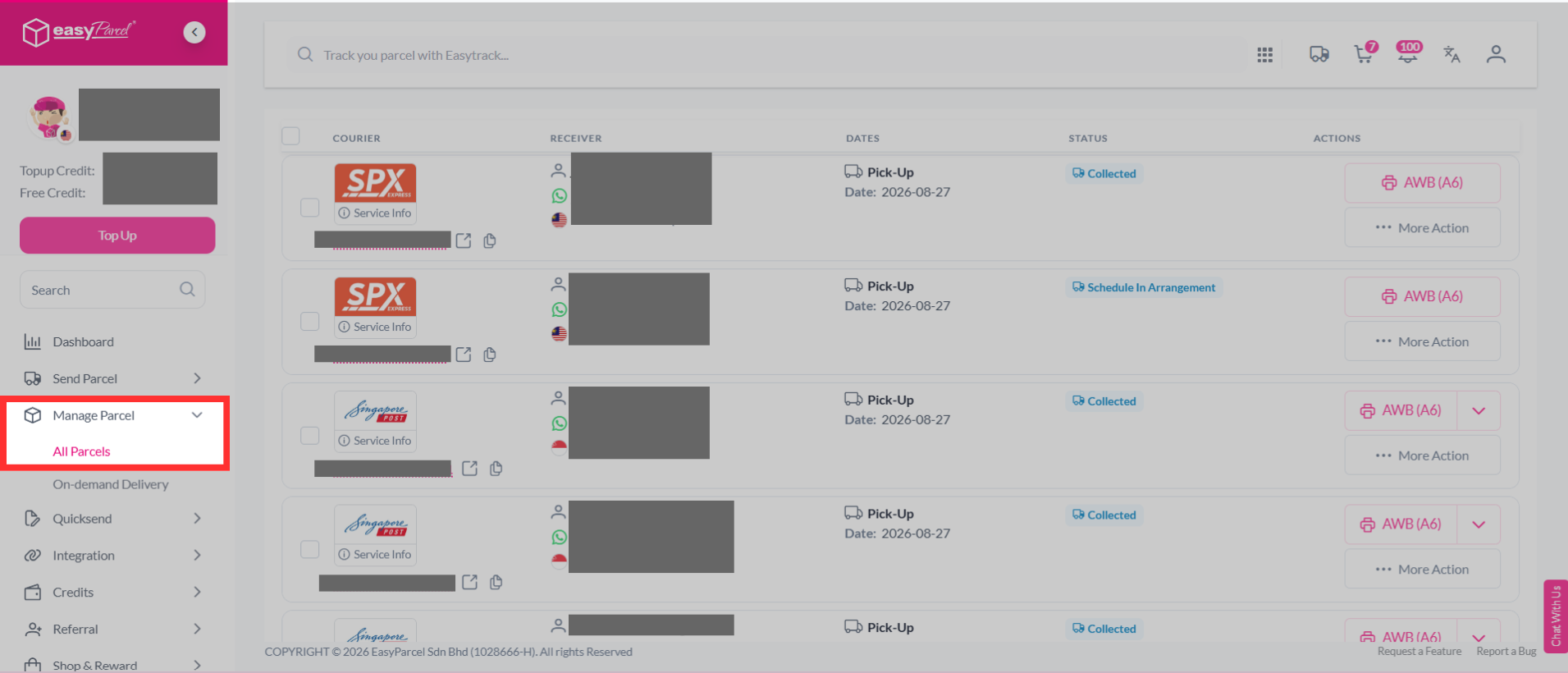
Step 1: You may do so by clicking on the "Manage Parcel" tab, then clicking "All Parcels".
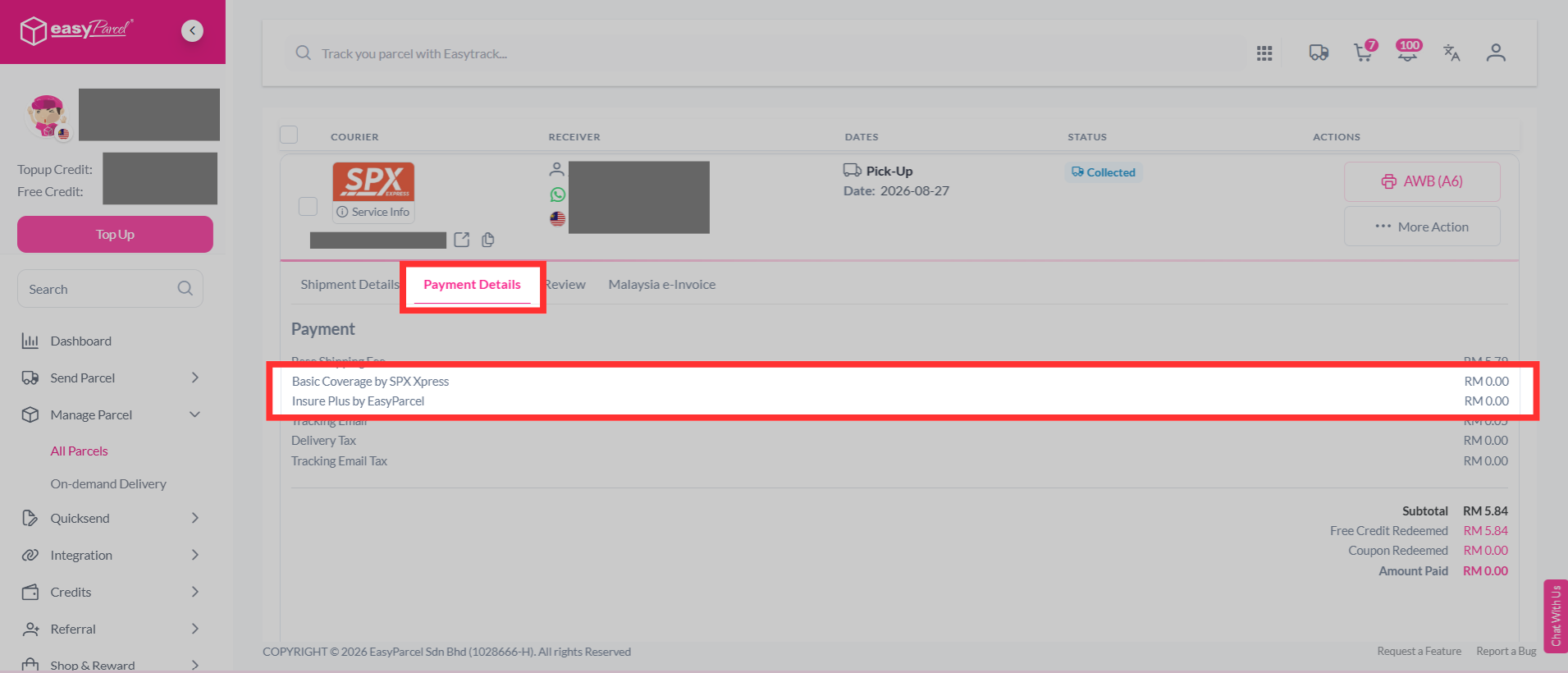
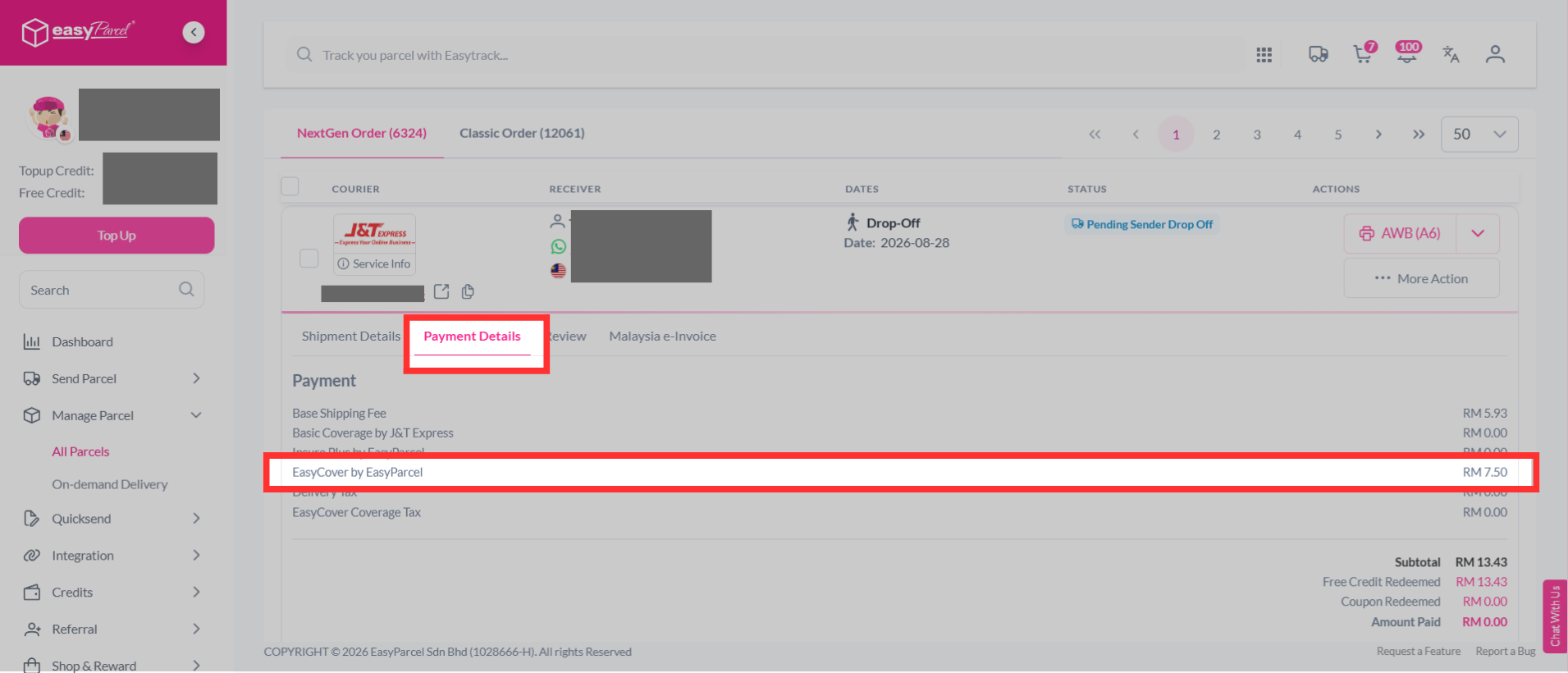
Step 2: Find the shipment for which you want more clarification on its applied insurance / protection coverage, then click on it. Then, click "Payment Details". Under payment details, you'll find your insurance/protection coverage, where it will show either "Basic Coverage", "Insure Plus" or "EasyCover".
You may learn more on how to add on parcel protection here.