
Quick Summary
EasyCover on EasyParcel is an optional, comprehensive parcel insurance plan providing coverage up to RM10,000 for lost or missing shipments. Costing approximately 2.5% of parcel value for domestic delivery and 3.7% of parcel value for international delivery, it offers enhanced protection beyond the courier's basic coverage, covering both domestic and international shipments.
We'll Cover:
As part of our continued effort to make you enjoy peace of mind when having parcel delivery via EasyParcel, we are happy to announce the upgraded version of EasyCover! You can now protect your parcels domestically and internationally with confidence. To start delivering with EasyCover protection, you first need to have an account with us. Create your account first. (It's free, plus you'll get RM10 free coupon).
- Domestic:
For only 2.5% of your parcel value, this new protection plan will ensure your shipment is secured from lost with a maximum of RM10,000 coverage. This include Pos Laju, J&T Express, DHL eCommerce, Aramex Domestic, Skynet, ABX Express, UTS Logistics, UPS, Flash Express and Pickupp!
- International:
For only 3.7% of your parcel value, you can protect your international parcel from loss with a maximum of RM10,000. You can ship via Aramex International, FedEx, SF Express, Teleport Priority, Janio & Ninja Van!
This is exclusively designed for those of you who are always a great supporter of the listed courier above throughout the parcel delivery journey. EasyCover option is available to add on through single parcel or bulk parcel booking in just a few clicks!
What is Easy Cover?
Payment for EasyCover | Domestic: 2.5% of your parcel value for Pos Laju, J&T Express, DHL eCommerce, Aramex Domestic, Skynet, ABX Express, UTS Logistics, UPS Flash Express and Pickupp **For example, if your parcel value is RM1000, then you will need to opt-in EasyCover with a payment of RM25 only. International: 3.7% of your parcel value for Aramex International, FedEx, SF Express, Teleport Priority, Janio and Ninja Van. **For example, if your parcel value is RM1000, then you will need to opt-in EasyCover with a payment of RM37 only. |
Maximum Coverage | Up to RM10,000 per parcel |
Couriers That Are Available For EasyCover | Domestic: Pos Laju, J&T Express, DHL eCommerce, Aramex Domestic, Skynet, ABX Express, UTS Logistics, UPS, Flash Express and Pickupp ** Valid for door to door delivery within Malaysia only International: Aramex International and FedEx **Free pick up from your doorstep with no minimum quantity needed, while delivery is available to major cities around the world. Quote here. |
Report Time Frame | Within 15th until 25th day since the collection date |
Required Documents Upon EasyCover Claim | 1. Sales/purchase invoice that must be included:
2. Photo of parcel content and parcel packaging 3. Police report of the lost parcel that is covered by EasyCover (Only applicable for parcel that is lost due to theft) |
Items which are excluded from EasyCover coverage | For the complete list of new excluded items, please refer to New Exclusion List below. **No refund on EasyCover charges will be given if you proceed with purchase of EasyCover on any excluded item. For more info, please refer to our EasyCover T&C. |
What are the Items that not covered by EasyCover?
*New Exclusion List
Coverage via EasyCover is NOT applicable for the following items, including:
- accounts / bills / money / coin / cash / currency / deeds / any monetary
- instruments
- aerosol
- alcoholic beverages / beers / wines / liquors
- antiques / works of arts / paintings
- any product related to illegal activities or which is prohibited by law
- articles of unusual value
- biological samples
- chainsaw
- counterfeit / pirated goods and materials
- cyanides or precipitates
- dangerous / flammable / hazardous / explosive cargoes
- debit card / credit card
- drugs (including prescription)
- dry ice
- engines
- fire arms and weapons (real or fake)
- fire extinguisher
- firecrackers
- furs / skins / animal parts / animal antiquities
- gaming items such as gambling devices / lottery tickets / poker chips
- gold / precious stone / bullion / silver / silverstone / precious metal/ jewelleries
- hazardous goods / toxic powder
- knives
- lighter
- livestocks / bloodstocks / aquaculture/ birds
- narcotics
- oil
- original and/or official documents e.g. Identity card, passport, license, bank draft, bank cheque, money order, stamp, paperwork, photo, document, certificate, voucher, etc.
- perishable goods / foods
- perishable items / live or fresh plants / frozen or refrigerated items that require refrigeration
- plant and agricultural products
- pornography / offensive materials / sexual explicit content
- religious items
- seat belt tensioner
- security papers and valuable papers / bonds / vouchers / coupons
- sinks
- stamps
- tactical equipment
- tobacco/ cigarettes / cigars / vapes
**No refund on EasyCover charges will be given nor will claims submissions be entertained should you purchase EasyCover onto any of the excluded items.
What are the Countries not covered by EasyCover?
Please note that coverage via EasyCover is NOT applicable for the following countries. However, the list is subject to change based on OFAC sanctions and embargo:
- Afghanistan
- Angola
- Bolivia
- Burma
- Iran
- Iraq
- Congo
- Ivory Coast
- Lebanon
- Liberia
- Libya
- Nigeria
- North Korea
- Paraguay
- Somalia
- Syria
- Venezuela
- Zimbabwe
**No refund on EasyCover charges will be given nor will claims submissions be entertained should you purchase EasyCover onto any of the excluded countries.
How to purchase EasyCover via Single Parcel?
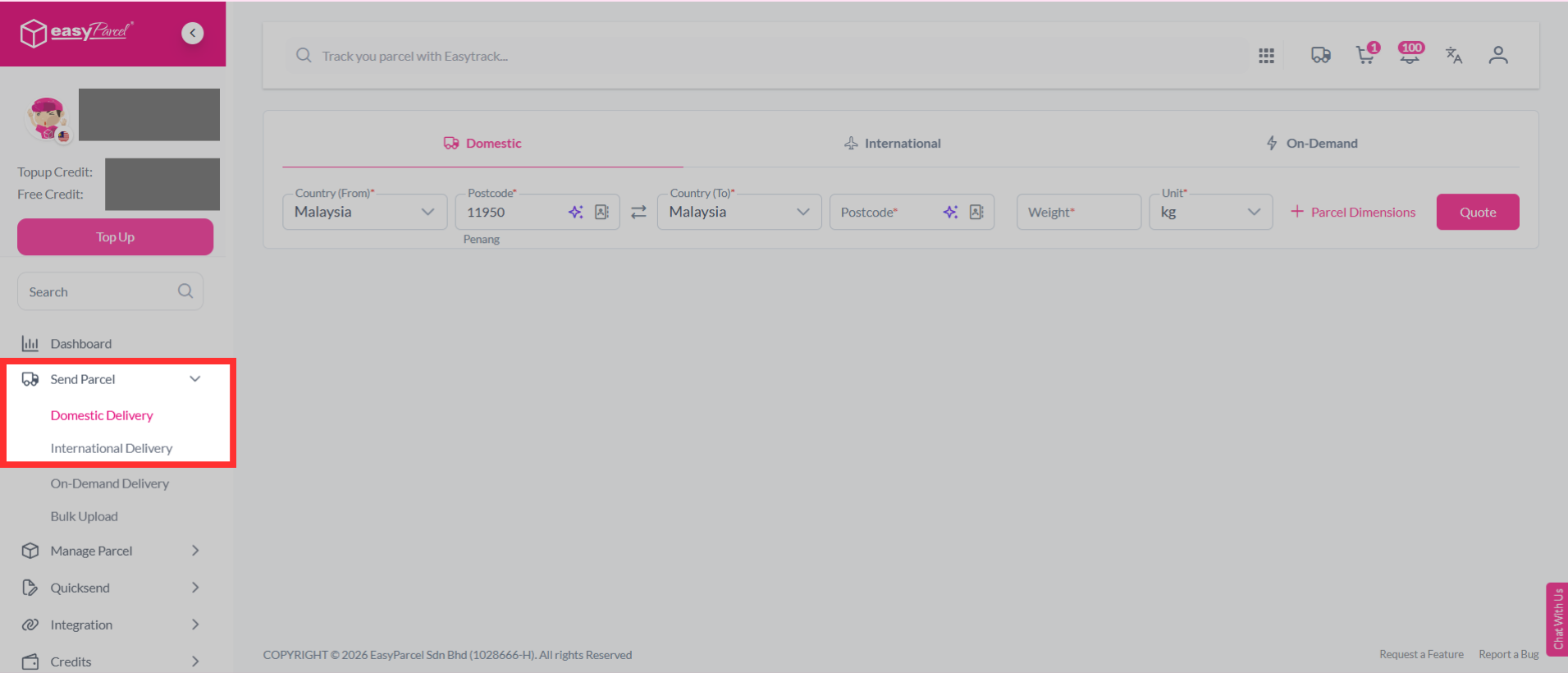
Step 1: Select "Send Parcel", then choose "Domestic Delivery" or "International Delivery" from your dashboard.
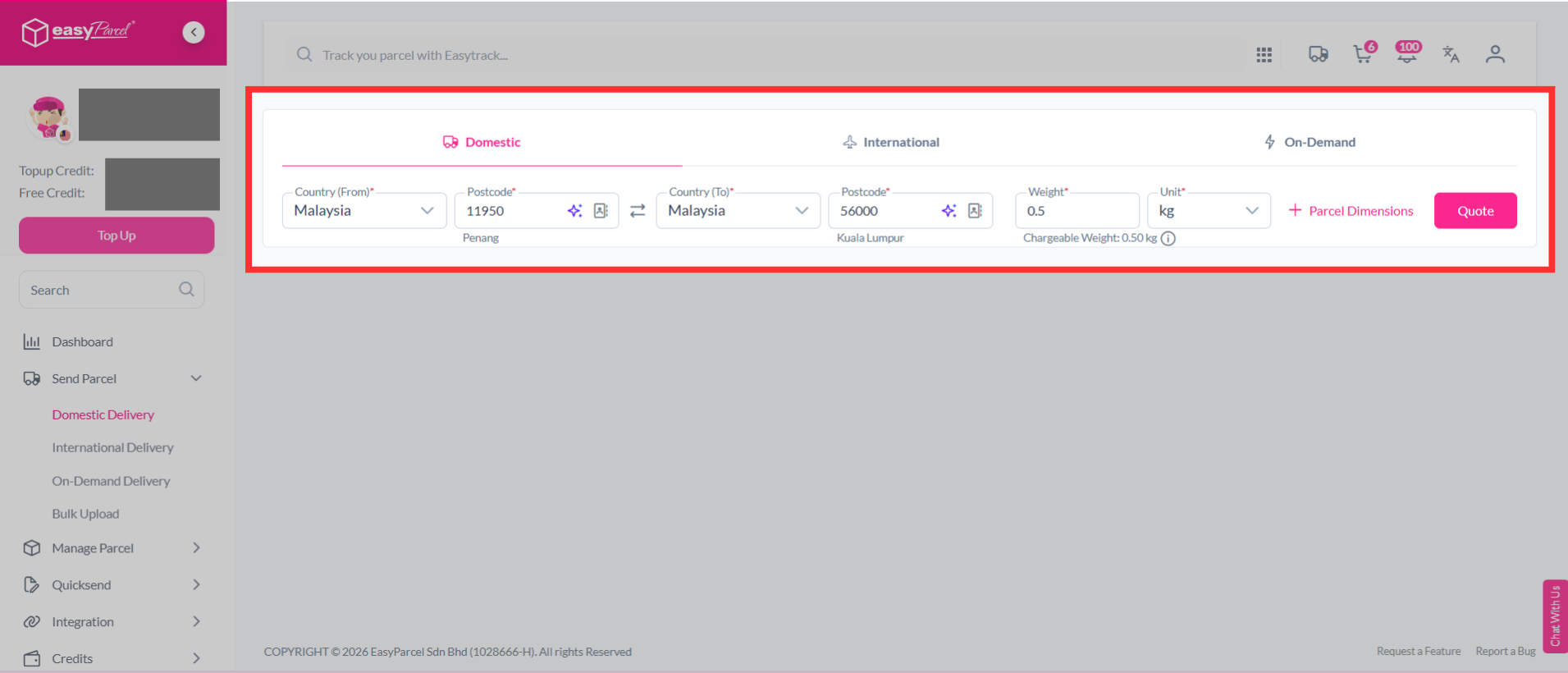
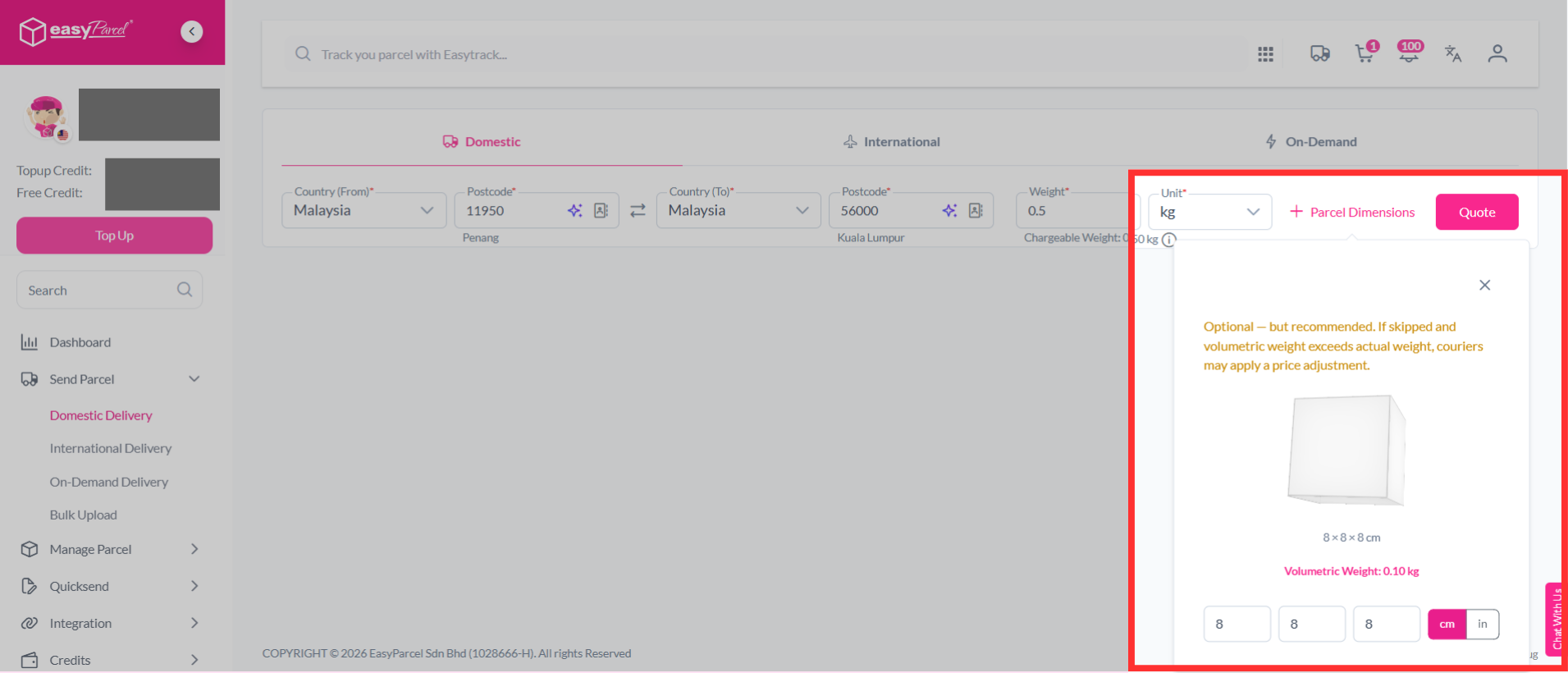
Step 2: Key in the postcodes, weight and parcel dimensions of your parcel. If you're unsure how to determine your parcel weight, you can learn it here. Then, click on "Quote".
Note: Couriers calculate your parcel's actual weight and volumetric weight. The shipping charge is based on whichever weight is higher.
Step 3: You will see a list of available couriers. Click the shield icon to view more details about the Basic Coverage, InsurePlus and EasyCover Protection.
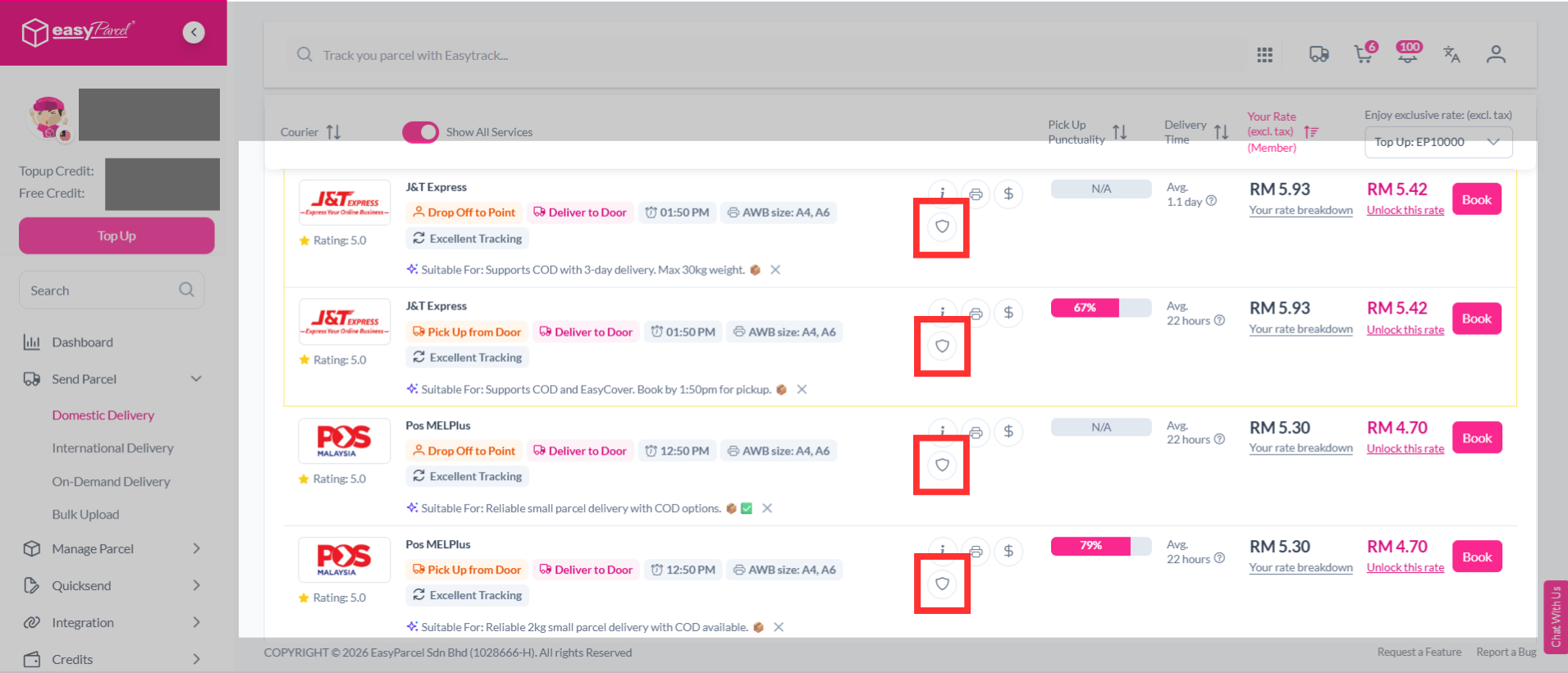
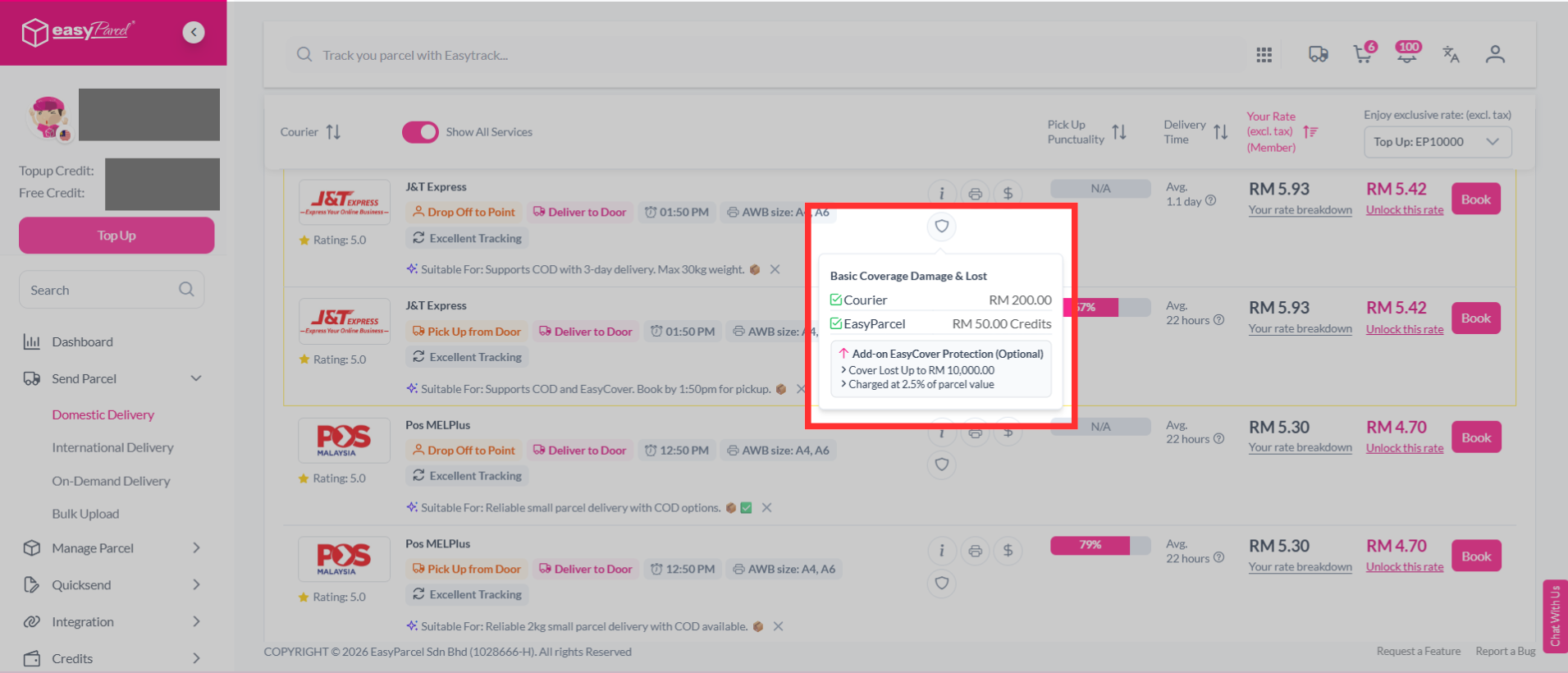
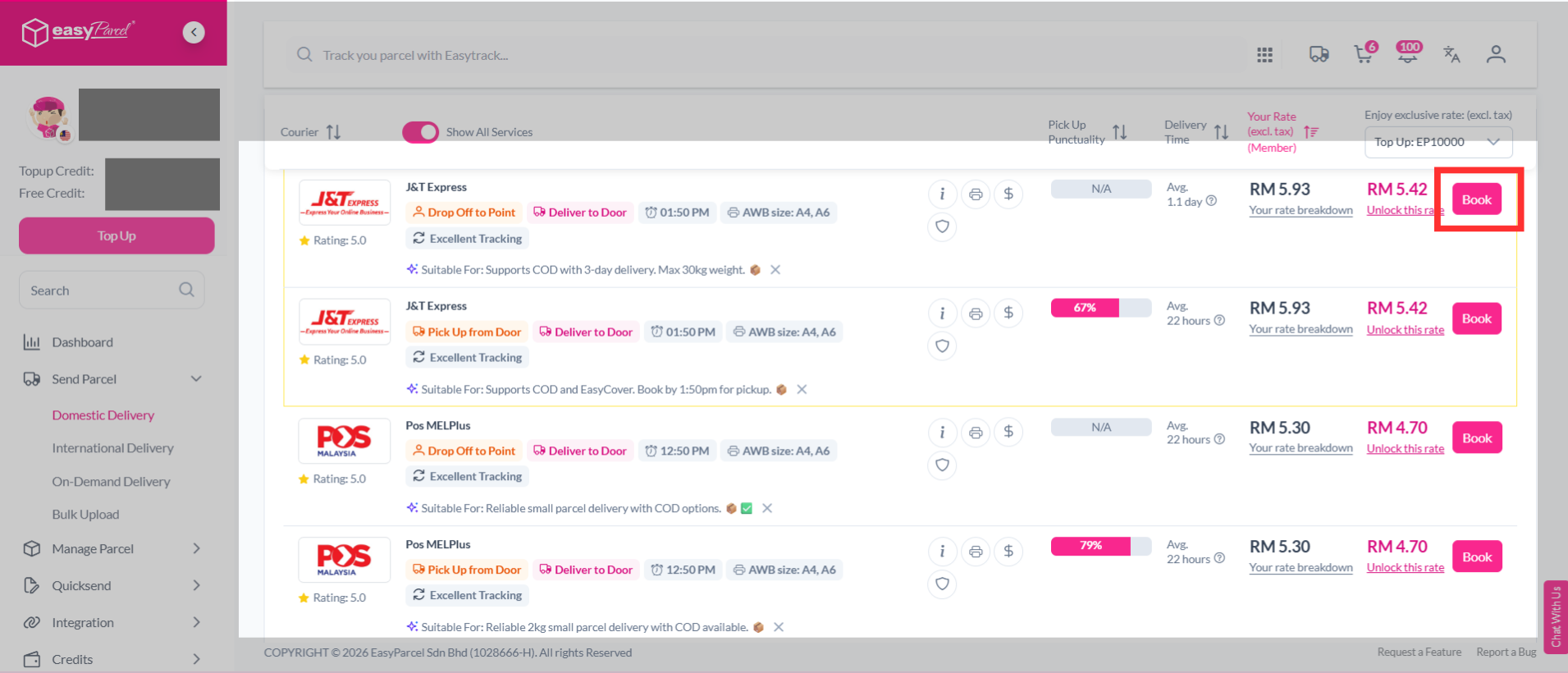
Step 4: You may select a courier that supports EasyCover. Click "Book".
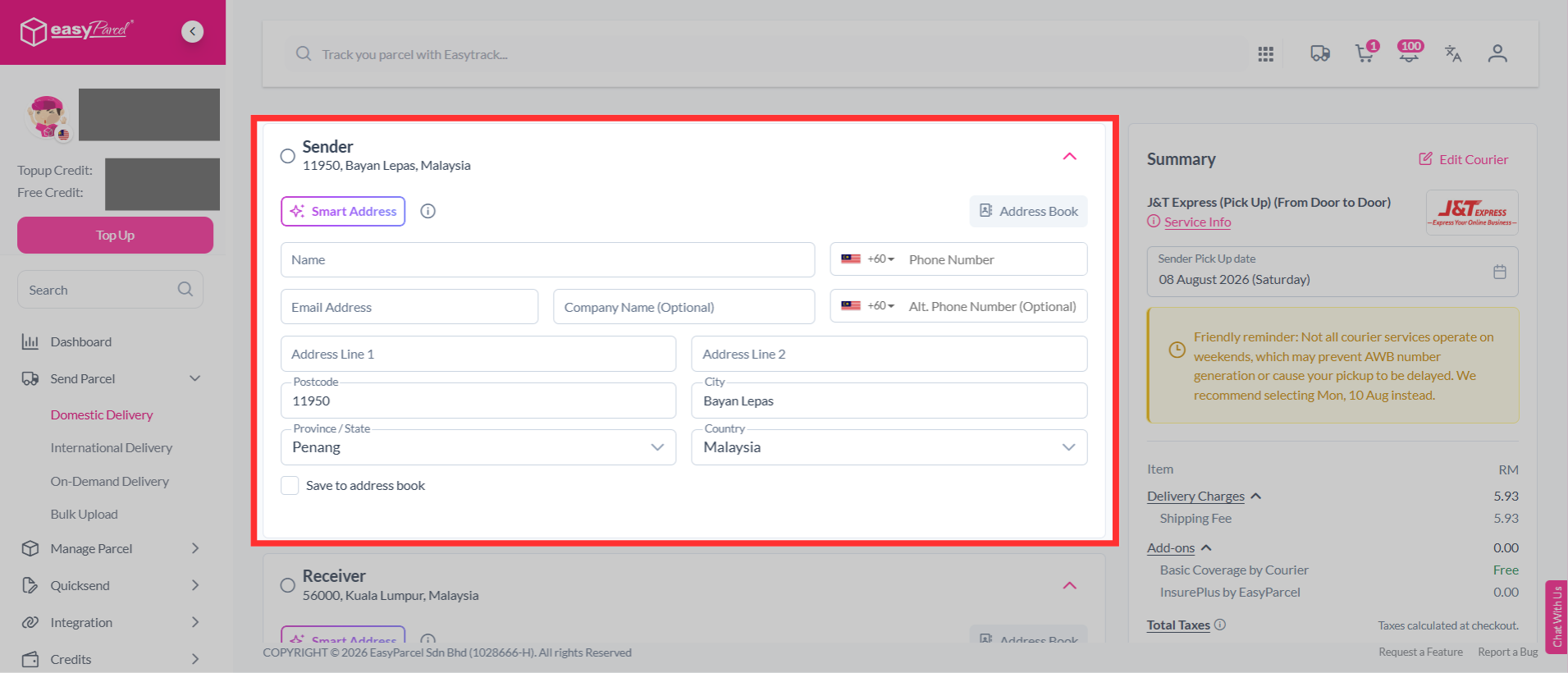
Step 5: Fill in the sender's details. Use Smart Address to quickly fill in the address details. Simply paste the name, phone number, and address, and the system will automatically fill in the relevant fields for you.
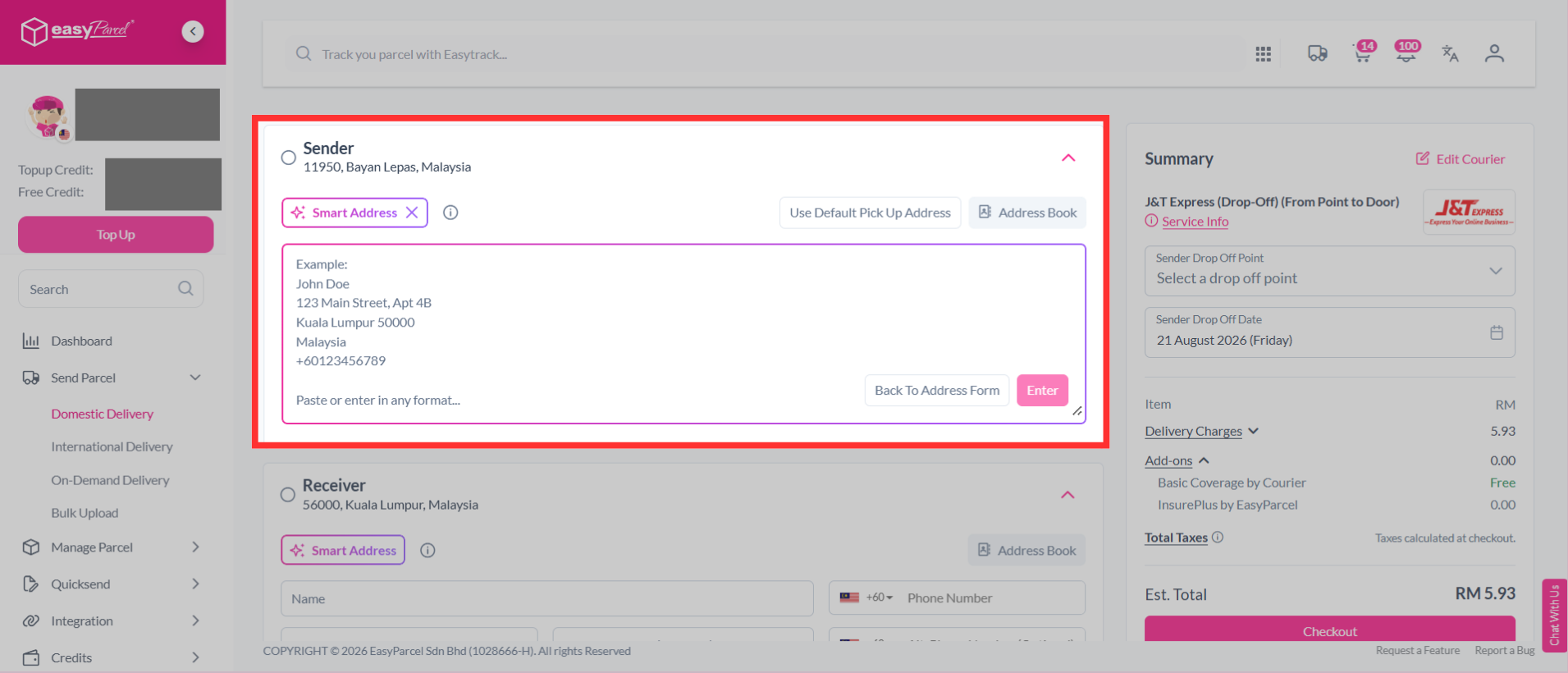
Step 6: Fill in the receiver's details. Use Smart Address to quickly fill in the address details. Simply paste the name, phone number, and address, and the system will automatically fill in the relevant fields for you.
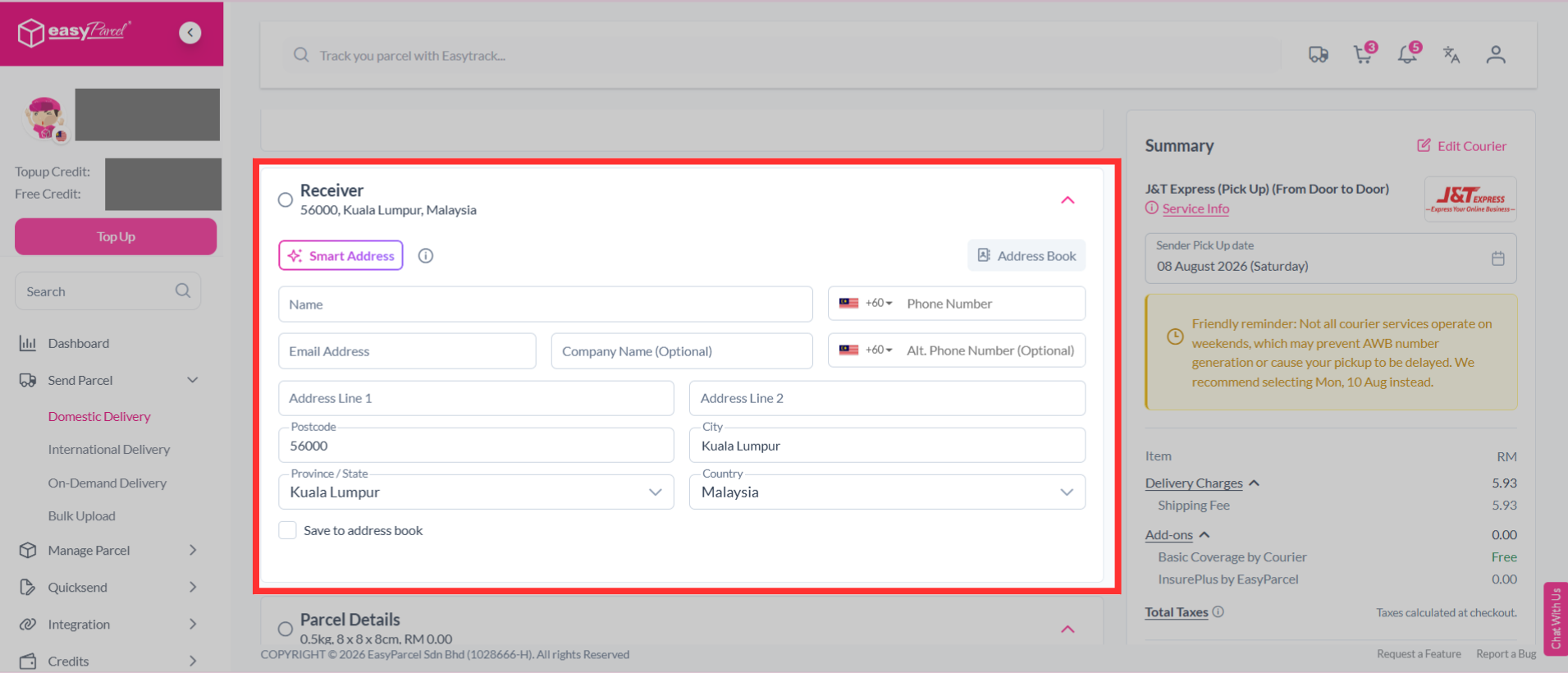
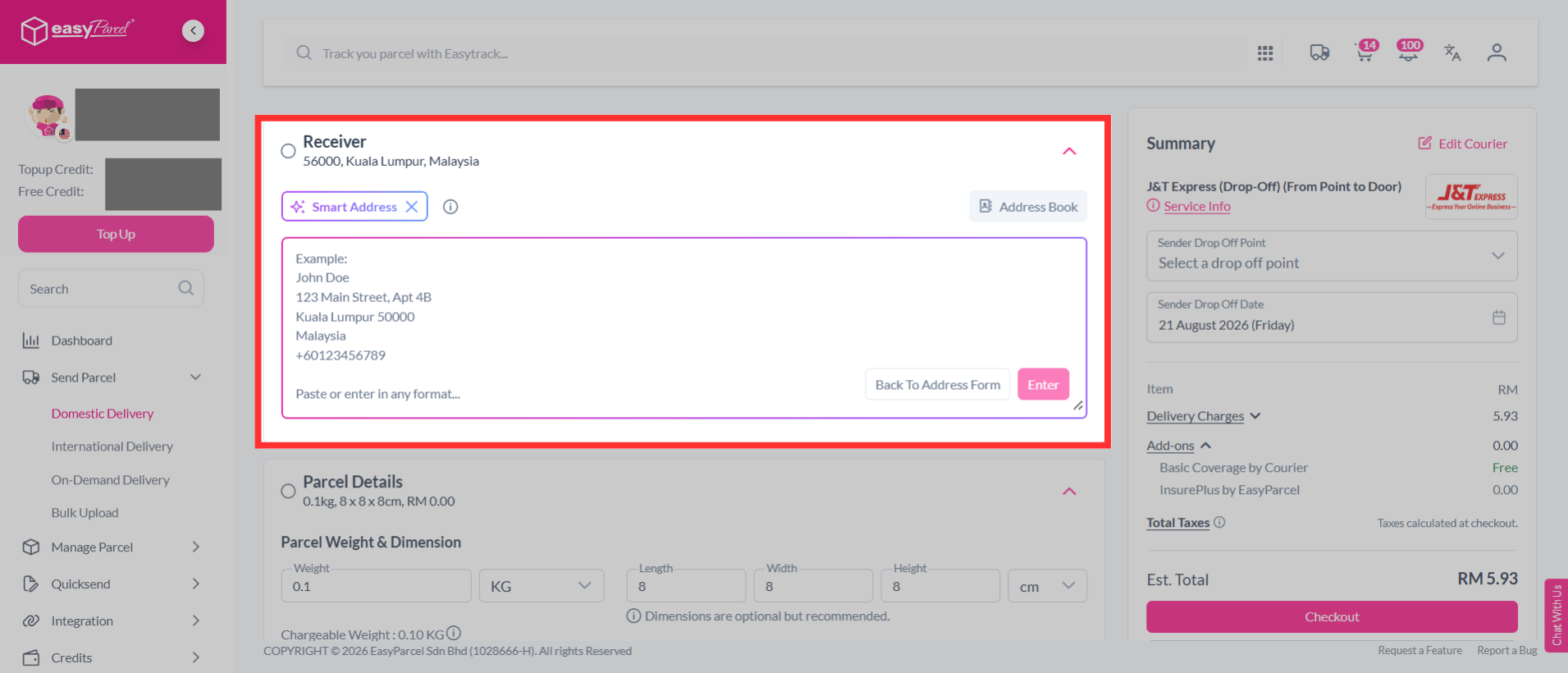
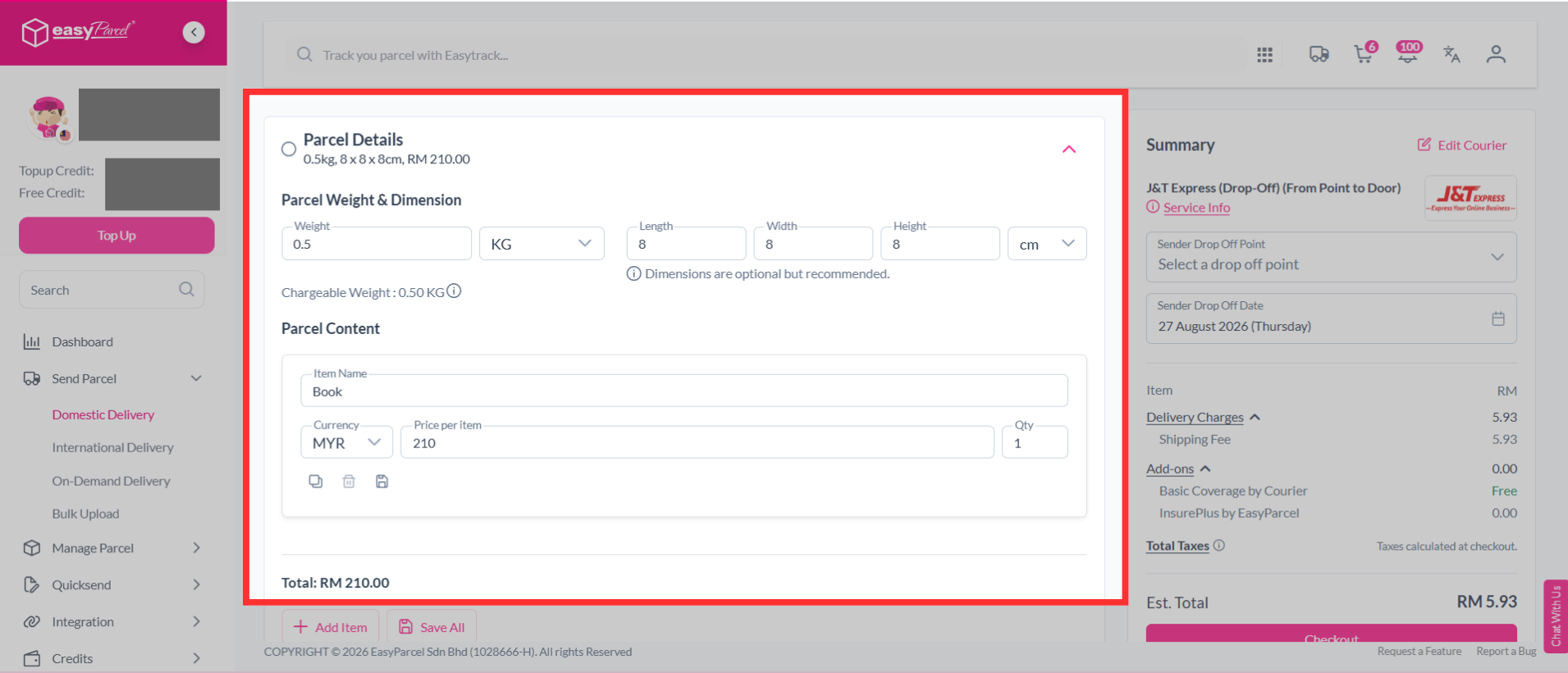
Step 7: Check your parcel weight & dimension. Fill in the parcel content and the value.
Note: For domestic deliveries to Sabah and Sarawak, there will be no duty tax charges. The invoice is provided for customer purposes and reference only.
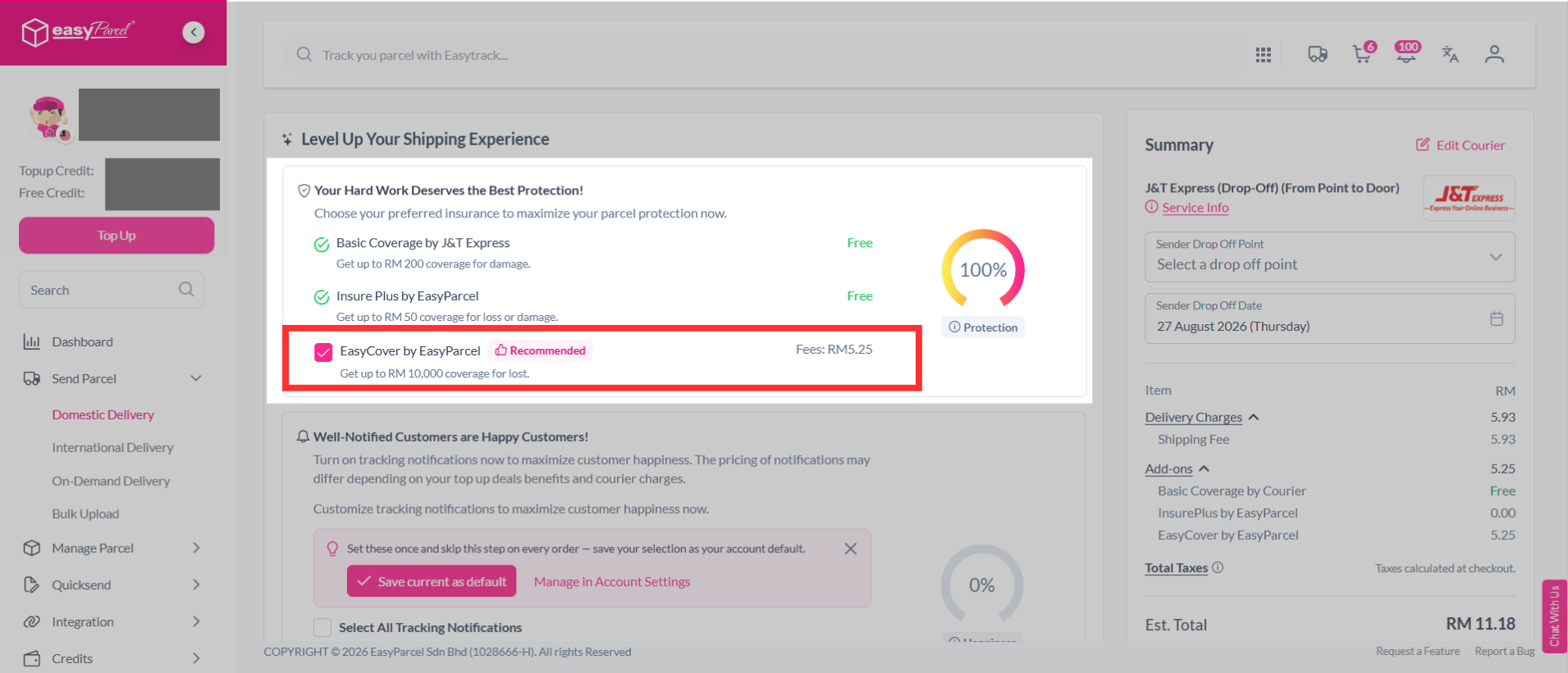
Step 8: After that, you will see parcel protection under the "Level Up Your Shipping Experience" section.
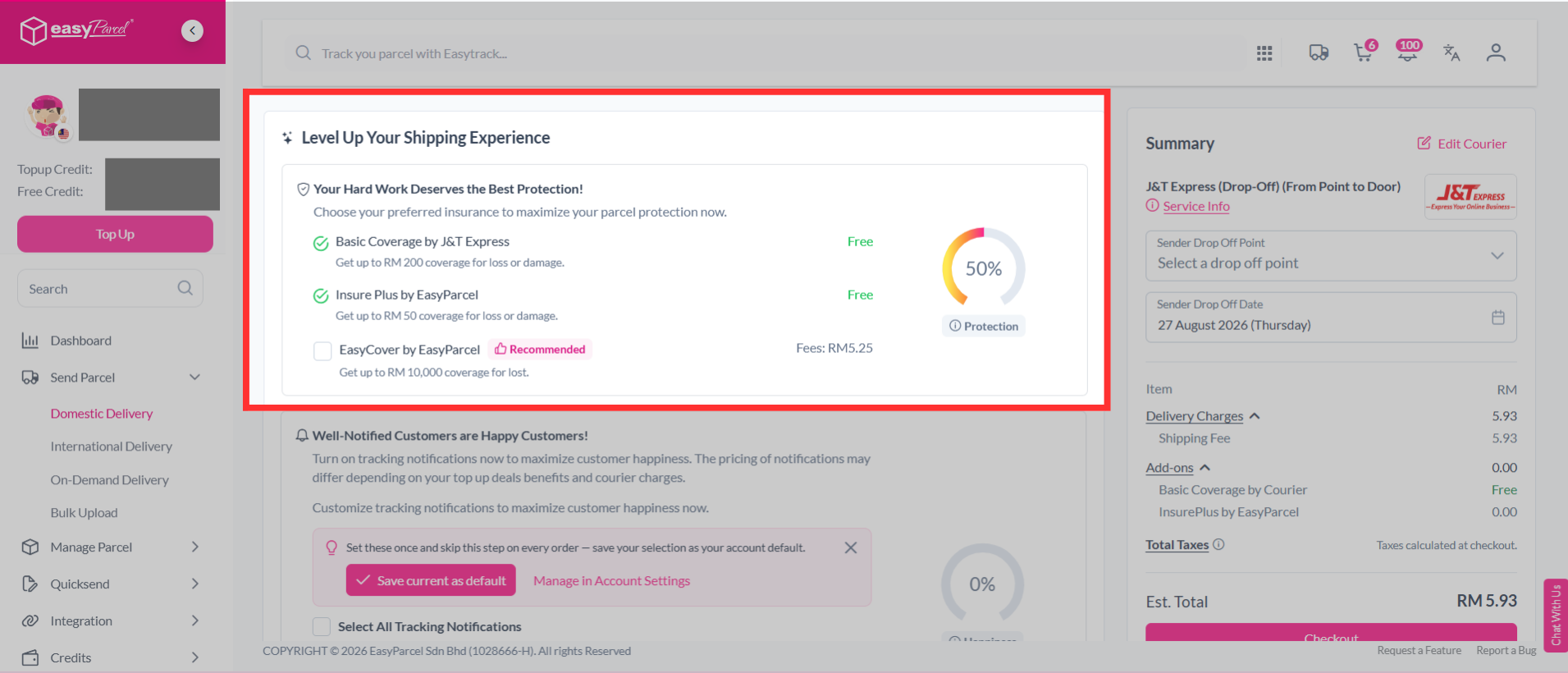
Step 9: You may see the EasyCover fees displayed beside it. Add on EasyCover by clicking on it.
Note: Depending on your selected courier, you'll have different Basic Insurance coverage. If it exceeds the basic coverage offered, then you're able to add on EasyCover protection for your parcels.
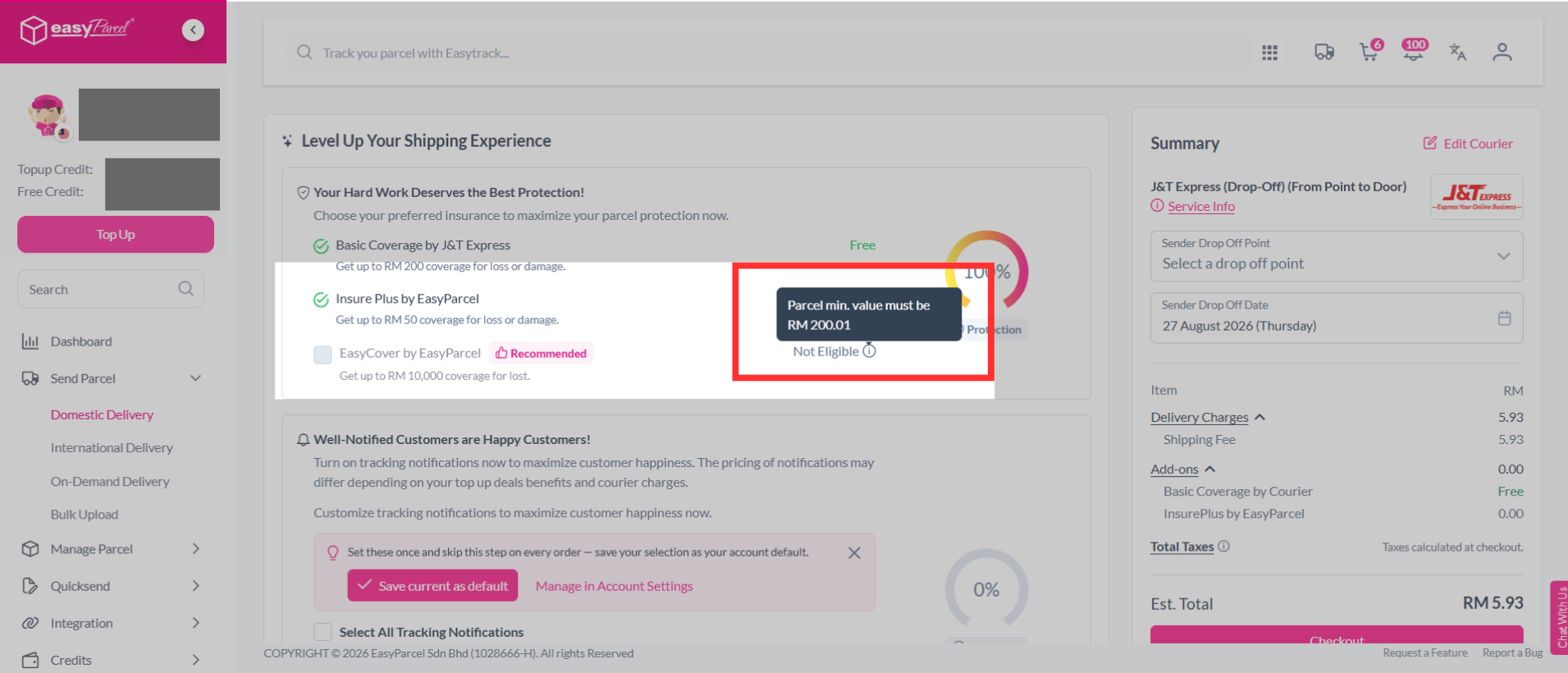
Note: Your parcel minimum value must be RM200.01 to be eligible for EasyCover.
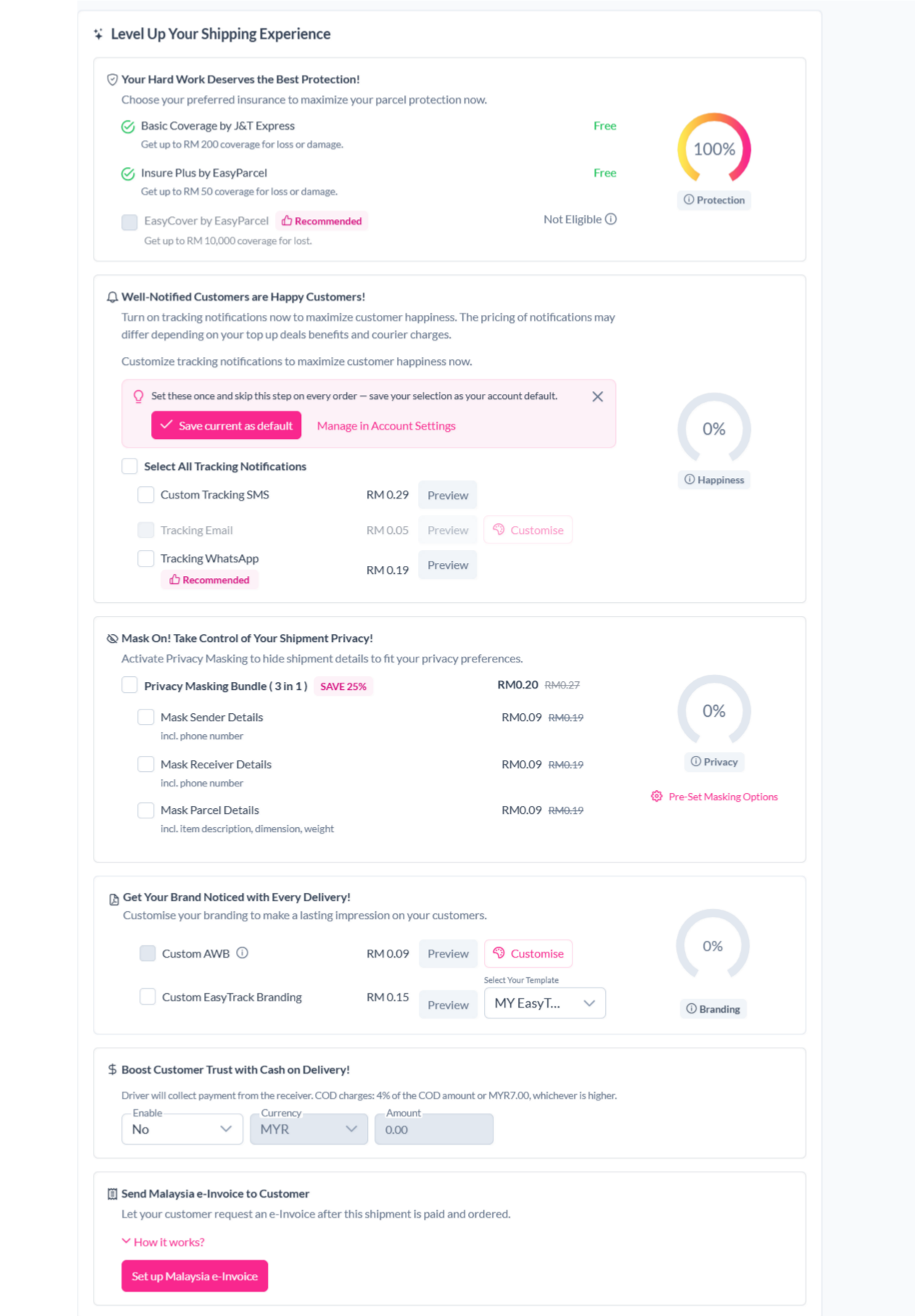
Step 10: You can choose other additional services to protect your parcel, keep customers updated and protect shipment details.
- Tracking SMS
- Notify your customers of their parcel's tracking number and status by activating tracking SMS.
- Tracking Email
- Send a tracking email to your customer once the order has been made.
- Tracking Whatapp
- Send your customers parcel tracking updates via WhatsApp.
- Privacy Masking
- Protect your sender and receiver information.
- Custom Air Waybill (AWB)
- Customise your Air Waybill (AWB) with your preferred details.
- Cash on Delivery (COD)
- Activate Cash on Delivery (COD) where drivers will collect the stated amount from receivers.
- Send Malaysia e-Invoice to Customer
- Send a Malaysia e-Invoice to your customer after completing the shipment.
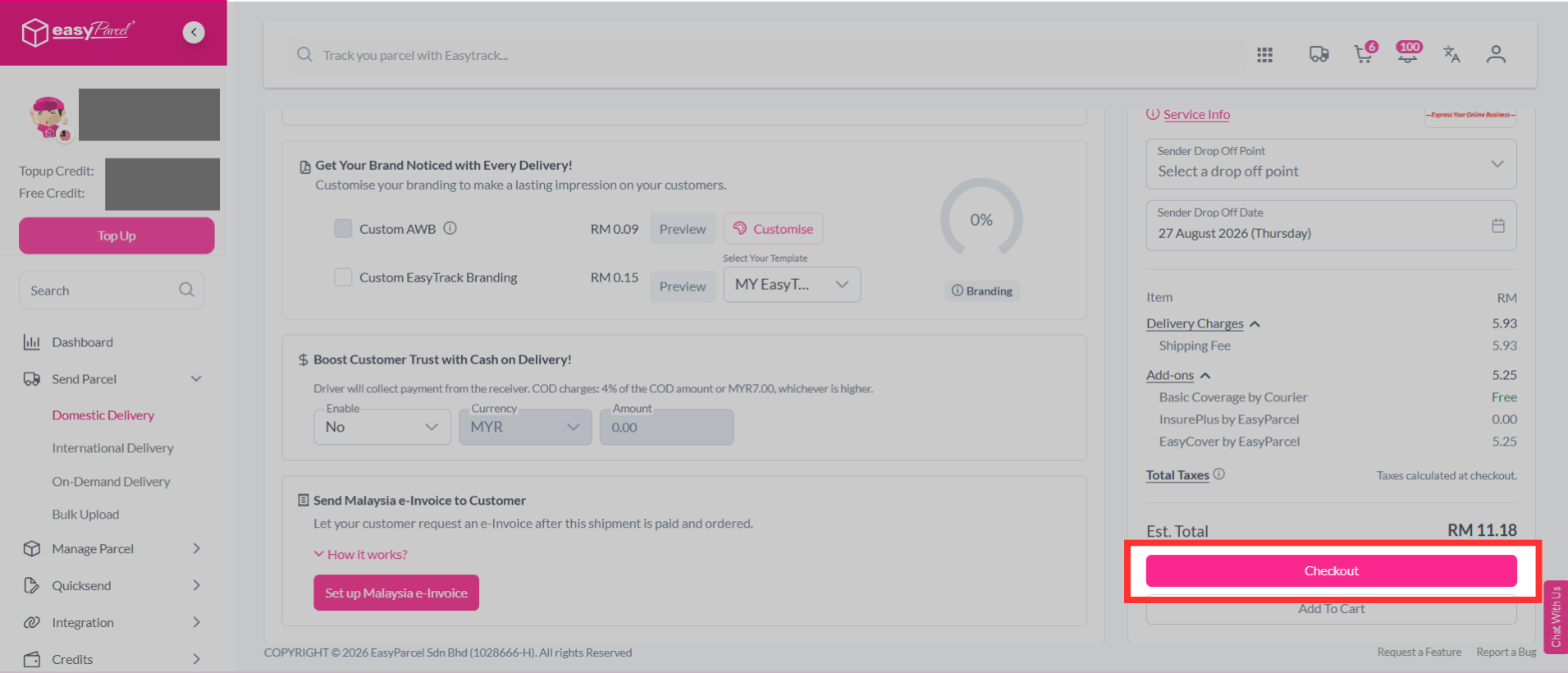
Step 11: Then continue with a click on the "Check Out" button.
Step 12: Complete the booking and pay it.
How to purchase EasyCover via Bulk Upload?
Step 1: Select “Send Parcel” on the dashboard, click “Bulk Upload”.
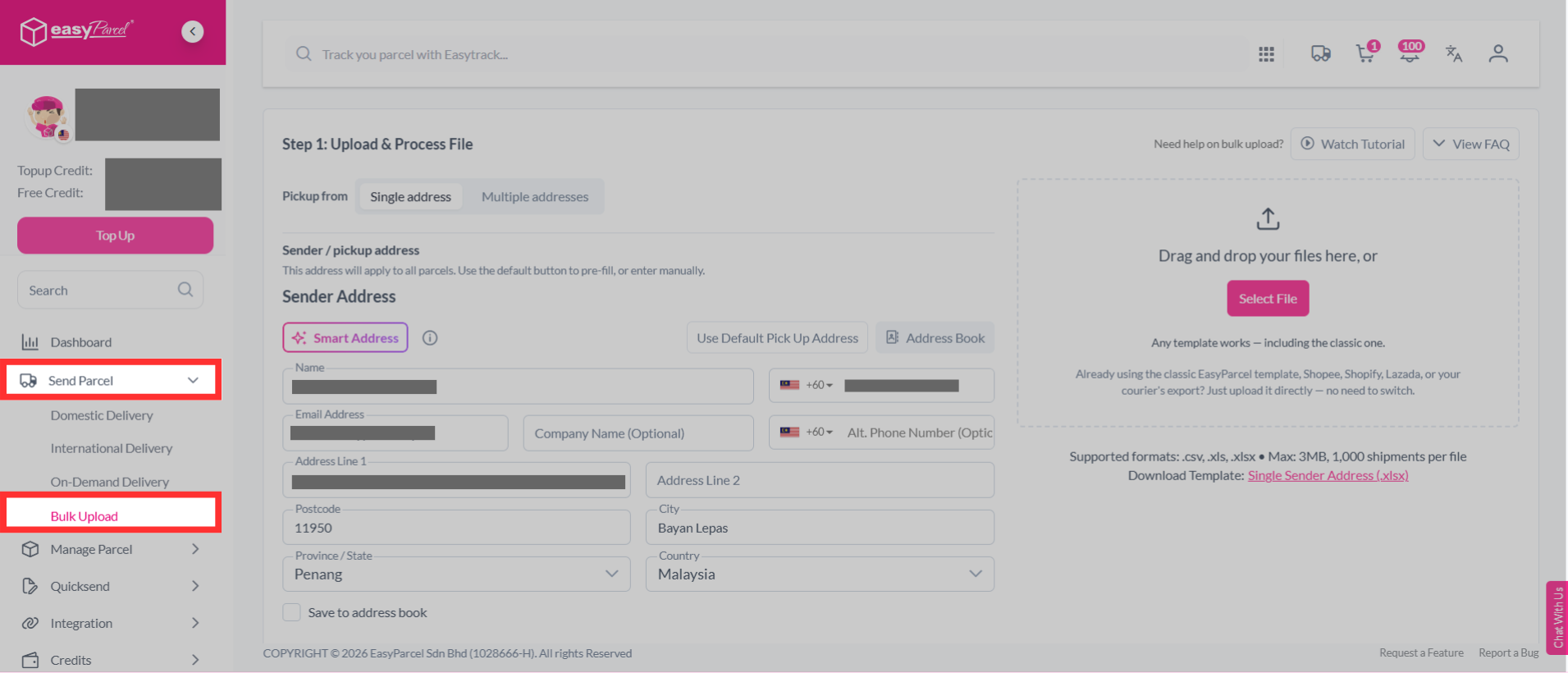
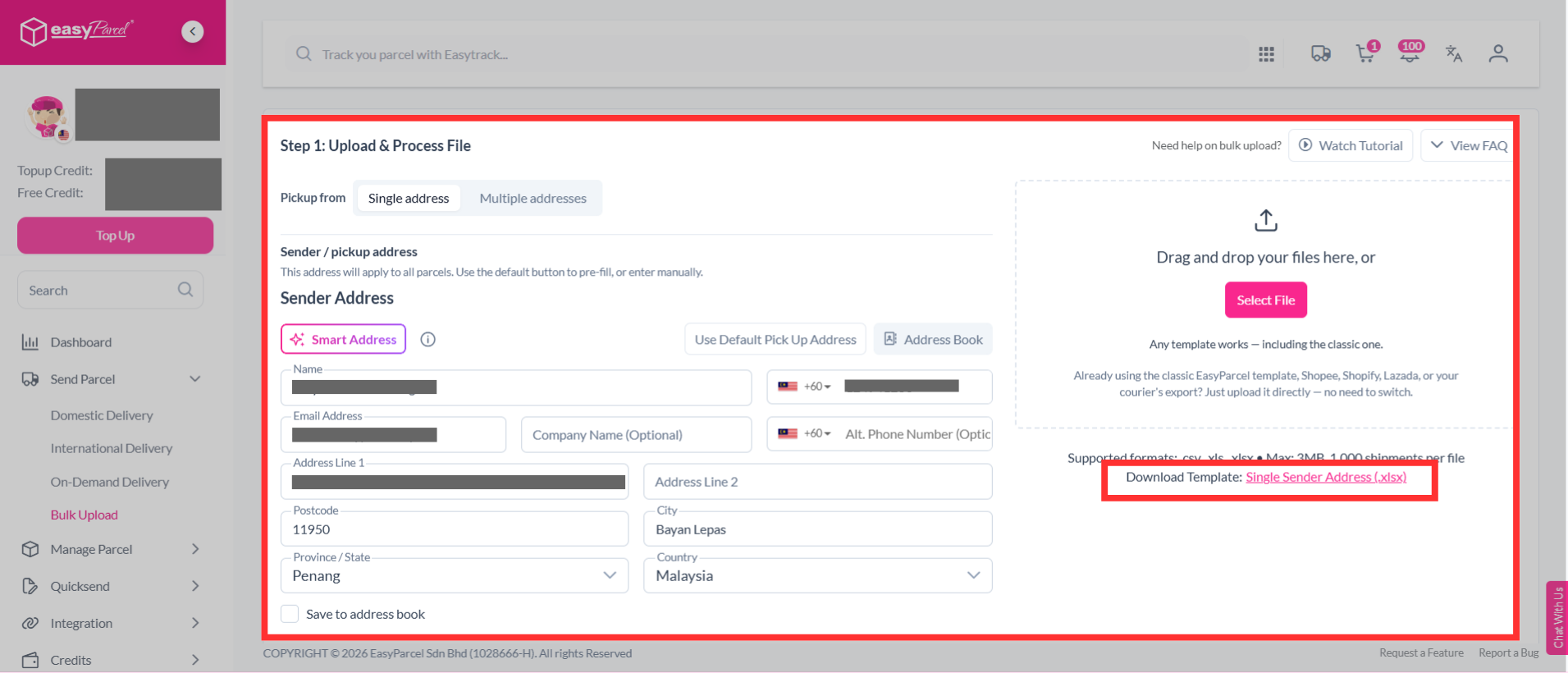
Step 2: Select "Single address", download the bulk upload single sender address template.
If you have multiple sender addresses, select "Multiple addresses", download the bulk upload multiple sender address template.
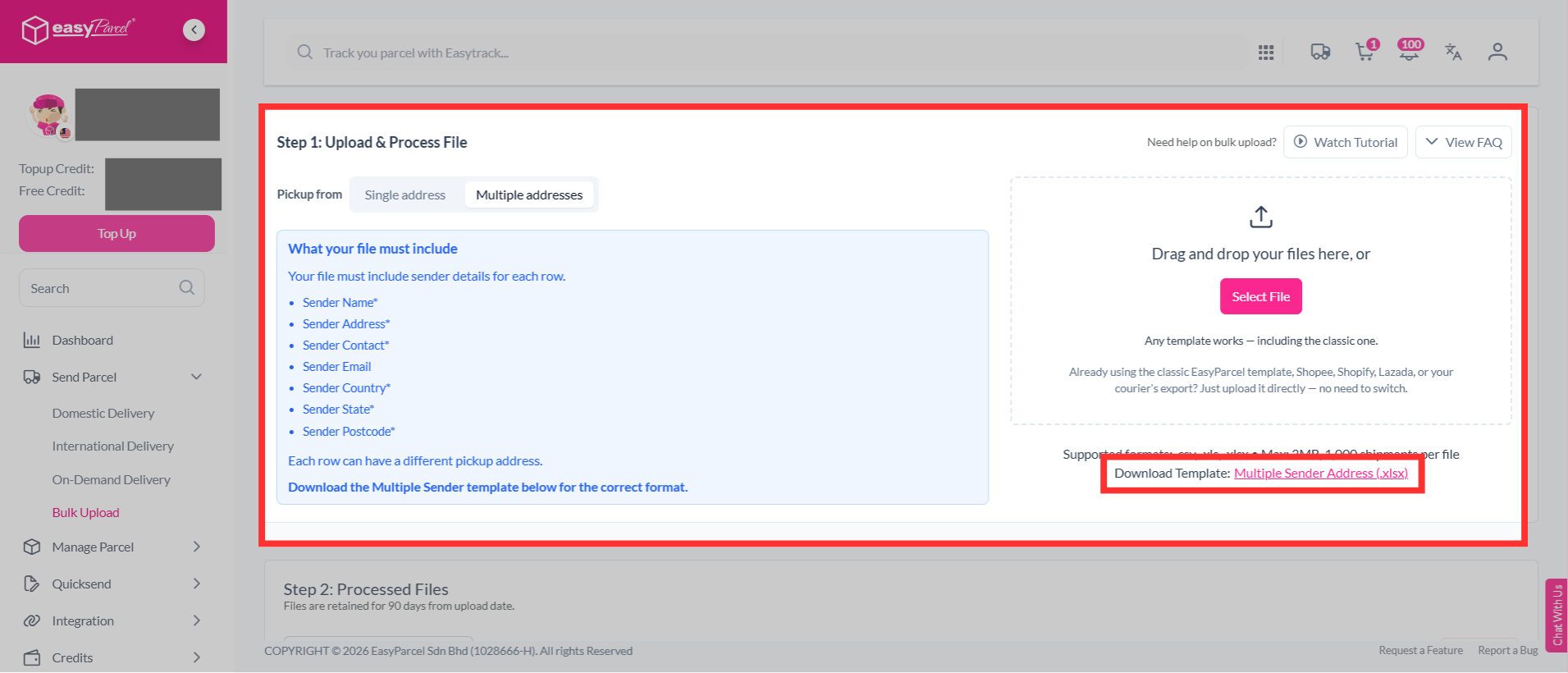
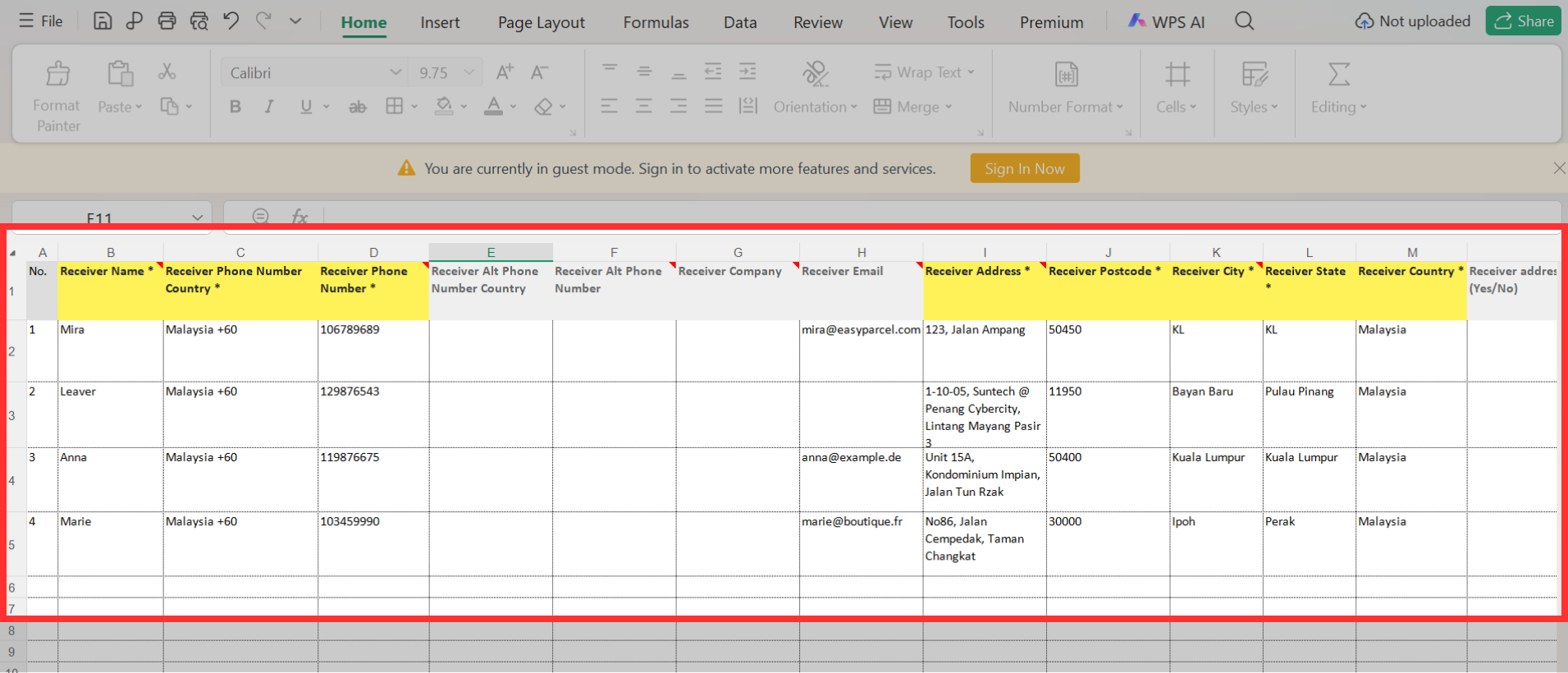
Step 3: Fill in details in the template. This includes:
- Sender details - If you select “Multiple addresses”, you need to enter the sender’s name, phone number, complete address, postcode, city, state and country. You may also provide the sender’s company name, email, alternative phone number and Tax ID if applicable.
- Receiver details - Enter the receiver’s name, phone number, address, postcode, city, state and country. You can also include optional details such as email, company name and Tax ID.
- Parcel weight (kg)
- Parcel dimensions (cm) – Enter the length, width and height of the parcel.
- Parcel content - Describe your parcel content correctly. For example, "H&M men’s sweather" instead of "shirt".
- Price currency - Select the currency used for the item value. For example, "MYR".
- Price per item - Fill in accurate parcel value to ensure a smooth delivery process. It will be kept confidential.
- Item quantity
- Reference
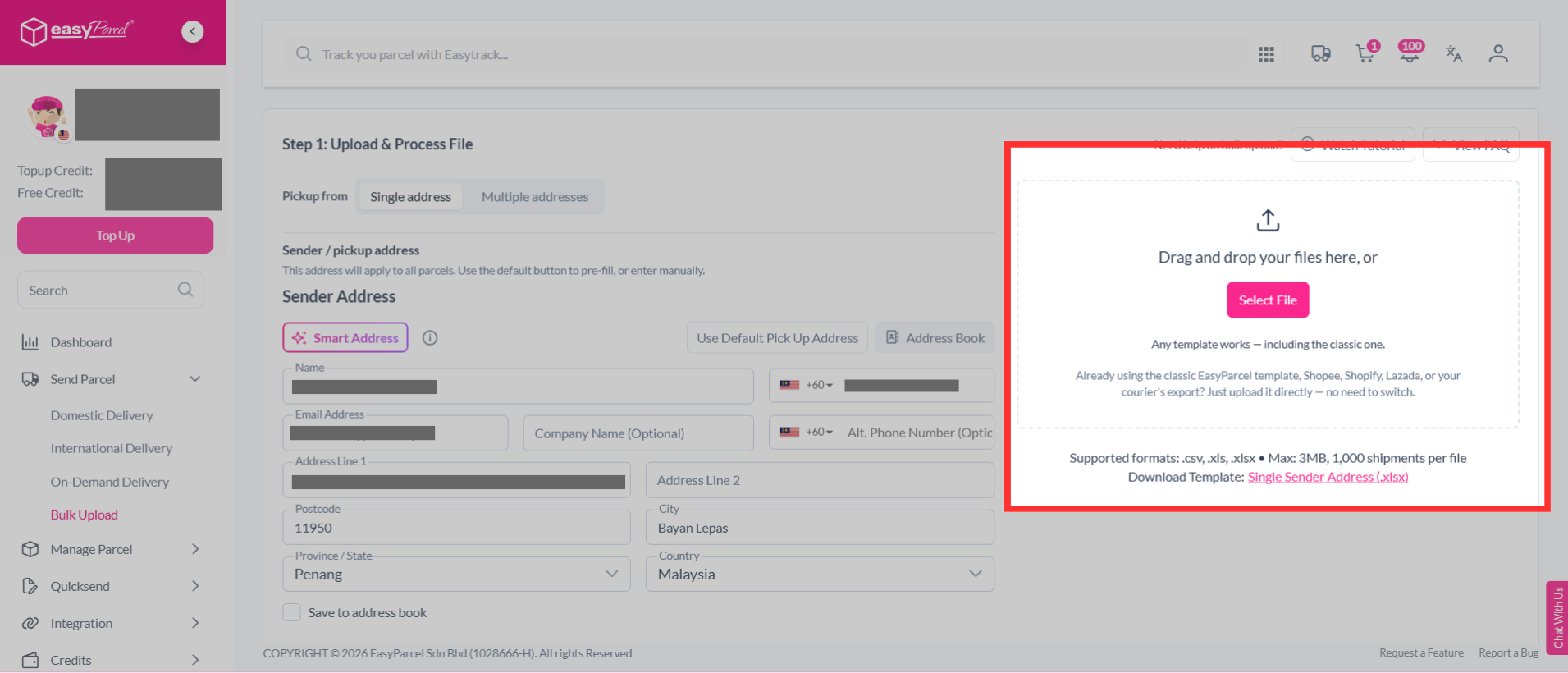
Step 4: Upload your bulk upload file.
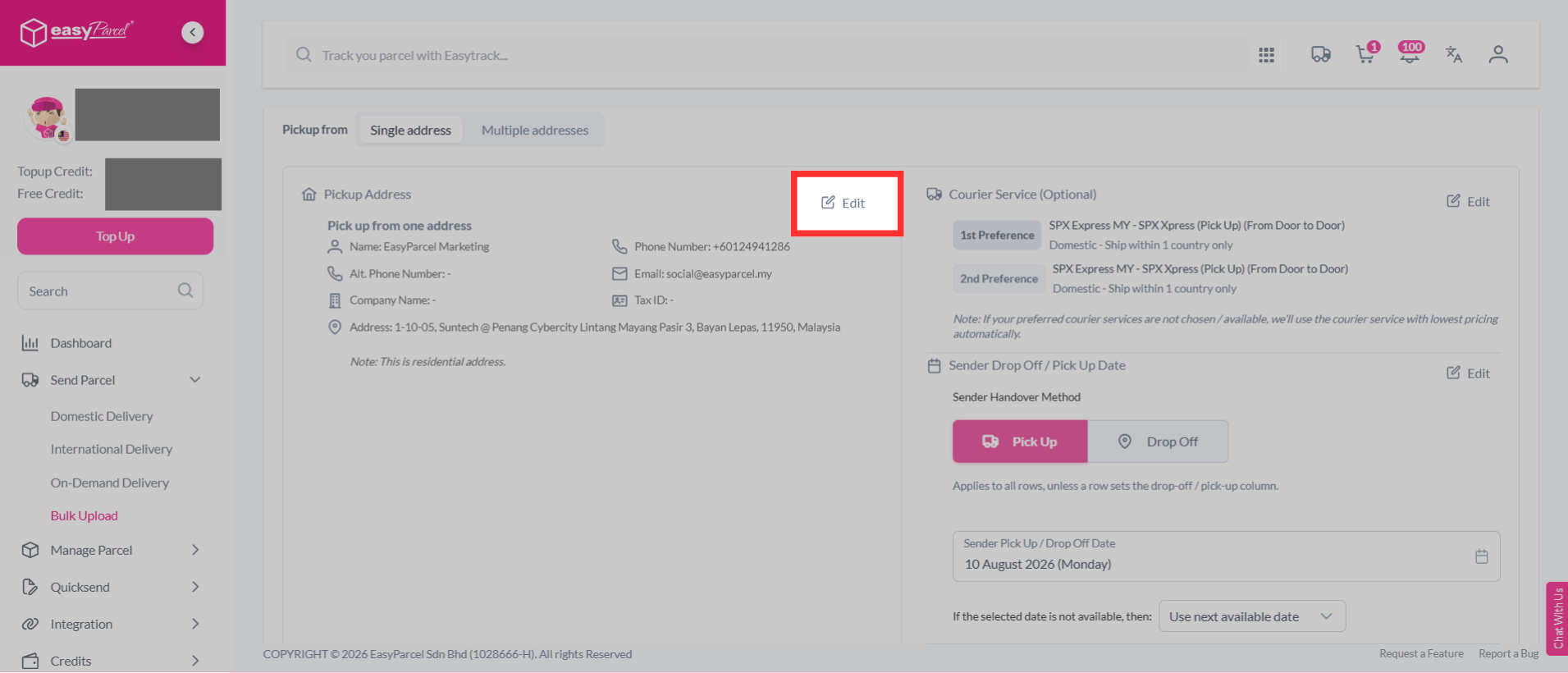
Step 5: After upload your file, click "Edit" to verify your shipment details.
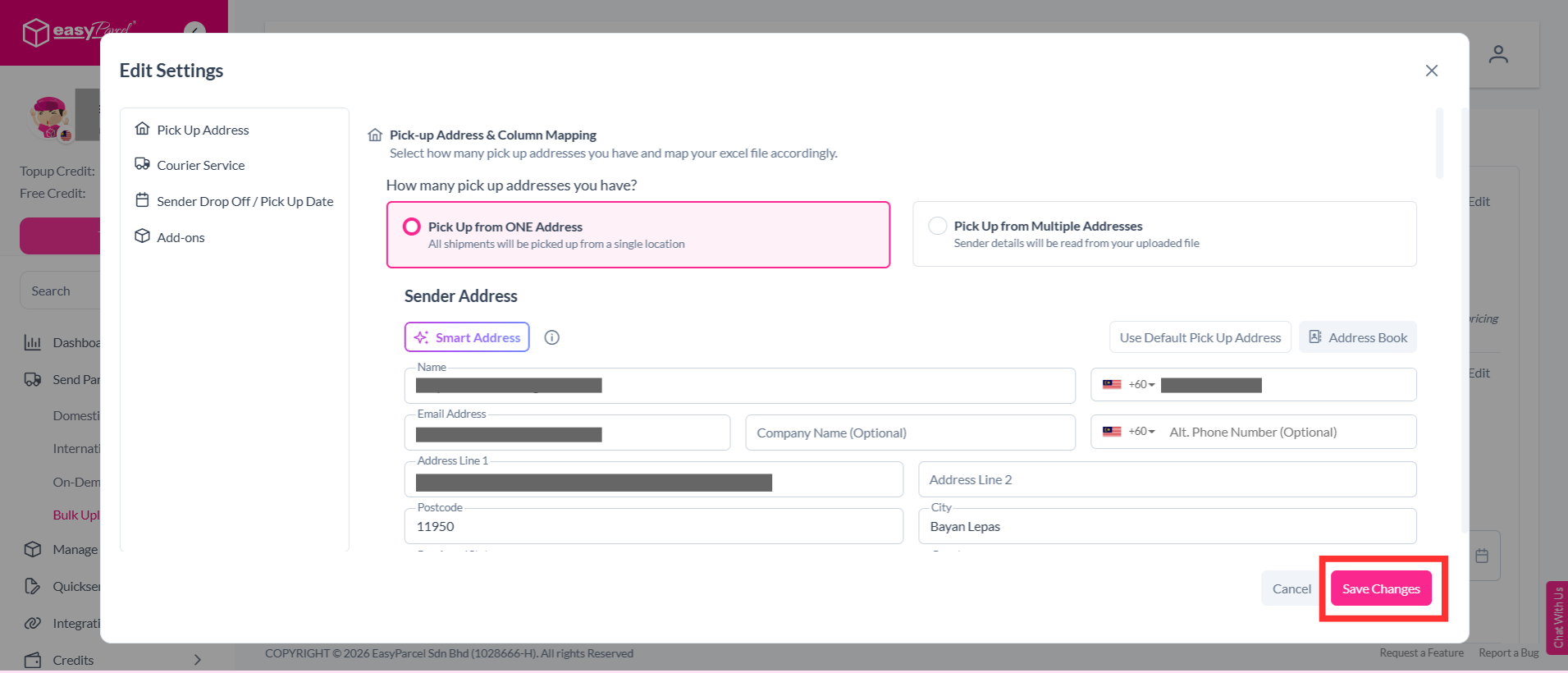
Step 6: You can edit your pick up address, courier service, sender drop off / pick up date and add-ons. Once you have confirmed the details, click “Save Changes” to save your updates.
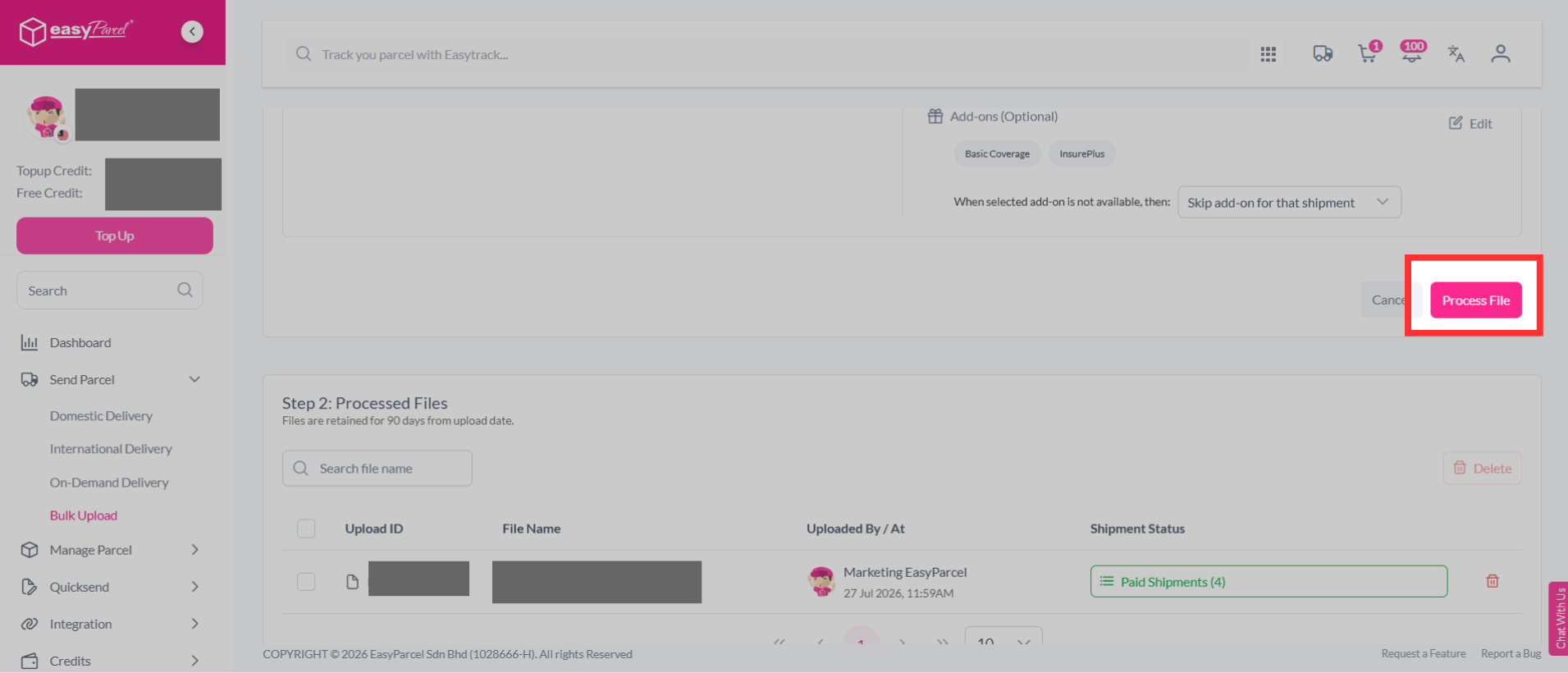
Step 7: Then, click "Process File".
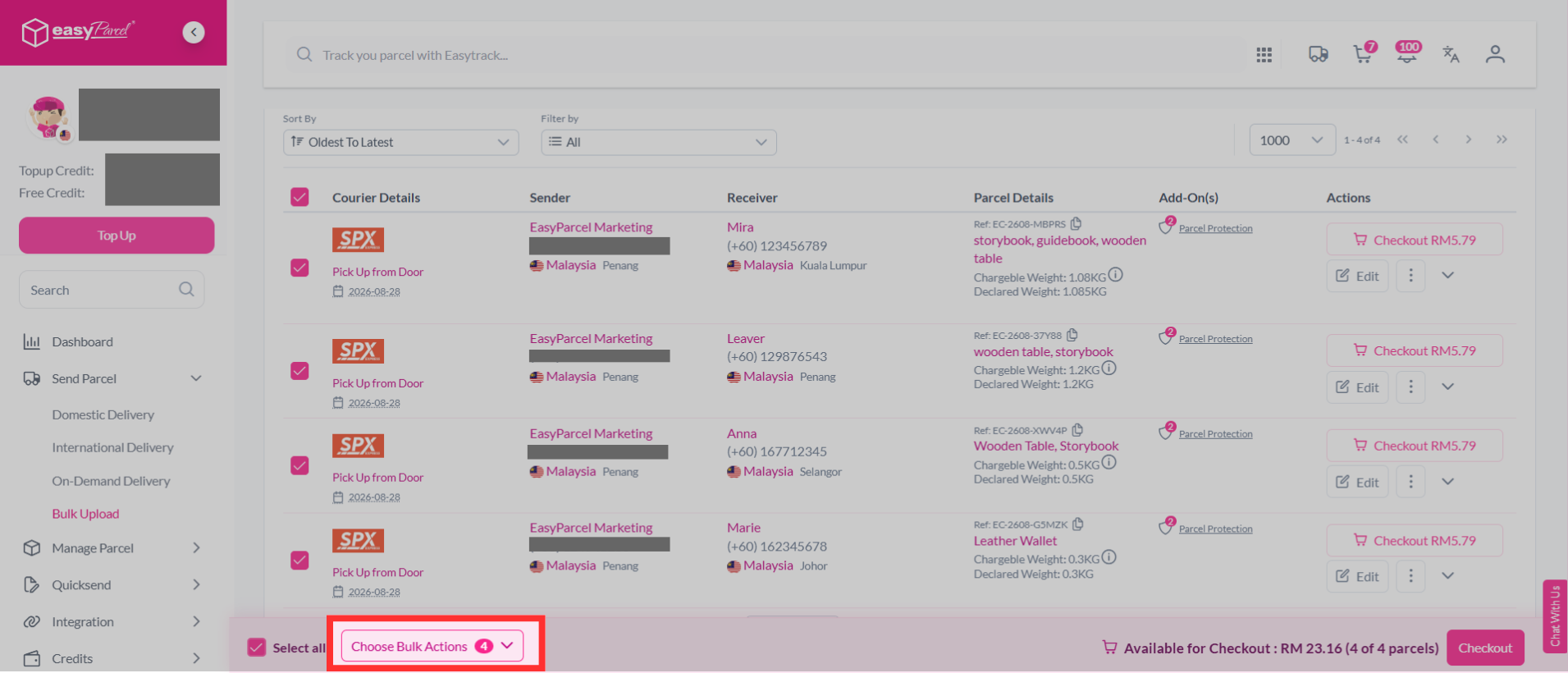
Step 8: Select the parcel you wish to add EasyCover to, then click "Choose Bulk Actions".
Note: Your parcel minimum value must be RM200.01 to be eligible for EasyCover.
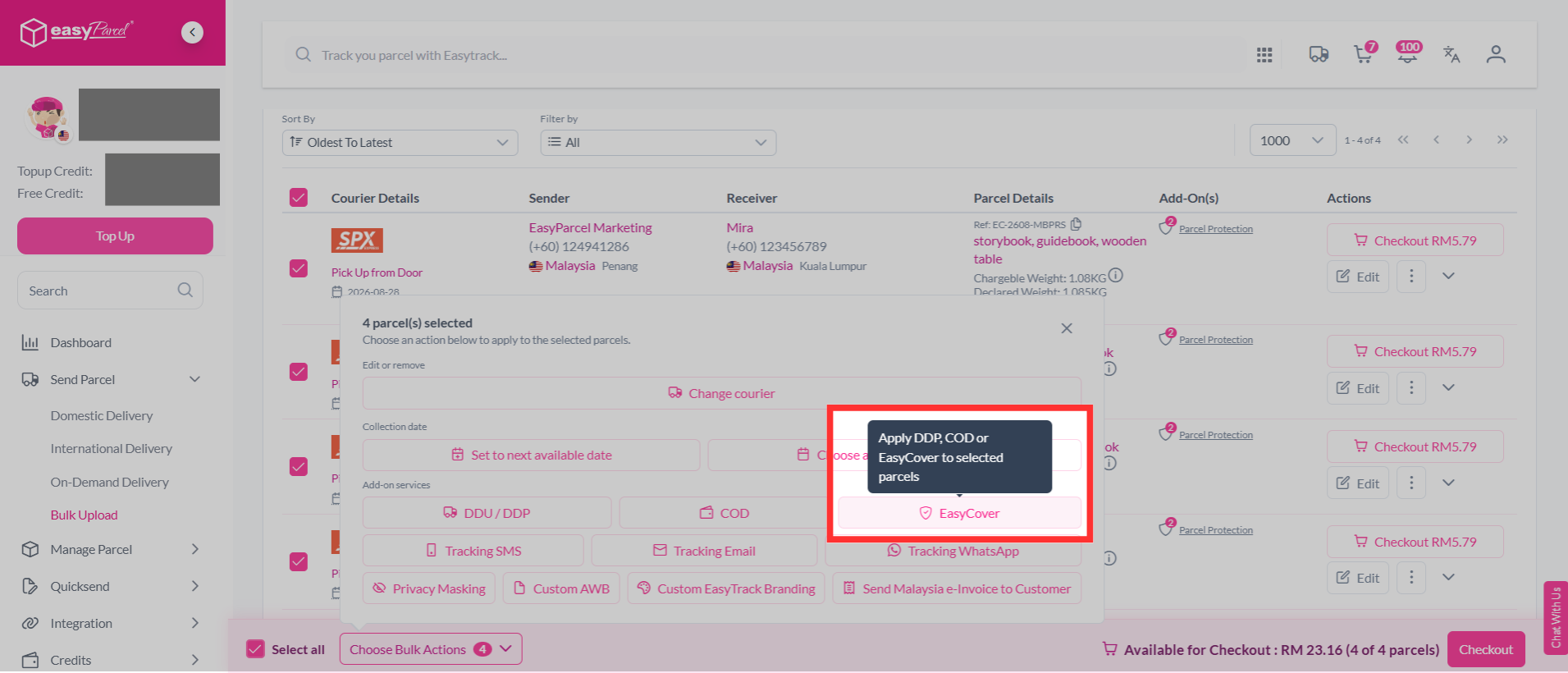
Step 9: Click "EasyCover".
Step 10: Add on EasyCover by clicking on it, and click "Update to cart".
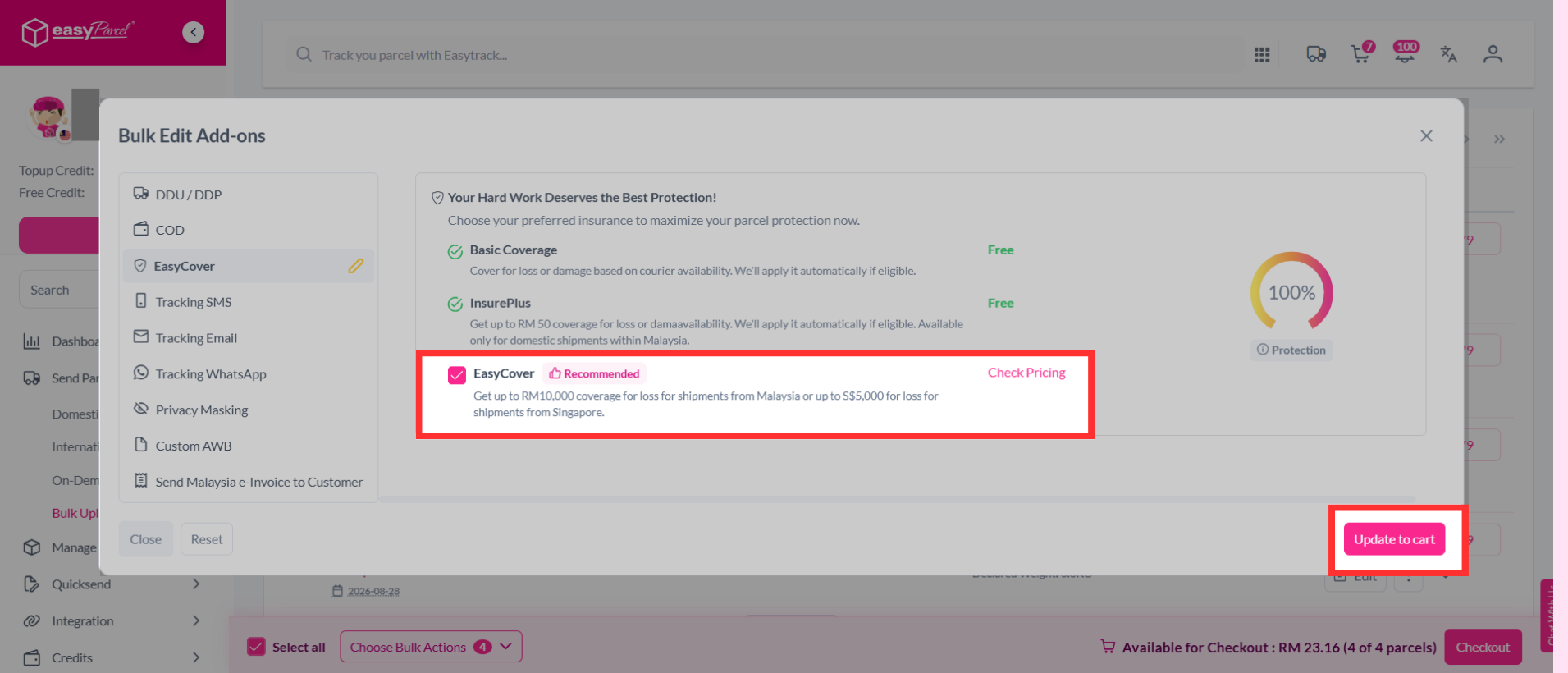
Step 11: Confirm you selection and click "Update to cart".
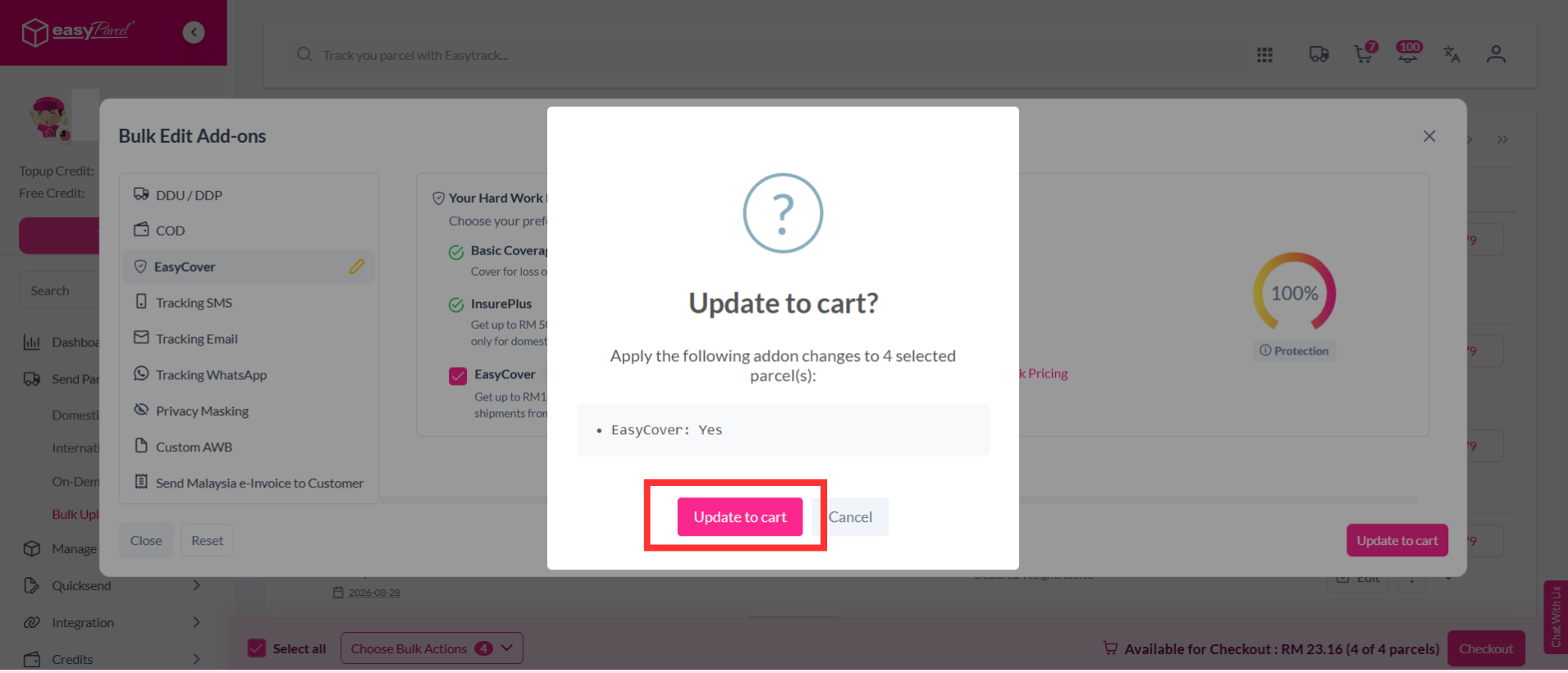
Step 12: Your EasyCover add-on has been successfully updated.
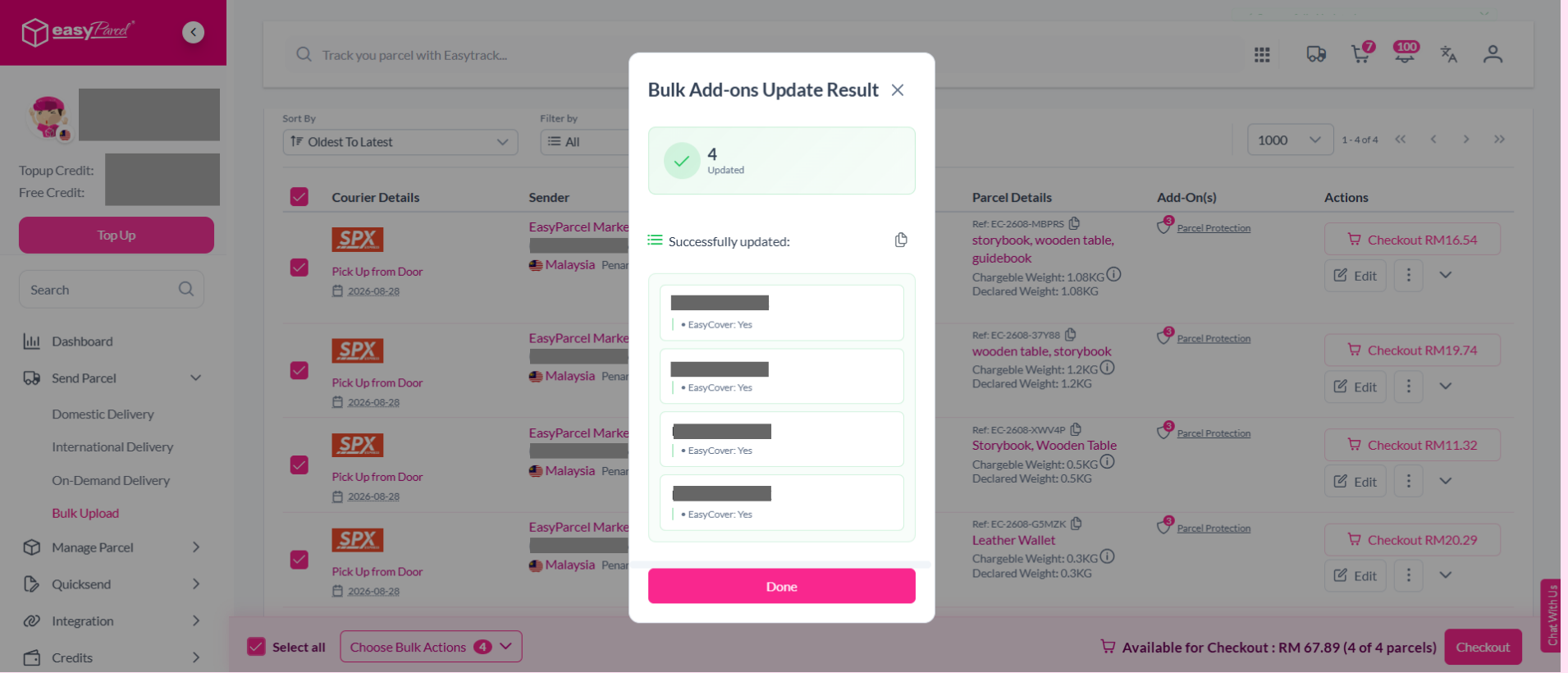
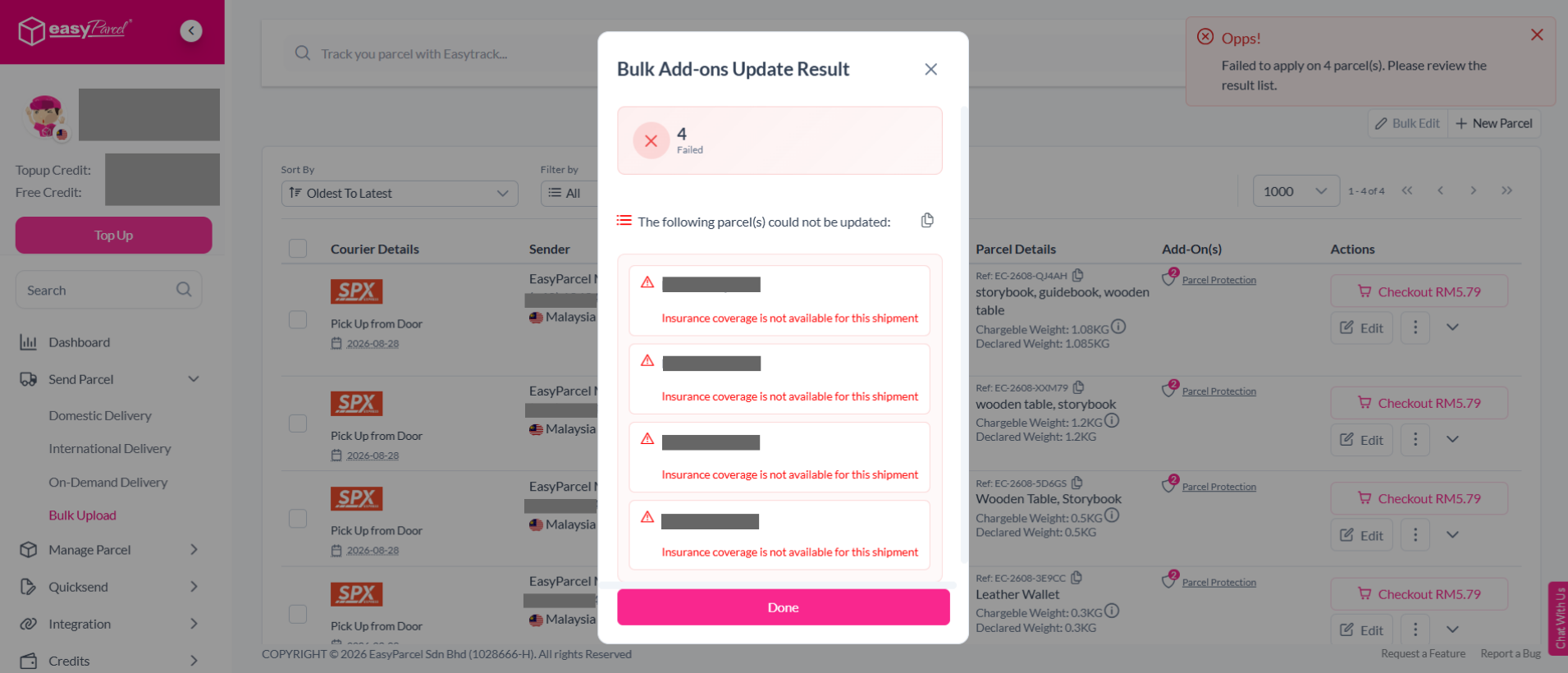
Note: Your parcel minimum value must be RM200.01 to be eligible for EasyCover. If the parcel value is below RM200.01, the EasyCover add-on will failed.
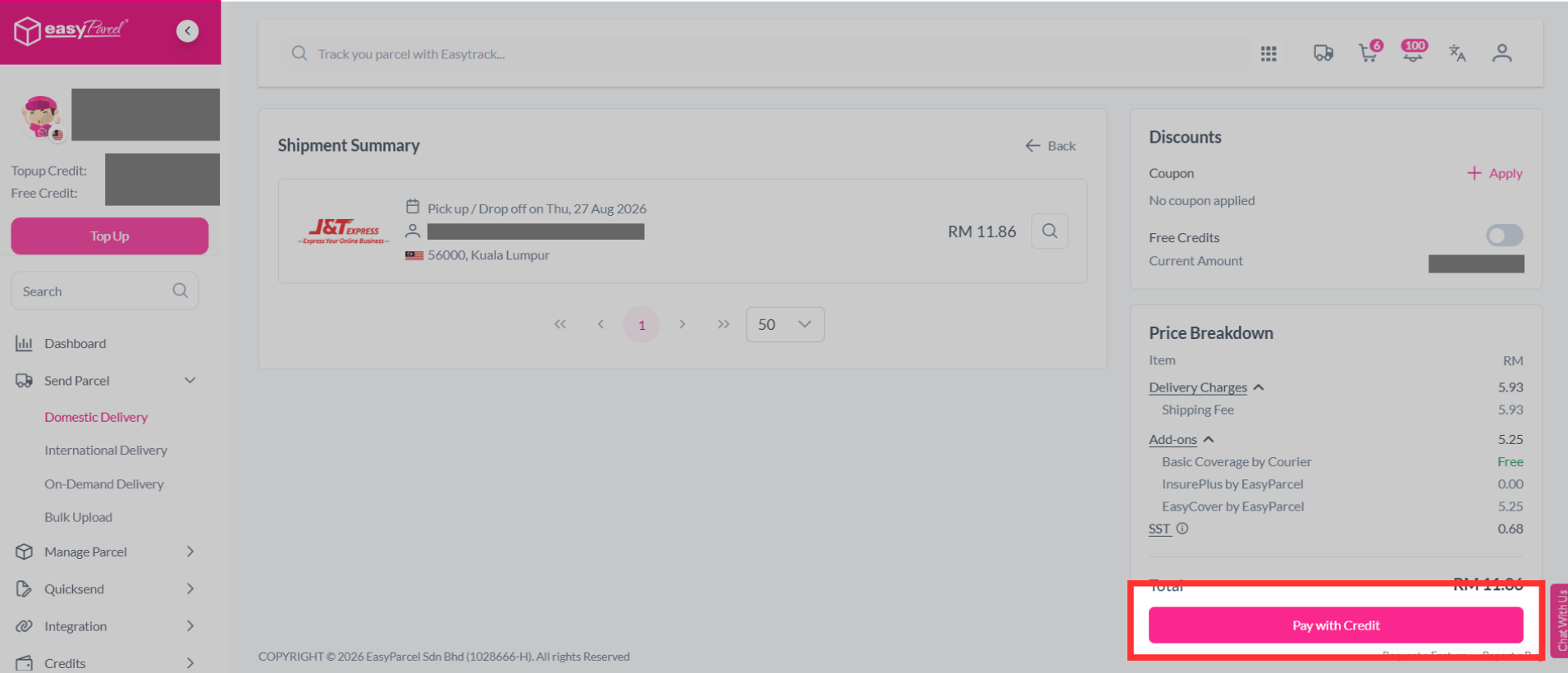
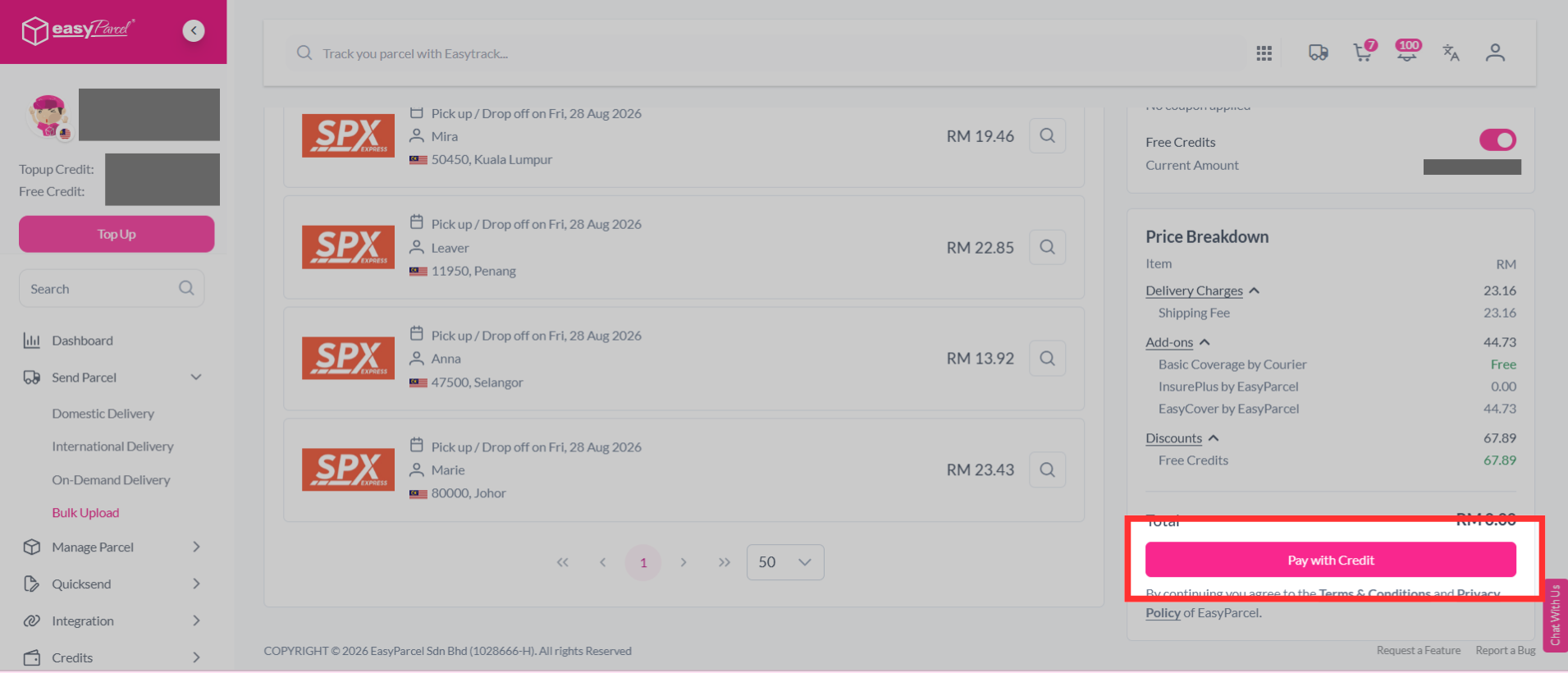
Step 13: You can verify and confirm your orders, click "Checkout".
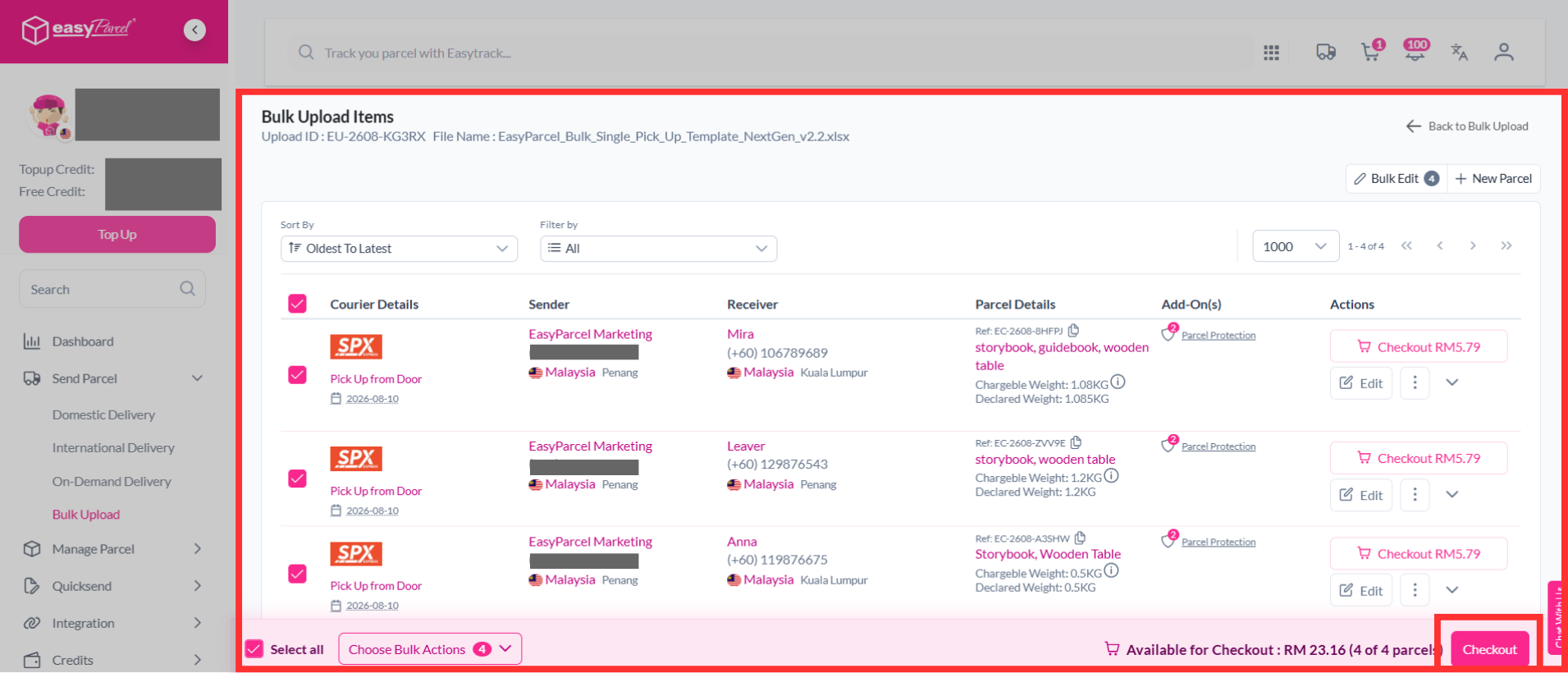
Step 14: Make payment as usual.
FAQ
- Q: Is there a refund policy for EasyCover charges?
A: No refunds will be issued for EasyCover charges once purchased. Additionally, claims will not be entertained if EasyCover was purchased for items or countries that are excluded from coverage. - Q: How to purchase insurance/protection on EasyParcel?
A: To purchase insurance, go to "Send Parcel," select "Single Parcel," and enter your details. After choosing your courier, add EasyCover if your parcel value exceeds Basic Insurance. Click "Add To Cart" to complete your purchase. For more information, check out our article - Q: How many types of insurance/protection does EasyParcel have?
A: EasyParcel offers three types of insurance: Basic Coverage, InsurePlus (RM50 for lost shipments), and EasyCover (up to RM10,000 coverage for 2.5% of the parcel value). - Q: What is EasyParcel InsurePlus Insurance?
A: EasyParcel InsurePlus provides additional coverage for domestic parcels lost during delivery, offering a reimbursement of RM50 or the parcel's value, whichever is lower, on top of the basic insurance provided by couriers. Claims must be filed within the courier's basic insurance timeframe. - Q: How to file an insurance claim for InsurePlus?
A: To file a claim, log in to your account, go to "Manage Parcel," and select "All Parcel." Locate the parcel, click the three lines, select "Report," and choose "Parcel Lost." Fill in the necessary details and upload a photo and invoice. You can check the claim status by clicking "View Parcel Report." For more information, check out our article.
And there you have it! You've now learned all about EasyCover Insurance and how to protect your parcels with ease. We're thrilled to help keep your shipments secure! If you still have any questions, don’t hesitate – check out our other helpful articles or get in touch with our amazing support team. We're always here to assist you!
Read Next: How to purchase insurance/protection on EasyParcel?